Creating an application is the next step after your business has gained leverage online. When your customer buys from you once a year or you are a governmental organization, a web page would normally be enough. However, when frequent client engagement is demanded, the necessity for an app occurs organically.
There are two ways of engaging with a customer with the assistance of current technology: either by means of a Web App or through a Mobile Application.
It’s a known indisputable fact that mobile applications have helped many companies increase their sales dramatically. Yet, in some cases, mobile applications aren’t needed, and businesses are absolutely thriving with progressive web apps. Some companies have both web apps and mobile apps ready for their users. In the end, the selection of technology is about meeting customer expectations and staying in your lane.
There’s no secret that the most important distinction between web apps and mobile applications lies in their development costs. So as to work out which of the present technologies is going to become the best investment for your specific business needs, we would look deep into the purposes these applications serve.
Want to discuss the business objectives of a mobile app or a web app for your company?
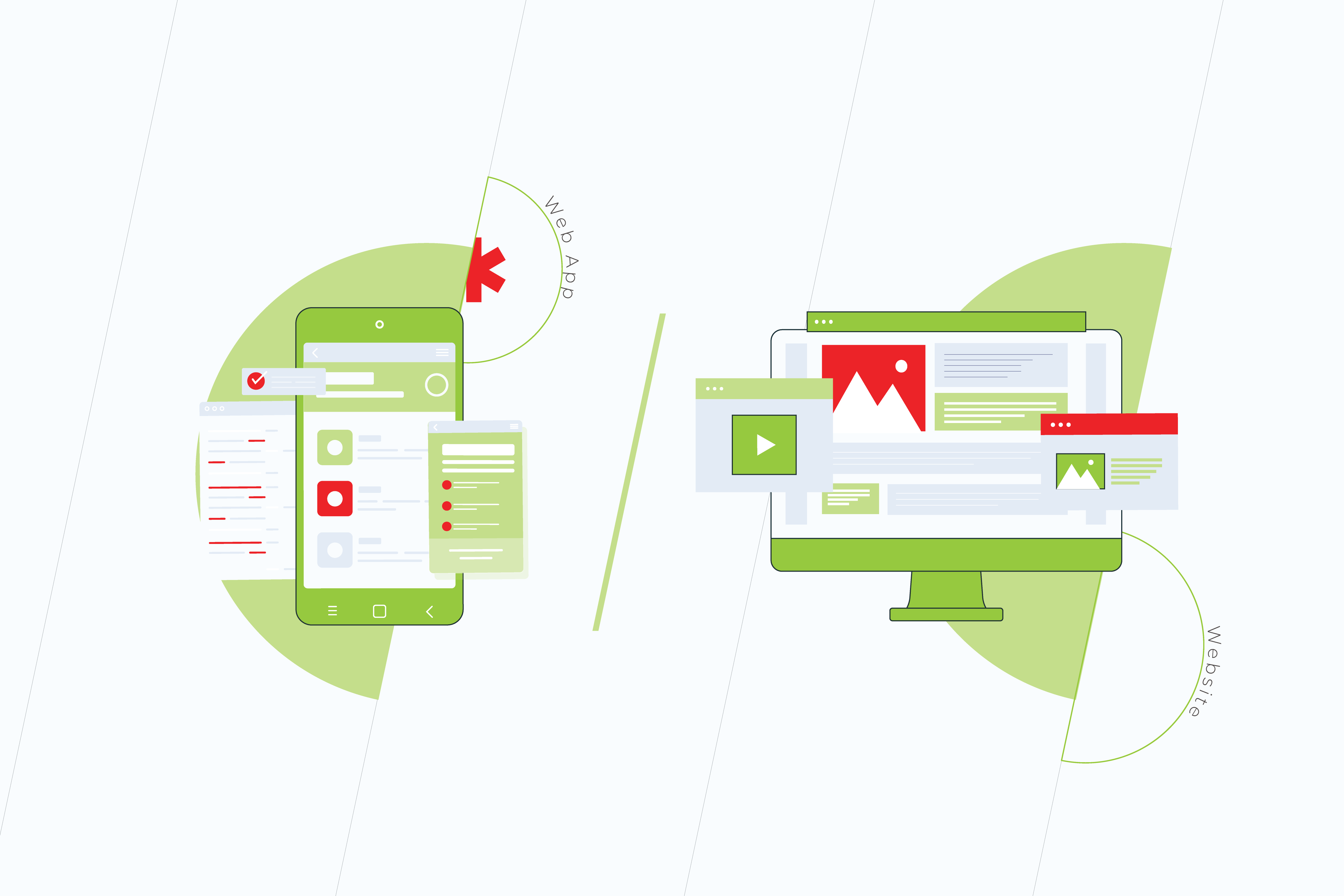
+ A Progressive Web Application, or a Web App, is a website adapted for mobile. This is often one of the foremost progressive technologies nowadays. It imitates a mobile application and is viewable in most browsers on desktops and mobile phones. It costs less to build a web app than a website.
– An existent web app signifies that a corporation has already gained trust among its audience. However, there’s no requirement for constant involvement with an app. Maximum retention and time spent in the application have zero effect on a webpage and brand awareness.
Pros and Cons of Mobile Apps
+ A mobile application or sometimes it’s called Native Application is a great marketing and sales tool for a variety of consumer-based companies. It involves constant engagement with the product through continuous interactions. Mobile apps collect as much information as possible, studying habits and analyzing user behavior and patterns.
– A mobile app is a more expensive technology as compared to a web app or a website. Its budget is mostly dictated by the availability and price of skilled mobile developers for Android and iOS. While Hybrid applications are also available as a part of the cross-platform solutions, their updates are less frequent.
Web Apps vs Mobile Apps from a User’s Perspective
Both web apps and mobile apps signify the trust level users have for the company. The main difference between them is the quantity and frequency of interactions. Native Apps also offer a more robust personalization. The communication is customized to users, supporting their interests, location, behavior, and more.
People download mobile applications after they use web apps on a regular basis. They do that once they get acquainted with a company’s website and social media. If they like how the application is made, they will stick with it. However, many users prefer PWAs, since they are faster and don’t require memory on their devices. Plus it only takes a few lines of code to make usability amendments in a PWA.
– Volha Marskaya, Sales Specialist
Mobile App vs Web App from a Business Standpoint
The common practice for a lot of companies is in building a website, a PWA, and a mobile application as they expand. The latter is a logical step toward broader market outreach. It is a method of business growth and it drives sales.
There are, however, ways in which it can be cost-effective to work out a novel approach for specific user engagement while also saving on development and maintenance with no effect on sales.
There are general recommendations for many B2Bs to own a branded application. At the same time eCommerce has shown relevant proof for PWAs, which are made to more easily compare goods in a browser.
What are the main criteria that allow the choice between PWA and Mobile Apps?
When choosing between web and mobile applications, it all depends on the goals and technical requirements for the interaction with the API, like accessing user location.
A website adapted for mobile would be sufficient when its purpose is solely the acquaintance and PR of the product with no requirement of further interaction with a client. Speaking of a short-term interaction once a week or a month, a web app would be enough. When one or two basic functions are solved, a mobile application is not needed.
– Eduard Beleninik, Lead of Mobile Development Unit
World Statistics. PWA and Mobile Applications in the Long Run
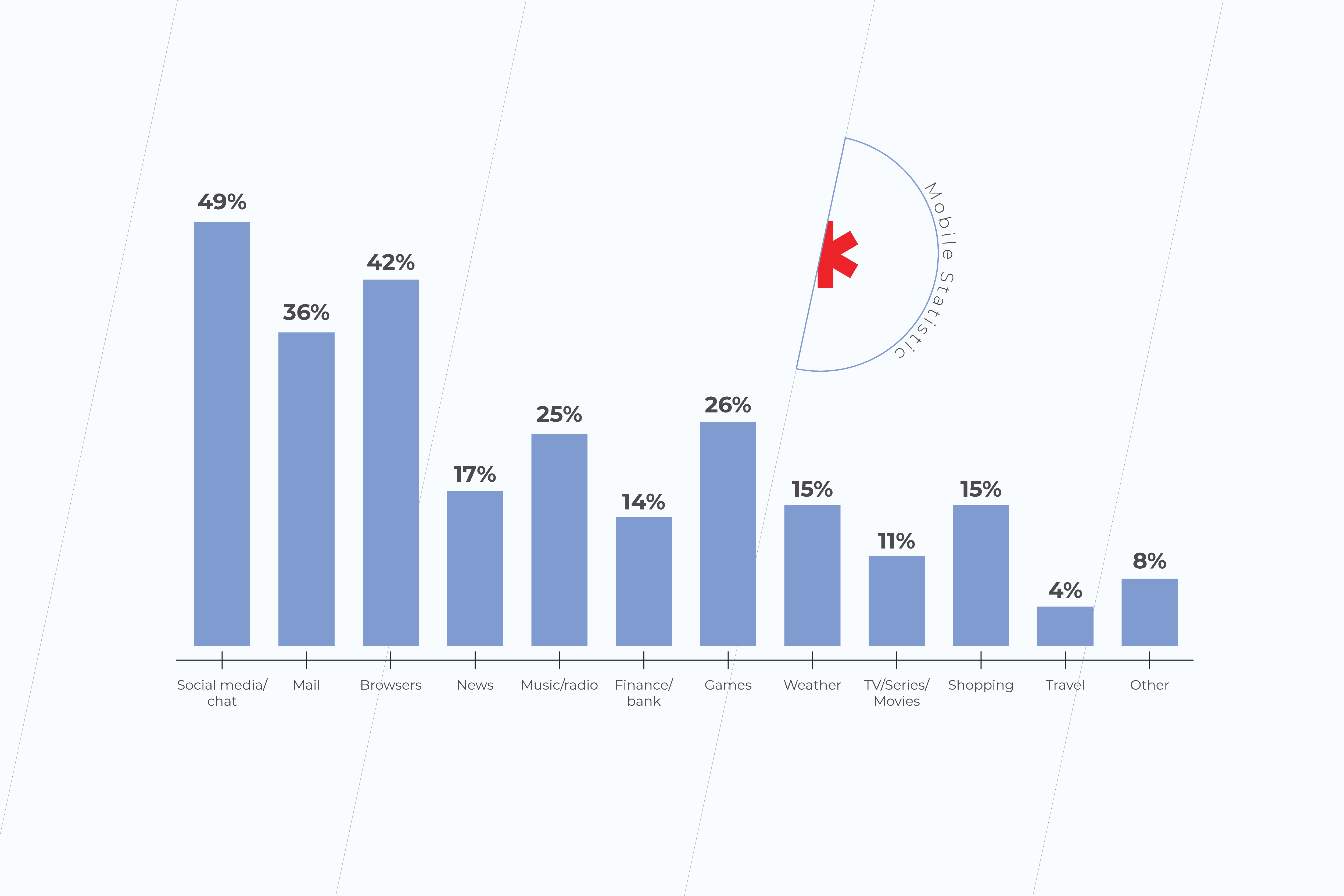
Mobile applications’ downloads have increased in recent years to 218 billion. According to Statista, in 2023 mobile apps will generate more than 935 billion U.S. dollars in revenues through paid downloads and in-app advertising. And word-of-mouth is a very strong factor when deciding what applications to download. Finance, travel, and shopping apps are among those that mobile users in the United States spend the most time on.
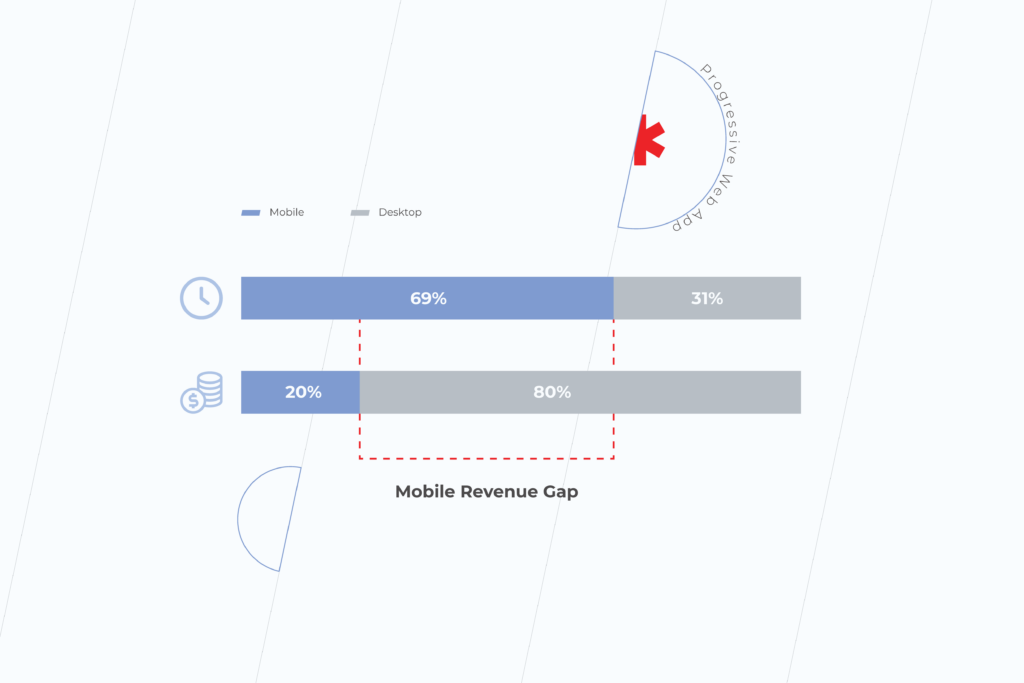
A study has shown that PWAs have 36% higher conversion rates than native apps. The average conversion rate for progressive web apps is higher because mobile traffic and consumer time on mobile is much higher than on the desktop. Many businesses report increased revenue thanks to mobile traffic. For example, the Starbucks PWA has doubled daily active users. And orders on the desktop are nearly the same rate as mobile.
The number of origins with PWAs has grown 170% in 2020. According to the Chrome team, there are tens of millions of installations of WebAPK only on Chrome for Android. However, PWAs are less accessible for Safari and iOS users because of Apple’s policy on a more private web, and more strictly regulated App Store. Following Apple, Mozilla claims deprioritizing progressive web applications soon.
Check other articles on our blog. Subscribe to our social media and get insider information on making your business ready for digital. If you have any questions, get in touch with our expert team or fill in the form below to have your project estimated by progressive web application development company.
As a founder, you are always looking for the next step to take your business higher. It’s possible now you are happy with how your workers are handling the internal routine. You have set up the whole marketing team with gemstones found at a local talent market and on the Internet. People start discovering your brand, and they love to come back.
Although you are a fearless leader, catering to the robust needs of the community can sometimes get overwhelming. New clients are waiting to interact with your brand and to start buying from you more often than ever. They can’t wait to test run your product and leave reviews. Loyal customers are happy with discounts. They would like to follow you on all social media and interact with other adepts of your brand. It makes sense that you would like to make your entire customer interaction intelligent and easy. Wondering how to make your business grow, you feel the need to invest in something that has a lasting effect.
And the answer is technology. Adopting Smart Technology is one of the long-standing business growth factors. Technology fertilizes your business. It solves a lot of problems, helping save on labor costs and streamlining processes. As you select the right tools for your specific company goals, you aim for staying in digital domain outreach for a longer time. Maybe you have already built a website and a PWA. But as your company matures, having a native app to help promote your business is an absolute necessity, especially if you sell on-demand services or products.
How mobile apps help businesses
There are millions of apps available on the App Store (iOS) and Google Play Store (Android). The majority of them are written using programming languages, such as Objective-C and Swift (iOS), and Java and Kotlin (Android). The applications that are built for the two mobile platforms are called Native Apps. There are also Hybrid or Cross-Platform Apps. They are developed using a separate framework, and the code is later being edited for each of the two platforms by hand.
Mobile apps are all the software we download on our smartphones, tablets, or digital watches. The software miraculously combines the latest tech, marketing, and design solutions and gets constantly updated. An application has access to the device’s API, GPS, Camera, and Microphone, etc. Artificial Intelligence and other latest technologies help set individual user preferences. An entire community of mobile application users has an instant connection to businesses through their push notifications.
Mobile apps for business are the assets that work for you while you rest. The software serves clients at night, on weekends, and on holidays. There are two powerful functions of mobile applications in the grand scheme of your company growth:
They drive user traffic. New traffic expands the user base, meaning more new interactions with a business.
Personalized user experience establishes trust between a company and their customer. This means more sales.
How mobile applications drive sales
Mobile apps exist as something more than just an awesome technology. It all depends on how creative the company gets. While there are still a lot of free applications on the market, some of them are the source of the company’s direct sales in addition to traditional channels. That’s why mobile apps are good for business.
A number of app-based businesses generate profits from only application market downloads. Some of them have fixed prices for as low as one dollar. Others come with Pro or Premium features that users pay for after downloading from the store. Some apps come with a monthly subscription payment. All of these scenarios help companies sell their product, bring new customers, and generate direct sales using a single tap of a finger.
Mobile applications increase sales for Internet-based businesses too. E-Commerce apps are a good example of how a pre-existent web customer base drives bigger sales through mobile channels. Or vice versa, a mobile app advertised through an app distribution platform helps build brand awareness by driving customer traffic through it. Great digital marketing skills come in hand with this type of mobile sales.
Offline retail definitely benefits from having a custom-coded brand app in a lot of ways. Reports say it creates a twofold customer shopping frequency. Additionally, the practice of some brick-and-mortar companies shows that building a mobile app helps raise revenue by a third of their gross income. These companies also state that while mobile applications help earn additional money, they also reduce operational costs. Paper, energy, and other savings help them grow and innovate.
UX/UI as a means of innovation and business growth
User Experience technology applied in mobile design describes how to make your business grow better than anything else. An application is born out of a collaboration between stakeholders, business analysts, UXers, and users. Some bring vision and data, others – their mobile development or custom Java development expertise to the table. UX/UI process is boosted by a constant creativity flow aimed at making your mobile application intuitive and engaging.
One of the many ways to create an original application is to incorporate cutting-edge technologies that are not there yet into your project. Technologies, such as animation and machine learning, are all part of modern UI practices. UX can build infographics and streamline charts in real-time. The choice of technology will depend on the end-user’s needs.
What makes a great app people use, is when it has the features they always want. An app that solves a serious pain in a user’s daily life or business is the kind of app that will remain relevant. A lot of examples of good mobile applications are focused around one or two main features that are also the goals of business sales and customer engagement.
Developing an app that has all the features crucial for the growth of your company, but not for your users, is never a good idea. You want to make sure that people have it on their main screen and make no plan of uninstalling it anytime soon. It feels great when a mobile application has a beautiful design and is easy to use. The best-rated apps consume as little of the battery as possible. They are fast, responsive, and have 24/7 customer support.
The takeaway
Making mobile apps for business is a complex but entertaining process. Depending on your project it can take several weeks up to months to build a solution that is right for you. It’s going to be constantly maintained and updated with the latest features and releases. It may sound as if you need to revisit the business practices that you are used to. Well, somewhat yes. Growth means choosing happiness over history. What you get in the end is the evolution of everyone involved.
As one of the top app development companies, we are ready to help you expand your business with a top-tier mobile solution. If you want your app to stand out and become truly attractive to customers, feel free to drop us a line.
Depending on how you want someone to engage with your product or service in the digital world, there are plenty of options available on the market. But to help you start, the first thing you want is to make your online presence apparent. That’s why you may want to build your own website.
A Website is about PR and Accountability
A website is the best means of promotion. And it’s cost-effective to build and design a good website. It’s a great investment in the digitalization of your business. The main advantage of a website is that it gives the same experiences viewing it on any laptop or mobile browser. However, the main setback of a website is that it’s limited interaction-wise. It provides the minimum information about the client and her behavior. And you need a mobile device or a computer to be able to reach it.
Some websites are designed to last for two weeks, others – for years and years, creating leverage for your brand and gathering a community around it. Irrespective of if it’s going to be a temporary thing or not, a website is a storefront for any type of business or happening. It serves as a hub for all of your social networks’ audiences. It drives interest in what you are putting out there. But most importantly, it builds trust.
Website complexity depends on its purpose
Let’s say you are building an MVP for your startup’s first investment round, or you need just a landing page for your beauty salon, or you want to advertise an upcoming event. In all of these cases, various ready-made low-code tools and site-builders are going to come in hand. Their functionality is constantly improving. The technology is aimed at providing a cutting-edge user experience delivered at your door.
When choosing the right technical approach, look at the event horizon and see how scalable you want the website to be. This means you need to know whether your webpage will ever go beyond its informative function. In other words:
Will your customer want to click a button to buy from you online?
Is the nature of your business such that customers will come back to buy your product again?
If both of these answers are ‘yes’ for you, we are talking about PWA.
What is PWA
When your client returns to buy from you for the second time, it’s the next level of website building scenario – a Web App. In broad terms, a Web App can be anything built for more profound user interaction.
You can find information that Web Apps are now being called Progressive Web Apps. This definition was introduced in 2015 to describe web applications that take advantage of modern browsers due to responsive design and a mobile-first approach. This has become a web app standard that is constantly evolving.
PWA is a website wrapped to be fast, interactive and mobile friendly
PWA is the technology that makes a boxed version of a website that is easy, adaptable, and costs less to build. A web app gives the shortcut to reach the parts of the service in no time. This means instant transition and interaction with the relevant part of the website functionality.
Since a mobile-first approach nowadays is a must, a website adapted for mobile may already be a PWA. At their core, PWAs are the Apps that use existing web strategies to provide a rich, native, and simplified application-like user experience. The main difference is the desire to imitate a mobile application, which does not affect anything from a business point of view.
Speaking of what one can appreciate in a PWA as opposed to a website, is definitely its speed. PWAs are designed to include features, such as background sync, caching, and push notifications. They don’t require any space to be installed, despite their name. And they can work offline unlike websites. Google likes Web Apps and ranks them at the top of their search.
PWA works offline and is cheaper to build than website
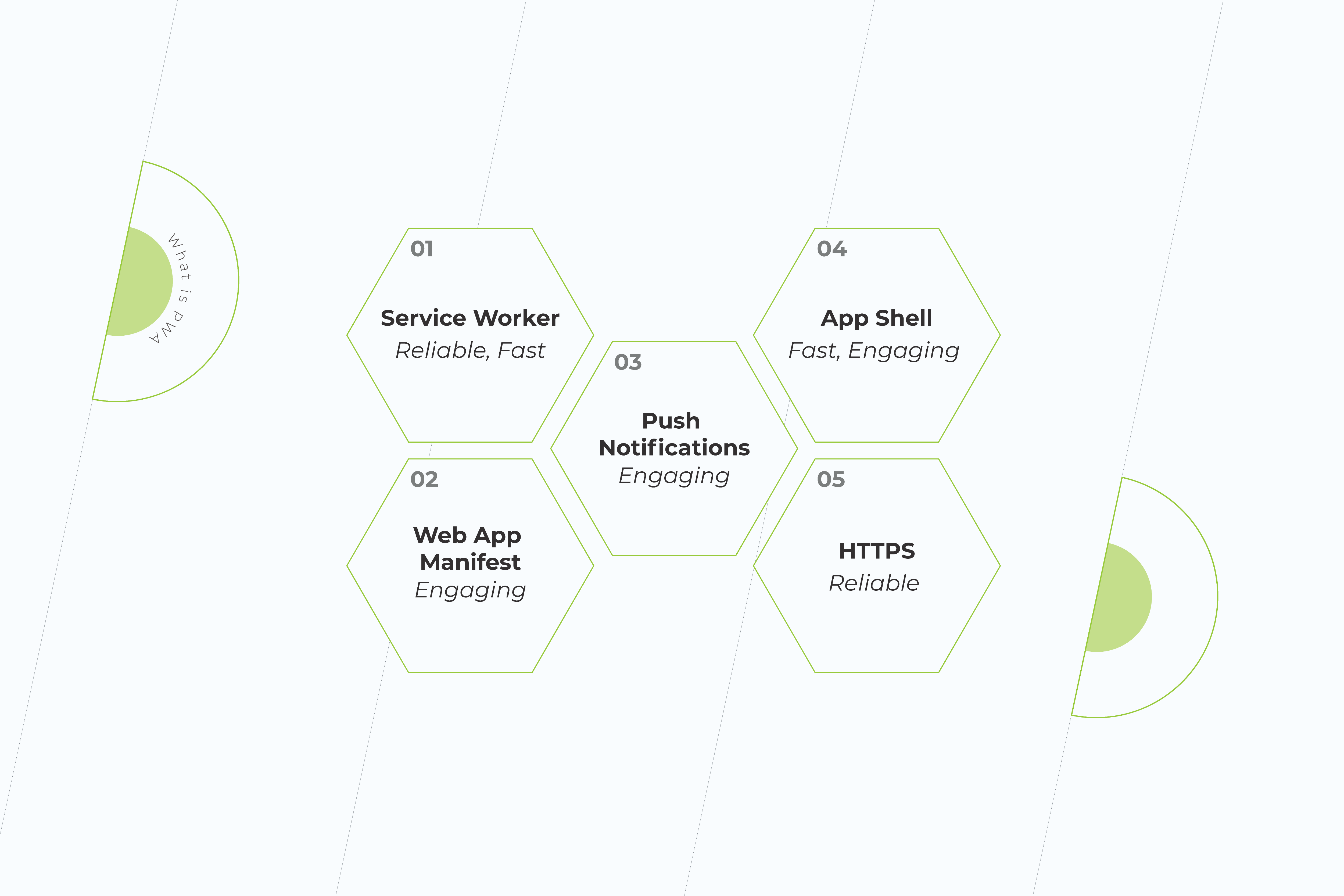
If a web product passes PWA criteria, the browser on both Android and desktop is going to prompt it to be ‘Installed’, and there are icons representing app installation. Responsible for the icon and other basic parameters of the app is Web App Manifest.
Service Worker
Progressive Web Application development is based on a modern technology known as a Service Worker. These are special event-driven scripts with connections to different instances within the domain. These are programmable network proxy servers between the Internet and the page.
These proxies intercept and make or rewrite network requests, support the app offline and provide granular storage. They can be securely downloaded regardless of the network connection. As a result, it facilitates faster navigation and slows downloading speeds.
Shell
A Progressive Web Application demonstrates high performance due to the application Shell. It’s a kind of storage for content. Creating an application Shell is easier, it only takes a few lines of code. The two main elements are the header and the navigation bar. Since it is cached only once, the shell can be accessed by the user even when there is no Internet connection.
PWAs don’t require separate teams of coders to be developed. Given that your website is ready, a Web App is going to improve its performance for a relatively lower price as compared to the cost of building a website from scratch.
Web App takes a brand trust on another level
Progressive Web Apps are accessible through secured HTTPS links and sometimes have an “app.” extension before them. They are SEO-indexed and are compatible with multiple platforms. They provide push notifications and engage with users seamlessly, being updated in the background. A lot of companies use PWAs instead of websites and mobile applications. Think of Pinterest or Whatsapp Web, for example.
With PWA, a business is getting two products priced as one – a website and a mobile app engaging users with news, sales, or other important information via push notifications. Since PWA is designed to be like an application, the UX/UI, speed, and smoothness of such a product will be optimized for most kinds of desktop browsers automatically.
Web App vs Website
Cease inspiration with building your web product. Here’s a comparison of the main features of websites and web applications:
Pros and Cons of Websites
Pros and Cons of Web Apps
There are no requirements for the operating system
They don’t require memory storage
Serve as business cards and first impression of a brand
Work faster than websites and mobile applications
Compete with social networks
Provide user interaction functionality
Cheaper than mobile applications
Depend on the nature of a business
Easy to make amendments with a few lines of code
Serve as a trust level for a company
Don’t require user trust
Cheaper than websites and mobile apps
Easier to compare and select the products on the website rather than in an app
Don’t require downloads and manual upgrades
Don’t provide push notifications
Provide push notifications
Can be insecure
Fully protected
Available and tested on all browser kinds and versions
Compatible with many browsers, since they are optimized for various desktops and smartphones
Online identifiers, including cookie identifiers, internet protocol addresses, and device identifiers cannot be seen by website owners.
Face ID and Touch ID
Can make money through affiliate marketing and pay-per-click advertising
Access to geolocation
May be optimized for desktops but not for smartphones
WebOTP for SMS authentication
Short life-span if a business has a mobile application
Safari and Mozilla are not prioritizing them
There are no general technical requirements to build a website
Desktop PWAs locked to Chromium-based browsers only
Need Internet access to load
Don’t need Internet access
Cannot detect OS or other app functions. However, they can listen to key events via JavaScript.
Cannot share resources or data within themselves because they are quite separate
Final Words
A lot of us are impatient with the actions, but we want to be patient with the results. Your website serves as a brand voice in the vast internet space. When choosing between a website and an app, take their purpose into consideration. While a website is great to get your potential customers acquainted with your product, a web app is a technology made for them to stay engaged. Both websites and web apps are the future of software development.
Read more on our blog. Subscribe to our social media and check the latest tips and tricks in making your business ready for digital. If you have any questions, get in touch with our expert team or fill in the form below to have your project estimated.
Are you advancing your business using technology or simply trying to keep things chugging along smoothly? If you answered with the latter, then you’re part of the majority of companies whose IT investment primarily goes toward ensuring their services stay up and running. But what if there was a better way? A path to modernize your core applications while ensuring those essential components stay functional? There is, and below, we’ll tell you the ins and outs of why modernizing core applications is a business-need, challenges you may face along the way, and the five essential steps you need to take to do it right.
Challenges and roadblocks to modernizing applications
When faced with the question, “to modernize applications or not to modernize applications?” Many C-level executives and managers are reluctant to dive in and update, and rightfully so. There are a number of issues that should be considered before diving into any technology investment. Here are some of the challenges and roadblocks before even getting started.
Confusing information
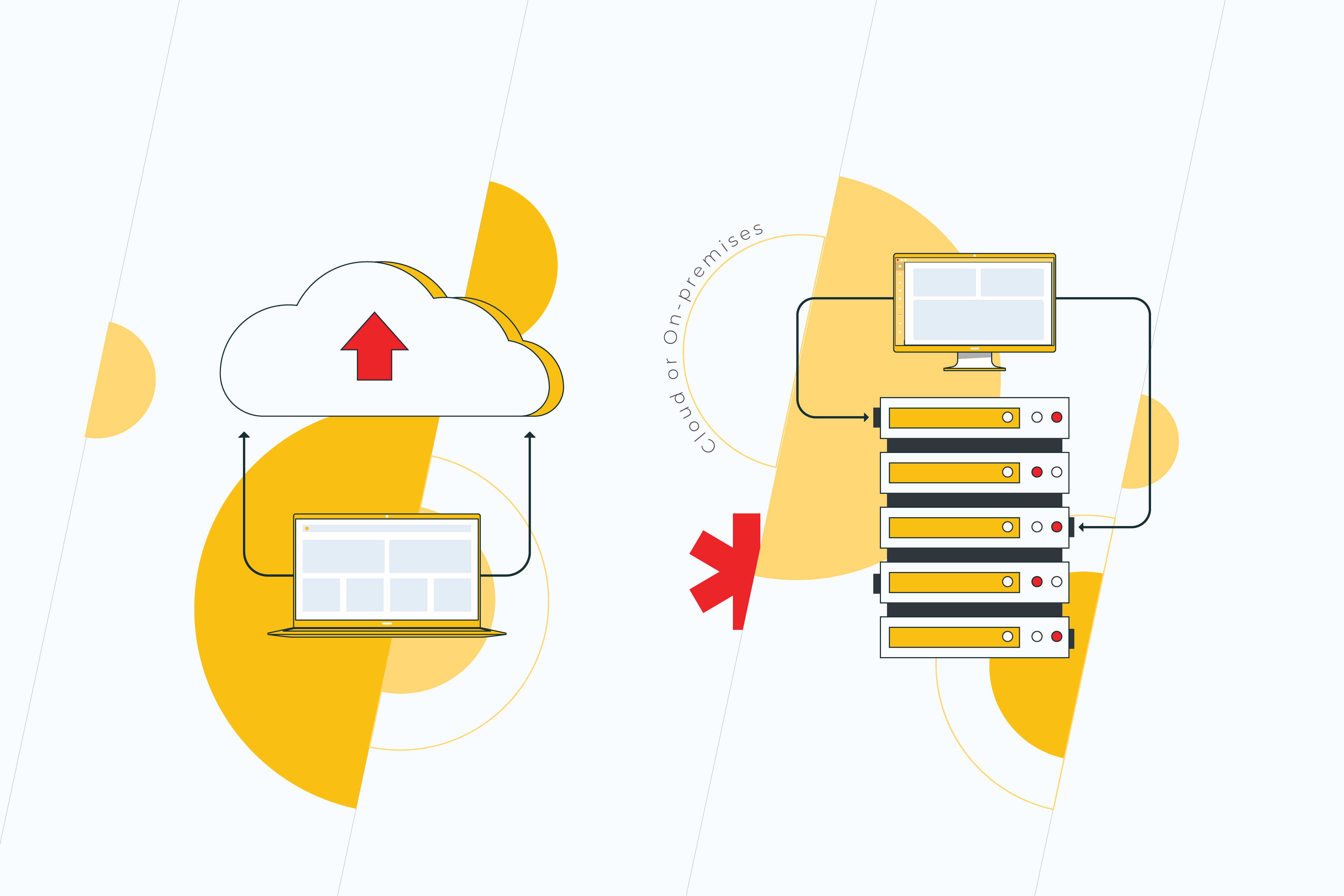
Cloud or on-premises? DevOps or traditional software development? In-house or outsource? These are just some of the questions that executives face when venturing into the modernization of core applications. Conflicting approaches create confusion, and this can be a roadblock in and of itself. That’s why before setting off, it’s essential to research first and act later.
Legacy software
No matter what area a business operates in, it’s likely to have some technology already in place. And it is this very legacy software that forms the basis of your organization’s technical debt. While right now, it may seem that your current solutions function properly, in the future, they will become outdated, and the longer you haven’t updated, the more technical debt you will have incurred, making it harder to deal with. That’s why the golden rule when it comes to legacy software is “out of sight should not mean out of mind.”
Fear of the unknown
This stems from technical debt. Often, heading into modernization of applications process, it can be difficult to estimate the costs and results that will occur. One small change to a core application could potentially lead to the need to change further software, and eventually, these costs add up. That’s not to mention the risk that one piece of code could be essential to something else. That said, failure to update means fear of progression, and this is crucial to business viability in the long-term.
Why do you need to modernize core applications?
In 2021, global businesses are predicted to spend $3.8 trillion on their IT needs, a growth of 4% from 2020. And it’s no surprise that the market is growing. In the wake of the COVID-19 crisis, more businesses are considering how technology can improve the services they offer. However, many still find themselves battling outdated systems, legacy software, and other issues along the way. In spite of the challenges, there are some compelling reasons to start investing in your technology stack now.
Shift to remote-first
The Global Workplace Analysis Survey suggests that between 25-30% of roles could stay remote, even after COVID-19 restrictions end. What this means for companies is the investment in IT will increase to ease the process of at-home working. However, this doesn’t mean a loss in profit overall. On the contrary, it is estimated that a business could save up to $11,000 per year for an at-home worker as compared to in-office staff.
Improvements in the cloud
Migrating to the cloud can seem scary, but there are some great benefits to doing so, including increased capabilities to managing data, reduction in storage costs, efficiency, and scalability. In recent years, cloud technology has improved immensely, allowing businesses to complete more processes remotely and securely.
The competition
This isn’t about keeping up with the Joneses. It is about ensuring that your business is viable long-term. The fact is if your competition is updating their technology, then you will fall behind and quickly. Staying ahead and making your business efficient means embracing appropriate solutions for modernizing applications. And this is especially vital when it comes to core applications. These are the backbone of your business.
5 Must-do steps to modernize your core applications
Starting out on the application modernization journey can be confusing. That’s why we’ve created these five must-do steps to get you started on the right foot.
1. Analyze the current situation
Just as you start out on any venture, when beginning to modernize core applications, it’s vital you analyze and evaluate both your current software, what your competitors are doing, and which solutions will be appropriate for your needs. If you lack the in-house staff, then, at this stage, it’s best to engage some outside specialists with expertise in modernizing core applications to advise which is the best route to take. Break down this enormous challenge into more manageable steps, as you would do with any project. By doing so, the process will not seem so insurmountable, and your team will be better able to tackle the modernization.
2. Plan and ask the right questions
Now that you have some understanding of what needs to happen, it’s time to dive deeper and ask the right questions about your application modernization. If you are working in-house, these questions should be dealt with by your IT team, or if you have chosen to outsource, your provider will advise you. Start by considering:
What concrete results do I need from core application modernization?
Is cloud appropriate for my business needs?
How will data be managed?
How will we verify if the application modernization process has been successful?
What happens if the scope changes during the modernization process?
How will existing applications be integrated with the newer ones?
How will we balance the investment in new technologies while dealing with legacy software?
Setting concrete aims and objectives and how you will achieve them creates a manageable pathway to success.
3. Deal with tech debt
Yes, tech debt is tedious, and it’s likely those who wrote the original code for your applications have long left your company. However, keeping legacy software is no way to go about it. Alongside your team, it’s essential that you identify which areas of legacy software should remain as they are and which you will update this time around. By taking a gradual approach, you are better equipped to upgrading your technology and lowering the risks of any converse effects, such as bugs, from appearing. This constant approach to modernization allows you to update software on a continuous basis without affecting the overall business which may still be using legacy software. Attempting to upgrade everything at once often runs the risk of unpredicted consequences, including application downtime, bugs, and other blockers.
4. Deciding between cloud or on-premises infrastructure
Both cloud-based and on-premises software infrastructures have their benefits. Before you decide how to modernise your core applications, you’ll need to decide which infrastructure they will have. On-premises services offer in-house security, so you are always aware of where your data is and when it’s being accessed. On-premises services are often robust, which is necessary for some core applications. On the other hand, you will need the physical space to store such systems and will bear the maintenance costs. Meanwhile, cloud systems are often flexible and suitable for many-core application functions. In this case, you won’t be responsible for maintenance or storage. As an added benefit, cloud services often offer subscription-based plans allowing you to expand as needed.
5. Choose an approach to suit your business
The world of technology is constantly changing, and it’s likely your needs as a business are too. Engaging in an agile approach from the very beginning gives you the power to rapidly adapt to changes you need as a company. The agile approach means you constantly develop, test, and release software, getting it to the market faster.
However, it’s not suitable for everyone. Some businesses may benefit from the transparent and linear process of the waterfall method, especially if they have a clear view of which particular updates they need.
Bonus: Don’t neglect security
No matter how you approach your application modernization, there is one element you can’t afford to skimp on—and that’s security. Ensuring the security of your customer’s data and that of your business is a priority and should be top of your modernization checklist. No matter which method you choose to upgrade, it’s vital that you and your team take this into account at all stages.
The time to modernize is now
When it comes to modernizing core applications, there is no one-size-fits-all solution. Instead, you will find that the solution you require is unique to your business. While similar approaches and software tools can be used across many enterprises, it’s vital that before you begin modernizing your core applications, you take the time to plan for the long-term. Starting out might seem daunting, however, as they say, the proof is in the pudding (of customer satisfaction).
Applications play a crucial role in the way we work and interact. They help businesses expand the functionality of the product, improve productivity, optimize costs, and so much more. However, achieving results with obsolete tools, which are not adaptable to the changing business environment, isn’t possible. This is where application modernization comes in.
It would be naive to think that the way from a legacy application to a modern variant is covered with rose petals. Nothing of the kind! In fact, it’s quite thorny. But forewarned is forearmed. That’s why before deciding to opt for something new, it is vital to evaluate the risks and challenges that may crop up in the process.
Challenges
Cost overrun
There are a bunch of reasons why not everyone rushes into modernization. But the main one is its cost. Deciding to modernize your application can be a financial challenge, and delving into it without an adequate evaluation of the possible expenses can cause issues in the future. For this reason, it’s crucial to understand the transformation processes that you’d possibly go through, make a thorough assessment of the workload, and anticipate possible additional expenses.
Outsourcing components of the project can also reduce the costs and let your internal team focus on the most important code. So, not to get stuck with a half-completed project, make sure that you collaborate with qualified partners who have enough successful cases under their belts.
Tackling the technical debt
Technical debt is a metaphor that refers to the consequences of poorly written code. The most virulent kind of technical debt is code that is difficult to change.
Many teams know about their tech debt and ‘spaghetti’ code, but they are reluctant to do anything to fix it. As time passes, the situation only deteriorates: the debt increases, while development slows down. It gets even worse when team members leave, taking their knowledge with them. That might seem unfair, but it’s not those who walk off into the sunset that pay the interest on tech debt. It’s those who stay. The idea of dealing with technical debt often becomes a dealbreaker, and many prefer to choose the ever-tempting ‘out of sight, out of mind’ approach.
Unfortunately, the longer you wait before repaying the debt, the more it will eventually cost. And that’s not to mention inefficiencies in running the app and frequent bugs.
So, whether you like it or not, managing technical debt needs to be done in any case. And, if carefully planned, it can be fairly trouble-free. You should involve the stakeholders in this process to create a shared understanding of a debt elimination plan and outline the next steps of the project.
The adoption of cloud computing is a good opportunity to address technical debt issues. Cloud providers allow companies to shuffle off the burden of maintaining and upgrading the underlying infrastructure of data centers. This means that your in-house team can focus on developing new solutions rather than dealing with bugs.
Lack of knowledge and technical experts
Many legacy applications are really old, which means that employees who have built them either no longer work in the company or are about to retire. Thus, maintenance of these apps becomes a problem, but it still comes in second to their enhancement. The current teams are usually reluctant to ‘touch’ the code because they are unsure about the side effects of any changes.
Besides, the shortage of modernization experts is real. This position requires a challenging set of skills, from conducting legacy asset analysis, code restructuring, and refactoring to contributing to designing, developing, and potentially leading other specialists.
There is a variety of needs to evaluate when selecting vendors. These are must-have requirements your vendor needs to meet to ensure the seamless transition from legacy to modernization:
keeping their finger on the pulse of the latest technologies;
understanding the desired business outcomes, and aligning the application environment to those. Not the other way around;
having expertise in the solutions your company depends on, such as ERP, CRM, etc., so that you know your critical systems will be in good hands.
Impact on business processes
While working with legacy code, the necessity for constant bug fixes and enhancements is almost inevitable. Add to this users’ initially reduced productivity, caused by significant changes in the UX of the application, and you’ll understand the anxiety businesses usually feel in the face of modernization.
A gradual approach to modernization might be a problem-solver. It includes using a code freeze to reduce risks and avoid disruptions to a stable system. Also, step-by-step modernization allows business users to take their time to get to know the new application better.
Quality assurance
Stakeholders get cold feet at the thought of the modernized app not running well or not being functionally equivalent to its old version. And, to be honest, their fears are not completely unreasonable. Dealing with IT products naturally implies a high level of risk. There’s a linear relationship between the project’s technical complexity and the risks it entails. Essentially, the more difficult the modernization process is, the more risks can show up.
Experienced vendors can highlight the most likely issues to avoid adverse consequences. It’s also important to make sure that all possible test scenarios are well-defined and planned in advance of the testing phase.
Another guarantee of success is business users’ involvement in the modernization process right from the discovery phase, which allows the contractor to be on the same page with the customer and deliver better results.
Personnel stuck in old technologies
The staff might be reluctant to trade the systems they’ve been using for ages for new technologies. Accepting new things means expanding the comfort zone. And it seems quite difficult for most of us, even if the changes are for the better.
Curiously enough, it isn’t always the employees that show resistance. Sometimes, decision-makers—the main drivers of a company—aren’t excited about upgrading and migrating to newer technologies either. They are afraid that modernization will undermine conventional work processes. One of the most effective ways to change such a myopic approach is to emphasize the benefits of modernizing legacy applications.
Benefits
Cost reduction
Although modernization is not a low-cost process, its price is definitely justifiable. By moving your application to the cloud, you can significantly reduce the maintenance cost, as the data centers will no longer be sustained on-premises. You won’t have to worry about old code, bugs, system failures, and outages. It’ll be the cloud provider that will take responsibility for keeping your systems up and running.
Agility
Legacy applications might be hard or impossible to expand to increased capabilities. Thus, companies paint themselves into a corner with technologies that aren’t flexible enough to grow. Any update to the legacy system requires time and effort, neither of which come cheap. But, really, is there any use in having an app that cannot adapt to your business? Obviously, the answer is no.
On the contrary, modernized systems can be transformed incomparably faster than the old ones, allowing you to respond instantly to the market dynamics.
Enhanced security
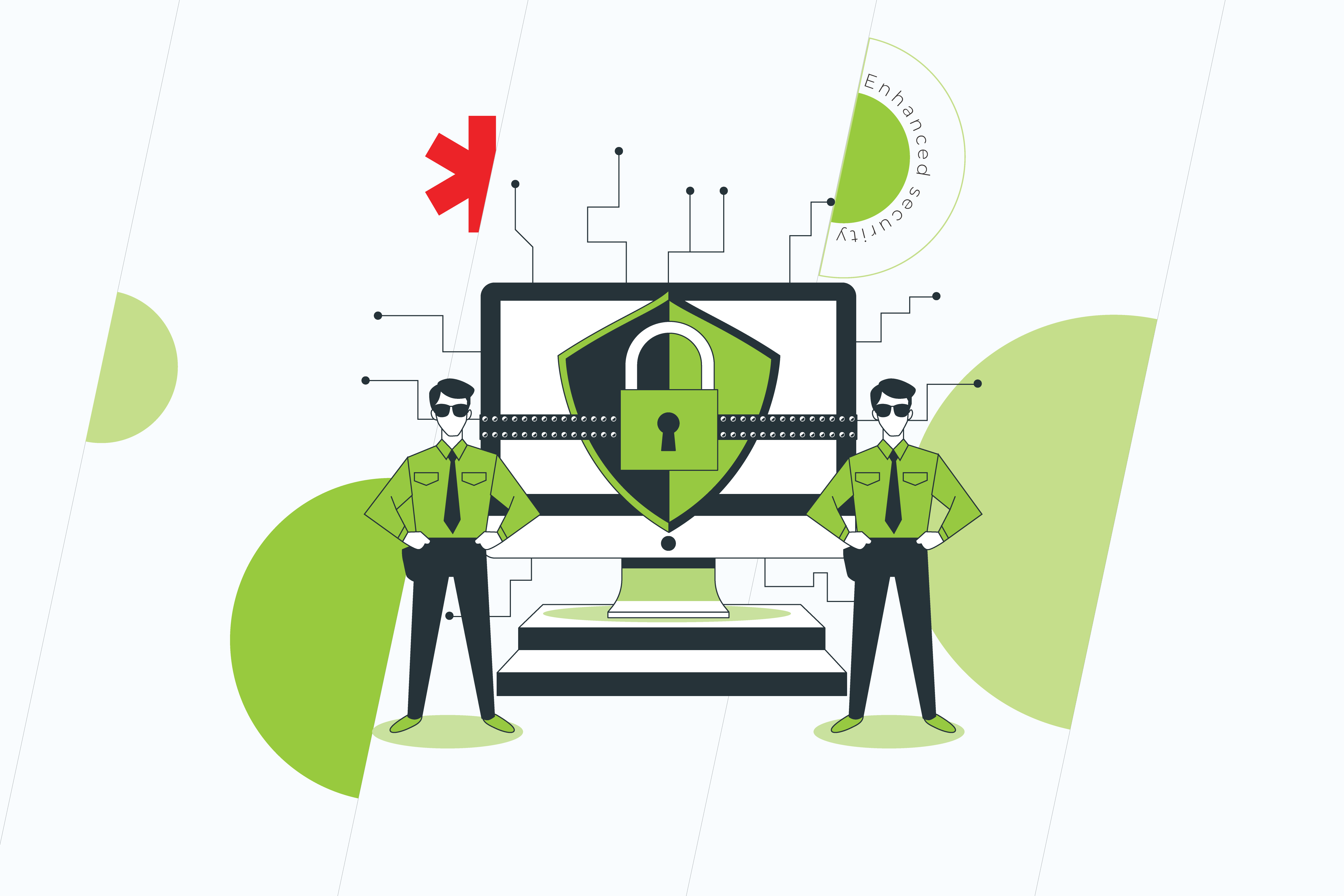
The older your application is, the less reliable it becomes. Outdated systems are vulnerable to malware and breaches, and they are less resistant to cyber-attacks. Thus, modernization might help you to reduce the risks and cut the losses related to the faults of the system.
Facilitation of remote work
The COVID-19 pandemic has forced an abrupt shift to working from home. Just like that, in an instant, remote work has become our new normal. However, not all businesses were ready to set up effective collaboration across teams under altered conditions, as it’s impossible without up-to-date apps and cloud computing.
Today digital transformation is not an option you might either go after or deny. It’s more likely the only chance to keep the lights on when the ‘legacy’ world is falling apart. By modernizing legacy applications, you do yourself a huge favor and ensure that your business can keep going no matter where your employees work from.
Time to upgrade your legacy software?
Do you want to enjoy the benefits of a modernized application? Then don’t give up in the face of the challenges that might stand in the way. As Mark Zuckerberg once said, “in a world that’s changing really quickly, the only strategy that is guaranteed to fail is not taking risks.” So, keep calm, repeat the above-mentioned quote like a mantra and look for a qualified, trustworthy technical partner to get you on the right track of cutting-edge technology.
The coronavirus pandemic of 2020 has forced many of us to sit down and re-evaluate how we do business. Do our companies meet the needs of the changing environment? Are we still relevant to our customer base? And can they still access our services when there is a lockdown or other barrier? Unfortunately, unexpected events can happen, and they can be detrimental to business. That’s why many companies seek to renew their commitment to technology solutions and invest in IT modernization.
What is IT modernization, and why does it matter?
Planning for the future is an essential part of every business, no matter whether you own a small café or an international firm, and technology is a massive part of that. In light of the COVID-19 pandemic, this trend only accelerated. 66% of businesses completing IT modernization initiatives that had previously faced resistance, while 55% made a commitment to implementing IT changes as part of a long-term strategy.
While COVID-19 might be a once-in-a-generation event, or perhaps not, it is a stark reminder of how swiftly things can change. In 2020, the IMF estimated a downturn of 4.4% in the world economy with many countries in recession, and this dramatically impacts businesses of all sizes.
Keeping your business relevant often means onboarding innovative solutions, such as IT infrastructure modernization. But what does that phrase mean exactly? Undoubtedly, every business doesn’t need a high-spec tech stack to back it up. Well, yes and no. Not every company requires ultra-modern solutions, such as blockchain, to help them function, but IT modernization can be utilized by almost all businesses.
Why are modern applications the backbone of IT modernization?
So, then, how can IT infrastructure modernization help your company, and why exactly are modern applications the backbone of IT modernization? Nowadays, it seems there’s an app for everything from checking your email to reviewing orders to making a purchase online. Chances are your business could benefit too. Modern applications can come in many shapes and sizes, from an app that lets your customers make purchases from you to back-end services that make your company more productive. There’s a solution to (almost) every issue. Whether you need help with business analysis, automation of paperwork processes, or something truly unique, IT modernization can help.
How does IT modernization look in your industry?
Let’s take a look at some of the modern IT infrastructure modernization solutions being implanted in a number of spheres.
Retail
From a handy app that lets your customers make purchases from the comfort of their homes to stock-taking in your warehouse to the latest try-on technology, retail has gone digital. Shopping is no longer just an in-store experience, and your employees are no longer just cashiers.
The entire experience has gone digital, and your customers expect more. Whether this is about creating a unique online experience or upgrading your brick and mortar in-store experience to ensure it is safe and comfortable, IT modernization is one way to go about it.
Real-life example. See our case study on an OKR application for a retailer and learn how we modernized their objectives and fundamental results framework.
Services
The services industry is growing across all business areas. One online video streaming platform reported growth of 2.2 million paid subscribers in Q3. A well-known online mega-store told of its $96.1 billion revenue for the same Q3 period. And these are not just digital unicorns. Growth of digital services rocketed during the pandemic, and that trend seems to be continuing. Even online education is benefiting, with a market value estimated at $350 billion by 2025. Many companies are stepping back to revaluate how their services can be adapted to the digital world or how IT modernization can improve their current operations.
Real-life example. Discover how we used IT modernization to boost online learning communication on Web, iOS, and Android platforms.
Logistics
In a post-COVID-19 world, logistics could not be more critical. Getting goods and services to where they need to be when they need to be is essential. Despite a downturn in air travel, the need to ship goods from one place to another hasn’t changed. The market remains global. So, how can a company stay relevant and plan for the future with logistics? Modern IT solutions help companies to safely, securely, and swiftly transport goods from one place to another. By monitoring the logistics process, businesses can optimize the supply chain and make improvements to overall efficiency.
Real-life example. Explore our innovative solution for an air service provider to deliver automatic flight information that meets the highest safety standards.
Other
Above we told of some of the industries that we’ve worked with in IT modernization, but that doesn’t mean if your sphere isn’t listed that improvements are not needed. Upgrades in technology can be beneficial to almost every area. The only limitation is the desire to improve.
Three top tips for successful IT modernization (no matter your business)
IT modernization might be a modern-day business essential, but that doesn’t mean diving in head-first is the best way to go about it. Here are the best tips for getting your IT modernization project off on the right track.
1. Have a plan
Like all areas of business, upgrading the IT stack requires planning. Failure to plan usually means planning to fail, so before you get going, it’s time to set out your IT modernization roadmap. This outlines the areas of your business you aim to improve and precisely how you want to improve them. Doing so allows you to reasonably plan out your IT improvement plan and its implementation. It also allows you to adjust your expectations – change won’t happen overnight – and think IT modernization long-term.
Areas to consider:
What processes can be optimized?
Which areas of my business can be automated?
What are my competitors doing right now?
Which areas of my business could stand to be upgraded?
What resources and tools do I currently have available?
Is my team ready for change?
2. Don’t forget about legacy software
Chances are that your company currently has some tools, software or solutions that they are currently working with. Whether this is a project management tool, time tracker, or old application, what this means is that you have legacy software. Before starting your IT application modernization journey, it’s time to take account of what you already have and evaluate how you can upgrade or rebuild.
For many companies, one of the key concerns is data and data protection. This means that when choosing to upgrade, you need to first consider how you can incorporate and take care of legacy software and data to ensure your new solution is up to the task and your IT remains secure.
Areas to consider:
What software or tools do I currently have on hand?
How do these meet my current needs/expectations?
Do I deal with data and data protection?
Do I want to start from scratch or rebuild what I currently have?
3. Make IT modernization integral to your business
In no circumstance should IT modernization happen for modernization’s sake alone. Conversely, it should be an integral part of your overall business and help you move forward in your aims. The most successful solutions out there are not always the most glamorous. However, they solve vital business issues.
For example, this can be optimizing data collection from form filling or tracking your products movement from A to B to improve the supply chain. Perhaps, you need a Big Data solution that tells you more about your customers to drive the business forward. However, no matter what it is, the solution you engage should be directly tailored to your company and its needs, no one else’s.
Areas to consider:
What direction is my business moving in?
What do I need to move forward?
Which solutions have industry competitors engaged, so far?
How can I get my team on board?
What does IT modernization mean for the overall scope of my business?
IT modernization round-up
Worldwide, more and more companies are choosing to upgrade their technology stack with modern solutions designed specifically to solve modern problems. Right now, the question is not if you should upgrade. It’s how and when. But, before taking the first steps into IT modernization, it’s vital to take a step back and evaluate the most effective way for your business to engage modern applications to get the maximum results.
Nowadays almost all businesses depend on applications in one form or another. Those who don’t will hardly survive the competition unfolding in the digital era.
However, simply running an application is not enough to actually succeed. The challenge that many companies are currently facing is that they use legacy applications, which were created for a different world and aren’t of much help for their users now. The flexibility of those apps is so negligible that they can’t integrate with systems of the digital age. And that’s, by the way, exactly what they are supposed to do.
So, ‘what’s the move?’, you may ask. Fortunately, an urgent need for smooth-running, high-performance internal processes can be covered with application modernization.
WHAT IS APPLICATION MODERNIZATION?
In a nutshell, application modernization is the transformation of a legacy app for its better alignment with an organization’s requirements.
There are various options for applications to be modernized – from relatively simple rehosting to complete rebuilding.
Making up your mind on which approach to go with, as well as looking for a reliable vendor takes some time, but it’s definitely worth it. So if you’re still lacking the application modernization initiative and don’t understand why fix something that isn’t broken, check out the reasons we’ve zeroed in on.
WHY INVEST IN APPLICATION MODERNIZATION?
Cutting operational costs
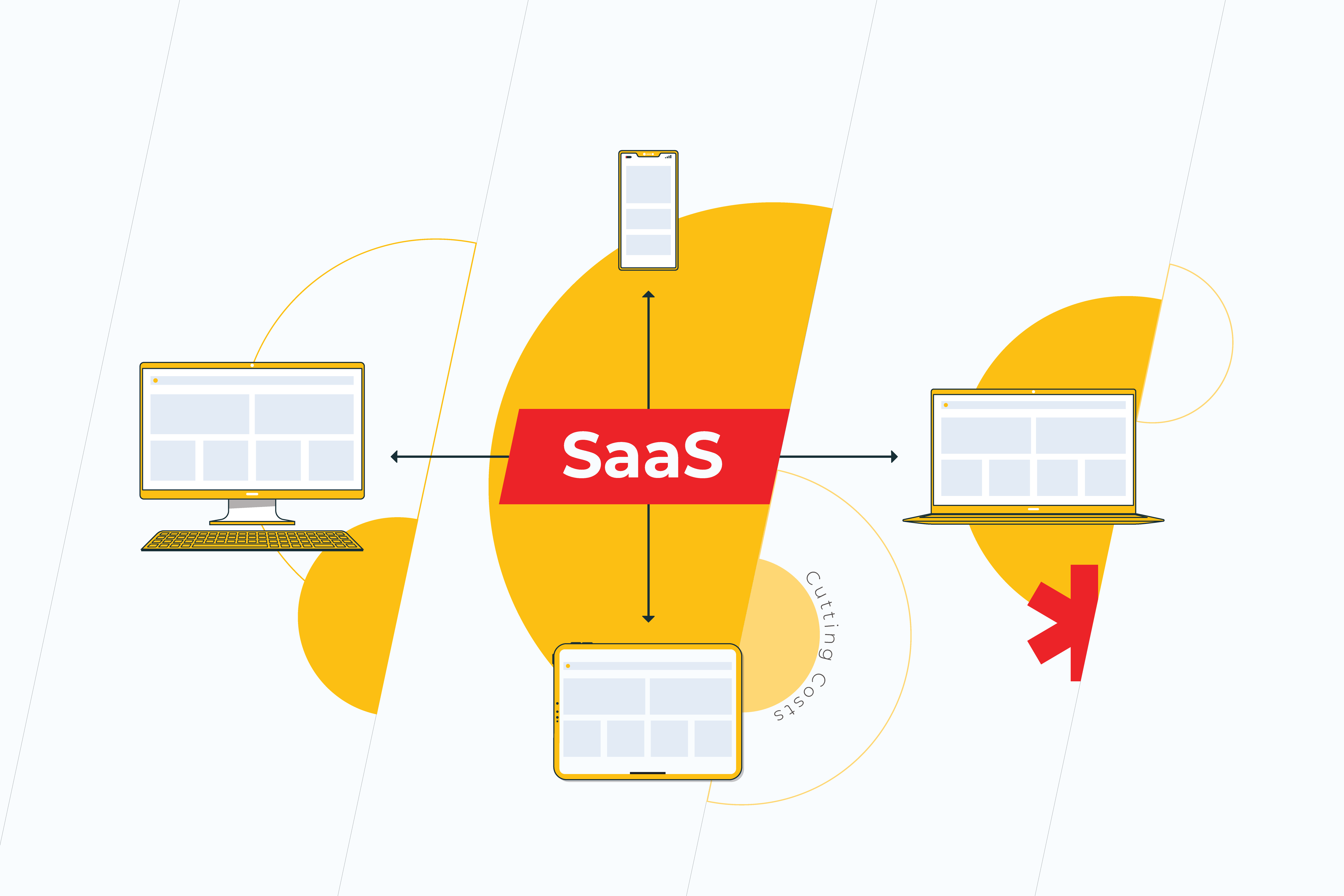
Operational costs optimization is perhaps one of the biggest drivers for modernizing business applications. Today more and more companies are adopting the Software as a Service (SaaS) model because it enables them to centrally host their apps for a subscription. Such an approach tends to be really tempting for many businesses since they get access to a plethora of new features as well as don’t have to carry the burden for keeping applications running 24/7.
Overcoming compatibility issues
Many applications still lean on archaic infrastructures, outdated programming code or operating systems – and sometimes on people who are no longer available to maintain them. Consequently, it requires a lot of resources to make these old-fashioned apps compatible with new technologies, modules, and tools. Another crucial detail that often slips our mind, is that time spares no one. Just like everything else, applications age on a permanent basis. Please, don’t deceive yourself into thinking that at some point your app can’t be “more legacy,” because it can and it surely will. And while applications are inexorably aging, the effort put into converting them to new and more efficient ones is – inevitably – going up along with the cost of that process.
Meeting integration and scalability challenges
Legacy apps are often difficult to change and expand to greater capabilities because of the outdated technology stack or/and overcomplicated inner architecture. A minor update can lead to multiple conflicts across the system. If even one component of an app has load and performance problems, it may become necessary to scale up the entire app only to serve this single component. As long as such a process requires a lot of time and effort from an IT team, needless to say, that adding even the teeny-tiny feature to your app will end up in a huge waste of money. Therefore, your application needs to be capable of handling integrations in a manner that does not break your processes.
Contributing to your employees’ satisfaction.
A good employee is the one who’s satisfied with their job. There’s a bunch of things that contribute to employees’ satisfaction. However, dealing with legacy applications is merely one of them. People don’t want to stay with a business that insists on maintaining the status quo. Instead of working with user-unfriendly technology that doesn’t cover the latest UX/UI standards or device specifics, some employees are more likely to look for better opportunities within other companies. The others, meanwhile, will struggle to use outdated and clumsy applications efficiently, which can significantly slow down the operations.
Making your applications future-ready
Application modernization can become the first step for your company to adopt cloud technology. If you think that to take full advantage of the cloud, it’s enough to simply lift-and-shift your applications there, think again. Legacy applications can only function in the cloud to a certain extent, which eventually results in ever-growing performance problems rather than solutions for your business – problems that your IT team will have to solve instead of focusing on more important errands. Not only will it deprive you of the possibility to access greater functionality at a minimal cost but also fail to meet your employees’ expectations and make them feel frustrated. So before spending tons of money over nothing, it’s better to make your applications cloud-ready in advance and let your business leverage all the possibilities that the cloud environment entails.
Improving decision-making through innovation
Meeting the needs of today’s business is barely possible without using real-time data. Application modernization addresses this issue by installing analytics into the application so that employees can operate with the information or KPIs whenever they need it.
Increasing agility
Business success depends on how fast you can respond to the market challenges and how long it takes you to adopt new technologies. Modernization opens up a number of opportunities for the team to be more efficient. For example, they’ll have access to the system from anywhere, anytime. Furthermore, with a modernized system, you will be able to develop and launch new products quicker than ever before. Scaling and sustaining agility is not just crucial but the only possible way to gain customers’ loyalty and competitive advantage.
Unlocking hidden value
After having been modernized, no-longer-obsolete applications are able to perform adequately within the modern digital ecosystem. You’ll get new opportunities for unlocking value in data analysis and workflow through interactions with Artificial Intelligence (AI) and other groundbreaking tools. Whether to leverage them or not is up to you, but isn’t it heartwarming to have an ace up your sleeve?
MAKING ALL THE DIFFERENCE
Since cutting-edge technologies firmly settled in literally every pocket, we’ve had neither a chance nor an option to ignore them, because the moment we do, we’ll be replaced by our more advanced competitors.
Running a business in a usual, ‘orthodox’, the way is far from a great choice. Business applications have to keep pace with the technology changes and easily embrace the latest and greatest features to help run the business in an effective manner.
So why are you waiting?
Get in touch with our experts now to find out more about how modernization can drive your company success.
The focus of the final part of this article is not dedicated to the methods of application performance improvement through multithreading. Instead, it examines its degradation using methods of thread synchronization. However, in this case, the application performance degradation is essential, since the processing of the same data in asynchronous threads may lead to unpredictable results and the application will perform poorly.
If you are interested in ways of creating multi-threaded applications in .NET, we invite you to read Part 1, Part 2, and Part 3 of the article.
Why is thread synchronization essential?
Thread synchronization is essential in the case when the same resource (a variable, an object, data source or a file) which is common for the whole application, is used by several threads synchronously as provided in the code below.
using System; using System.Threading; namespace NonSyncExample { classProgram { static int x = 0; // Function, that is sent to a thread public static void Count() { x = 1; for (int i = 1; i < 9; i++) { // In this cycle x is increasing by step = 1 Console.WriteLine("{0}: {1}", Thread.CurrentThread.Name, x); x++; // This operation is executed by 5 threads, so x will have an unpredictable value Thread.Sleep(100); } }
static void Main(string[] args) { for (int i = 0; i < 5; i++) { Thread th1 = newThread(Count); th1.Name = "Thread " + i.ToString(); th1.Start(); }
Console.ReadLine(); } } }
In this example, the variable “x” is common to all five threads ( five threads of Thread class, the Main thread does not perform the Count method()). The Count method searches “x” variables from 1 to 8. But the Count method itself is evoked in five threads. The threads will switch during the application performance. In this case, the “x” value will be unpredictable.
The Lock operator
The Lock operator limits the other threads access to the resource of the other threads, while it is used by the the current thread. The Lock operator identifies the code block which can be referred to by only one thread at any specific moment.
using System; using System.Threading; namespace LockExample { classProgram { // door is an object which can be locked then thread process it // and it will be released then thread is finished his work on it static object door = new object(); static int x = 0;
public static void Count() { lock (door) { // in this section code will be executed by only one thread at the moment x = 1; for (int i = 1; i < 9; i++) { Console.WriteLine("{0}: {1}", Thread.CurrentThread.Name, x); x++; Thread.Sleep(100); } } }
static void Main(string[] args) { for (int i = 0; i < 5; i++) { Thread myThread = newThread(Count); myThread.Name = "Thread " + i.ToString(); myThread.Start(); }
Console.ReadLine(); } } }
An object is issued to the lock operator as a parameter. It can be both a specific variable of the Object type and This – a reference to an object of the current class. The object is locked up, when the code performance reaches the Lock operator. Only one thread gets exclusive access to the object during the lock-up. Another thread can “capture” the object issued to the Lock and get exclusive access to it, when the object is released.
The performance of the monitor objects of the System.Threading.The Monitor class is similar to that of lock operator. Moreover, the lock uses the Monitor in its performance. An example of Monitor performance is provided below:
using System; using System.Threading; namespace MonitorExample
{ classProgram
{ static int x = 0; static object door = new object; public static void Count()
{ Monitor.Enter(door); try
{
x = 1; for (int i = 1; i < 9; i++)
{ Console.WriteLine(“{0}: {1}”, Thread.CurrentThread.Name, x);
x++; Thread.Sleep(100);
}
} finally
{ Monitor.Exit(door);
}
} static void Main(string[] args)
{ for (int i = 0; i < 5; i++)
{ Thread myThread = newThread(Count);
myThread.Name = “Thread “ + i.ToString();
myThread.Start();
} Console.ReadLine();
}
}
The Monitor.Enter() method takes an object as a parameter, just like the Lock operator. The object is blocked, giving access for one thread only. There is a code block in the block try, which is performed by only one thread at any specific moment. The block finally releases the object which was issued to the monitor by means of the Monitor.Exit method() in order to make it accessible to other threads.
The Monitor also provides several methods of lock management:
Wait() unlocks the object and transfers the thread to the wait queue, which allows the next thread from the queue to lock the object;
Pulse() allows the thread to release from the wait queue and lock the object;
PulseAll() allows all of the threads to release from the wait queue and transfer to the ready queue, where one of the treads will be allowed to get the object locking.
This class is a Wrap over WinAPI events. It allows the sending of signals from events to objects, which control the threads synchronization. At the same time, the object AutoResetEvent switches from the non-signal state to the signal state and functions as the sender and the receiver of these signals.
using System; using System.Windows; using System.Windows.Media; using System.Windows.Media.Imaging; using System.Threading; using System.Windows.Threading; namespace MyApp
{ public partial classMainWindow : Window
{ AutoResetEvent ewh; public void consrenew()
{ this.Dispatcher.BeginInvoke(DispatcherPriority.Normal,
(ThreadStart)delegate() { Cons.Text = “City at night”;});
ewh.Reset();
ewh.WaitOne();
}
After creation of the variable of AutoResetEvent type, we may specify that initially the object will be in non-signal or signal state by having transmitted to the constructor true or false.
The ewh.Set() method notifies all of the waiting threads that the object autoResetEvent is in the signal state and one of the threads can capture this object.
The ewh.WaitOne() method locks the object autoResetEvent and prevents other threads’ access to it, until the Set() signal arrives.
The methods WaitAny and WaitAll can be used, if the program uses several objects of the AutoResetEvent. These methods take as a parameter, the array of the AutoResetEvent objects.
The ewh.Reset() notifies all of the threads that the autoResetEvent object is captured by another thread.
In the example above, the access to the WPF application interface (API) and the WPF from another thread is used by means of Dispatcher and the button Cons which is assigned the name “City at night”. After the assignment operation, the reset of the signal state AutoResetEvent occurs by evoking the ewh.WaitOne () function; then the thread performance is suspended until the button Cons is pushed. After the Cons button the thread is signaled by means of the ewh.Set () method and the thread performance continues.
AutoResetEvent performs the method Reset() automatically as soon as the object autoResetEvent is captured by another thread. It is its main advantage over the ManualResetEvent, where the method Reset is to be evoked manually. Otherwise, the AutoResetEvent and ManualResetEvent perform the same methods of thread synchronization by means of events and signals.
Mutex
The System.Threading.Mutex type is a wrap over the object WinAPI Mutex.
using System; using System.Threading; namespace MutexExample
{ classProgram
{ static Mutex mutex = new Mutex(); static int x = 0;
public static void Count()
{
mutex.WaitOne();
x = 1; for (int i = 1; i < 9; i++)
{ Console.WriteLine(“{0}: {1}”, Thread.CurrentThread.Name, x);
x++; Thread.Sleep(100);
}
mutex.ReleaseMutex();
}
static void Main(string[] args)
{ for (int i = 0; i < 5; i++)
{ Thread myThread = newThread(Count);
myThread.Name = “Thread “ + i.ToString();
myThread.Start();
} Console.ReadLine();
}
}
There are only two Mutex methods for thread synchronization: the mutex WaitOne() method suspends the thread performance until the method mutex.ReleaseMutex() is evoked.
However, Mutex can be used not only as the thread synchronization object but also for synchronization between processes. For instance, an application for only one run can be created.
using System; using System.Reflection; using System.Runtime.InteropServices; using System.Threading; namespace SingleAppExample
{ classProgram
{ static void Main(string[] args)
{ bool exist; // we get GUID applications string guid = Marshal.GetTypeLibGuidForAssembly(Assembly.GetExecutingAssembly()).ToString();
Mutex mutex = newMutex(true, guid, out exist);
if (exist)
{ Console.WriteLine(“App is working”);
} else
{ Console.WriteLine(“App is already working. And this copy will be closed now.”); Thread.Sleep(5000); return;
} Console.ReadLine();
}
}
}
The overloaded constructor is used when the Mutex object is created.
The first parameter identifies whether the invoking thread must be the primary operator of the Mutex.
The second parameter receives the unique identificator guid obtained as a GUID application (application unit linking) of .NET.
The third parameter existed of the bool type returns true, if the mutex object has been requested and received successfully. In this case, the Mutex will be requested and received successfully only once. When the second copy of the application is run, it will be closed in 5 seconds.
Semaphore
The System.Threading. Semaphore type is a wrap over the WinAPI Semaphore object. The Semaphore limits the access to the common resource only for a certain number of threads. Only one semaphore can be created in the application, as its constructor is declared to be static.
using System; using System.Threading; namespace SemaphoreExample
{ classReader
{ staticSemaphore sem = newSemaphore(5, 5); Thread thr; int n = 5; // reader’s visit counter
Console.WriteLine(“{0} leave the library”, Thread.CurrentThread.Name);
sem.Release();
n–; Thread.Sleep(500);
}
}
} classProgram
{ static void Main(string[] args)
{ for (int i = 1; i < 10; i++)
{ Reader r = newReader(i);
} Console.ReadLine();
}
}
}
Two parameters are transferred to the semaphore constructor:
The first parameter identifies the number of threads which get access to the semaphore immediately after its creation.
The second parameter shows the maximum number of threads which the semaphore can use.
The example shows the behavior of the readers in the library. Each reader r may visit the library not more than five times within a certain period. In this case, no more than five readers can be in the “sem” library simultaneously. After a while, when one reader leaves the library (sem.Release()), another one replaces him. It does not matter how many threads have been created in the Main method, the Read() function wrapped by the semaphore ‘sem’ will be performed by five threads only.
How the synchronization affects the application performance
It is better to use the synchronization in the extreme case only, when it is truly essential. The use of thread synchronization methods in multi-threaded applications can very often lead to the degradation of application performance. This is due to the fact that only a certain number of threads can be performed at a certain moment, and very often only one thread can be performed.
The use of the Lock operator or Monitor is the most effective. However, this is not always true. The issue is that the Lock operator, Monitor and Mutex have similar parameters and solve the same problem. However, the mutexes are more convenient compared to the critical sections. The speed response of the Mutex is also much higher than the critical section.
The critical sections are simple and effective when there are few competitive threads. However, when their number increases, the number of input and output cycles also increases.
It is more appropriate to use the semaphore when the number of competitive threads is great. The semaphore decreases the number of competitive threads, without changing the program model.
The use of the Event model of synchronization (AutoResetEvent and ManualResetEvent) also decreases the application performance due to the lock-ups. The decrease is minor when the section of the code is chosen correctly.
In terms of performance, it is inappropriate to lock a big object by means of one global lock-up. Any lock-up consumes significant system resources. The reason is not only that very often one thread performs, but that the lock-up (or mutex) itself also takes a lot of time. Therefore, it is recommended to use several different mutexes for different resources which require locking-up and processing by a single thread (or by a limited number of threads). Frequent lock-up and unlocking of the resource also negatively affects the application performance.
Summary
The article, which consists of four parts, considers the principal ways of thread creation and management in .NET.
Thread pool (see Part 1) automates creation, destruction and re-use of the threads.
Low-level thread management with the use of Thread type objects (see Part 2) allows the manual creation of the number of threads needed, call the name of the thread and prioritize the threads.
Asynchronous delegates (see Part 2) use the pool thread when they perform. Therefore, they implement all the peculiarities of the pool use with its advantages and disadvantages.
BackgroundWorker (see Part 2) also uses the pool thread to perform the tasks in an asynchronous mode. BackgroundWorker is intended to perform the tasks in a background mode. It has full access to the visual application interface without the use of Invoke and Dispatcher and supports the inheritance of the user class from it.
Libraries TPL and PLINQ (see Part 3) are used to parallelize separate code snippets or database queries. The libraries fully automate the process of thread creation and destruction.
The methods of thread synchronization (Part 4) are essential when the application resources are used by several threads and it is necessary to get rid of the unpredictable operation results.
Due to their peculiarities, each of the above-mentioned methods can be used effectively, only in certain cases. Despite all of the disadvantages of these methods, the construction of modern computers enables parallel data processing by several processor cores simultaneously. This processing would be impossible without the creation of multi-threaded applications.
This is the third part of the article dedicated to the methods of creating multi-threaded apps in .NET. If you are interested in this topic, then we invite you to read Part 1 and Part 2 first.
This third part is devoted to Task Parallel Library (TPL) and Parallel Language Integrated Query (PLINQ). Though they appeared relatively recently in .NET, they are fully capable of solving complex problems on multi-core processors.
Task Parallel Library (TPL)
Task Parallel Library (TPL) is designed for execution on multi-core processors. It appeared in .NET Framework 4.0 when it became obvious that standard .NET tools for working with threads were not enough to efficiently execute multithreaded programs on multi-core processors. To use TPL’s basic functionality, you only need to add the System.Threading.Tasks namespace to the project.
using System.Threading.Tasks;
This library allows you to perform computationally complex tasks on several processor cores at the same time. Task Parallel Library simplifies the process of creating and destroying threads. The library itself uses a thread pool in its operation. Although apart from TPL, .NET contains many tools for working with threads. But starting with .NET 4.0, Microsoft recommends using TPL for creating multi-threaded applications.
Task class
The Task class is designed to speed up execution of a single, long operation. A task job is executed asynchronously in a separate thread, although TPL supports synchronous execution in the current thread.
Action delegate is passed as a parameter to the Task constructor. This delegate points to a method (function) that has no parameters and does not return a value.
To run a task for execution, the Task.Start() method is used.
When a Task object is executed asynchronously, the method that launched that task does not wait for its completion. Here, you can have such a situation where the method, for example Main, which launched a Task object, has already ended, while the Task object is still executing. To wait until the task is completed in the method that invoked it, the task.Wait() function is invoked.
An array of tasks can be run using the Task.Factory.StartNew() method. Here, we also pass an Action delegate as a parameter. Like the Task constructor, this constructor can take a lambda expression instead of a pointer as a function.
The task.WaitAll() method ensures that the method that launched an array of tasks for execution waits until all tasks are completed.
The Task class supports a number of properties to obtain information about the state of a task being executed:
AsyncState – returns the state object supplied when the Task was created;
CurrentID – returns the identifier of the currently executing Task;
Exception – returns an exception object that occurred during execution of Task;
Status – returns the status of the Task.
Tasks can return results. For this purpose, you need to typify the Task class when invoking the constructor of this class.
Taskint task1 = new Taskint(action);
To get result, you need to invoke the Result property of the Task class object.
int i = task1.Result;
The Task class allows you to create continuation tasks. These tasks will be launched after the tasks that invoked them are completed. To create and run a continuation task, the ContinueWith method needs to be invoked from the task that you want to continue.
Task task2 = task1.ContinueWith(action2);
Thus, by invoking subsequent tasks as continuations of the previous ones, you can build a certain order of execution of tasks.
Parallel class The Parallel class is a significant part of TPL. It allows you to strongly simplify code parallelization.
The Parallel class has three main methods:
Parallel.For
Parallel.ForEach
Parallel.Invoke
Parallel.Invoke method
The Parallel.Invoke method allows you to parallelize a block of consecutively executed operators.
using System; using System.Threading.Tasks; using Threading;
namespace TPLexample { classProgram {
static void Factorial(int x) { int result = 1; for (int i = 1; i <= x; i++) { result *= i; } Console.WriteLine(“Running task {0}”, Task.CurrentId); Thread.Sleep(5000); Console.WriteLine(“Result {0}”, result); }
These methods can be of any number. They will be automatically converted into Tasks and executed asynchronously and in parallel – based on the number of logical processor cores in the system.
Parallel.For method
The Parallel.For method allows you to execute parallel iterations of loops. The method takes three parameters.
The first parameter is int – the first value of loop.
The second parameter is int – the end value of the loop.
The third parameter is Action – a delegate pointing to a method (function) or lambda expressions, separated by a semicolon. The Action delegate will be executed once per iteration.
using System; using Threading; using System.Threading.Tasks;
namespace ForExample { classProgram {
static void Factorial(int x) { int result = 1; for (int i = 1; i <= x; i++) { result *= i; } Console.WriteLine(“Running task {0}”, Task.CurrentId); Console.WriteLine(“Factorial of number {0} = {1}”, x, result); Thread.Sleep(3000); }
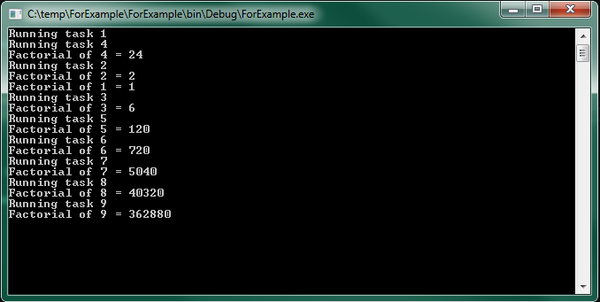
In the code given above, the factorials of numbers from 1 to 9 are calculated. In this case, factorial calculation operations are performed not sequentially, but in parallel. Therefore, the factorials of numbers are outputted chaotically as parallel factorial calculation operations are completed. The console output example illustrates this:
Figure 1 Calculating the factorials of different numbers in the Parallel.For loop.
Parallel.ForEach method
This method traverses the collection implementing the IEnumerable interface. Just like the foreach operator, but unlike the classical foreach, it performs parallel access to elements in this collection. This method is parameterized and has the following definition:
where the first parameter represents the collection in which enumeration will be made, the second parameter is an Action delegate (or lambda expression), executed once per iteration of the loop for each element of the IEnumerable collection. Parallel.ForEach returns a ParallelLoopResult structure that contains data about execution of a parallelized loop. The following example illustrates the use of Parallel.Foreach.
using System; using System.Collections.Generic; using System.Threading; using System.Threading.Tasks;
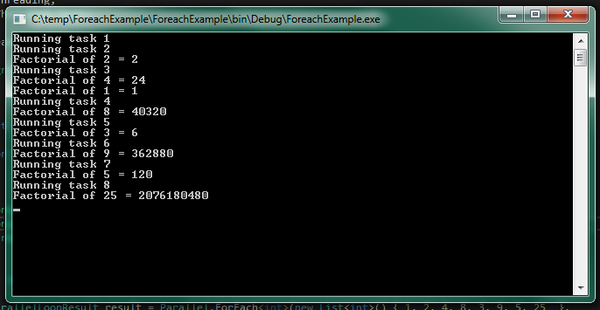
Iterations of the Parallel.Foreach loop are terminated in an order different from the order the numbers in the initial sequence were found. The order of output in the console depends on the execution time of the next iteration of the parallel loop, number of concurrent iterations in the loop, and complexity of calculating the factorial of a number. The more complex the factorial calculation operation is, the longer execution of iteration of the loop as it is found will take, as evidenced by the console output:
Figure 2 Calculating the factorials of numbers in the Parallel.Foreach loop.
Early termination of loop
Just like in classical loops for and foreach, which provide for early exit from the loop using the break operator, the Parallel.For and Parallel.ForEach methods provide for early exit from a loop.
using System; using System.Threading.Tasks;
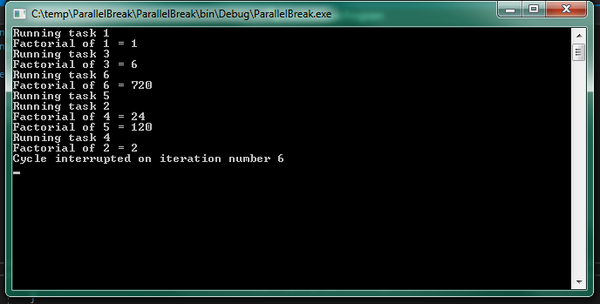
namespace ParallelBreak { classProgram { static void Factorial(int x, ParallelLoopState pls) { int result = 1;
for (int i = 1; i <= x; i++) { result *= i; if (i == 6) pls.Break(); }
if (!result.IsCompleted) { Console.WriteLine("Loop ended on iteration number {0}", result.LowestBreakIteration); }
Console.ReadLine(); } } }
To exit a loop ahead of time, you need to pass the ParallelLoopState class object as a second parameter to the Parallel.ForEach (or Parallel.For) method used as a second parameter (Action delegate). Then, the Break() method of the parallelLoopState object can be invoked anywhere in the code of the function wrapped in this delegate. When running Parallel.ForEach, once the system encounters the Break method, it will exit this loop at the first opportunity in all threads and return the ParallelLoopResult object.
The ParallelLoopResult object returned by the Parallel.For and Parallel.ForEach loops contains two important loop state properties:
bool IsCompleted – determines whether the loop completed its work or whether its work was interrupted prematurely;
int LowestBreakIteration – returns the smallest index (from the number of indices of iterations being processed in parallel) at which the loop was interrupted.
The result of this example is shown in the console output below.
Figure 3 Early termination of the Parallel loop by a command in the loop code.
There is also a way to abort a loop using CancellationToken. And this method works both with Parallel methods and with the tasks represented by Task objects. This is useful when you need to abort an operation that has taken too long or when the delegate passed to the parallel method (Task, TaskFactory, Parallel.For, Parallel.ForEach, Parallel.Invoke) is represented as a lambda function.
To cancel a parallel operation with CancellationToken, you need to:
Connect the System.Threading namespace (in addition to those already existing in the System and System.Threading.Tasks namespaces in the project);
Create an object of the CancellationTokenSource class; CancellationTokenSource CTS = newCancellationTokenSource();
Obtain a CancellationToken token from the CancellationTokenSource object; CancellationToken token = CTS.Token;
Catch token’s requestion using the following structure:
if (token.IsCancellationRequested)

{

Console.WriteLine("Operation interrupted");

return;

}
Cancel the operation by invoking the Cancel() method of the CancellationTokenSource class object; CTS.Cancel();
The example below illustrates the use of CancellatrionToken.
using System; using System.Threading; using System.Threading.Tasks;
Task task1 = newTask(() => { int result = 1; for (int i = 1; i <= number; i++) { if (token.IsCancellationRequested) { Console.WriteLine("Operation interrupted"); return; }
result *= i; Console.WriteLine("Factorial of {0} = {1}", i, result); Thread.Sleep(5000); } }); task1.Start();
Console.WriteLine("Enter N to cancel the operation or wait for it to finish"); string s = Console.ReadLine(); if (s == "N") { CTS.Cancel(); Console.WriteLine("Cancelled by user. Press any key to exit"); Console.ReadKey(); }
Console.Read(); } } }
This example displays the following console output:
Figure 4 Early termination of the Parallel loop with CancellationToken.
CancellationToken can be passed to an external method as an argument:
In the method itself, you only need to check whether there is already a request to cancel the operation and complete the parallel operation.
if (token.IsCancellationRequested)
 {
 Console.WriteLine("Operation interrupted");
 return
 }
You can override the Parallel.For() and Parallel.Foreach() methods by adding one more parameter to them – the ParallelOptions class object – in which you can install CancellationToken:
But in this case, it will be necessary to catch the operationCancelledException exception, which occurred when the operation was canceled – with the following construction:
In this case, the parallel loop will be terminated, while the resulting exception will not stop the entire application.
Parallel LINQ (PLINQ)
LINQ was designed as a data query interface, which, based on the collection query results, processes them sequentially. Beginning with .NET 4.0, the ParallelEnumerable class appeared in the System.Linq namespace, allowing you to access the collection in parallel – using the capabilities of all the system’s processors.
However, by default, PLINQ processes data sequentially. Transition to parallel processing occurs if it really leads to faster query data processing.
But, as a rule, in parallel data query operations, there are additional costs. In this case, priority is given to sequential data processing. Therefore, PLINQ is usually applied in very large collections or in complex query operations, where it is really possible to achieve benefits when parallelizing operations.
It should also be taken into account that when sharing access to the same data from multiple threads, access blocking will be enabled, which will also have a big impact on PLINQ performance.
AsParallel() method
This method allows parallelizing a query to a data source. When this method is invoked, the data source is divided into parts (if possible) and then, operations are performed on each part as individual thread.
In fact, this is a normal LINQ query, but the AsParallel() method is also applied to the data source.
staticint Factorial(int x) { int result = 1; for (int i = 1; i <= x; i++) { result *= i; } Console.WriteLine("Factorial of {0} = {1}", x, result); return result; }
static void Main(string[] args) { int[] nums = new int[] { -6, -2, 0, 1, 2, 4, 3, 5, 6, 7, 8 }; var factorials = from n in nums.AsParallel() select Factorial(n); }
or
var factorials = nums.AsParallel().Select(x => Factorial(x));
ForAll() method
This method optimizes parallel queries even more. An algorithm like Parallel.Foreach is used to output results in this case. But at the same time, when the ForAll() method is used, delays increase during query execution due to assembly of data received from different threads into one set and enumeration of the data in a loop.
The ForAll() method takes an Action delegate or a lambda function as an argument.
int[] nums = new int[] { -6, -2, 0, 1, 2, 4, 3, 5, 6, 7, 8, };
 (from n in nums.AsParallel()
 where n > 0
 select Factorial(n)).ForAll(n => Console.WriteLine(n));
When executing a parallel query, the resulting selection can be constructed as you like and will be unordered. You can apply the LINQ OrderBy() method or the orderby operator, but this method will sort the sample data in an alphabetical order.
var factorials = from n in nums.AsParallel()
 where n > 0
 orderby n
 select Factorial(n);
However, this order will be different from the order in which they were located in the data source. If you want to organize the data according to the original sequence, then the AsOrdered() operator is used. In this case, this sorting will carry additional costs during query execution. If further manipulations on the set ordered by the AsOrdered() method are required, and the ordering itself is no longer required, the AsUnordered method is used.
var factorials = from n in nums.AsParallel().AsOrdered()
 where n > 0
 select Factorial(n);
 var query = from n in factorials.AsUnordered()
 where n > 100
 select n;
 query.ForAll(n => Console.WriteLine(n));
PLINQ error handling
When a parallel query is executed, the data source is divided into parts, and each part is processed in a separate thread. But if an error occurs in one of the threads, the system will interrupt execution of all threads. This will throw an AgregateException exception. The following code contains not only numbers but also a string in the data source (array). Therefore, an error occurs when you try to calculate the factorial from the row.
factorials = from  n in  nums2.AsParallel()
 let  x = (int )n
 select  Factorial(x);
 try
 {
 factorials.ForAll(n => Console.WriteLine(n));
 }
 catch  (AggregateException ex)
 {
 foreach  (var  e in  ex.InnerExceptions)
 {
 Console.WriteLine(e.Message);
 }
 }
Here, the resulting exception is an AggregateException exception, as in the Parallel class methods. This exception should be caught and its InnerExceptions property should be accessed to determine the type of exceptions that occurred.
Early termination of PLINQ queries
In the event that you need to abort an operation being executed by PLINQ before it finishes (for example, by timeout), you can use the WithCancellation() method in the query, which you can pass to CancellationToken as in the example below.
using System; using System.Linq; using System.Threading; using System.Threading.Tasks;
namespace PlinqCancel { classProgram { static int Factorial(int x) { int result = 1; for (int i = 1; i <= x; i++) { result *= i; } Console.WriteLine("Factorial of {0} = {1}", x, result); Thread.Sleep(1000); return result; }
try { int[] numbers = new int[] { 1, 2, 3, 4, 5, 6, 7, 8, 9, 10 }; var factorials = from n in numbers.AsParallel().WithCancellation(cts.Token) select Factorial(n); foreach (var n in factorials) Console.WriteLine(n); }
catch (AggregateException ex) { if (ex.InnerExceptions != null) { foreach (Exception e in ex.InnerExceptions) Console.WriteLine(e.Message); } }
Figure 5 Early termination of parallel query using CancellationToken.
The cts.Cancel() method, as with the Parallel class, causes the OperationCancelledException exception to be thrown, which must be processed in the try { } catch block, otherwise it will crash the program. The AggregateException exception that will be thrown if any other exception occurs in one of the PLINQ threads should also be handled.
Conclusion
Despite the fact that TPL and PLINQ are relatively new in .NET, they are fully capable of solving complex problems on multi-core processors. TPL, for example, automatically parallelizes tasks between available processor cores, like ThreadPool.
The difference between TPL and ThreadPool is that TPL (like Thread objects) is designed to solve long computationally complex tasks. But if Thread objects need to be created and destroyed manually, then TPL creates threads automatically and exactly as much as is necessary for the most effective solution of the task.
The PLINQ library as a whole is similar to TPL. However, it is optimized for queries to data sources, which cannot always be effectively paralleled. In the next part of the article, we’ll look at the thread synchronization mechanisms. Stay tuned!
If you are interested in ways of creating multi-threaded applications in .NET, we invite you to read Part 1 and Part 2.
In Part 1 of this article, we talked about what threads are in .NET. Now, we want to dwell on the methods of background and asynchronous execution of threads in .NET apps.
These methods have advantages and disadvantages. They are not always convenient to use, but generally, background and asynchronous execution of threads offers wide opportunities in executing separate background threads for both small and long tasks.
Thread pool and its difference from the Thread class
Creation and destruction of threads are very resource-intensive processes. Performing them too often is not recommended. However, there are various small tasks that require asynchronous execution or with maximum utilization of all CPU cores. For such tasks, it is best to create a set of threads in advance and then distribute the tasks among these threads.
It would be quite good if the threads that had already completed their tasks could be re-used without wasting computational resources destroying them and creating new threads. It would also be nice if the program itself determines how many threads it would require to efficiently solve a problem.
Such a set of threads in .NET exists and is called a thread pool. It is implemented in the ThreadPool static class of the System. Threading namespace. You need not create a ThreadPool class object, and it will not work either. Such an object is created automatically when the application starts – provided the System. Threading namespace is connected in it.
ThreadPool can automatically increase or reduce the number of active threads to maximize task execution efficiency. The maximum allowed number of processing threads in a pool is 1023. The pool allocates a maximum of 1000 threads in an I/O operation.
To get maximum number of threads, you can use the GetMaxThreads method of the ThreadPool static class. The first parameter passed to this method returns the number of processing threads. The second parameter returns the number of I/O threads.
int nWorkers;  // number of processing threads
 int nCompletions; // number of I/O threads
  ThreadPool.GetMaxThreads(out nWorkers, out nCompletions);
You can also specify the maximum and minimum number of threads in a pool. To set the maximum number of threads, you need to invoke the SetMaxThreads method.
ThreadPool.SetMaxThreads(int nWorkers, int nCompletions);
where nWorkers is the number of processing threads, nCompletions is the number of I/O threads. To set the minimum number of threads in a pool, use the SetMinTherads method.
ThreadPool.SetMinThreads(int nWorkers, int nCompletions);
The parameters here are exactly the same as in the SetMaxThreads method.
If, for some reason, the threads are not enough to perform the user’s tasks, the tasks will be automatically placed in a queue. As soon as at least one of the pool threads finishes its work, it will be redirected to execute tasks in the queue. If any of the threads completes its work before the rest, it will be sent back to the pool but not destroyed. This thread can be re-enabled at the first opportunity.
You can add a task to a thread pool’s queue in one of the following four ways:
Calling the QueueUserWorkItem method.
Calling asynchronous delegates BeginInvoke() and EndInvoke();
Using the BackgroundWorker class methods;
Using the Task Parallel Library (TPL) methods.
QueueUserWorkItem method
This method adds a task to the thread pool’s queue for execution and requests the required number of threads from the pool to perform this task. The name of the executable function, wrapped in a WaitCallBack delegate, is passed to the method as a parameter. The object of storing the task state data can be passed as the second parameter.
ThreadPool.QueueUserWorkItem(Job);
If the ThreadPool object does not exist at the time the method is invoked, it will be created. If the pool is already created and there is at least one free thread in it, then the task is passed to this thread. If several pool threads are free, then the pool will allocate these threads such that the task is executed as quickly as possible.
The following example uses all the basic methods of working with a thread pool – accessing a pool to display the maximum number of threads and sending a task to a pool for execution.
using System; using System.Collections.Generic; using System.Linq; using System.Text; using System.Threading; namespace ThreadPoolTest
{ classProgram
{ static void Main()
{ int nWorkers; // number of processing threads int nIOs; // number of I/O threads ThreadPool.GetMaxThreads(out nWorkers, out nIOs); Console.WriteLine("Maximum threads: " + nWorkers
+ "nMaximum I/O Threads: " + nIOs); for(int i = 0; i < 10; i++) ThreadPool.QueueUserWorkItem(Job); Thread.Sleep(3000); Console.ReadLine();
} static void Job(object state)
{ for (int i = 0; i < 3; i++)
{ Console.WriteLine("cycle {0}, is processing by thread {1}",
i, Thread.CurrentThread.ManagedThreadId); Thread.Sleep(100);
}
}
}
}
The result of the example is shown in Figure 1. The program was executed on an Intel Core i7 4770K processor, which contains 4 physical and 8 logical processor cores.
Fig. 1 Result of program execution in a thread pool.
As can be seen from Figure 1, eight threads were allocated from the pool to the program – exactly the same number of logical processor cores available.
Features of a thread pool
Using a thread pool allows you to enhance the performance of a multithreaded application. A thread pool significantly reduces the cost of starting and stopping threads, increases the number of threads that are started and stopped, and can reuse completed threads.
However, a thread pool has a number of features that in certain situations can be considered as shortcomings:
All threads from a pool are background thread.
At the end of all the foreground threads of an application, the work of all threads from the pool will also be aborted, regardless of whether they have completed their tasks or not.
It is impossible to make a thread from a pool a foreground thread.
Threads in a pool do not have a name. The only thing you can get for a thread from a pool is its ID (using the ManagedThreadID property):
Thread.CurrentThread.ManagedThreadId
Threads from a pool cannot be assigned a name.
The priority of a thread in a pool can be changed, but once it finishes executing its task and is returned to the pool, its priority will be reset to the default value (normal).
When processing COM objects in a thread pool, there will be problems due to the fact that such objects require the use of single-threaded apartment (STA) threads, but all the threads of a thread pool are multi-threaded apartment (MTA) threads.
Threads in a pool are suitable for executing small tasks, but not for permanent work (such threads need to be created using the Thread class).
Blocking a thread from a pool will lead to the starting of additional pool threads; the pool will continue to execute the task but this will affect performance.
A thread pool is implicitly used in the following .NET constructs:
Windows Communication Foundation (WCF);
Interprocess communication component – .NET Remoting;
ASP.NET;
ASMX Web Services;
Event-based Asynchronous Pattern (EAP);
Timers: System.Timer and System.Windows.Timer;
Parallel LiNQ (PLINQ).
It should be remembered that all the features of a thread pool apply to the above constructs.
Do you need experts for your software development project? Contact us now
Asynchronous delegates
The C# function can be invoked for both synchronous and asynchronous execution. When the function is invoked synchronously, it is executed in the same thread as the main program. The synchronous function invocation itself occurs in the usual way – by specifying the function name and its arguments in brackets immediately after the name.
When a function is invoked asynchronously, the runtime environment CLR allocates for the function a separate thread from the thread pool and executes the function in this thread, while the master program continues to execute in the main thread. To execute a function asynchronously, it must be wrapped in an AsyncCallBack delegate. Next, this delegate must be invoked by calling the BeginInvoke method. You can use the EndInvoke method to get the value returned by the method and terminate the method.
The following example illustrates how to work with asynchronous delegates.
using System; using System.Collections.Generic; using System.Linq; using System.Text; using System.Threading; using System.Runtime.Remoting.Messaging; classProgram
{ public delegate intMyDelegate(int x, int y); staticAutoResetEvent are = newAutoResetEvent(false); static int WriteSum(int x, int y)
{ Console.WriteLine("Thread {0}: Sum = {1}", Thread.CurrentThread.ManagedThreadId, x + y); return x + y;
} static void Summ(IAsyncResult async)
{ Thread.Sleep(3000); // AsyncResult type from the System.Runtime.Remoting.Messaging namespace MyDelegate func = ((AsyncResult)async).AsyncDelegate as MyDelegate; int sum = func.EndInvoke(async);
are.Set(); // The Set method is used in thread synchronization and gives a signal to a thread to continue working
} static void Main()
{ MyDelegate func = WriteSum; // The C# compiler displays an AsyncCallback delegate to refer to the SumDone() method IAsyncResult async = func.BeginInvoke(10, 10, Summ, null); Console.WriteLine("Thread {0}: called throw BeginInvoke() waiting to complete SumDone()", Thread.CurrentThread.ManagedThreadId);
are.WaitOne(); // The WaitOne method waits for a Set signal from at least one thread Console.WriteLine("Thread {0}: finished his work", Thread.CurrentThread.ManagedThreadId); Console.ReadKey();
}
}
To run a function for asynchronous execution, you need to declare the delegate class first.
public delegate intMyDelegate(int x, int y);
where int written after the keyword delegate is the type of the value returned by the function. The arguments of the function are listed in brackets.
The AutoResetEvent class notifies the thread generated by the asynchronous delegate that an event has occurred by calling the Set method. The value false is passed to the event constructor if AutoResetEvent is not scheduled to be triggered immediately after it is created.
staticAutoResetEvent are = newAutoResetEvent(false);
Next, you need to create an asynchronous MyDelegate delegate, which was declared earlier. The created delegate will be named func.
The EndInvoke method of the func delegate is used to return the result of asynchronous function execution.
The Set method of the AutoResetEvent class gives a signal to a waiting thread that it can resume its work. The Set method works only with waiting threads. In any other state other than waiting, the method ignores the threads. The WaitOne method is used to enter a thread in a waiting state. The WaitOne method blocks the current thread until it receives a signal generated by the Set method.
The result of the example is shown in Figure 2.
Fig. 2 – Result of execution of an asynchronous delegate.
As can be seen from Figure 2, the asynchronous delegate is actually executed in a separate thread.
BackgroundWorker Class
The BackgroundWorker class is designed to start long-running tasks in a separate thread. This class is essentially a wrapper for the ThreadPool class and uses a thread pool in its implementation. BackgroundWorker is needed if there is only one task that needs to be executed in a background mode in a separate thread.
BackgroundWorker provides the following capabilities:
Implementation of the protocol for sending and receiving messages on task progress, completion or early termination.
Flag for cancellation of an operation without using the Abort method of the Thread class.
Can be placed as a component on a form in a Visual Studio form designer (implements the IComponent interface).
Can handle exception in the main thread of a NET app (without mandatory writing of the try {} catch block in the body of the delegate of the passed thread).
Can change the statuses of window controls without using InvokeRequired and Dispatcher.
How to use BackgroundWorker
You can take use the features of the BackgroundWorker class in two ways:
To create an instance of the BackgroundWorker class.
To create a class inherited from BackgroundWorker.
When creating an instance of the BackgroundWorker class, the following needs to be performed:
Create this instance by invoking the constructor.
Add a DoWork event handler.
Invoke the RunWorkerAsync method and pass an instance of any class inherited from object to it as an argument.
Once the work is completed, BackgroundWorker will generate a RunWorkerCompleted event.
BackgroundWorker allows you to display the progress of an operation. To do this you need to:
Set the value true for the WorkerReportsProgress property.
In the DoWork event handler, periodically invoke ReportProgress, indicating the amount of work done and the remaining work.
Process the ProgressChanged event by requesting the ProgressPercentage property of its argument.
Event handlers ProgressChanged and RunWorkerCompleted freely access the user interface elements.
If there is a need to cancel an operation being performed by BackgroundWorker, you need to:
Set the WorkerSupportsCancellation property to true.
Set the Cancel property of the DoWorkArgs argument to true.
Request cancellation of the operation using the CancelAsync method of the BackgroundWorker class.
The example below illustrates all the common operations with BackgroundWorker:
using System; using System.Threading; using System.ComponentModel; classProgram
{ staticBackgroundWorker bw; static void Main()
{
bw = newBackgroundWorker(); // we create a new instance of the BackgroundWorker class
bw.WorkerReportsProgress = true; // we set support for progress of operations
bw.WorkerSupportsCancellation = true; // we set support for operation canceling
bw.DoWork += workfunc; // we add DoWork event handler
bw.ProgressChanged += Progress; // we add state change event handlers
bw.RunWorkerCompleted += Completed; // we add a shutdown event handler
bw.RunWorkerAsync(null); // We run BackgroundWorker Console.WriteLine( "Press Enter during five seconds to abort the process"); Console.ReadLine(); if (bw.IsBusy) // if the Enter button is pressed
{
bw.CancelAsync(); //cancel operation Console.ReadLine(); //read Enter key pressing
}
} static void workfunc(object sender, DoWorkEventArgs e)
{ // function executed by BackgroundWorker for (int i = 0; i <= 100; i += 20)
{ if (bw.CancellationPending)
{ // here we process operation cancellation request
e.Cancel = true; // here we cancel the operation return;
}
bw.ReportProgress(i); // here we declare the status of the operation Thread.Sleep(1000); //and put the thread to sleep for a second
}
e.Result = 1989; // will be passed to RunWorkerComрleted
} static void Completed(object sender, RunWorkerCompletedEventArgs e)
{ // BackgroundWorker completion event handler function if (e.Cancelled) // if user aborted work Console.WriteLine( "Task processing by BackgroundWorker was aborted by user!"); else if (e.Error != null) Console.WriteLine("Worker exception: " + e.Error); // if work was aborted due to exception else// if work was executed completely Console.WriteLine("Work is complete. Result is " + e.Result + ". "); Console.WriteLine("Press Enter to exit...");
} static void Progress(object sender, ProgressChangedEventArgs e)
{ // function that displays the status of work being performed Console.WriteLine("Proceed " + e.ProgressPercentage + "%");
} //ProgressPercentage - method of the ProgressChangedEventArgs argument of the BackgroundWorker class
}
Display of the application when the Enter key is pressed (BackgroundWorker was aborted by the user) is shown in Figure 3.
Fig. 3 – Display of application when BackgroundWorker was interrupted.
Figure 4 shows the display of the application if the task that BackgroundWorker was performing was not interrupted.
Fig. 4 – Display of the application in the case when BackgroundWorker operation was not aborted.
BackgroundWorker inheritance
The BackgroundWorker class allows you to inherit user classes from it. This class provides the OnDoWork virtual method, which the developer can override in his own way.
using System.Collections.Generic; using System.Threading; using System.ComponentModel; namespace BgWorkerInherit
{ public classClient
{ publicJamshut Tile (int foo, int bar)
{ return newJamshut(foo, bar);
}
} public classJamshut : BackgroundWorker
{ //You can add typed fields. publicDictionary<string, int> Result; public volatile int Foo; public volatile int Bar; public Jamshut()
{
WorkerReportsProgress = true; //Jamshut will show the progress of its work
WorkerSupportsCancellation = true; //Jamshut can interrupt work
} public Jamshut(int foo, int bar) : this()
{
Foo = foo;
Bar = bar;
} protected override void OnDoWork(DoWorkEventArgs e)
{
ReportProgress(0, "Bossy, Jamshut begins to put tiles"); bool finished = false; int percentage = 0; //Jamshut begins to work Thread.Sleep(1000); while (!finished)
{ if (CancellationPending)
{ //If a request is received to cancel the operation, Jamshut will stop its work
e.Cancel = true; return;
} Thread.Sleep(1000); if (percentage < 100) percentage += 10; // Jamshut reports on the progress of work
ReportProgress(percentage, "Proceed "+percentage+" %");
}
ReportProgress(100, "Bossy, come to see. Jamshut finished his work...");
e.Result = Result;
}
} classProgram
{ staticvoid Main(string[] args)
{
}
}
}
The code that created the Jamshut class object will have an already configured background operation handler that will report on the progress of its work and support its cancellation. In addition, the Jamshut class can update all the elements of the application’s graphical user interface without using Control.Invoke (in WinForms) and Dispatcher.Invoke (in WPF) methods.
Conclusion
In this part of the article, we have looked at the methods of background and asynchronous execution of threads in .NET apps. These methods have a number of advantages and disadvantages and that is why they are not always convenient to use. But in general, background and asynchronous execution of threads provides ample opportunities for execution in separate background threads of both short- and long-running tasks.
In part 3 of this article, we’ll look at .NET’s Task Parallel Library (TPL) and Parallel Language Integrated Query (PLINQ), which enables you to parallelize separate code snippets or database queries.
AI modified real photo
Anna Vasilevskaya
Account Executive
Get in touch
Drop us a line about your project at [email protected] or via the contact form below, and we will contact you soon.
By continuing to use the site, you agree to the use of cookies