Video Streaming (Part I). Action!

Real-time Video Streaming And How It’s Done On iOS!

When you are watching a video on Youtube or enjoying a show on Netflix, you are using the video streaming technology. Since the beginning of the 20th century, the greatest minds have kept on developing new ways to deliver the media from a producer to an end-user. Both Youtube and Netflix are examples of the modern technology that requires uploaded video files in order to allow end-users to pause, stop or play the video at will. With this another technology co-exists one that we call “live-streaming”.

I heard that compression is important…

One of the core differences between these two types of media streaming is that during “live-streaming” everything happens in real-time. There are many examples out there: live broadcasts of events, concerts, and shows, Skype video calls, and, obviously, twitch.tv streams. Usually the video is being “streamed” from one device to another.

To ensure great viewer experience during live broadcasts, one thing must be reduced dramatically – latency. Latency is a delay that occurs between two users, sending and receiving. It is imperative that the end-user sees exactly what happens right instead of what happened a while ago. If the latency was too big during a Skype call, we would have had to wait for the data to reach your collocutor. The whole conversation would look more like a “video-mailing service”.

Live-streaming demands developers to be creative and use the latest technology in order to make viewer experience as rich as possible. It is important to reduce the delay, even if two users are separated by oceans. Generally, data flows through the Internet and that is why the size of data is important. Small files are delivered nearly instantly; big files travel a long time before they reach an end-user.

Media compression is very important. There is no need in streaming with the highest quality, modern compression methods allow us to compress the size of media multiple times and still get a high quality video. To put it simply, the better compression, the more viewers will be able to see the stream without delays and technical issues.

To compress a video, we need to use codecs. H.264 is a codec that is widely used to compress a video. There are software and hardware encoders, the latter is more convenient to use on handheld devices. Lesser CPU usage allows the device to work longer.

Modern iPhones and iPads support both video and audio coding on a hardware level. Up until recently, Apple has not allowed developers to use fully the potential of the hardware video encoder. The ways to implement live-streaming features in applications for iOS were limited. We, developers, had only two methods.

The first method is to use a software encoder from an external library; an encoder like ffmpeg, for example. This method has multiple downsides:

  • Huge CPU load;
  • Extensive power usage;
  • High hardware requirements.

Here is a simple example: to compress a video in 360p with such a method, you need 100% of the CPU resources on iPhone4.

The second method is based on accessing a hardware encoder. One of the biggest downsides of this method was that developers had no direct access to the encoded frames. In order to use this method, we have to work with several small encoded pieces. The whole process requires splitting and saving files as well as reading them right after. Such a complicated compression takes up for a while before streaming!.. It is unacceptable for live-streaming.

Glory to Apple!

After the release of iOS8, Apple presented Video Toolbox Framework, a set of tools that allows developers to directly access hardware video encoder. This instrument can encode video in real-time. This library allows us to improve video compression while lowering energy consumption and prolonging the battery life.

This library is easy-to-use yet creates some obstacles for a developer. Firstly, there is not enough information about the instrument. Secondly, video compression requires additional coding. Overall, making a live-streaming feature is still a tricky task.

One of the most important tasks of our team was to simplify the whole process of creating media streaming features for iOS applications. We wrapped together a couple of software solutions that will prepare videostreams for broadcasting and we want to take Video Toolbox Framework to its limits!

Read more about Video Streaming here:
Why Does Your Business Need NO Mobile Application?

wdyb
In 2014 Google Play & App Store were flooded with 2.5 mln of mobile applications.

If it goes further, this index number will double in 2017. That’s why it’s no wonder that with the market-share gain, there’s an increase in the number of the afflicted to invest in mobile apps development.  In this article we try to explain what one should know to avoid common mistakes when creating a mobile application.

wdyb-mob

Before starting to create an application, one should keep in mind the following points:

First Step: Assess risks

Last year Ebay sold goods on 5 bln dollars through mobile devices. Such tendency of mobile market impresses deeply, right?

No wonder that looking at this effort, many companies think about “go mobile”.  However, when lots of them do not see an immediate result, they feel a bitter disappointment & do not give a rat’s tail about its further development.

A mobile application costs money. If you’re not a large retailer as Ebay, the investments would be hardly fast justified. Perhaps, they would never be justified.

Many try to win( money back by running an advertisement inside the application.

But let’s keep it real: no normal user will experience joy observing from day to day a bawdy banner of as much as bawdy game.

Of course, one can make a paid mobile application or create a row of paid features inside an app. Such monetization measure is justified if you develop a mobile app as a standalone product, not as a supplement to your website.

Next Step: Ask yourself ‘Will my mobile application bring value to the user?’

Even if your application is an image of your website, it should bear a standalone value for the user: why the user should grant space at his device on your application?

A vivid example of this can be mobile applications of magazines. Let’s take ‘Popular Mechanics’ as an example. ‘Popular Mechanics’ has an iPad version which contains different additional materials (e.g.: videos) attached to the articles.

When talking about the value for the user, one should remember users themselves. Unfortunately, the level of smartphones penetration is not high. This is due to the fact that the price of mobile devices and mobile internet is quite high. Generally, this problem is strongly widely spread in regions.

Keep in mind: Trendy doesn’t mean profitable.

If your product is aimed on mass market with different tastes & preferences, if you’re one of the largest companies as Ebay, Ozone, Evernote or Youtube – in these cases you’re definitely in need of a mobile application. One should consider a mobile application not only as a tribute to fashion, but as a necessary tool for holding the most stable & active consumers in. Such consumers are sometimes called innovators who will pack you in if they do not get a comfortable mobile app.

Basing on our experience, we can say that a mobile application can pop if: 

  1. it’s a product for internal customers.
    In such case, mobile applications serve for automation of internal business processes of a company. Such products are not available for mainstream audience – they’re used exclusively by company’s personnel.
  2. it’s an additional product (service) for value engineering of the main business products. It’s a so called ‘branded application’. The major aim of these applications is to provide users with additional convenient services, e.g.: mobile banking, which allows to manage Customer’s accounts & cards.
  3. it’s a standalone product. It’s a mobile application on which the business will make profit. One example out of many applications which enables to manage personal finance – you pay 1$ for it & download from App Store there.

Don’t Miss The Bus

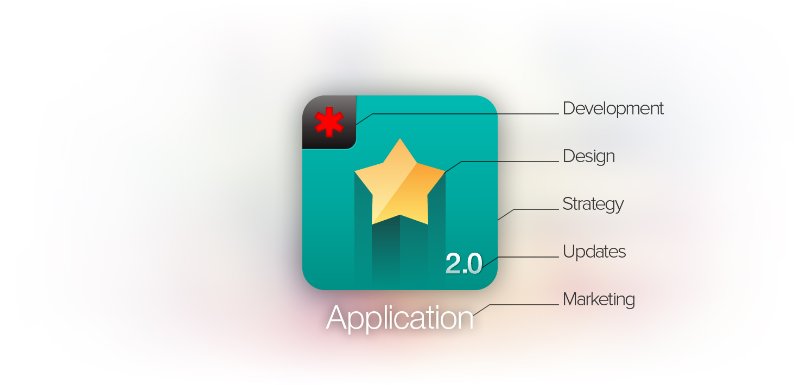
I want to clarify one thing — building an app isn’t a piece of cake. It takes a significant amount of time, money and energy to build an app that people want to download and use. Even after an app is up & done, it will need to be marketed and supported by your company.

wdyb-app

All these elements need to be figured out at some point and then planned for. It’s how companies stay competitive in today’s marketplace.
If you can’t set aside the budget and resources for an app today, will you be able to do so when your sales are declining because customers “all of a sudden” decided that they prefer using your competitor’s app over your old website?

This is a not a tactical decision about whether $10,000 in app development has a greater return than $10,000 in website improvements. It’s a strategic decision to invest in a platform that can support the business infrastructure of tomorrow’s generation in the same way your website has supported your business for the last generation.

The bus has already started off. It’s not that you can’t wait for the next one, but if you do, is it going to delay your business to the point where you can’t catch up with the competition when you really need to?

What’s your opinion?

Do you think web technologies will manage keeping up with native mobile apps, or will apps ultimately force the retirement of its older web friend?

Who is the Boss in da House? The battle continues: FrontEnd vs BackEnd vs Fullstack

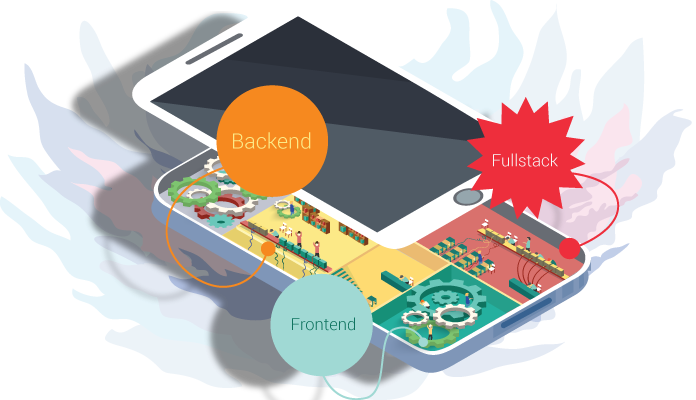
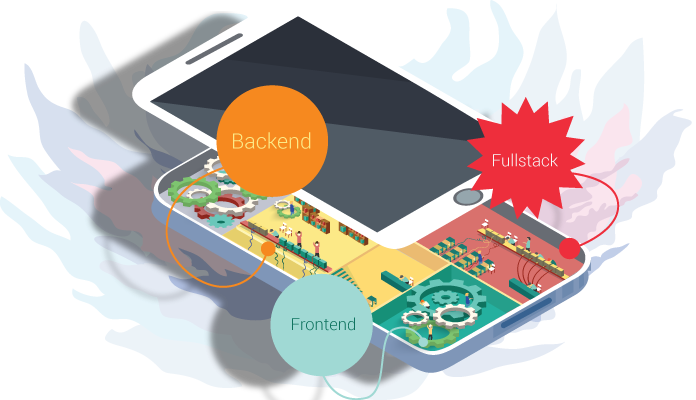
The development of a modern application might be compared with a house construction: one should hire a team of specialists – each master of his trade. As the builders lay foundation, erect the ossature and carry out all the necessary utility systems, so do the team of developers  with your web application. Backend Team think over the main application architecture, choose the necessary technologies and consider the means of communication and data processing. Frontend Team, in their turn, put into life the designer’s mock-up and implement the interaction between end user and backend.

Let’s have a look at each of them.

{ Frontend }

3-1

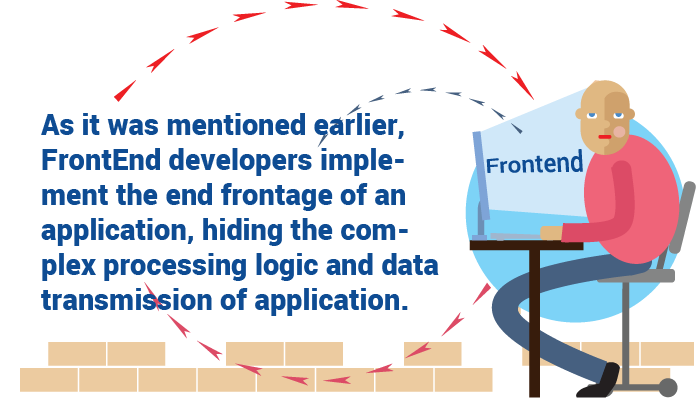
As it was mentioned earlier, Frontend developers implement the end frontage of an application, hiding the complex processing logic and data transmission of application. Reading this paragraph, one can convey the impression that easiest part of web-app development falls to Frontend developers’ lot: it’s a piece of cake to chuck together buttons and forms and to compose them in accordance to the designer’s mock-up. However, it’s an unsound opinion.

As a Backend developer, Frontend starts from choosing the stack of technologies on which the  client-end portion of architecture will be based. Nowadays, a great number of different frameworks exist, which allow to ease the process of creating the client-end portion and the task of prime importance is to choose the one that will give the best fit to the particular case: AngularJS, jsblock, EmberJS, BackboneJS or even crude Javascript.

One should keep in mind lots of nuances while choosing: whether the user will work with a great data flow at a time, whether the special components will be used: extensibility, modularization, etc.

To make a further step, one should think over the means of time optimization of client end load: to use means of code/ styles/ images and other data compression, because all that is written and used in client-end will be downloaded by end-user web browser and there one should pay attention to the traffic volume.

One more challenging task for a Frontend developer is to turn into reality the idea of the designer and the customer. The question is not about a tricky or flamboyant physical appearance and animation, but how to make it in such a way that it will look good in all browsers and mobile devices with different platforms, screen sizes and its restrictions.

For sure, today we have CSS Frameworks that have a set of ready-to-use styles for creation of responsive and adaptive web apps. However, they are often quite bulky or their usage makes no sense in view of the fact that one should remake them to get the desirable appearance or because of the giant framework that contains lots of styles where just several classes are used.

And finally, the most challenging task is for sure to implement the mediation between end user and backend portion. It’s really very important to application to be intuitive and evident for the user, that’s why a Frontend developer should have top skills and experience in so-called “human” interfaces even if your application is quite complex and have a set of its components which the user hasn’t faced before: every thing should still preserve its intuitivity, one should learn the user to use your application, to steer him and give him tips.

It’s a topical issue to make several things before the user does, i.e. to be like a ghost for him: to fill in the form with predictive data, scroll the page on the necessary blocks, imply why data didn’t passed a validation and to make error messages less frightening and more understandable. After chatting with the user and getting the necessary data, the client end sends it to backend and waits for the results to inform about them and display to the user.

{ Backend }

1

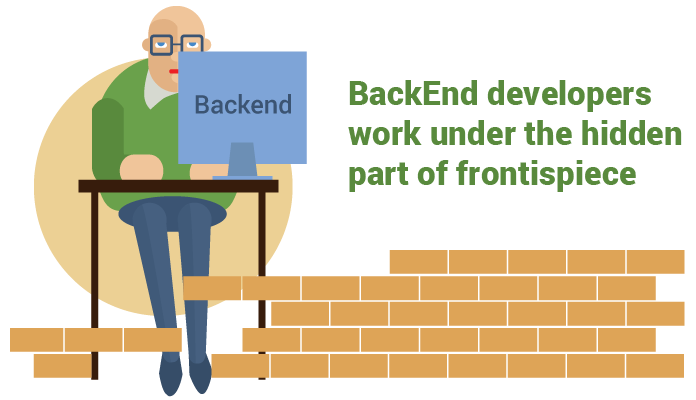
Backend developers work under the hidden part of frontispiece – main application logic, and you know, this problem is a beast: to process and store great volumes of data and to secure them.

To do that one should use a giant stack of technologies, each to a particular task. As an experienced builder, Backend developer should start from foundation placement for an application – it’s really a significant step, because if anything goes wrong, all the application will crash down. One should go over the ground each and every thing: to choose the appropriate framework keeping in mind the possible load on the app, choose the appropriate data base which will comply to app’s data.Though, here we have lots of nuances: different databases have different features either of storage technique or of speed of such parameters as reading, record, search.

One should think over the data transmission on the client end – to optimize the volume of transferred data and choose the most appropriate format. Oftentimes Backend developers face the necessity to bind an application with other external services which cause further hardships and peculiarities. The processing of all the data falls to their share: from importing small piece of excel table, image or video processing to making a complex calculation of flights to air-traffic controllers. All this should work as a duck takes to water as the users don’t get used to waiting.

{ Fullstack }

2

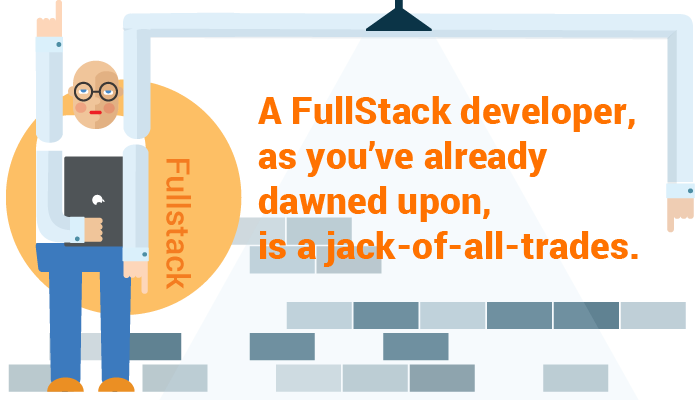
A Fullstack developer, as you’ve already dawned upon, is a jack-of-all-trades. He can materialize the idea of a designer, liven it up using any framework and will take care of its backend. On the one hand, it’s a perfect worker – he knows exactly what he should send and what he should get and return and there’s no ground for the battle between Frontend and Backend developers. Fullstack developer always knows where something might go wrong and fix it whether it might be on client or back end.
From the other side, a Fullstack developer is snowed under with too many things: everything depends on one human being. In such situation one can start to write a code from one’s point of view or to bury oneself under the back end thus not paying enough attention to other end. If you have a whole team of Fullstack developers, sooner or later they will split into Backend and Frontend. If it not happens, the code goes to squash from different approaches and methods of code writing. If one thinks, one person cannot be a know-it-all.

Fullstack developer won’t know so many twists and turns as a narrowly focused specialist does. But if you find such a person, hold onto him.

Xamarin: One for All (Part I)

A well developed mobile application can help businesses increase customer satisfaction and engagement by allowing the company to be available to their target audience, generate revenue and create additional channels for marketing. It is unsurprising, given the widespread use of mobile devices, that Emarketer.com predicts that by 2017 more than one third of the population of the world will be smartphone users.

People use many different types of mobile hardware, and it is imperative to build a mobile application that flawlessly functions across a diverse set of operating systems.

Being experts at building cross-platform mobile applications for all major platforms, our software developers at *instinctools believe that today Xamarin is a cure-all for operating systems.

Launched in 2011, Xamarin is a tool used to develop cross-platform mobile applications. It works through the Mono framework to communicate with the Application Program Interface (API) of common mobile device functions including contacts, camera, and geo-location for popular iOS, Android, and Windows operating systems. It allows developers to build robust applications using the C# programming language that runs on the .NET Common Language Infrastructure (CLI).

Sure enough, Xamarin has its positives and negatives and in this article (part 1) we will go through 5 main perks of Xamarin platform.

1. Write once, run everywhere

Xamarin is integrated with SDKs of all of the different operating systems. You have the ability to utilize native controls that exist for the iPad, Android or Windows but only coded once. Linked files, conditional compilation, and portable class libraries make it possible for developers to share the code. The ability to reuse 60-80% of the code cuts the development time in half. That obviously saves time & money to both customers and service providing companies on the app’s multi-channel distribution. Additionally, a single codebase dramatically reduces costs for support and new features introduction.

2. Native API

Xamarin delivers high performance compiled code with full access to all the native APIs so you can create native apps with device-specific experiences. Anything you can do in Objective-C or Java, can be done in C# with Xamarin.

3. Native UI

Xamarin allows you to keep Native UI in all 3 platforms, therefore preserving Native Performance while enjoying full API coverage, shared codebase and application logic. It also allows to re-use skills, teams, tools and most importantly – the CODE! And as a result, it saves your time and resources.

4. Fewer bugs

The number one reason that Xamarin tends to result in fewer bugs: we write less code. As a general rule, the less code we write the fewer errors we’re likely to commit.
Xamarin also reduces errors by providing the opportunity for greater test coverage. Any given project has a finite amount of time available for testing. Rather than spending that time writing two sets of largely duplicate tests, we can write a single, more comprehensive set of tests that validate the code for both platforms.

5. Xamarin TestCloud:

Such program allows you to test automatically your iOS and Android apps on hundreds of devices. It offers continuous integration, beautiful reports, test for fragmentation, and object-based UI testing.

Xamarin is gaining more attention everyday and with good reason. Today, nearly 500,000 developers and such world-know companies as Microsoft, Bosch, Tesco, HP (and many others) are already taking their advantage of creating awesome apps on Xamarin.

And for real, in a world where a variety of mobile platforms coexist, we do need a toolset that allows us to support multiple platforms with minimal duplication of work. This just what we get with Xamarin.

To build them all…: cross-platform mobile development frameworks comparison

As one of the fastest growing markets in the IT industry mobile development area offers a lot of issues to discuss and be found of. Except pros and cons of various technologies there always is a business side. Cross platform development collides both with dev side and with business vision.

Good news for everyone who wants to increase their profits and keep quality on high level!

Cross platform development (CPD) is the solution. Visible business perks of CPD include:

  • Lower costs for development
  • You have to build the app only once
  • You have to employ specialists with one skill set
  • You can move developers from team to team without hiring new people
  • Shrinking of time-to-market
  • Growing developers community

There are several known and widely used tools for CPD. In the table below you can see three of them compared: Xamarin, Appcelerator Titanium Studio, Qt and PhoneGap. The criteria in the table are relevant both for developers and for managers. Some of criteria like license cost, speed and cost of development, distribution capabilities are highly important especially for startups.

Xamarin Appcelerator Titanium Studio Qt PhoneGap
Supported platforms iOS, Android, WindowsPhone iOS, Android, WindowsPhone, BlackBerry iOS, Android, WindowsPhone iOS, Android, Blackberry, Windows Phone 8, Ubuntu, Firefox OS
License&Costs 4 types: starter for free, then $25-$158 per month Dev for free, enterprise – $5000 per year 4 types, up to €6400 Apache License, Version 2.0
Distribution via different app stores No problem No problem Only with commercial license No problem
Access to platform-specific features 100% access Access to most of them Not fully, but the number is raised all the time Not fully (depend on platform)
Look and feel Everything works and looks perfectly Creates native UI elements, requires knowledge of Titanium’s JavaScript API Looks nice on desktop Analog of native UI
Development environment Xamarin Studio + plugin for Visual Studio Tightly integrated into Appcelerator’s IDE Titanium Studio based on Eclipse Qt creator, Qt designer Eclipse, Idea,command line tools,  etc.
Ease of development C# – feel right at home Documentation is good. Initial progress and accustomization relatively slow Qt has a lot of tools to help developers do their jobs best: compilers, rich documentation, helper tools and many other cookies Instrumentation tools, especially debugging and memory profiling are sorely missing.
Maintainability Like native apps Many lines of code, but can be easily modularized Great GUI layout system Like for web application
Scalability Great because of C# architecture Good scalability. Passing data or objects between windows is quite slow Easy to use Easy to use
Opportunities for further development Excellent Hardly can be used with other approaches Gets better and better. Translation system, testing library Excellent
Speed and cost of development Only one tool needed A lot of framework specific knowledge Easy and fast Easy and fast

As you can see all the technologies for CPD have their specific features and it’s important to choose the most convenient and suitable for your needs. There are a couple points that might help you while choosing.

In what cases you should go for cross-platform?

  • you have very limited development time
  • you already have skilled JavaScript or .NET developers
  • the application includes a lot of busy business logic that has to work equally in all the mobile applications

When you should decide for native development?

  • Performance and operation speed of the application matter the most
  • Not too much business logic
  • Multi platform operation isn’t required

If you’re lucky and made up your mind painlessly, it’s time to choose the right CPD framework. The selection of right tool depends on tasks your application has to solve and resources you have. Following hints can help you to reach a decision:

  • If you already have .NET developers and the application has to be done asap for several platforms, we recommend to use Xamarin. In this case you should pay attention to the license cost and its accordance with your budget. Bosch-Siemens, Tesco, Sennheiser appreciated Xamarin’s perks.
  • HTML5 solution fits for applications without high performance demands. Among HTML5 customers you can find Guardian, Burberry, Financial times.
  • If you have skilled JavaScript specialists, you can definitely try Appcelerator Titanium. This is also good choice for an application with native interface in all the platforms. Tried by Ebay, Mitsubishi Electric, VMware.
  • Game development is worth separate discussion. CPD solutions reviewed in this article cannot be used for games production.

In the next post we’ll go deeper into the frameworks indispensable for cross-platform development. To learn more from our experts visit http://instinctools.eu/. Stay tuned and share your thoughts in the comments.

Anna Vasilevskaya
AI modified real photo
Anna Vasilevskaya
Account Executive

Get in touch

Drop us a line about your project at
[email protected] or via the contact
form below, and we will contact you soon.