Price Comparison and Purchasing Platform For a SaaS Company

Price Comparison and Purchasing Platform For a SaaS Company

How modernizing the price comparison web platform and bolstering it with online and offline deal-making decreased the software maintenance costs by 23% and expanded the customer pool by 14%.

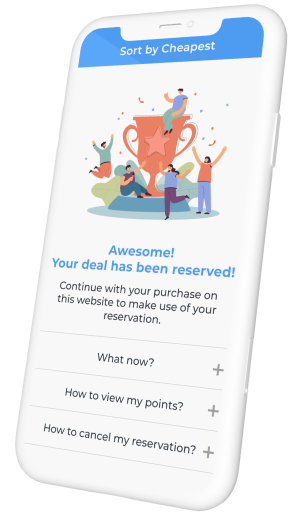
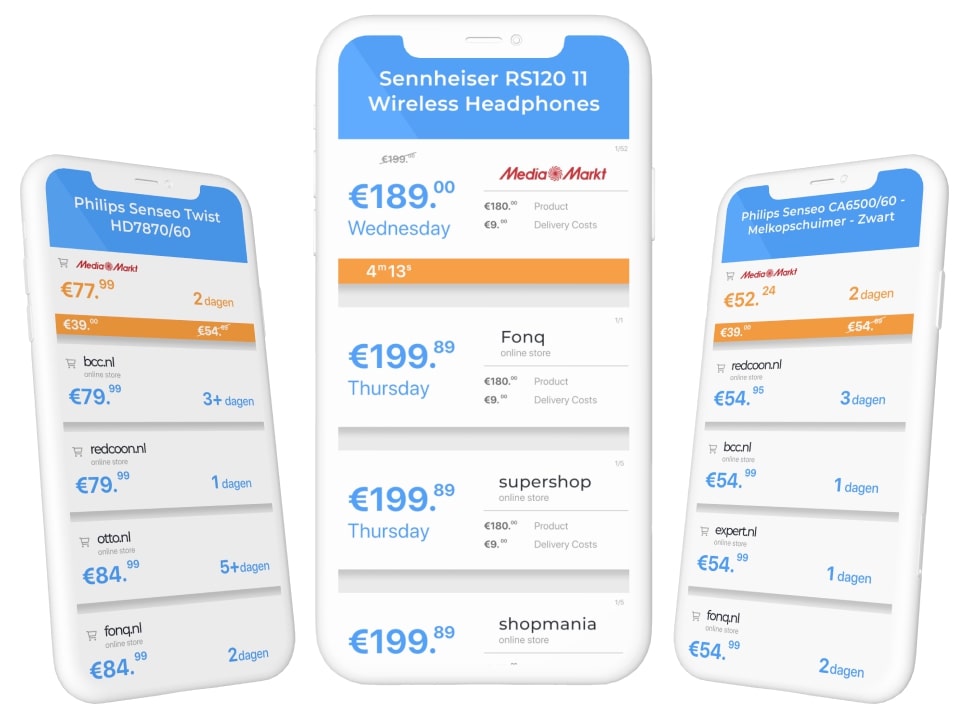
The Price Comparison and Personal Offers platform instantly provides an overview of all shops and their offers for a product that a customer is looking for. Personalized offers can be made just-in-time taking into account a customer’s profile and market data.

About the Project

The *instinctools Company was involved in a price comparison project with a unique capability to make personal offers to customers based on their profile and current market conditions. The Price Comparison platform aggregates offers from all shops, and shows them to the customer using a browser add-on and mobile application while the user is looking for the product.

The Personal Offers platform allows shops to offer personalized deals using a rule engine, taking into account a customer’s profile and competitor’s offers. This allows shops to implement a loyalty program and compete for best offer in terms of price, delivery terms or additional value.

The whole process takes a split second. Therefore, the best deals are presented to a customer while rhey are looking into a product and are ready to buy it right away.

Challenges

  • Redesign and refactor existing system, going from a monolith application to micro-services architecture to support growing number of offers and impressions.
  • Monitor and orchestrate micro-services to provide high availability and low latency service to customers.
  • Implement online and offline deal making process, reliable tracking transactions and accounting commissions.
  • Support existing system functionality lacking original developers’ knowledge.

Solution

We delivered online and offline deal-making process by collecting requirements, designing a new system, planning a change to the existing product and successfully integrating it together. The existing functionality has been maintained throughout the process. It was covered with automatic tests and redesigned to support a growing number of requests.

To support operations, we implemented monitoring of backend services while providing reliable tracking of transactions and making user’s behavioral data available for data analytics.

We have done major refactoring to unify approaches used throughout the micro-services, which lowered costs for operations and maintenance.

We also have:

  • fixed existing security issues and implemented best practices to protect the business from common security threats, which was confirmed by penetration testing done by an independent contractor;
  • implemented event tracking for behavioral analytics;
  • managed cloud resources and implemented automation which reduced operating costs;
  • set up DevOps practices and implemented continuous integration and delivery;
  • redesigned a system to enable horizontal scaling.

Key features

The client has obtained the desired functionality in time to run partnership programs with online and offline shops. The delivered platform was cloud-ready and modular, allowing the scaling of hot spots and handling business growth and peak load.

The benefits of the delivered platform are:

Ability to handle increasing traffic

Monitoring the system in a real-time mode

Gathering of customer behavioral data for analytics purposes

Integration with third-party analytics products

Vendor-free deployment to cloud, no lock-in to AWS

Performing the expected functions fast and accurately

The client was pleased with our fulfillment of the requirements and the recommendations of the affiliate partners. We are currently continuing to maintain the stable operation of the platform.

Technologies

JavaScript was chosen as a common language for the platform. The existing system used a mixture of CoffeeScript and pre-ES5 code. We used Babel to bring the expressiveness of ECMAScript 2016 to every service.

The system was deployed to Amazon EC2 using Terraform, Ansible and Docker, with core components independent from AWS platform offerings. The delivered solution is not locked to AWS.

MongoDB, Elasticsearch and Redis were used as operational data storages.

Continuous integration and delivery were implemented around Git repositories using the Gitflow model. The integrated setup of Jenkins, Docker, Slack and GitHub Status API was used to implement DevOps practices.

Prometheus and Graphana were used to build a backbone for backend monitoring. Sentry was used on both the frontend and backend to catch runtime errors from all environments.

Node.js and React were chosen as two pillars to establish a common ground and allow, among other things, server-side rendering and code reuse between web application, browser add-ons and mobile application created in React Native.

Amazon Kinesis, Redshift and S3 were used to build analytics platform open to third-party analytics products, e.g. Tableau and Amazon Quicksight.

An increasing number of offers and data crunching tasks were gracefully handled by a scalable pool of workers getting jobs from the RabbitMQ queue.

npm was used for public and private package registry. The combination of semantic versioning, GitHub Releases and private npm registry allowed the sharing of knowledge inside a distributed team.

NodeJs
Github
React Native
RabbitMQ
npm
Elasticsearch
Redis
Prometheus
Grafana
Sentry
Docker
Babel
Webpack
Ansible
Jenkins
Terraform
MongoDB
Amazon Web Services

Mobile App For a Cookware Manufacturer

Mobile App For a Cookware Manufacturer

How crafting an IoT-driven mobile application with multiple timers’ remote setup and other smart features empowered a pressure cooker manufacturer to usher in the era of intelligent cooking and double the sales of the device.

Our customer is an authoritative cookware producing company. They produce pans, knives, pots, pressure cookers

You have to fix a small controller at pressure valve of the pressure cooker. This sensor:

  • measures the pressure inside the cooker
  • has built-in cooking timer
  • counts how many times cooking took place
  • warns about coming service activities
  • alarms in case of too low or too high pressure

A new generation controllers has a possibility to connect with a mobile phone through BLE (Bluetooth low energy). Now user can follow the cooking process right from their couch watching TV

Key features

Get data about pressure inside the cooker online

Set several cooking timers

Big recipe book with ready cooking parameters

Configure the pot for certain range (gas, glass, induction, iron)

Technologies

UIKit
Xamarin
Xamarin.Forms
Android
BLE
SQLite

Pre-Certification Testing Software of AC-Powered Electronic Devices

Pre-Certification Testing Software of AC-Powered Electronic Devices

How creating an application for testing AC-powered electronic devices helped a household appliances manufacturer speed up checks for conformity to IEC 61000-4-11:2004.

Development and deployment of any AC-powered electronic device are accompanied by one big step – device testing and certification for conformity to existing standards, including failure resistance, short interruptions and changes in power voltage. There is a special class of devices called “test generators” used for conformity testing and control.

Challenge

We had to develop a software solution that would be embedded into the client’s hardware devices. The app should cover testing electronic appliances with up to 600 W rated power for conformity to IEC 61000-4-11:2004.

Solutions

We created software that meets the specified requirements. Key features of the device: it is compact and has a communication interface for control from a computer.

Features

Portability

Possibility to test an electronic device for conformity to IEC 61000-4-11:2004

Communication interface for control from a computer

Modern hardware components

Technologies

Autocad
MicroCAP
p-cad
IGBT power modules
AVR
RTOS
PWM

Documentation Management Software For a Technology Equipment Manufacturer

Documentation Management Software For a Technology Equipment Manufacturer

How replacing their feature-limited documentation management software with an up-to-date DITAworks from *instinctools empowered a manufacturing enterprise to fully automate manuals’ publication in multiple output formats and accelerate overall document management processes by 27%.

Challenge

The initial situation at Fujitsu Enabling Software Technology GmbH was characterized by typical challenges with the product documentation:

  • rising volumes and increasing complexity driven by multiplying versions and variants
  • high-quality requirements for the documentation as a product component
  • different output formats and the need to integrate with the development process and the product itself

Since managing the documentation had become increasingly complex, there was an urgent need for an editorial system that would support the documentation projects optimally and yet seamlessly integrate into the existing development process.

Existing content based on an earlier version of the DITA standard needed to be migrated to the current status.

As the editorial team had been using XMetaL as an editor for quite some time, this preferably needed to be retained. Even the long-established publication process needed to be (initially) retained.

Solution

In response to these diverse challenges, Fujitsu Enabling Software Technology GmbH selected the software DITAworks from *instinctools, after an extensive trial.

Fujitsu Enabling Software Technology GmbH deployed the DITAworks solution for Eclipse, which also has special functions for the documentation of Eclipse-based applications.

Existing content and the model were carefully analyzed.

Recommendations for the migration to the latest DITA standard and integration with the existing development and publication process, as well as the XMetaL-Editor, were developed.

*instinctools completed the implementation of the recommendations in consultation with Fujitsu Enabling Software Technology GmbH.

Result

Even before the beginning of the project, Fujitsu Enabling Software Technology GmbH utilized many of the advantages of single-source publishing, using DITA standards for the documentation: content once created is used in several different documents, and the publishing process allows output in various formats (Eclipse Help, HTML, PDF).

After the existing content has been migrated to the latest DITA standard and its adoption completed in DITAworks, there are no obstacles to the immediate use of the convenient options that DITAworks offers. The editorial team of Fujitsu Enabling Software Technology GmbH is now optimally equipped for further documentation of their applications.

Key Features

Integration with the development process

Specific transformations and validations for Eclipse Help

Assignment of help contexts and synchronization with the source code, thanks to a plug-in for the Eclipse IDE

Eclipse Help deliverables (such as contexts, live actions and cheat sheets), thanks to the DITA specialization for Eclipse Help

ID Wizards help documentation and development teams with synchronization

Possibility for technical writers to work with their preferred editor

Support of dynamic context ID mapping (DTP approach)

Import of existing Eclipse Help Plug-ins

Testimonial

Apartment Renting App For an Accommodation Startup

Apartment Renting App For an Accommodation Startup

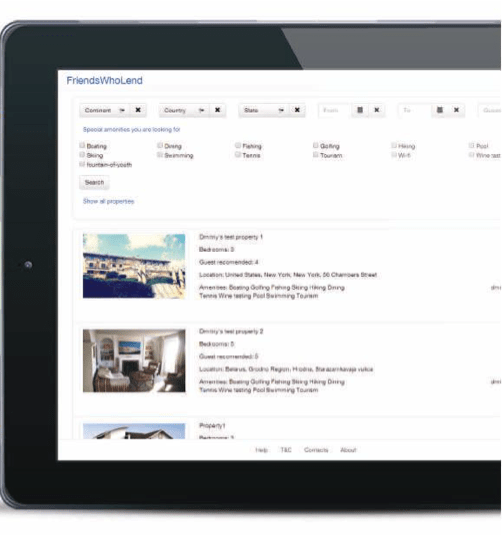
How creating a feature-rich web application for apartment owners, connected through a friend, allowed an accommodation startup from Southwest Asia to carve out a unique niche in the highly competitive market of rental housing apps.

How the idea was born?

“Live in your Friend’s Home as in your Own”

FriendsWhoLend lies the concept of “sharing” with friends.

Many people have a second (or third) apartment/home that is rarely used. The owners are happy to have their friends stay there, but are not comfortable with having complete strangers renting it out. The fear is that strangers will not treat it with the same care as they would if it were their own.

With FriendsWhoLend, the property owners will be sure that members of the community will treat their properties as their own as each member has their own property invested, and these are friends or friends of friends…

As it was already mentioned, a group is formed between friends and friends-of-friends thus creating a so-called ‘closed’ community. Each member of this community contributes access to their properties and, in exchange, they are granted with the access to other properties in the FriendsWhoLend network.

There is no cost to join, and all properties are considered to be equal in terms of value. These properties are “lent” for use by members of the community through an automated calendaring function, stored in the FriendsWhoLend community.

Benefits

All users (property owners) will know each other, or be connected through a friend.
New users will be recommended into the group by an existing FriendsWhoLend member and after founders approve.

Owners take the time to ensure easy-to-use instructions
for all things like home theater, Sonos, most appliances, internet, as well as ensuring instructions for all basic appliances are available.

Property is available at least 2 months in-season (primary), and 6 months overall each year.

There is no limit to usage by a Friend (FWL member)
As long as properties are available, they can be used. Only FriendsWhoLend members can use properties. A FriendsWhoLend member can bring another couple or family members. The owner will determine the capacity (beds / people). FriendsWhoLend members should respect this – just like friends would.

Insurance will be up-to-date on all large items
(home, cars/boats if applicable, etc). Its fine to exclude the use of some contents, please outline them and make it clear upfront (ie. Grandma’s dishes, an antique boat, or the Cuban cigars there for the once a year treat.) . Use the same criteria you would if a close friend were using the property. If you drink the wine, or eat the tunafish, just replace it like you would normally

A bonded cleaning company is secured
The guest will pay for the cleaning (and laundry) to be done when the guest leaves. Cleaning service will update the owner and leave a record of the service.

All properties are of equal value
There is no “value” attributes assigned to the property

If something is broken, the guest agrees to replace it(of equal value)
User lets the owner know, just like a friend would. If it was just old or defective, the owner will replace the item. All agree to communicate.

Main Objectives

The main objectives that should be reached:

  • To let property owners lend their own properties
  • Personalized decoration with images, drawings and text

Key Features

Admin Features

  • Community management
  • My bookings – page
  • Attractions, restaurants, etc. + name of the Guest to leave a comment. (comments are post-moderated, i.e. can be disapproved/or removed after being posted)
  • User management
  • Property management – page
  • Open blog area where guests can comment on then property and mark as favorite
  • User account/profile management
  • Statistics of the bookings and the property availability
  • Booking management
  • Friends’ Properties tab/page – for owner (SuperAdmin) Community admin only

Front End (for all users)

  • Login
  • Booking of the property
  • Property details page
  • Join Request
  • Property list page

Technologies

NodeJs
MongoDB
Angular.js

Enterprise Document Management System For an Atomic Energy Corporation

Enterprise Document Management System For an Atomic Energy Corporation

How replacing several feature-poor document management solutions with a single comprehensive user-friendly system accelerated document-related processes by 23% on average.

Object

Systems of electronic document management have been with large companies and state enterprises for quite some time now and are there to stay for a long time, too. It also requires more mobility from company managers who spend a lot of time out of office. Being outside the office they need to carry out their responsibilities and lose no time as well as to have a handy work interface with information systems, an easy possibility to solve problems in a fast and timely manner. In order to enable them to do so, a system interface has to be also informative and simple at its best – a manager is supposed to have on hand all the document operations possible.

What are the problems when running a document management system device with a web interface?

  • Mobility

When running a web interface a manager comes across a number of limitations on their freedom of movement – the manager needs to have constant access to the resources of his company and electronic document systems, i.e. he usually cannot handle his documents while on the road, up in the air or at sea.

  • Interface intuitivity

Web interfaces with access to electronic document
systems are often overloaded with functions and are meant for big screens with precise positioning of the mouse cursor. One needs to take his time to interact with the system as well.

  • Safety

When having access to electronic document systems via a mobile device it is needed to secure the proper keeping of the information received, transmitted and saved, which may be problematic in success-stories when running a mobile device outside the office.

  • One access interface

Having several systems of document management at your company, the manager needs to switch between various web interfaces and carry out single operations in each of the systems.

The main purpose for developing a mobile client device was finding solutions to the following problems.

Solution

How the mobile client solves the problems mentioned above.

  • Mobility

Application of the mobile client with offline work functions enables you to have access to documents and carry out all necessary operations with them while having limited access to electronic document management systems of the company. All operations done in the system by the user are kept in the application and if there is access to the document management system of the company, are synchronized automatically. Additionally the user is enabled to tune the synchronization intervals themselves.

  • One access interface

Mobile client enables you to unify tasks from several systems of document management, which allows running operations faster with volumes necessary for a manager in one application. In this case one interface is enough, i.e. the interface running tasks from different systems of document management.

  • Interface intuitivity

Interface adapted for use on mobile devices and the availability of just the operations needed enables to process documents in a faster manner and make the interface informative and simple at its best.

Interface adapted for use on mobile devices and the availability of just the operations needed enables to process documents in a faster manner and make the interface informative and simple at its best.

  • Safety

The mobile solutions as to the safety of information exchange with electronic document management systems and safe keeping the data disallow access to third parties to the information kept on the device, which is rather problematic when using a web interface. Application of different means of authentication of the user (login/password, authentication with smart cards) enables to secure reliable transmission of user data. Encrypting data bases and files of the user is fulfilled in accordance with GOST 28147-89 (State Standards).

When operating the mobile client, the additional advantages are guaranteed

  • Handy display and document task operation. The user is enabled to scroll and change documents in most office formats
  • A function to save marks on tasks. The user may leave their own marks which are not seen by other system users
  • Commenting the tasks to be done. The user may leave comments as per electronic document management system
  • Handy search and sorting user tasks/documents
  • Launch of new document management processes

What else can the system do

  • Several languages are available. Localization of forms and elements and their arrangement are kept on the server which allows changing their contents and arranging in a fast manner
  • Handy support to change the responsible person. If the user is outside the office and is not able to carry out their responsibilities at the moment, another user may be assigned to do the task at the push of a button
  • Launch of new secondary work processes and create new tasks either via interface or from a separate tab on processes
  • Keep selected tasks even after they have been carried out. The user may determine the volume in document management he/she needs by his/her own
  • The Drag & Drop handy mode enables the user to move the responsible per tasks. The expander system allows organizing work according to information on tasks providing the user with necessary information only

As a result, the manager’s main tasks have been successfully carried out for their superior, whose usual working place was out of reach, the transparency of all working processes was also observed.

This system may be integrated into different electronic document management systems, corporate calendars, task managers and other systems engaged in working processes.

Technologies

Tapestry 5
JQuery
Bootstrap
UI Spring,
Spring Data
Hibernate
PostgreSQL
Maven
Jenkins

Students-Targeted Platform For an EdTech Startup

Students-Targeted Platform For an EdTech Startup

How implementing visualizations into an educational platform and honing its UX allowed an EdTech startup to experience an 11% boost in newly registered users.

Challenge

The customer contacted *instinctools while looking for a contractor to help them implement several new features to their platform based on ExpressionEngine. Due to the startup nature of the project, cost was a major factor. The cost/quality ratio offered by *instinctools turned out to be the best among all of the other competitors.

The customer hired a senior PHP developer to work on a number of challenging data visualization tasks.

The goal of the project was to modify the platform and to add a number of useful features to the existing functionality.

Solution

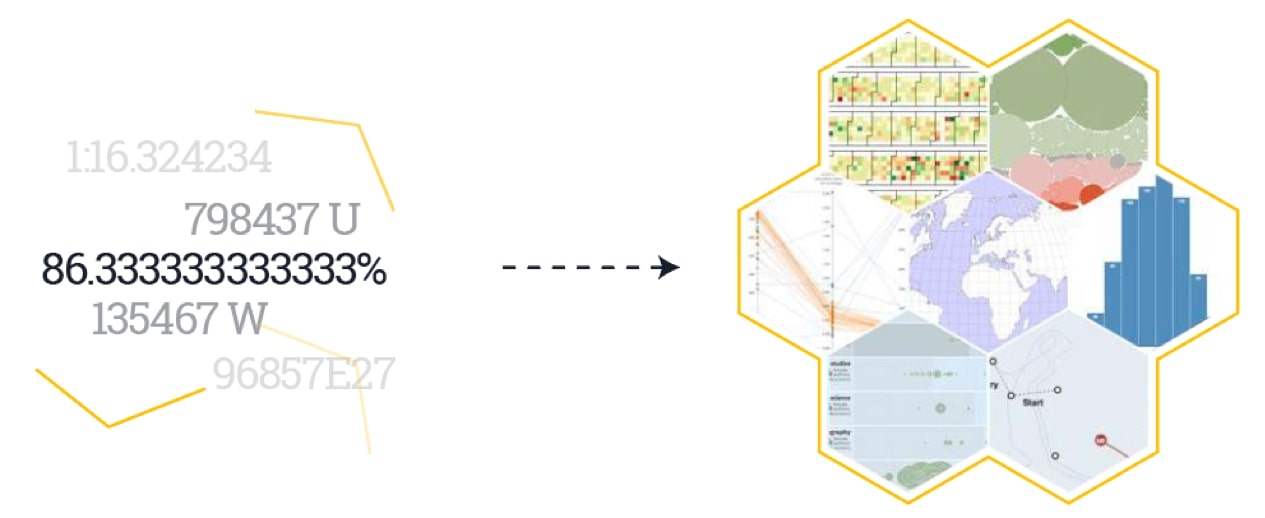
The problem was solved by the creation of complex charts for visualizing the relationship between admission success and various parameters:

  • Test results
  • Number of unique words in the application essay
  • Selected major

Charts were built using the D3 JavaScript library. However, the key challenge behind this task was to calculate the number of unique words. This required the use of the phpMorphy library for lemmatization.

Key Features

All of the necessary features were successfully implemented to the platform including:

An adaptive user form completion wizard comprised of multiple steps.

Automatic filling of user forms with data from student application forms in PDF file.

As a result, the use of the platform has become much more comfortable for its users.

The customer was pleased with this cooperation and plans to outsource more development tasks to *instinctools upon receiving an additional round of funding.

Technologies

Angular
Angular
MySQL
PHP
PHP

Advanced Monitoring App For a Global Car Manufacturer

Advanced Monitoring App For a Global Car Manufacturer

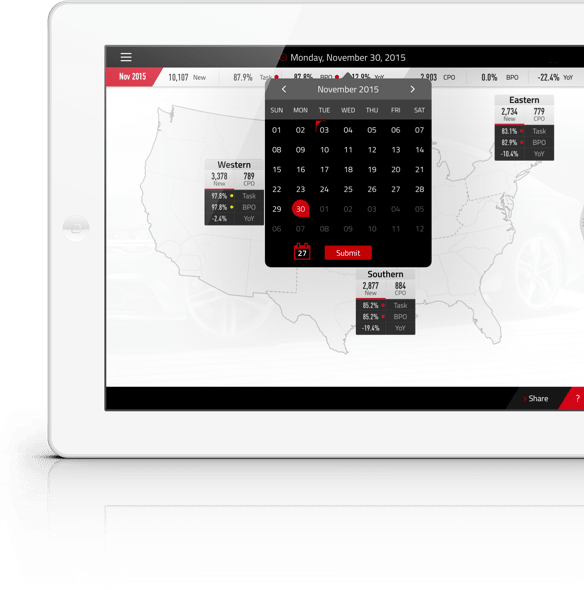
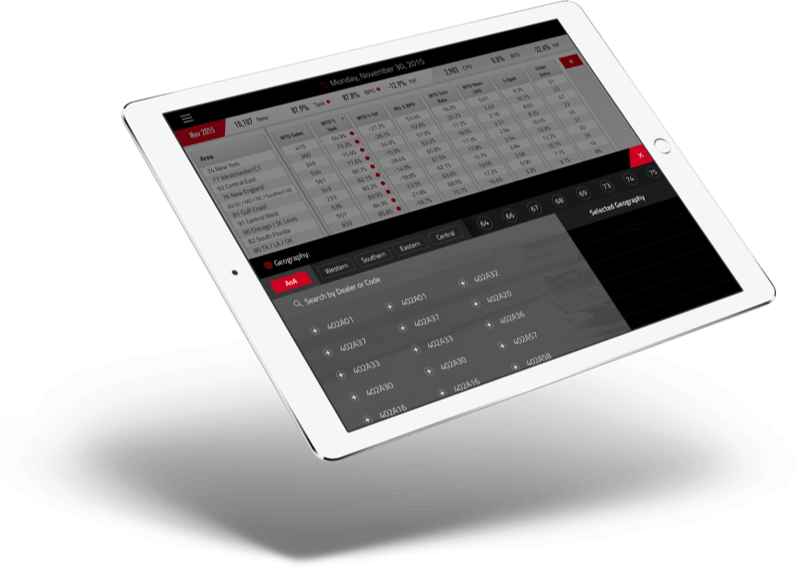
How building a sales monitoring app with custom operational, analytical, and strategic dashboards provided a car manufacturing corporation with a comprehensive real-time visualization of performance metrics in different units and enhanced annual business planning.

It is always very important for large corporations to monitor all stages of their activities, to study the objective information, and to review the metrics of performance efficiency. Thus, this company performs daily monitoring of car sales. It has created and has been improving over the years a complex business process which allows the management of the sales process on the basis of metrics.

However such a business process requires the extensive use of computers for various stages: analysis of collected data, calculation of metrics, and visual representation of metrics. Until recent times, it was impossible to receive new information in a mobile way. However, the current level of mobile technology provides the opportunity to create a system which will cope with the large amount of information and deliver a visual representation of performance metrics in the most user-friendly way.

Challenge

The main objectives in creating a mobile application for monitoring the performance metrics for the business was to:

implement the offline mode of the application. The consequence of this requirement was the necessity to handle large amount of data, based on which the various “cuts” of performance metrics should be created. In order to have flexibility and not to occupy the client application with processing a great amount of information, an unusual concept for preparing and delivering data to the client has been created

have the ability to compare data for different periods of time

implement the performance metrics in a visual presentation with the ability to display data in a variety of “cuts”

create a progressive mechanism for filtering and organizing data according to certain criteria

The vehicle manufacturer has one more vital business process – annual business planning. Managers and sale dealers used to meet each other in general meetings and discuss the sales plan for the upcoming year. This process took a lot of time, and the necessity of a multifunctional tool was obvious. As a solution, Business Planning Objective (BPO) was performed as a part of a sales app. BPO offers extensive possibilities for visual representation of plans, management of analytics, comparison of plans and many other features.

Key features

Daily monitoring of sales performance metrics

Management of analytics, tracking of the production process

Annual business planning for managers & sales dealers; coordination of plans

Wide possibilities for visual representation of plans and sales performance metrics, based on the various “cuts”

Advanced security and user access control

Operations with large amounts of information

Support of MobileIron MDM system

Full-featured offline mode

Technologies

  • Typhoon
  • Tolo
  • Mantle
  • Fabric
  • Masonry
  • Pop
  • VIPER
  • EasyMapping
AFNetworking
Localytics
CocoaPods
Realm

Gamified Guide App For an Entertainment Startup

Gamified Guide App For an Entertainment Startup

How crafting a gamified mobile guide to local businesses (restaurants, retailers, local attractions, etc.) with secret offers and loyalty points allowed a US startup to win the audience in the first state and extend their offering to a neighboring one three months ahead of the initial plan.

Challenge

  • create beacons’ search within working radius; provide proper work with beacons when they are located within one cluster
  • caching of video resources
  • data synchronization with specific schedule
  • map customization: develop custom markers and info windows

Solution

Using AltBeacon protocol, we’ve solved the problem of beacon detection. AltBeacon’s default settings (RSSI, scanning period) were changed to detect the beacon properly.

We also developed a complex UI component, which has one of the main features – video playing. Added custom logic using proxy server on mobile device to solve the problem of caching video data. We made wrapper over MediaPlayer to have flexible settings of video playing.

To solve the problem of Data synchronization, we added custom logic using GcmNetworkManager. It is powerful API for executing background tasks with specific schedule. We have a big count of markers which we should view on the map when using some sorting rules. To solve this problem, we added custom filters for sorting and showing markers on the map.

Key features

find participating vendors near your location

receive secret offers & exclusive offers when you visit your favorite spots

get notified of new info & deals right when you walk in

earn loyalty points as you spend time inside a business

Technologies

  • AltBeacon library
  • Retrofit, OkHttp, Picasso, Gson
  • Event-Driven Architecture
  • Crashlytics, Flurry analytics
  • Google Play Servicess (Maps, Cloud Messaging, Location, Analytics)
Facebook SDK
Bluetooth
Low Energy
Google Maps API
Material Design
(custom wigdets)

Factory Monitoring App For a SaaS Automation Provider

Factory Monitoring App For a SaaS Automation Provider

How developing a mobile app for monitoring manufacturing equipment with the ability to control the whole factory and separate machines with a smartphone helped a SaaS automation provider win new customers.

About the Project

This is an iOS/Android application. It creates interfaces for plants and equipment on both smartphones and tablets. As a native app, this version offers an outstanding user experience in the everyday use and requires little effort to install.

The Modbus TCP industrial bus protocol allows the app to communicate with practically any machine. Users can learn the status of the plant at any time and send commands to its control unit.

Challenges

  • provide possibility to create HMI for plants and equipment on smartphones and tablets and share it with colleagues
  • allow to control directly plants and machines which support Modbus Protocol
  • provide stable work when data transmission is slow
  • create an outstanding user experience for daily use

User Features

  • get direct connection between your app and the plant or machine
  • learn the current status of the plant in one click
  • send commands to the plant directly via application

Technical Features

VPN connection between the app and your plant

encrypted file system within the app

interface to WeConnect (VPN service from Westermo Data Communications GmbH)

encrypted connection to the HMI portal

Technologies

Modbus
objective-c
c/c++
tcp/ip
Anna Vasilevskaya
AI modified real photo
Anna Vasilevskaya
Account Executive

Get in touch

Drop us a line about your project at
[email protected] or via the contact
form below, and we will contact you soon.