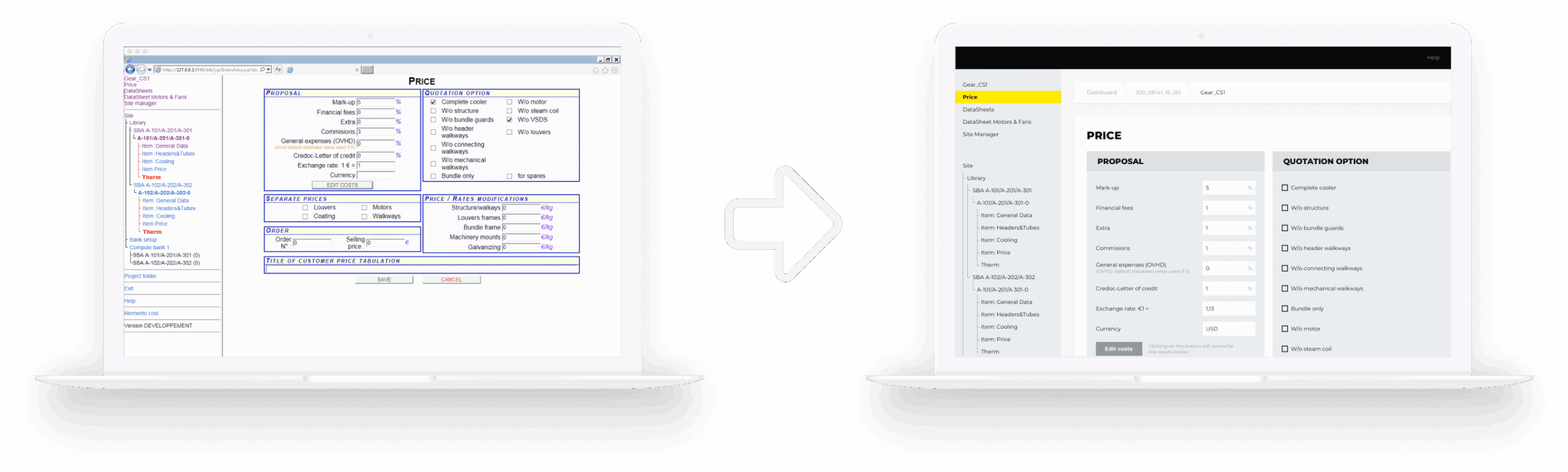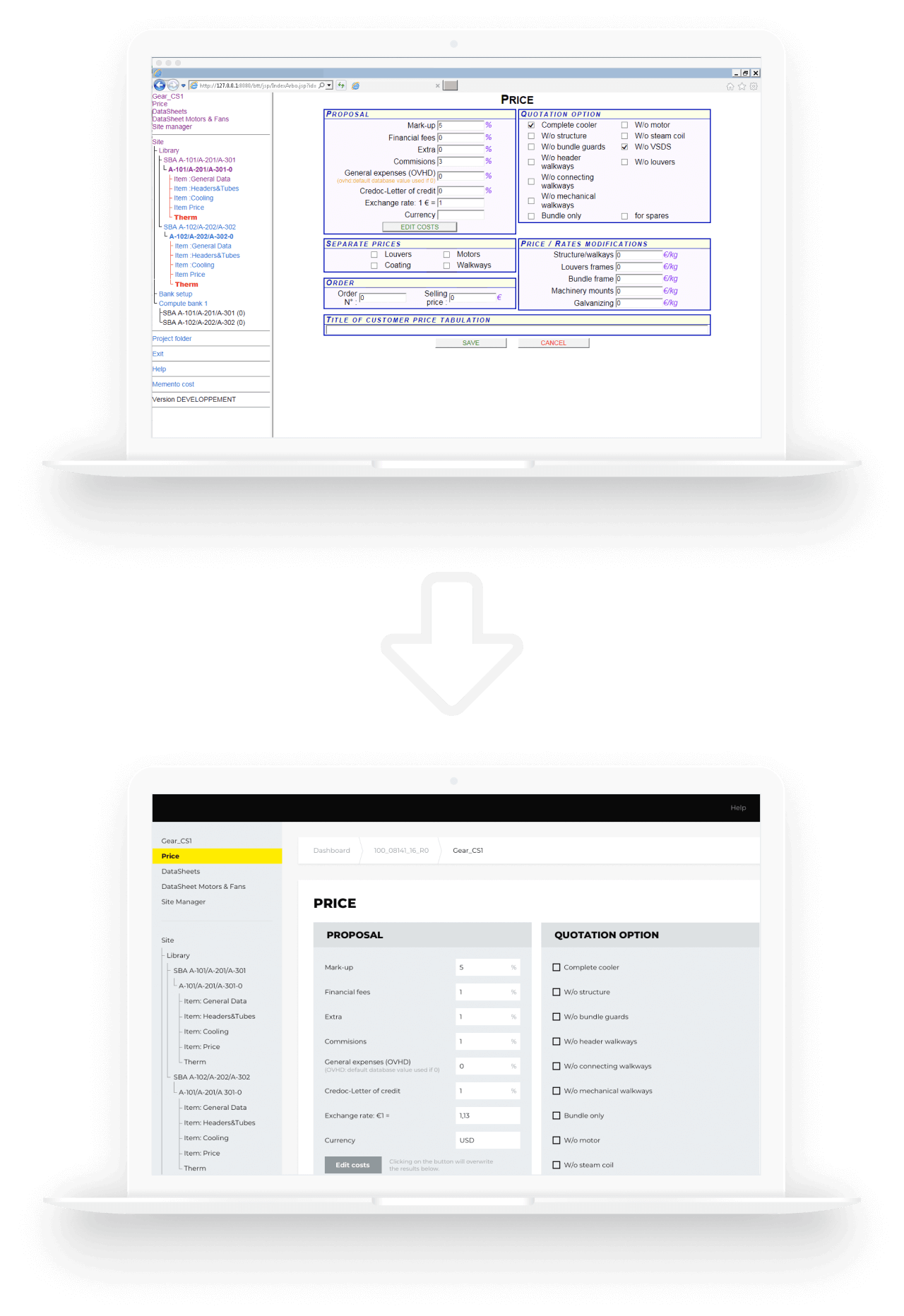






Conversational AI Chatbot For a Bank

Conversational AI Chatbot For a European Bank

How strengthening their existing chatbot for customer support with GPT-4 capabilities and voice assistance empowered a Czech bank to boost their 30-day retention rate by 7%, Net Promoter Score (NPS) by 34%, and First Contact Resolution (FCR) by 60%.

Industry:
Finance

Software Product Development

AI Development

Business challenge

The worldwide shift from brick-and-mortar banks with face-to-face interactions to online banking in the 1990s was a major disruption of the banking industry. Since then, it has been one of the technologies shaping the future of finance.

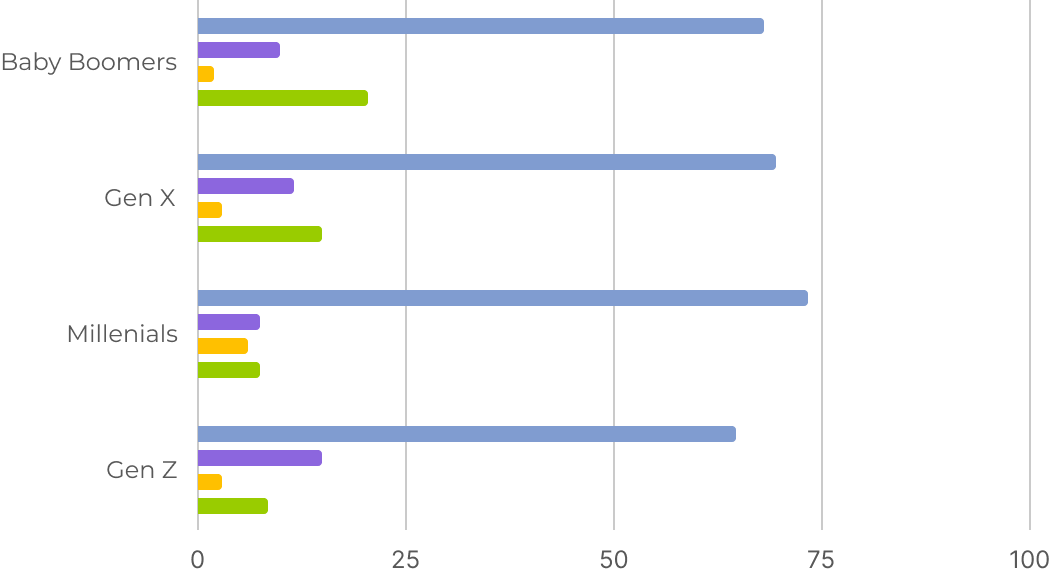
However, customer expectations have evolved over the decades. Customers of all generations shifted towards resolving their queries through a chatbot in a banking app rather than making a call, emailing, or visiting a physical location.

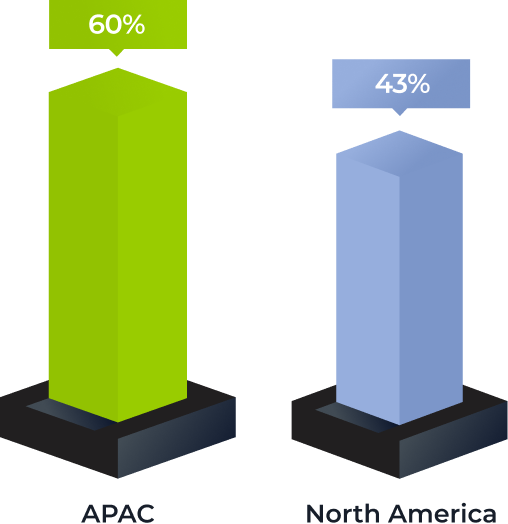
Most-used banking communication channels among different generations

Source: American Bankers Association, 2023

The gen AI boom became one of the main contributors to the rise of customer demands. End users were starving for more human-like, efficient, and fast communication in mobile banking, especially with chatbots as a leading communication channel. And banks had to shape up or ship out.

Our client – a trailblazing Czech bank – saw it as a golden opportunity and didn’t miss the chance to capitalize on it. They have been pushing the frontiers of local banking since 2015, and when the gen AI spike started, the client’s center of excellence immediately concentrated on quick-win strategies of implementing conversational AI in finance services. Enriching their existing chatbot functionality with natural language processing (NLP) and generative AI capabilities became one of the projects at the top of their priority list.

To undertake the initiative, the client needed an AI-savvy tech partner by their side to confidently and safely integrate the new tech. With data security being a high-stakes issue, they were looking for a vendor conformed to the ISO 27001:2022 standard. Instinctools’ data scientists and software engineers took the lead in crafting a stable and secure conversational AI chatbot.

Solution

The client envisioned a gen AI-powered chatbot with an intelligent Siri-like voice assistant. Such an ambitious solution required in-depth knowledge of large language models (LLMs), pattern and speech recognition, and other frontier technologies.

  1. Choosing the project’s AI linchpin

The client’s app has over 100,000 users, and they needed an LLM capable of handling a large volume of customer queries simultaneously. ChatGPT 4.0 was a go-to option, as it can process 12,000+ inquiries and transactions per second even in peak hours. Moreover, this pre-trained language model is well-versed in basic banking concepts and doesn’t require extensive fine-tuning, enabling swift project development.

However, finance institutions can’t hop on the open-source large language model right away due to restrictions of compliance regulations, such as GDPR, CCPA, etc. Banks had to use private models running in a controlled environment.

Hence, we deployed a private instance of GPT-4 within the client’s Azure tenant, connected their initial platform-based chatbot to the LLM through the API, and proceeded with rewiring the banking chatbot’s functionality.

  1. Stepping up text chatting patterns

Moving forward, we provided the LLM access to a sanitized dataset of internal banking data, such 
as answers to the FAQs, information about bank offerings, user guidelines for performing various operations, etc. As a result, human-like conversations have covered finance and card management, transactions, loan management, investing, savings account creation, credit score monitoring, filing insurance claims — the list can go on and on.

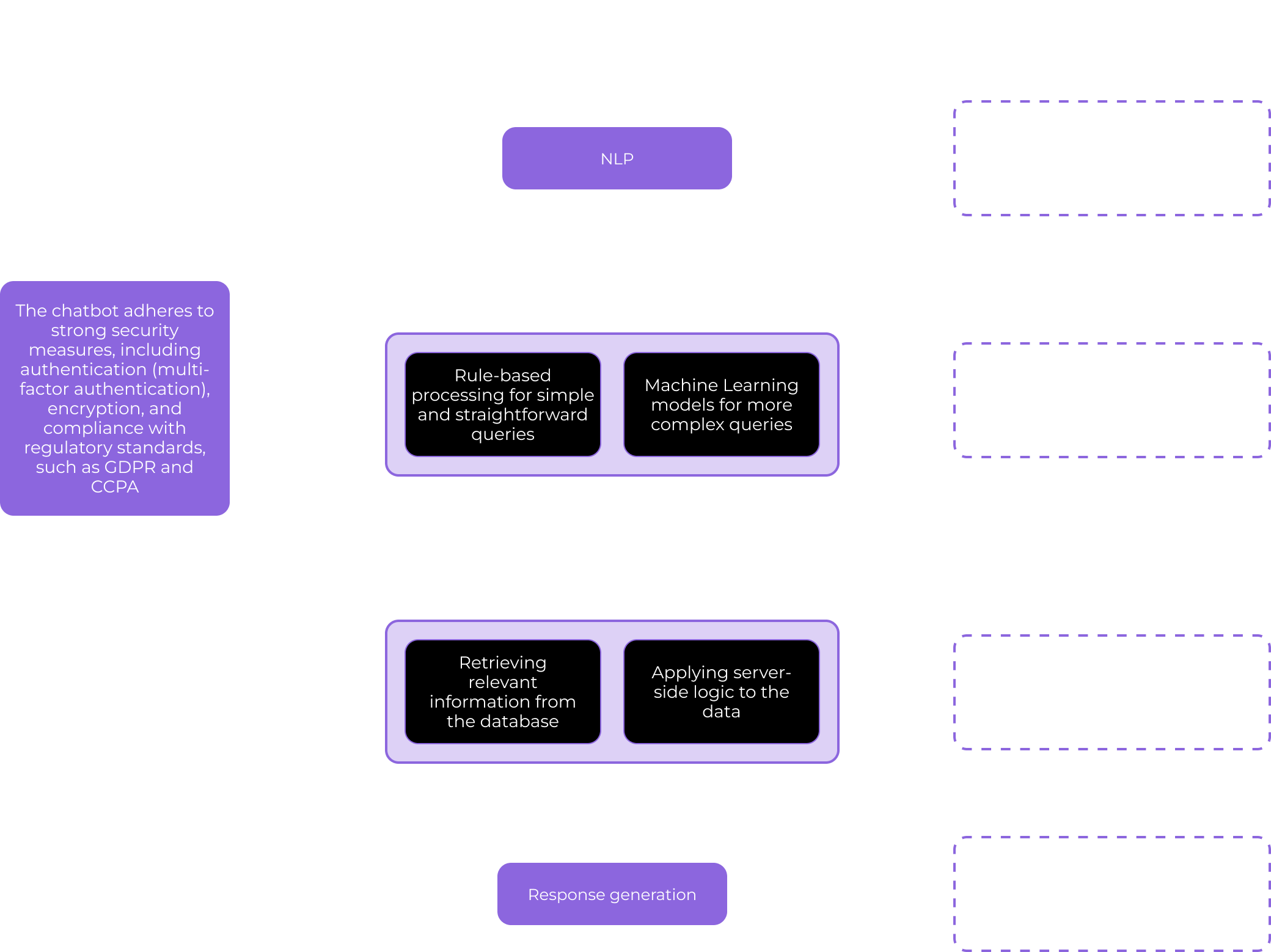
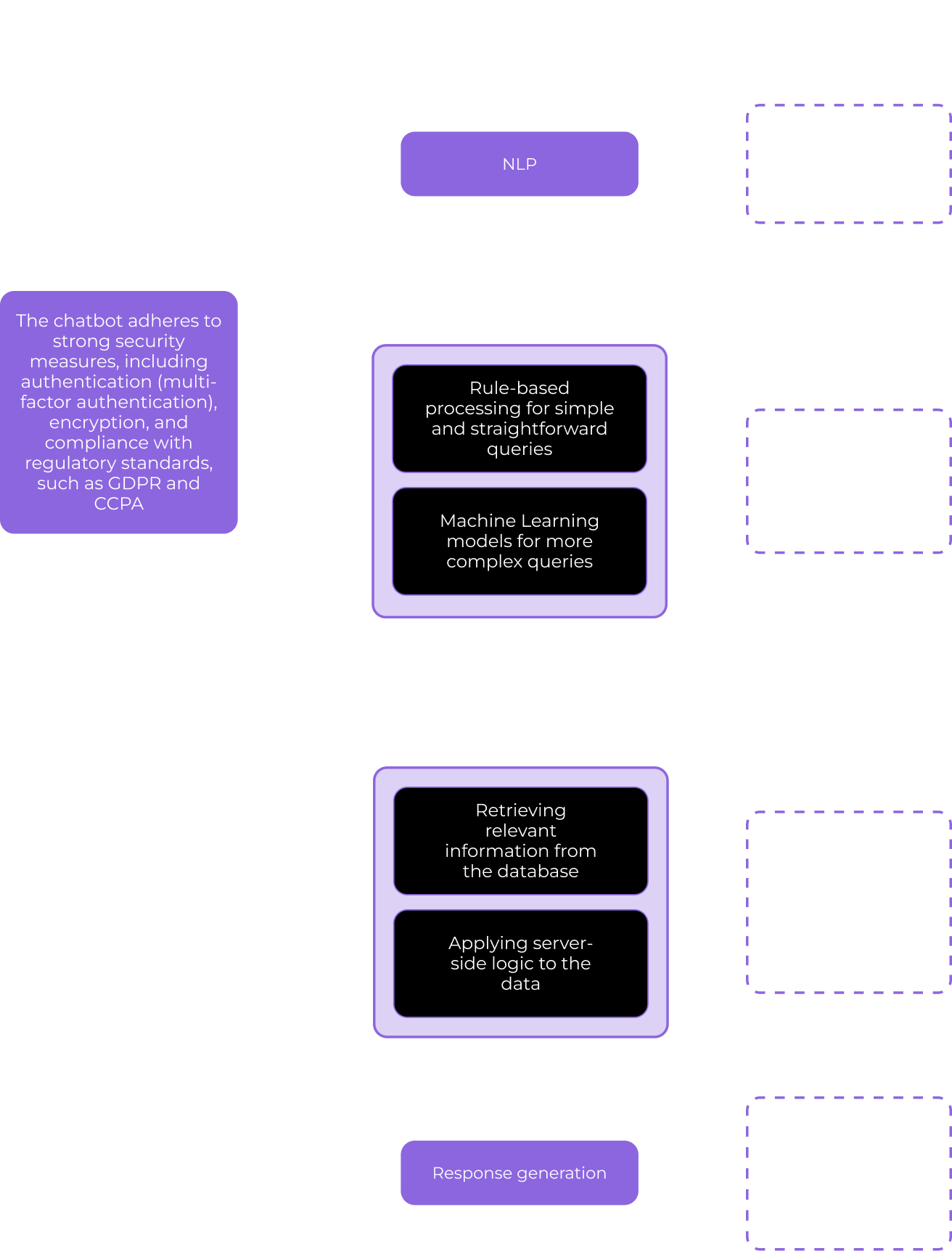
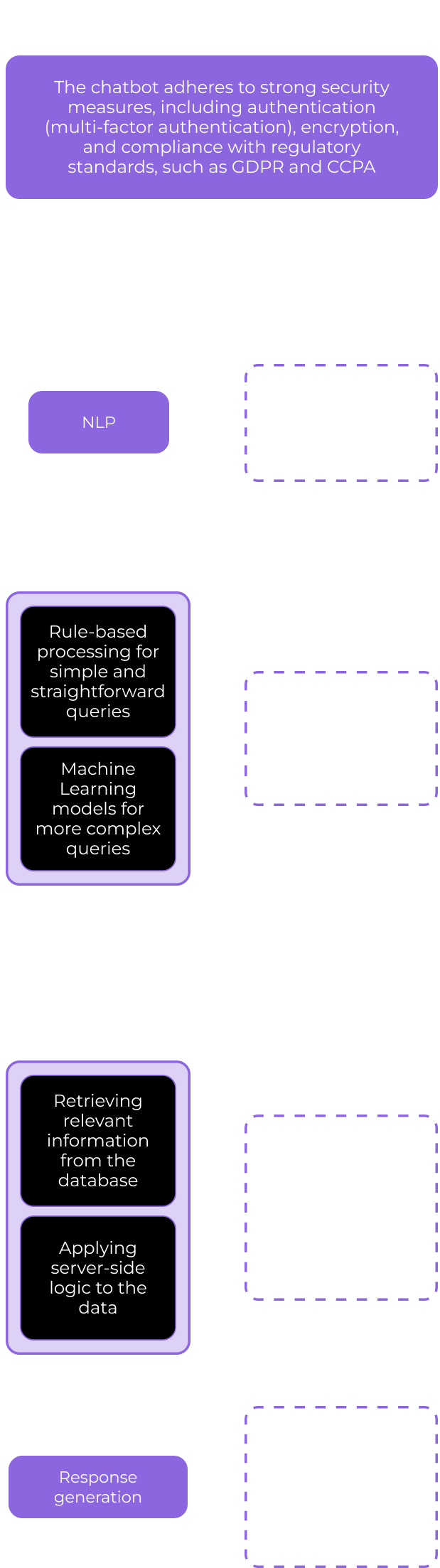
Here’s a high-level scheme of how GPT-powered banking chatbot works:

Integrating GPT-4 capabilities for customer support enabled the bank to solve user queries at least four minutes faster than with their previous middling chatbot. LLM implementation also helped decrease the number of requests that escalated to human support from 37% to 2% and step up First Contact Resolution (FCR) by 60%.

  1. Enabling full digital banking capabilities at the tip of a finger… and tongue

Motivated by their rapid gains, the client doubled down on reimagining user experience with conversational AI for finance. They announced pre-subscription to the new trailblazing features for their existing customers, who give explicit consent to access some of their profile data. In exchange, users were offered to be the first testers of a highly intelligent feature, a personalized virtual financial advisor. By analyzing customer data, their saving and expense patterns, the chatbot provides tailored insights, proactively helping users reach their financial goals.

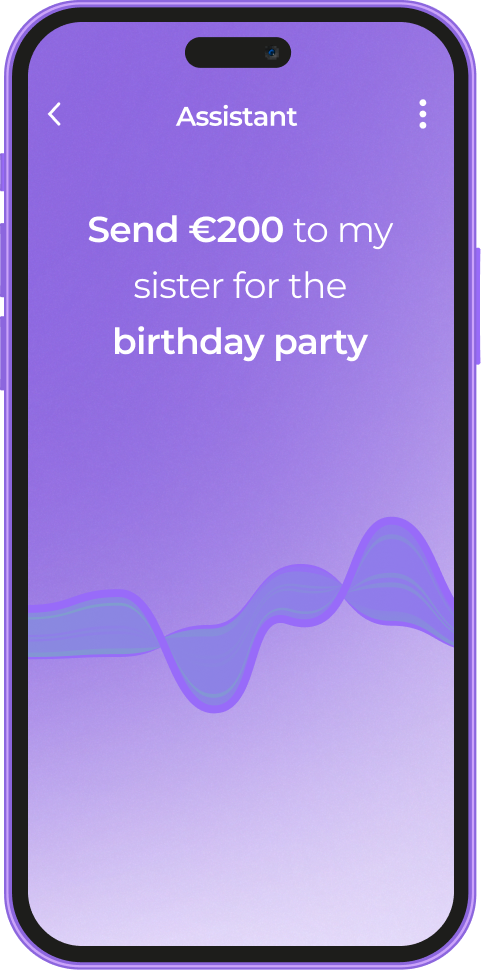
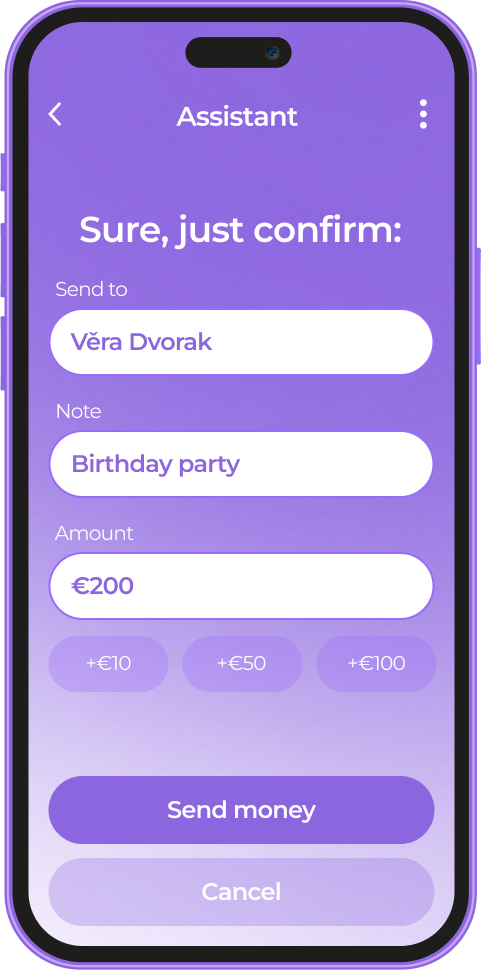
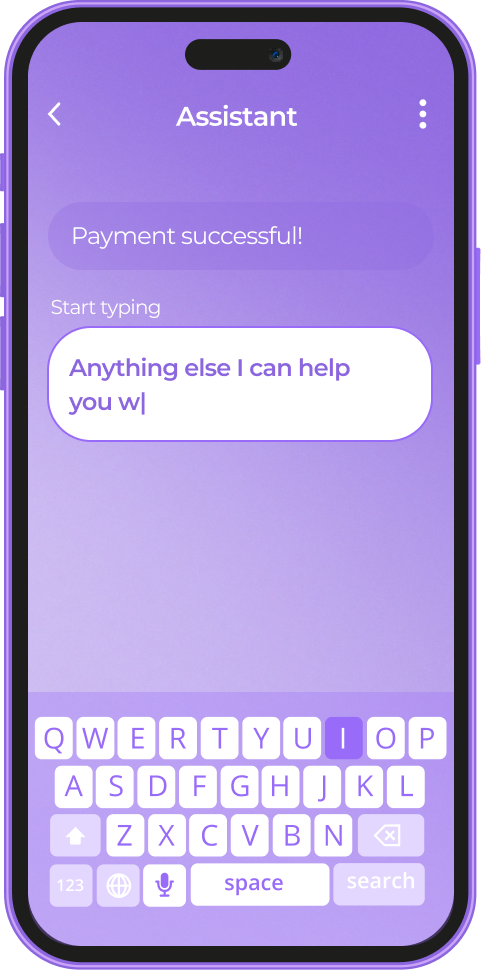
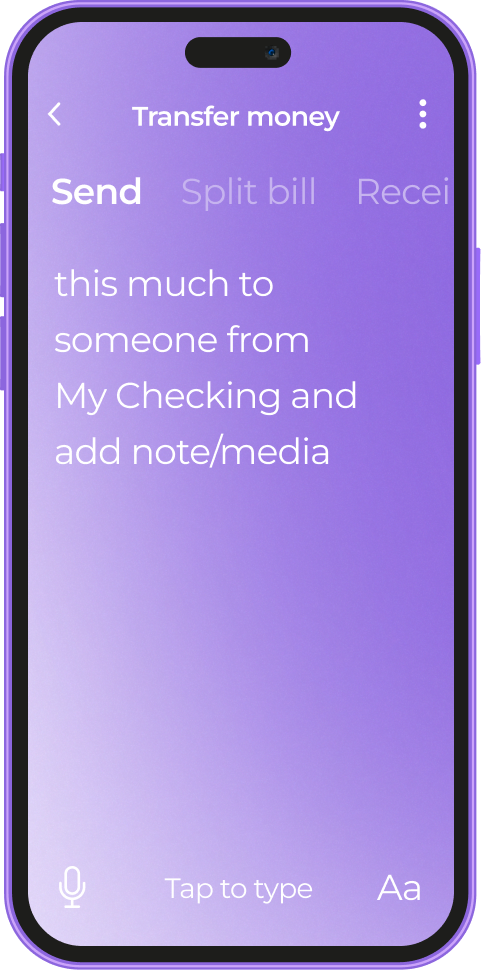
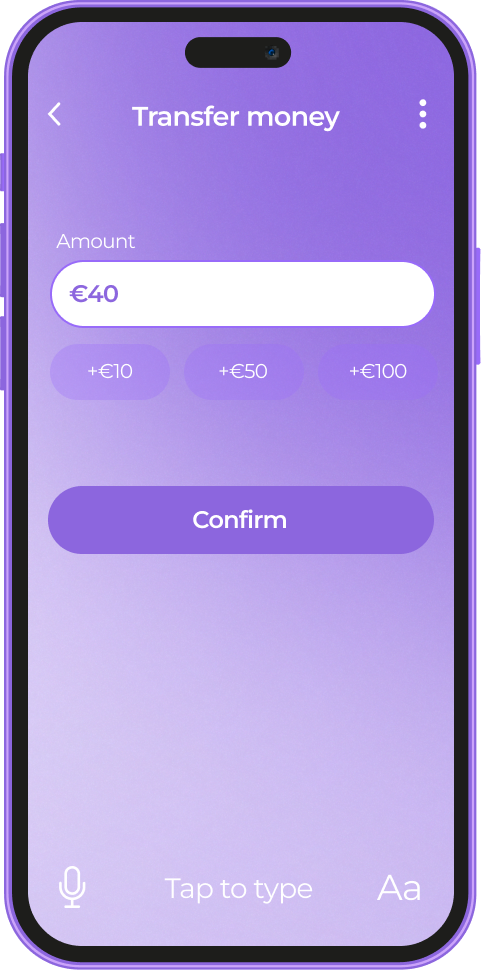
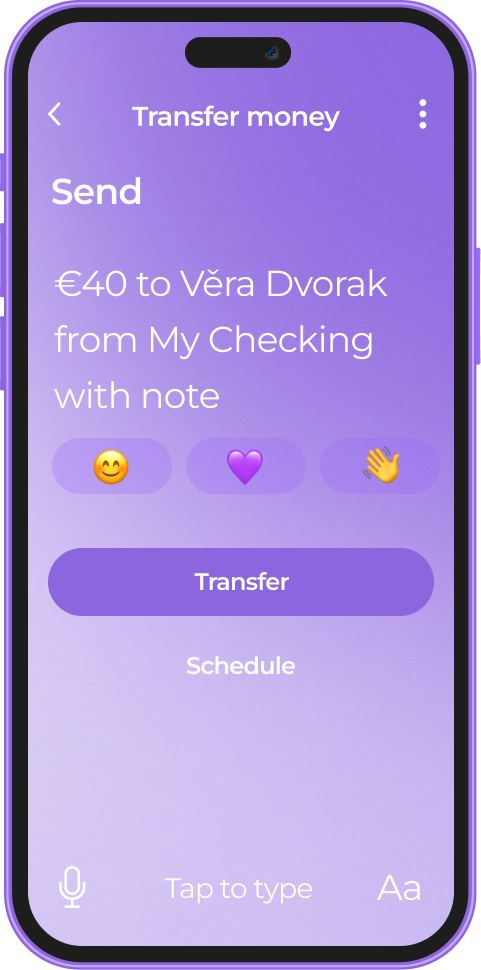
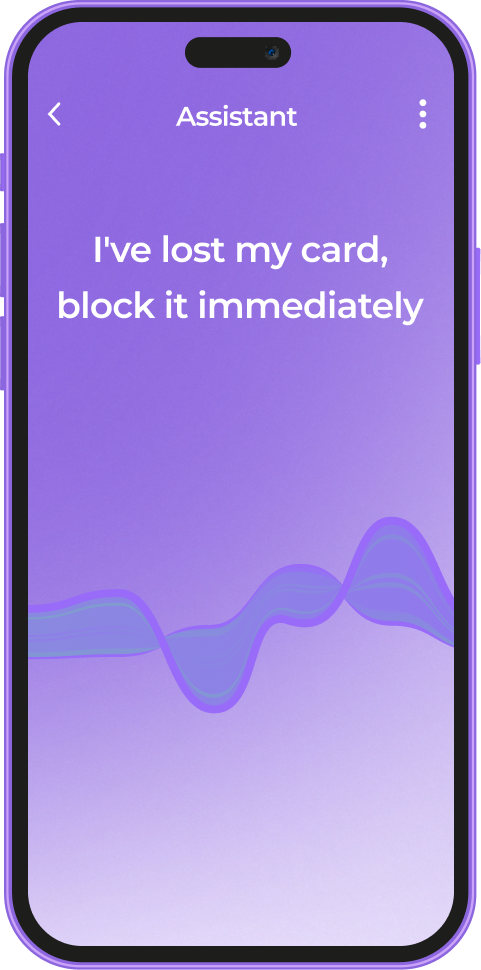
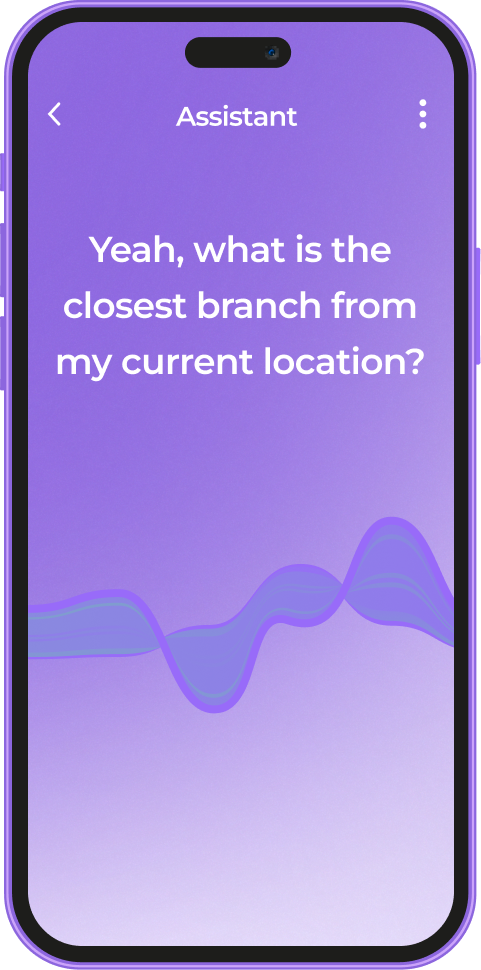
Another grand step was the adoption of automatic speech recognition (ASR). Customers can now effortlessly manage their finances with simple, conversational commands. With voice-activated banking, users can send money, check balances, and more, all with the ease of a casual conversation. For example, if a user says, “Send €150 to my mom,” the bot will immediately generate a confirmation form for this request.

Pattern recognition under the hood of the chatbot enables it to anticipate the user’s needs, spotting keywords, such as “pay”, “send”, “transfer”, etc.

Here’s, for instance, how the software reacts to the word “send” based on the user’s spending habits.

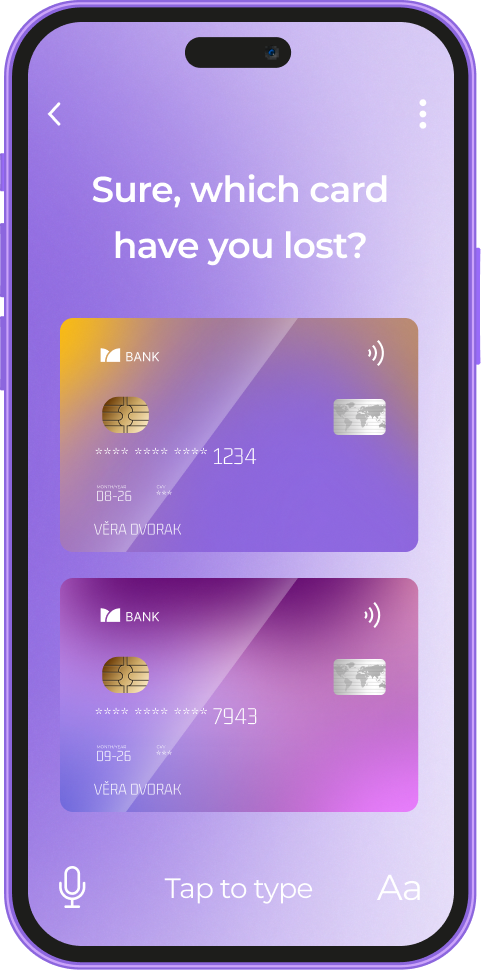
Other examples of operations the voice assistant covers include managing users’ cards, monthly budgeting, creating savings accounts with goal setting, making investments, and much more, all directly from the dialog box.

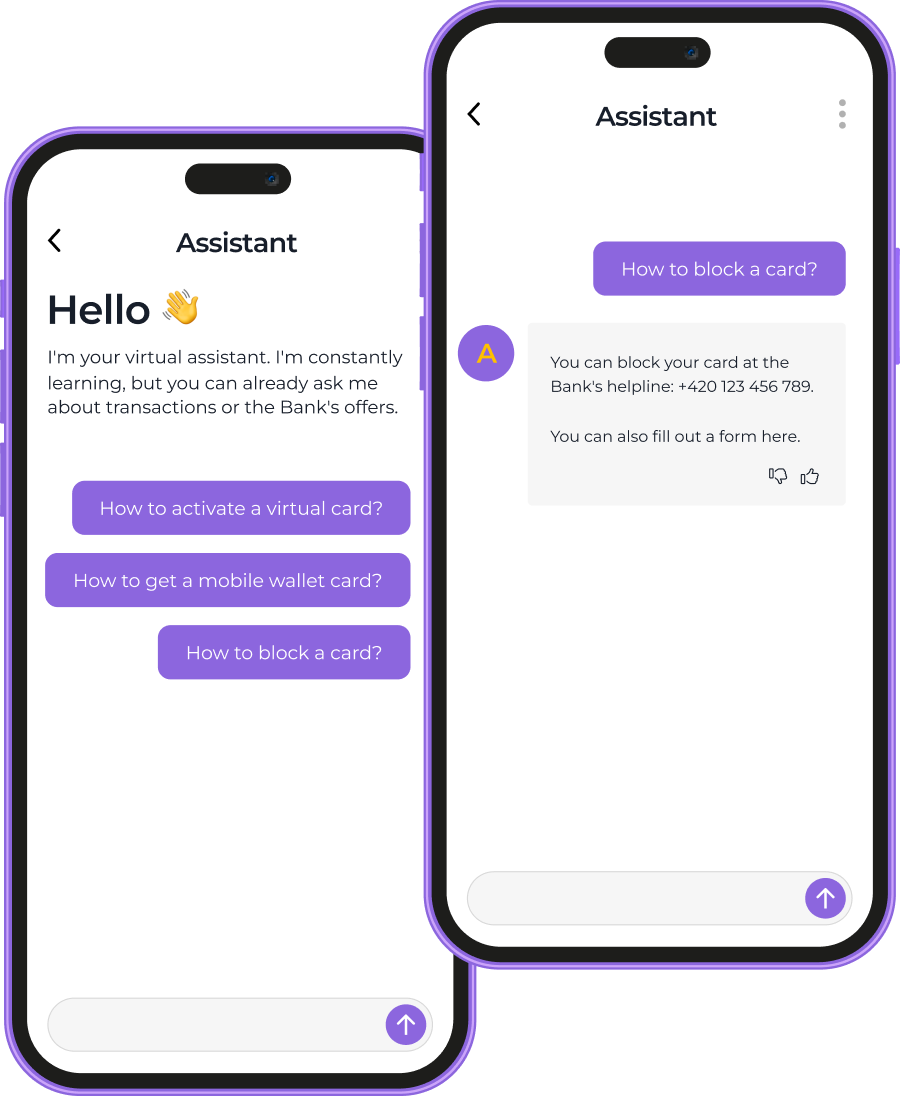
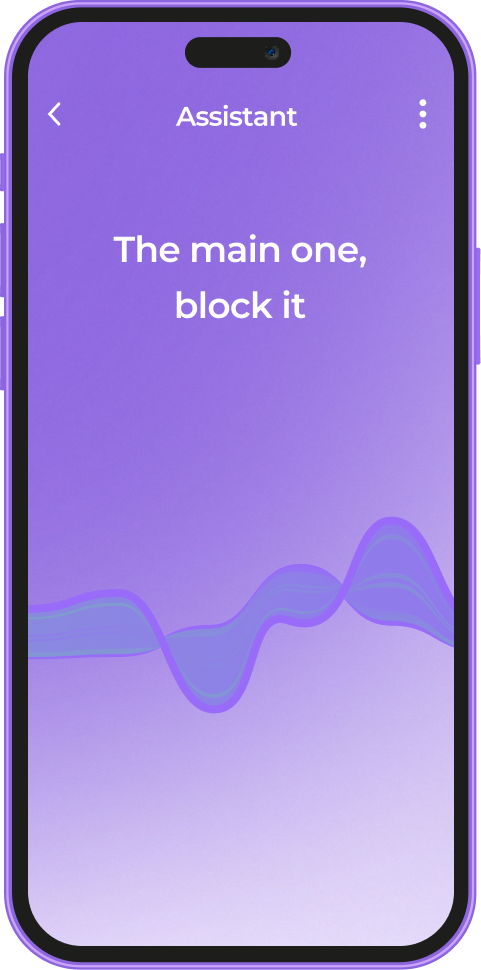
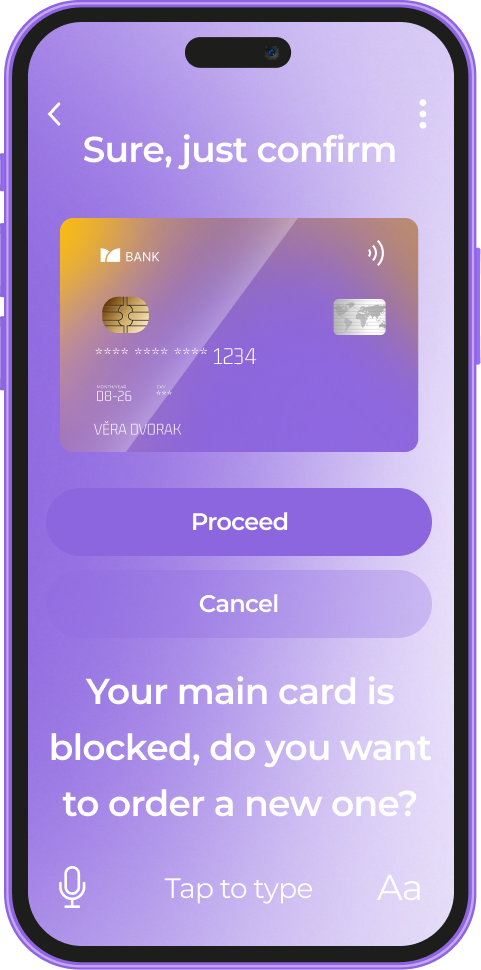
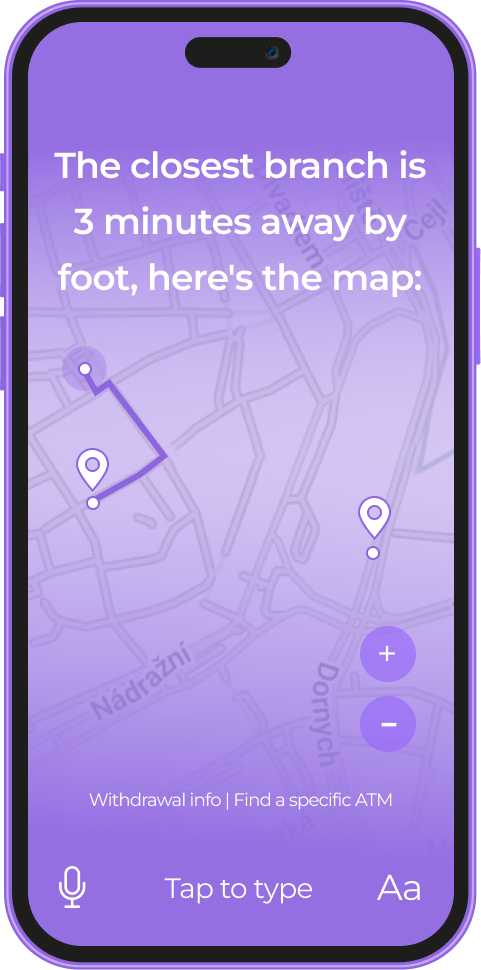
Here’s an example of a conversation for reporting and blocking a lost card. The assistant guides a user through identifying the missing card and provides information for the next steps, including ordering a new card at the nearest branch.

An experimental AI-driven chatbot has been a resounding success with users, resulting in a 7% boost in a 30-day retention rate. After making this feature available for all the users, our client also saw a noticeable increase in customer loyalty and satisfaction, measured in Net Promoter Score (NPS), which went up by 34%.

Before

  • Old chatbot could cover only the most rudimentary user queries
  • 37% of queries escalated to human support
  • Text-based communication with the application

After

  • Advanced demand forecasting with a deep learning engine at its core
  • New chatbot can serve as a personal financial advisor
  • 2% of user queries get to the client’s call center
  • Interaction with the app through a voice assistant

Business value

  • The first gen AI-driven personal financial advisor in the Czech mobile banking market
  • 60% step-up in First Contact Resolution (FCR)
  • 75% increase in Query Deflection Rate
  • 7% boost in a 30-day retention rate
  • 34% rise in Net Promoter Score (NPS)

Multiplier effect

As much as conversational AI in finance is reshaping the banking sector, it’s also changing the game for other domains, from healthcare and ecommerce to manufacturing and logistics. If your app implies communicating with end users, it has room for gen AI adoption.

Conversational AI enables your app to intelligently process users’ needs on the fly. Just like saying “I’ve lost my card” initiates a card-blocking procedure, AI streamlines critical processes in other industries.

Quality Management System

SaaS Quality Management App For a Leading Maritime Software Provider

How broadening their industry-specific software pool with a quality management system (QMS) for maritime companies allowed a world-class SaaS software provider to win new customers.

Industry:
Ecommerce

Web Development

SaaS Development

Software Product Development

Enterprise Automation

Business challenge

Is there a more common and widespread bottleneck than paper-based workflows? Despite the seemingly ubiquitous focus on technology-enabled business transformation, non-digital-born companies across industries still depend on paper documentation.

Such an approach leads to flawed records, delayed updates, etc., which overcomplicates the quality management process. When quality-related debacles take place at the enterprise scale, companies have to pay for them, not rarely with something more valuable than money — their reputation.

This was the weak spot our client aimed to tackle to help their customers move quickly and confidently down the digitalization path. A world-class maritime software provider with several solutions for streamlining industry-specific processes contacted *instinctools to widen their offering with a cloud-based SaaS quality management system (QMS).

What percentage of organizations depend on paper-based processes?

*Source: Forrester, Digital Documents Necessity

What issues did maritime enterprises face while managing quality documents mostly manually?
Delays at all stages of working with documentation
Failure to keep quality management documents updated
Lack of traceability within quality management processes
Risk of overlooking updated standards and compliance requirements in time
Human error in full bloom

Our client wanted to fix these problems with robust software that spans quality, health, safety, and environment (QHSE) processes by:

Digitizing

and streamlining all document-related operations, including creation, editing, etc.

Ensuring

compliance with general and maritime-specific standards

Providing

a centralized repository with role-based access to allow users to work with quality documents anywhere, anytime, without compromising security

Automating

quality management workflows, such as authoring, reviewing, approving, notifying, etc., to free employees from mundane rule-based tasks and eliminate the possibility of human error

Fostering

transparency of quality management processes thanks to the detailed audit trail

Solution

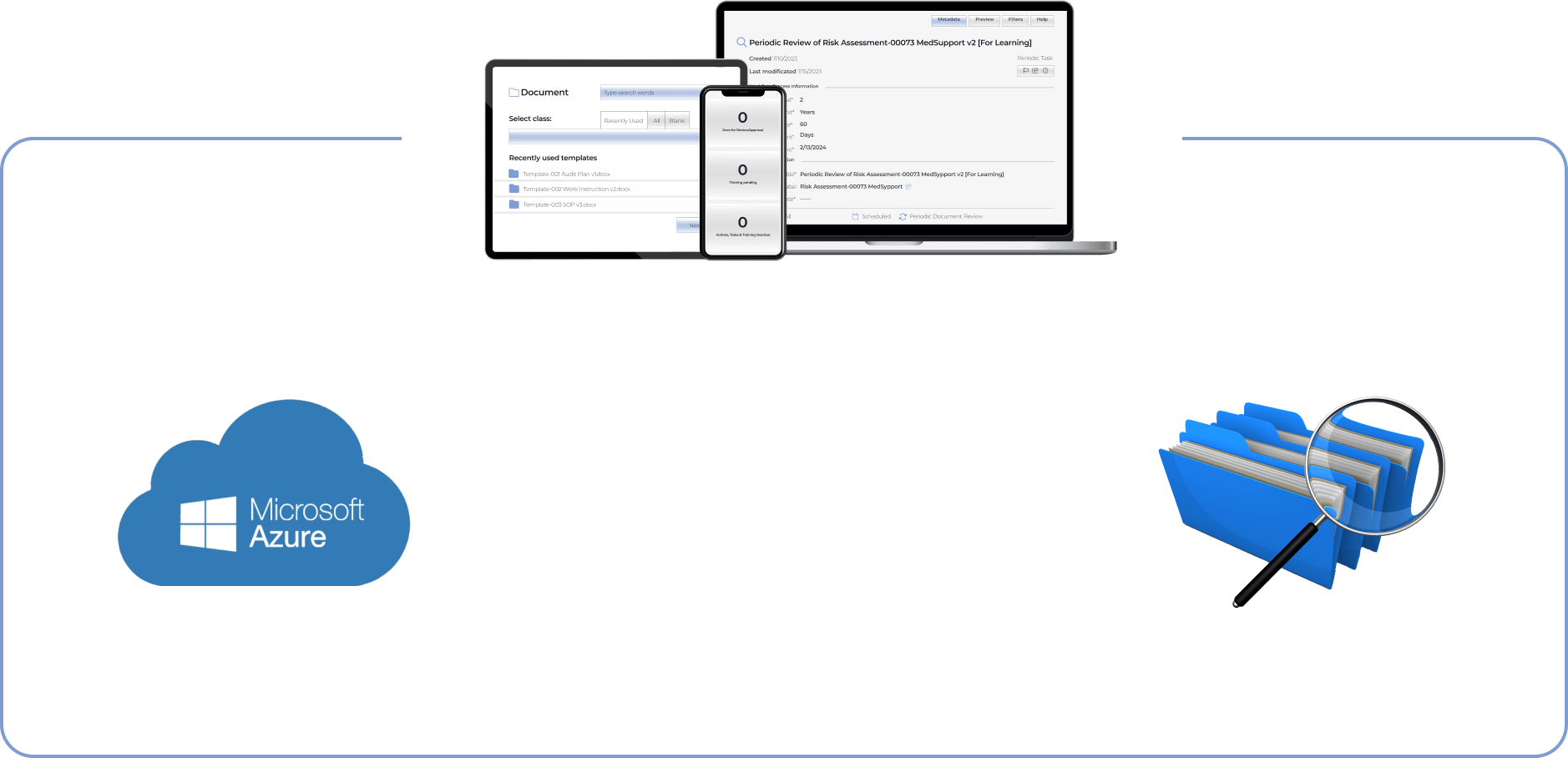
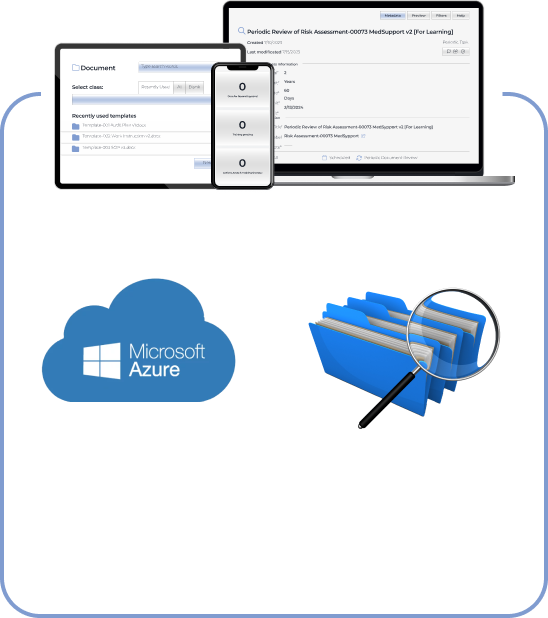
The client has been delivering solutions for enterprises using Microsoft 365 products. Therefore, our dedicated team went with Microsoft Azure as a cloud repository for the QMS. The system also needed a metadata-driven document management platform to automate document creation workflows. We’ve chosen M-Files with out-of-the-box integration with Microsoft Azure.

  1. Packing the QMS with broad functionality

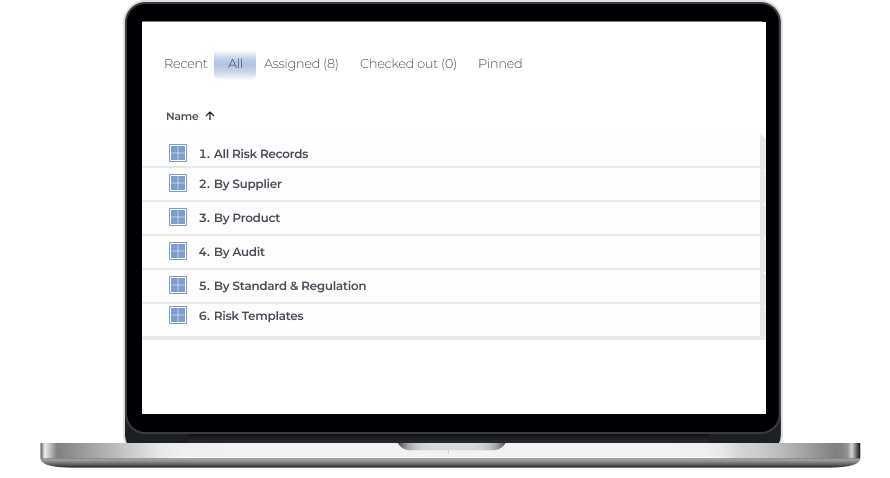
Banking on the rich off-the-shelf functionality for their customers was at the core of the client’s strategy. Therefore, we’ve crafted the software with multiple out-of-the-box modules that go beyond simple document creation and review and cover regulatory compliance, audits, and risk management tasks.

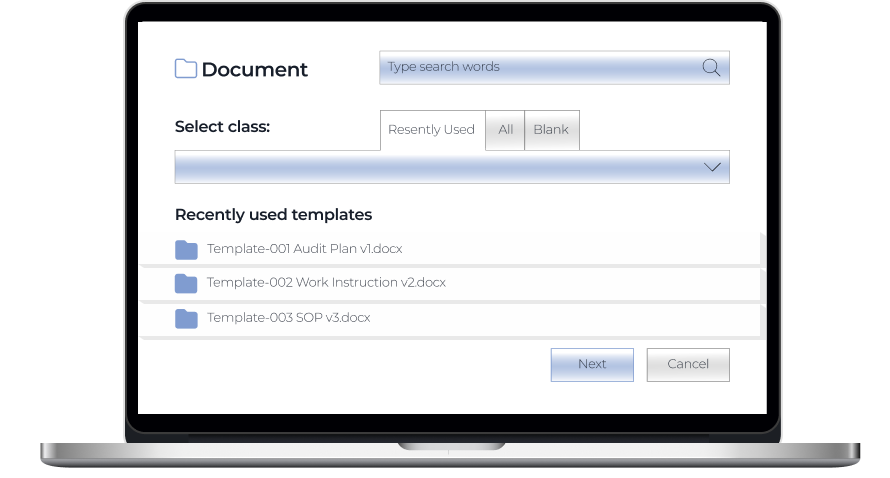
Document creation module

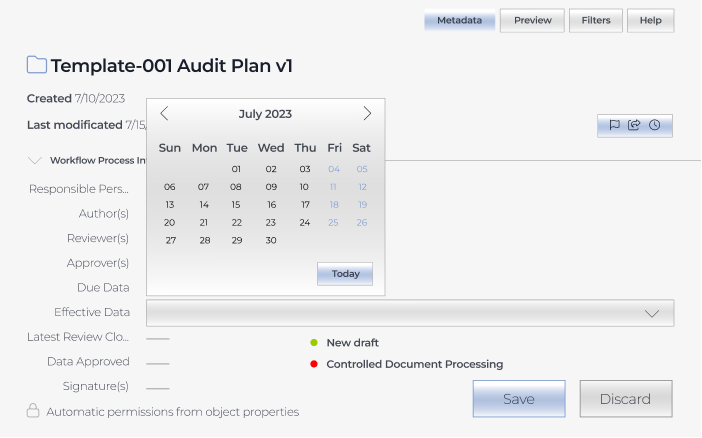
Users can create a document using templates or drag and drop existing Word, Excel, PPTX, HTML, and PDF files directly into the system.

Review and approval module

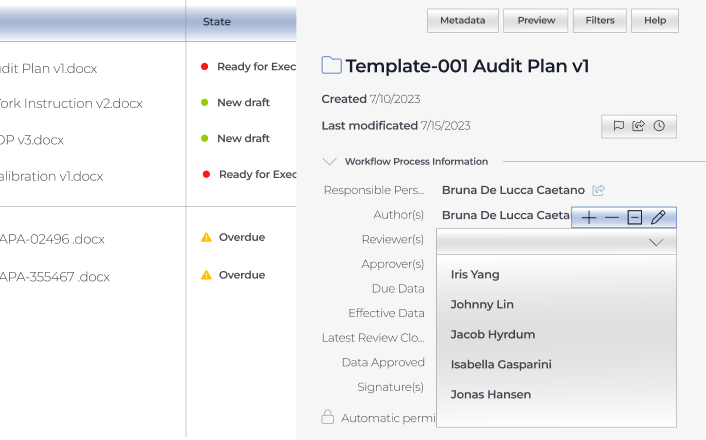
Drafted documents are sent for review or approval.

If there are several reviewers and approvers, they can collaborate on document editing using track changes.

Authors can set a deadline for reviews or approvals.

Assigners have real-time visibility into the state of reviews and approvals.

Assignees get email auto notifications about the documents waiting for their review or approval. Assigners also get auto alerts about suggestions and comments in the documents and when assignees mark them as reviewed or approved.

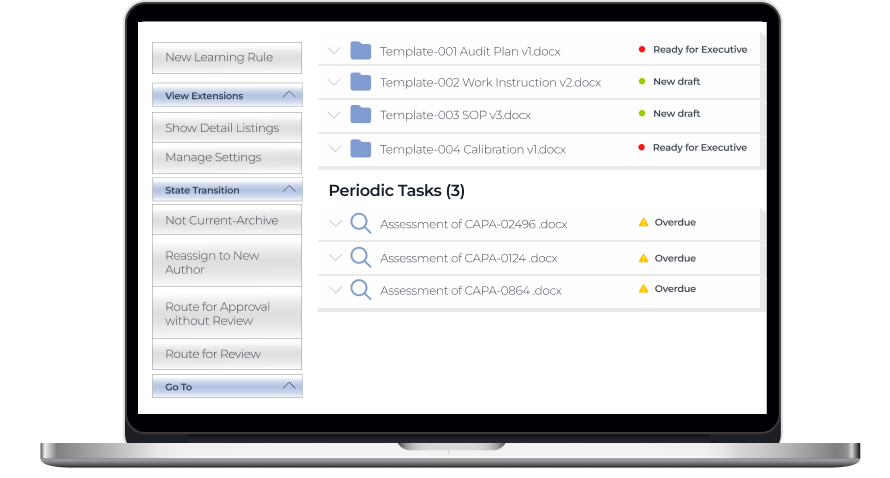
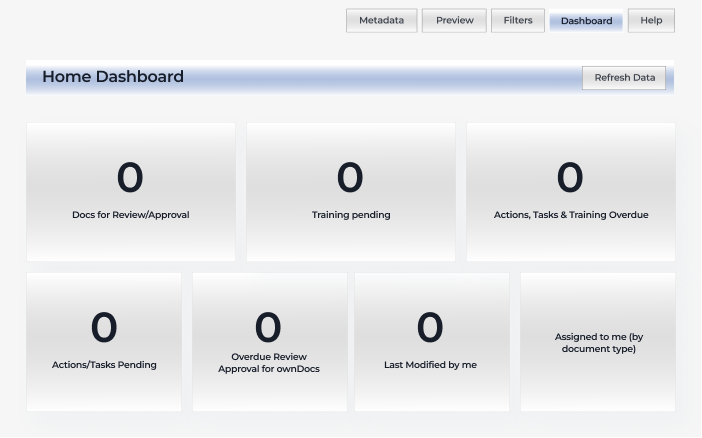
All users have personal dashboards as an easy way to access the files for review and approval, last modified documents, etc., just by clicking on the corresponding section.

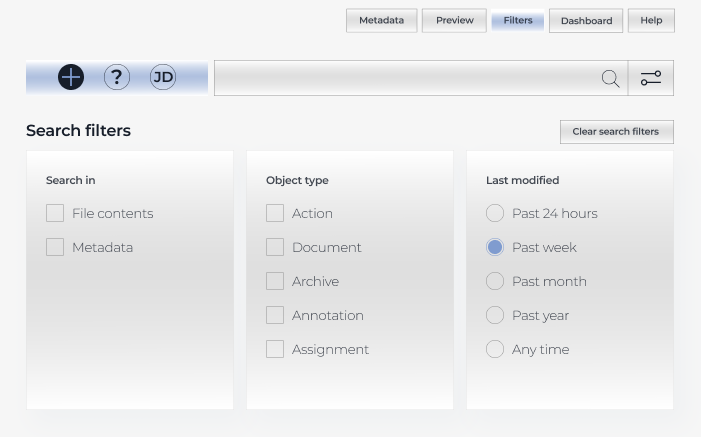
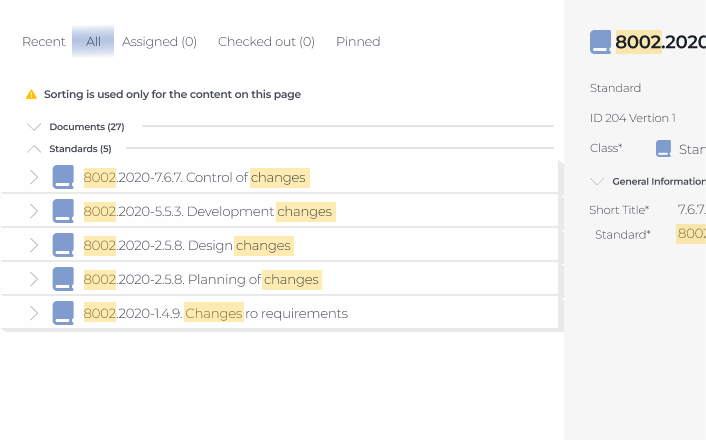
Also, all users can look for documents across the system with an intuitive search bar.

It provides the possibility to search for exact words matching the titles and content of the files.

Regulatory compliance module

This module is the heart of the whole system. The QMS is compliant with the following standards by default:

ISM (International Safety Management) guidelines define the safe operation of ships and address preventing pollution.

ISPS (International Ship and Port Facility Security) is designed to uncover and prevent criminal threats, such as piracy, acts of terrorism, etc.

ISO 9001 (Quality Management System) establishes requirements for a QMS

ISO 14001 (Environmental Management System) clarifies best practices that companies should follow to reduce their environmental footprint

ISO 45001 (Occupational Health and Safety Management System) determines physical, chemical, biological, ergonomic, and psychosocial hazards to minimize their impact on the employees’ health and safety
Audit module

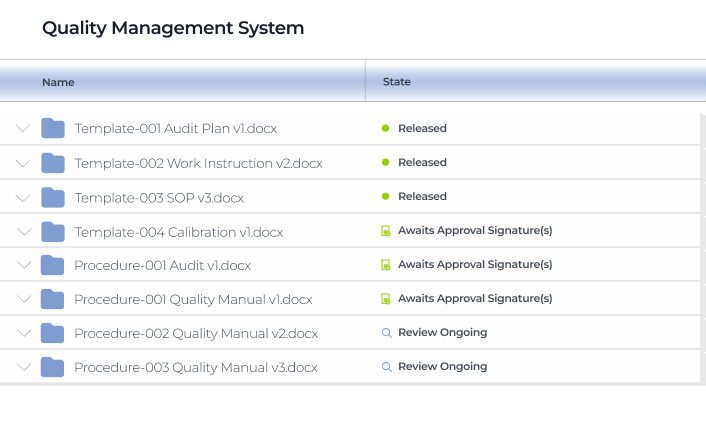
The client wanted to ensure complete traceability across the system, as keeping the company’s documentation in order is one of the success factors contributing to smooth external audits. Therefore, we crafted a system where any document changes are recorded, and users have a time-stamped audit trail and the history of each document at their fingertips.

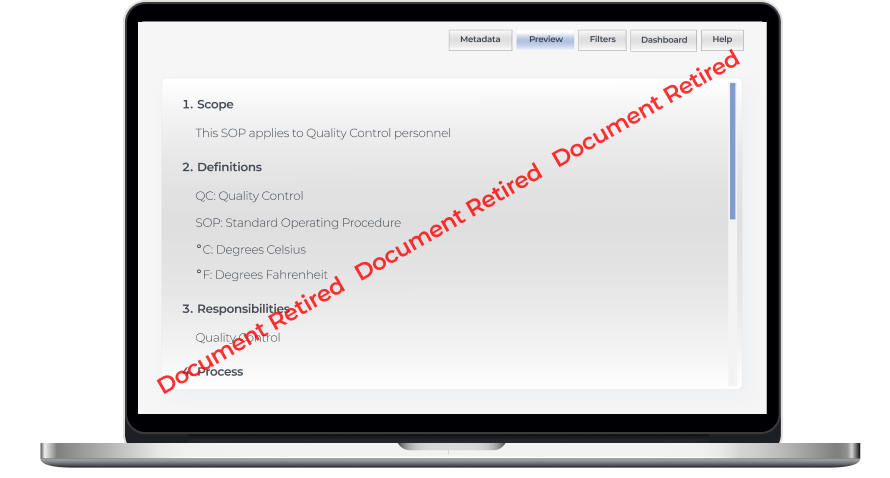
While the QMS always suggests the most recent file version, all roles have access to the previous ones. Document owners can set up auto retirement of the document’s previous versions when the new one is released.

Internal audits and regulatory checks also become a breeze for maritime organizations with this QMS. 

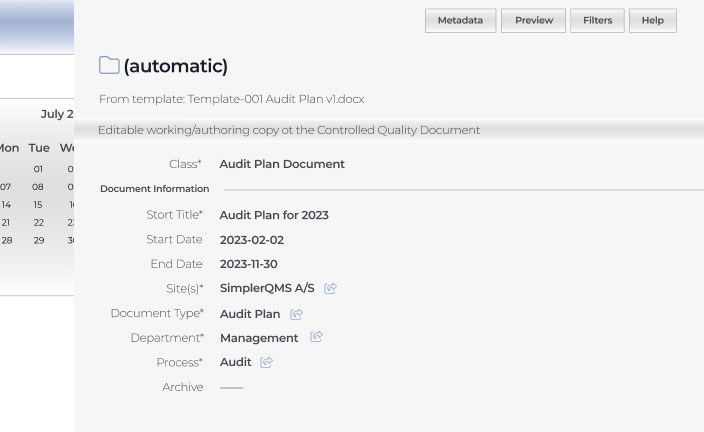
Our development team provided a complementary document template package for:

  • Creating audit plans
  • Scheduling internal audits
  • Assigning responsible personnel and reviewers

Both authors, assignees, and reviewers can attach evidence related to the audit findings, making it easier to unearth and fix alarming issues internally.

Risk management module

The QMS we’ve developed enables companies to foresee dangers and prevent or minimize their negative impact

  • Connect information within the quality management system

Users can connect risk management documents with audit data, records related to suppliers and products, and other items within the system to enhance traceability of potential hazards.

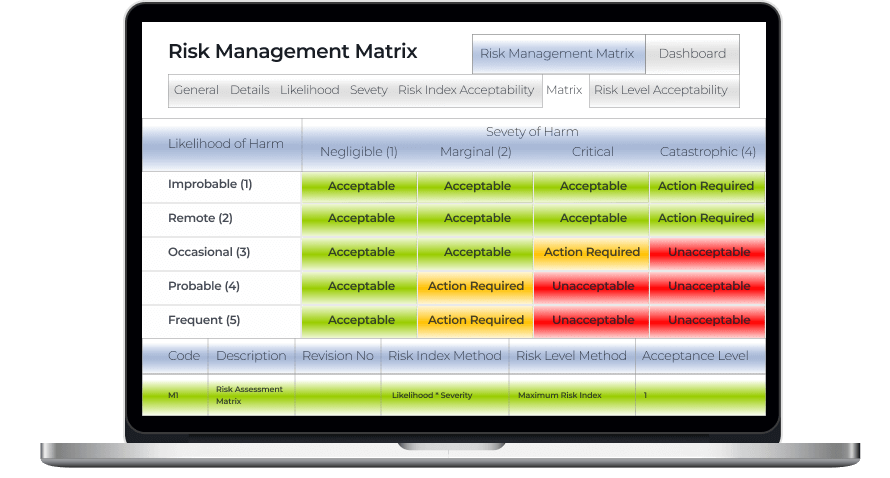
  • Identify possible hazards with a risk management matrix

Spotting risk-prone issues as early as possible helps cover them before they snowball into severe threats and cause noticeable accidents. The risk management matrix is color-coded so that users can immediately see if there are any catastrophic and critical events that have to be addressed ASAP.

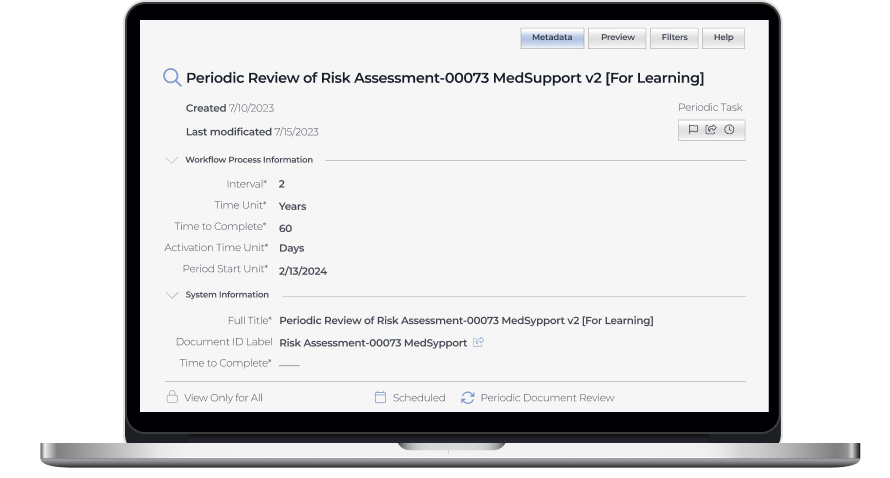
  • Schedule periodic risk assessments

Risk assessment is an area with high automation potential, and we didn’t miss the chance to take full advantage of it, empowering users to set periodic risk assessments within any time frame.

  1. Ensuring integrability with any corporate systems

Our software developers wrote APIs for data synchronization with external tools to allow the client’s customers to seamlessly incorporate the web app into their existing software landscape and facilitate efficient data flow between the QMS and other systems, such as ERP, CRM, IMS, etc.

Business value

Before

  • Underdigitized quality management workflow
  • Scattered quality management data
  • Non-automated workflows
  • Delays at all stages of working with documentation
  • Lack of visibility into quality management processes
  • High probability of human error

After

  • Fully digitized quality management processes
  • Single source of documentation
  • Minimized manual effort with automated workflows
  • Streamlined audit-related activities
  • Complete traceability thanks to time-stamped audit trail
  • Reduced human error

Client’s testimonial

Hear about the project’s progress and outcomes directly from its product owner:

Tim Rosenberger

Director, Global R&D at SpecTec
I was impressed by the developers’ skills and by the ability of *instinctools to extend the team on really short notice. I’m looking forward to the collaboration with *instinctools on our upcoming digital transportation projects

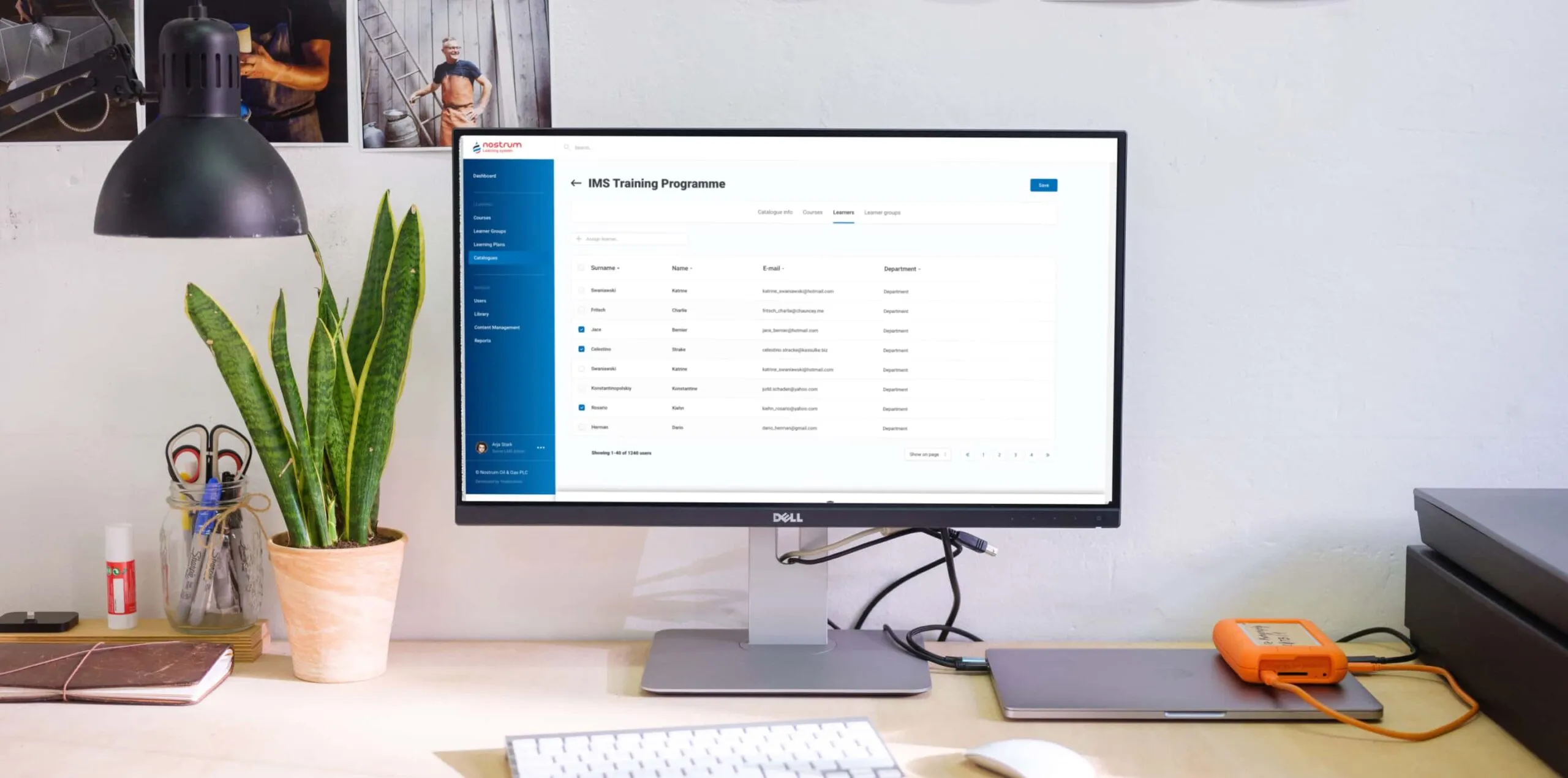
Custom LMS development and design

Custom LMS development for an energy corporation

How implementing a custom LMS helped an oil and gas enterprise automate 84% of training management tasks while increasing employee engagement by 45% and saving 41% of the education budget by moving online.

Industry:
Education, Oil and Gas

UX and Design

Web Development

Enterprise Software Development

Software Product Development

Business challenge

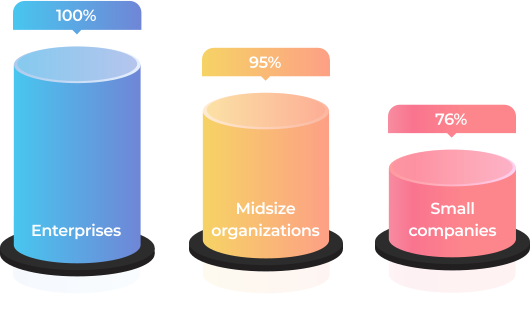
An efficient learning culture within an organization is one of the key ingredients that drive business forward. Statistics unveil that in 2022, 100% of enterprises, 95% of midsize organizations, and 76% of small companies used LMS software to deliver training.

It’s also worth saying that for some industries, continuous staff training is not a nice-to-have option but a requirement that has to be met unequivocally. Just as it was for our client — a UK-headquartered oil and gas company with a production and operations center in the Middle East, which needed an LMS for internal usage.

Before reaching out to us as an LMS development company, the client used to have only offline training programs.

What percentage of companies bank on LMS?

Source: Training magazine, Training Industry Report 2022

What problems did such an approach bring?

No single point
for gathering and storing learning materials
As courses were scattered across HRs’ devices, notes, etc., it was impossible to efficiently organize and reuse them to save time on curriculum preparation. The absence of well-established and consistent management of learning materials was also deteriorating learner engagement and led to employee resistance to education. 
Hardships
with controlling timely staff certification
The client’s HR team was having a bumpy ride with managing employee certification, which is vital in the oil and gas industry. Therefore, HRs had to manually track each worker certificates’ due dates to set required training so it was on the dot.
Manual performance
of mundane, repetitive tasks
As the client’s production center was based in the Middle East, they had to regularly submit a report on the staff certification to the local Ministry of Oil and Gas. The data for it was also gathered manually, which ate a sizable chunk of the HRs’ working hours. 
Inflexible
educational process
The training was available only at the corporate training centers and, therefore, required time commuting for the staff who worked on oil and gas production sites or from home.
Lack of transparency
in training
Teachers and learners didn’t have tools to track real learning progress, and, thus, measure it.

As the company kept growing, the problems were snowballing. At some point, it became clear that the situation had to be fixed urgently. The Head of the HR department proposed switching from in-face education to e-learning. This idea implied LMS development to go from training management turmoil to a single point for storing and organizing educational materials as well as tracking the learning process.

LMS can empower the client's business with a list of benefits

Automation
By automating repetitive tasks, such as grouping, adding, and deactivating users, handling group enrollments, etc., the client can lighten the burden for HRs. Moreover, LMS software allows for creating PDF certificates for employees when they finish a course.
Time optimization
Thanks to storing all the learning programs and materials in one place, teachers can efficiently reuse them. For instance, before creating a new course from scratch, they can check the LMS’s repository for data on the same topic, combine old courses, or just finetune them.
Regulation compliance
A powerful learning management system provides an opportunity to make keeping all staff aligned with the industry regulations a breeze. You have a centralized way to deliver the same information to all of your employees.
Security
With an LMS limited to internal usage, the client can assure the inaccessibility of the company’s sensitive data from the outside.
Cost reduction
Putting a premium on automation and a time-saving approach decreases the cost of training in the long run. 
Flexibility
After switching to digital learning, employees can attend courses anywhere, anytime.
Transparency
Both teachers and learners can track training progress. In a nutshell, LMS offers a competency matrix for each employee in the corporation.
Higher employee retention
3 out of 4 employees are more likely to stay with a company that offers continuous training and a rich learning experience.

Source: Society for Human Resources Management, The State of L&D in 2022

Also, the client considered that they would need a software solution adjustable to the specifics of the oil and gas industry and their enterprise-scale multinational company, including:

Opportunity
to create, gather, and store learning materials and courses on a plethora of topics
The flexibility of the LMS solution regarding the diversity of topics to cover — from technically specific courses to programs on finance management.
High resilience
of the system
The LMS software was supposed to accommodate a simultaneous workload of 1,000+ users during standard working hours.
Ability
to generate custom reports
As mentioned, the client had to provide a specific report to the Ministry of Oil and Gas. This task also had to be automated.
Localization
options
For the multinational corporation, the possibility to provide training in many languages (including  Arabic) was an essential feature. Where the top management could study in English, but rank-and-file employees needed materials and the LMS’s interface in localized languages.

The off-the-shelf LMS platforms won’t cover these requirements. Therefore, it was decided to develop a custom LMS software. This option also suited the client better from the business perspective as they had an in-house IT department, and maintaining their own system was more cost-effective than constantly investing in a ready-made software license.

Our business analysts clarified what devices should be used for the learning process. As the customer planned to provide access to the learning system only on the desktop, we ended up with the idea of a web application hosted in the client’s cloud.

Solution

At the product ideation stage it became clear that the client didn’t have a clear understanding of custom learning management system capabilities and what LMS features they needed. The only well-defined requirement was related to the LMS’s visual design — the platform had to match the company’s corporate colors.

However, our extensive expertise in bespoke software product development allowed us to sprint ahead without getting stuck at the starting line. Instinctools’ business analysts took the initiative during the collection and elaboration of requirements.

After finishing this stage in three weeks, we outlined the vision of the roles within the LMS, its architecture, components, functionality, and management.

  1. LMS functionality

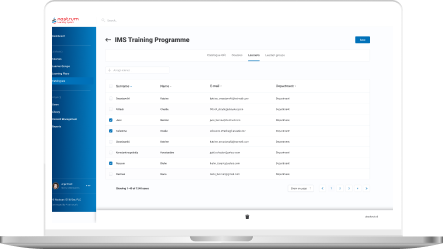
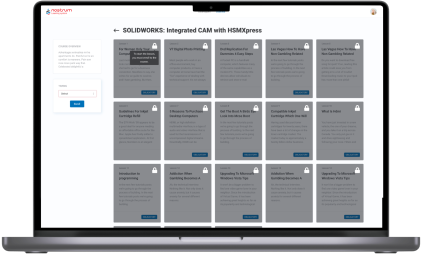
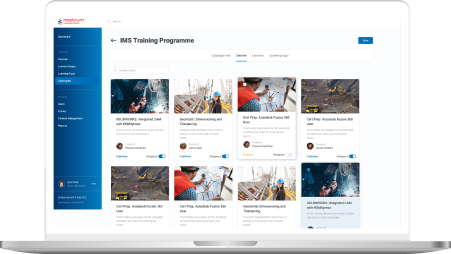
As a custom LMS development company, we aimed to provide the client with a feature-reach and user-friendly software product. Therefore, our dedicated team devoted special attention to crafting an easy-to-use materials repository, clear course structure, simple course management, detailed progress tracking, diverse testing programs, and in-depth reporting.

Roles

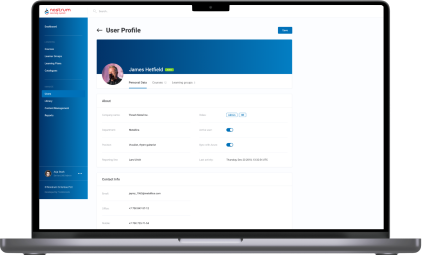
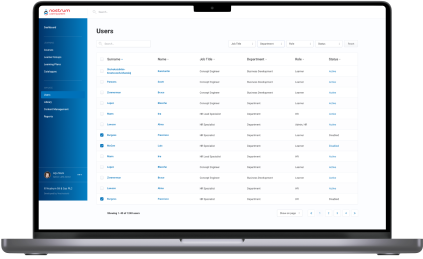
After analyzing the structure of the client’s training process, we suggested the following roles within the learning management system:

  • Admin for their in-house IT department
  • Teacher for HRs
  • Learner for employees

Content Library

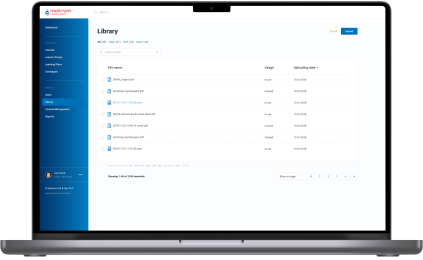
Storage for courses and educational materials is a basic component of any LMS. Speaking of the client’s Content Library, they planned to use it to collect both their in-house courses and learning programs they acquire from other training centers.

Considering the requirements of the oil and gas industry, all the data can be sorted out in various ways. For instance, general or industry-specific, by topics, available language, etc.

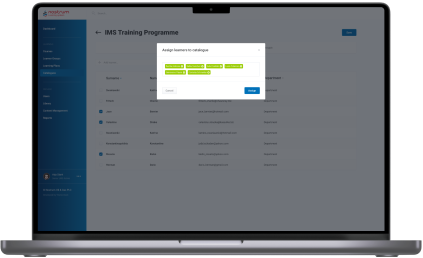
Content formats also vary. In the era of offline training, the client offered employees only text and illustrations. Our BAs proposed adding videos to increase learner engagement and enhance educational outcomes by diversifying learning activities.

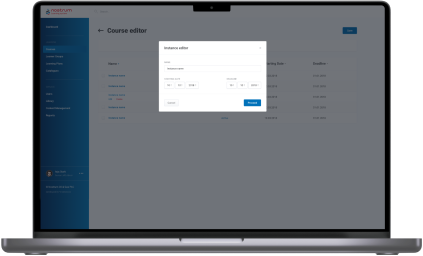
Course structure and management

Learners can’t choose a course by themselves; training is always assigned by the Teacher or Admin to an employee or a group of employees. Also, educational materials are categorized according to the staff’s specialization and their level within the corporation. For instance, materials for rank-and-file workers and top managers will be in different categories, as well as courses on specific topics, such as risk management in finance and safety in oil production.

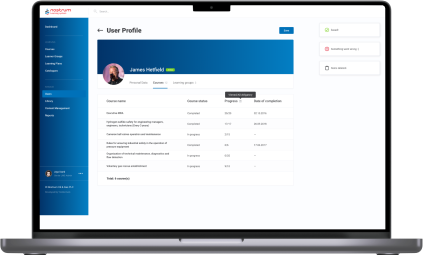
Progress tracking and analytics 

The success of training programs is measured by their influence on the staff. To estimate this impact, we visualized students’ progress with data analytics tools.

Custom LMS development implied offering dashboards on both sides:

  • Admin/Teacher’s
functionality includes tracking percentage of Learners completed a group course. Furthermore, as they can set a deadline for a course or test, there is a statistic on how many employees managed to meet the deadline. Teachers and Admins can also look for detailed analytics for each employee – what percentage of assigned courses and tests they have already passed, the number of failed tests, if there are any, etc.
  • Learner’s

functionality is not that extensive, but each employee can check their training performance and monitor deadlines to make it on time. All reports can be downloaded as Excel, CSV, or PDF files.

Communication within the LMS 

Having a single point of communication is also significant in ensuring personalized learning experience and high-quality training. Learners can leave comments on the courses, tag their Teachers or other participants if there is a group training, and Admins if they can’t sort out some technical issues. 

The same goes for Teachers. For example, they can tag Learners in the courses where the deadline is around the corner.

Notifications

Communication goes hand in hand with automated notifications to simplify time management for both Teachers and Learners. Within the custom LMS development, we recommended and implemented email notifications with ready-made templates for five cases:
  • A Teacher assigned a course to the employee
  • The Learner was tagged by a Teacher, Admin, or other Learner from a group
  • A course has a deadline, and the Learner receives auto reminders ten, five, and two days before
  • The Learner missed the deadline for a mandatory course
  • Admin also receives a message about the readiness of auto-generated reports for the Ministry of Oil and Gas

Tests

This feature became a new helpful add-on in the certification process to ensure a high level of expertise across the company. Now, employees can only be certified after passing tests following the course.

Here are some features of the testing process we suggested and implemented during the custom LMS development:

  • Tests can include open, single-answer, and multiple-answer questions
  • There may be text, illustrations, and videos in the tests
  • New hires have to complete an initial test to assess what skills they may lack for their specialty or position. Based on the results, Teachers can create fully personalized learning for these employees
  • Teachers and Admins can set a deadline for the course.
  • Teachers and Admins can set a course’s completion as a prerequisite for access to the next one

Reporting

As we’ve mentioned, the automated report preparation for the Ministry of Oil and Gas was one of the reasons that tipped the scales in favor of the custom LMS development services. We relieved people from a manual collection of data on employees’ courses completion, putting that data together in a list, and entering it into the report template.

All these operations were automated. The LMS generated an Excel file with all the necessary information according to the Ministry of Oil and Gas template. HRs had only to download it and send the document to the ministry.

Since the project scope was quite substantial, we divided the work into two parts — MVP (Minimum Viable Product) and post MVP. The MVP incorporated the Admin’s and Teacher’s functionality – Authorization/Login, Course Catalog Management, Course Management, Content Management, and Content Library. It took our LMS developers three months to finish this part. 

  1. Integrations and security

The client used Microsoft Azure as their corporate cloud platform, which influenced the LMS integration they needed and the way we took care of security:

  • Integration with Azure Active Directory

All employees already had profiles in the Active Directory. We took advantage of this to avoid creating the staff profiles in the learning management system from scratch.

All employees already had profiles in the Active Directory. We took advantage of this to avoid creating the staff profiles in the learning management system from scratch.

  • LMS authentication through Azure OAuth 2
We suggested using this up-to-date standard authentication protocol to allow users to sign in to the LMS through their profile in the Active Directory. 

Besides saving personnel’s time, such an approach is beneficial from a security standpoint. As you can guess, employees rarely come up with new passwords and use the same one for multiple systems, which increases software vulnerability drastically. A single point of authentication (SSO) means fewer scattered logins into various corporate apps and minimizes the possibility of external attacks and data theft. 

Within the project, our LMS developers worked only with the API addresses of specific servers provided by the clients for the web app. The software’s maintenance and support were supposed to be provided by their in-house IT department. 

However, we went the extra mile to optimize the task for the client. Our DevOps has automated the web app’s installation and deployment on the server side. Thus, all the LMS services located in Docker containers were automatically brought up on the server via Docker Compose.

  1. Visual design

Good design emphasizes the product’s functionality. Our product designer had to translate custom LMS software’s versatile capabilities into a dynamic and feature-filled interface. As we were strapped for time, there was no wireframing. We went straight to visual design. Our UX/UI designer took the risk and prepared a lot of screens for a future web app at once and reached the client for approval. Thanks to our product-first mindset and battle-tested expertise of the LMS development company, it worked out.

Here are a few examples of our initiatives regarding learning management system design and usability:
  • Nesting levels
As we were in charge of the solution’s architecture, we also proposed the components hierarchy. For example, we suggested creating All, Video, Text, and Cover sections within the Content Library and All, For review, Declined, and Published tabs in the Courses Catalog. 
  • Quick access tab
Learners can be overwhelmed with the number of courses they need to complete. Therefore, we offered to add a “Quick access” menu, where each employee can check assigned materials, which are obligatory, which are in progress, etc.
  • Intuitive and handy file uploading
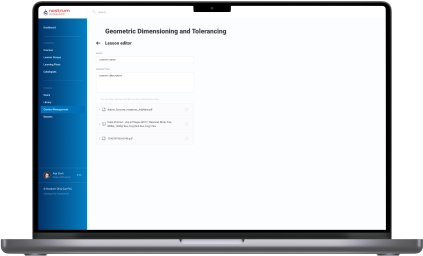
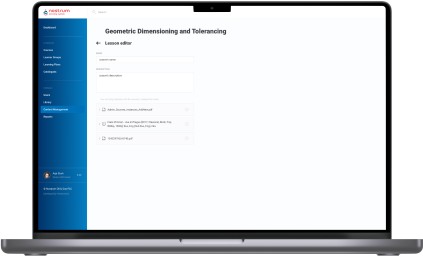
With the drag-and-drop interface, Admins and Teachers can easily download materials of any type to the Content Library and change their order in the Course Editor.
  1. Post-implementation stage

After the LMS rollout, our business analysts trained HRs to familiarize them with the system and show them how to take advantage of it to the fullest.

Next, we moved to working on the post-MVP features and added them in four iterations:

Iteration 1 User Accounts management, Learning groups management.
Iteration 2 Courses, Catalog, Admin/Learner modules architecture.
Iteration 3 Lessons (Learner module), Course listing (User management).
Iteration 4 Enhancements (improve UX), Report (Course completion), Course management (selection material from Library, material sequence).

This part of the custom LMS development took another four months of the full-fledged team work.

Before

  • Training materials and courses are scattered across teachers’ devices and hand-written notes
  • Manual performance of management tasks that could be easily automated
  • Lack of personalized learning
  • Inability to measure the effectiveness of corporate training materials
  • Absence of educational analytics
  • Slow delivery of the educational programs
  • Difficulties with tracking learners’ progress
  • Manual preparation of obligatory reports

After

  • Transparent measurement of corporate educational programs’ success and learner’s progress
  • Simplified and mostly automated preparation of industry-specific reports
  • Speeded up courses delivery
  • Automation and facilitation of all the learning management operations
  • Centralized learning data storage
  • Unlimited ability to personalize the learning experience
  • Detailed visualization of each employee’s training progress and a bird’s eye view of the staff certificates across all company

Key features

Inclusiveness
The biggest gain of custom LMS software is its adaptability to the various staff’s specialties and flexibility in providing access to the courses regardless of the employees’ time and location.
Resilience
Besides the ability to withstand the simultaneous workload of 1,000+ employees, custom LMS development has become a harbinger of opportunities for the client to ensure stability and consistency of training programs.
Customizability
With a custom LMS solution, the client can uncover the areas of improvement and tailor a curriculum to the company’s needs and employees’ ambitions.

Business value

  • Provide a single point of control over the training programs to ensure ongoing improvement of employees’ knowledge and expertise
  • Automate 84% of teachers’ tasks related to managing the educational process
  • Save up to 4 hours of teachers’ working time weekly and relocate their efforts to developing personalized curriculums
  • Save 41% of the education budget thanks to moving online
  • Speed up new staff onboarding from 1–3 days to 4–10 hours, depending on the employee’s position
  • 45% increase in employee engagement
  • Securing the company’s education materials with single sign-on (SSO) authentication

Multiplier effect

Any way you slice it, even small companies can no longer afford to put off the question of consistent and centralized employee training until later, not to mention medium-scale companies and enterprises.

The absence of a robust learning management system can slow the roll of a company in any industry, from education and healthcare to manufacturing, automotive, and fintech. Creating a powerful LMS can help you rise from a dizzying array of unsorted educational materials and courses and make your employees’ progress traceable.

Furthermore, experts in any field are a hot commodity nowadays, given the world-scale talent crunch, and hunting them can cost you a pretty cent. Therefore, you should bank on the LMS software for internal usage and cultivate experienced professionals within your company.

Effective training helps companies to fill skill gaps by leveraging staff they already know and trust and foster long-tenured relationships with their employees. Moreover, by putting talent management first, companies of all sizes can improve organizational performance and potentially gain a competitive advantage over their peers.

Legacy Software Modernization For BioTech

Legacy Software Modernization For BioTech

How modernization of a legacy system and implementation of real-time dashboards empowered a leading BioTech manufacturer to accelerate drug development by 100+ days, enabled remote monitoring and control of pharmaceutical production, and cut down onboarding of new hires from three days to six hours.

Industry:
Biotech

Duration:
6 months

Team:
four web-developers, UX engineer, QA engineer, and a project manager

Challenge

Market leaders need to continuously advance and innovate their products’ software using modern technologies. Otherwise, their achievements can be ruined due to the high level of competition.

The software our client, a global biopharmaceutical manufacturer, uses for controlling the production process of medical treatments has a particular control module for administration, monitoring, and analysis. The problem was that this complex three-component module only had a desktop version. Old legacy code added even more complexity to the project and hindered software modernization and the implementation of new features.

At first sight, the requirements set for the project development team were quite clear, and the estimated time for the deployment was pretty short. The *instinctools team organized a Discovery Workshop with customers’ representatives to prevent surprises. When diving deeper into the technology stack, the datasets the customer used, and other software details, our engineering team discovered new challenges that implied a different approach to solution delivery was needed.

First of all, the architectural approach of using NATS as a messaging system, selected for the existing solution, complicated and slowed down the development process and couldn’t enable fast and real-time access to the data via web browser apps.

The challenge was related to the Pathfinding algorithm that wasn’t appropriately described to repeat the work of the outdated application.

Solution

*instinctools engineering team of four web-developers, UX engineer, QA engineer, and a project manager were working on the project for six months. They managed to reverse-engineer the legacy code, going through more than 1,000 rows from XML files manually to understand the actual logic of the module and how the graphs and tables were built and organized.

In coordination with the back-end development team, *instinctools’ engineers built the front-end part of the web application from scratch. We also implemented a modified Pathfinding algorithm that enabled us to embody the look and feel of the old application in the new one. Our experts compiled the NATS library using alpha source code from the repository and implemented numerous fixes to ensure everything worked as expected.

According to the project requirements, the *instinctools team enabled smooth application updates in real time using WebSocket and crafted a user-friendly design following the customers’ brand book guidelines and tech specs.

The web application we built for a controlling module allowed its users to seamlessly monitor and control the process of medical treatments production on the manufacturing device directly or remotely. The user-friendly interface with real-time information updates helped administrators smoothly track and manage module operations and quickly react to potential issues.

With a new code written to modern standards, our customer will implement new features and modernize the application faster.

Key features

  • Real-time updates on the dashboards in controlling, monitoring, and analysis components of the module;
  • Visualized and structured data;
  • Web access via a compatible browser;
  • Responsive user interface and renewed corporate design.

Business Value

The newly modernized process visualization module with increased performance and quality allowed our client to reduce employee training time and improve their workload efficiency. The final solution gave the company’s customers the ability to easily integrate the visualization into any hardware capable of showing web applications.

Real-time dashboards and visualizations, accompanied by an intuitive user interface, allowed system managers to control the manufacturing process, reducing industrial incidents effectively.

The updated product, complete with the new functionality implemented by the *instinctools team, allowed our client to innovate faster and remain a market leader in its niche.

Technologies

React
Nats.io
Microsoft Azure DevOps
Figma

Real-time Data Visualization For an HR Department

Real-time Data Visualization For an HR Department

How the development and implementation of 10+ custom Power BI dashboards empowered an enterprise software company to switch from a reactive hiring paradigm to a proactive one and decrease the time to fill a vacancy by 21%.

Team:

Data Engineer, BI Analyst, QA Specialist, Project Manager

Challenge

*instinctools constantly hires different types of developers, DevOps, QA specialists, business analysts and project managers. They can be recruited into the company’s staff or as contributors to a particular project.

For the past 3 years, *instinctools has grown by 30%, which, at some point, caused mixed feelings among the stakeholders. As undeniably great as rapid growth is, it also creates the necessity for better awareness of the recruiting efforts.

Real recruiting has nothing to do with copying-and-pasting the vacancies and waiting peacefully for tons of applications. Real recruiting is about channel efficiency and productivity of both individual recruiters and the whole team. The biggest mistake that a recruiter can make is flying blind.

Listening to your gut or following your instincts might have a point just to a certain extent. When a company’s future is on the line, instincts must be complemented with strategy. Hence, *instinctools hiring team required high-quality recruitment analytics to make truly informed, data-driven decisions.

Although at the start of the project the company had been using Huntflow – a professional CRM for recruiters, its built-in analytics wasn’t informative and detailed enough to meet the company’s needs.

What head-scratches did we have?

Quick and well-thought-out decision-making was impossible, so time to fill increased and candidates were oftentimes poached by competitors.

The head of recruiting couldn’t see the whole picture on the department performance and wasn’t able to plan the hiring process accurately.

The correlation between recruiters' efforts and results wasn’t vivid.

The lack of offer acceptance analytics got in the way of understanding what influenced candidates’ decisions and what could be improved.

Solutions

One of the greatest and simplest ways to gain easy access to real-time data is to implement business intelligence tools. Modern technologies allow for the data analyses in larger volumes and at a higher speed.

Because *instinctools uses Power BI for their internal analysis, we decided to integrate data from Huntflow with this system. Every 24 hours all the data from Huntflow is sent to the cloud storage, which Power BI connects to for further analysis and visualization.

The solution was gradually developed in close collaboration both with the head of recruiting and the CEO.

During the project, we managed to narrow a tremendous amount of data down to the important metrics. In total, 10+ dashboards were made to provide top-notch analytics for the company’s different roles.

Here are some of the dashboards that *instinctools recruiting managers use:

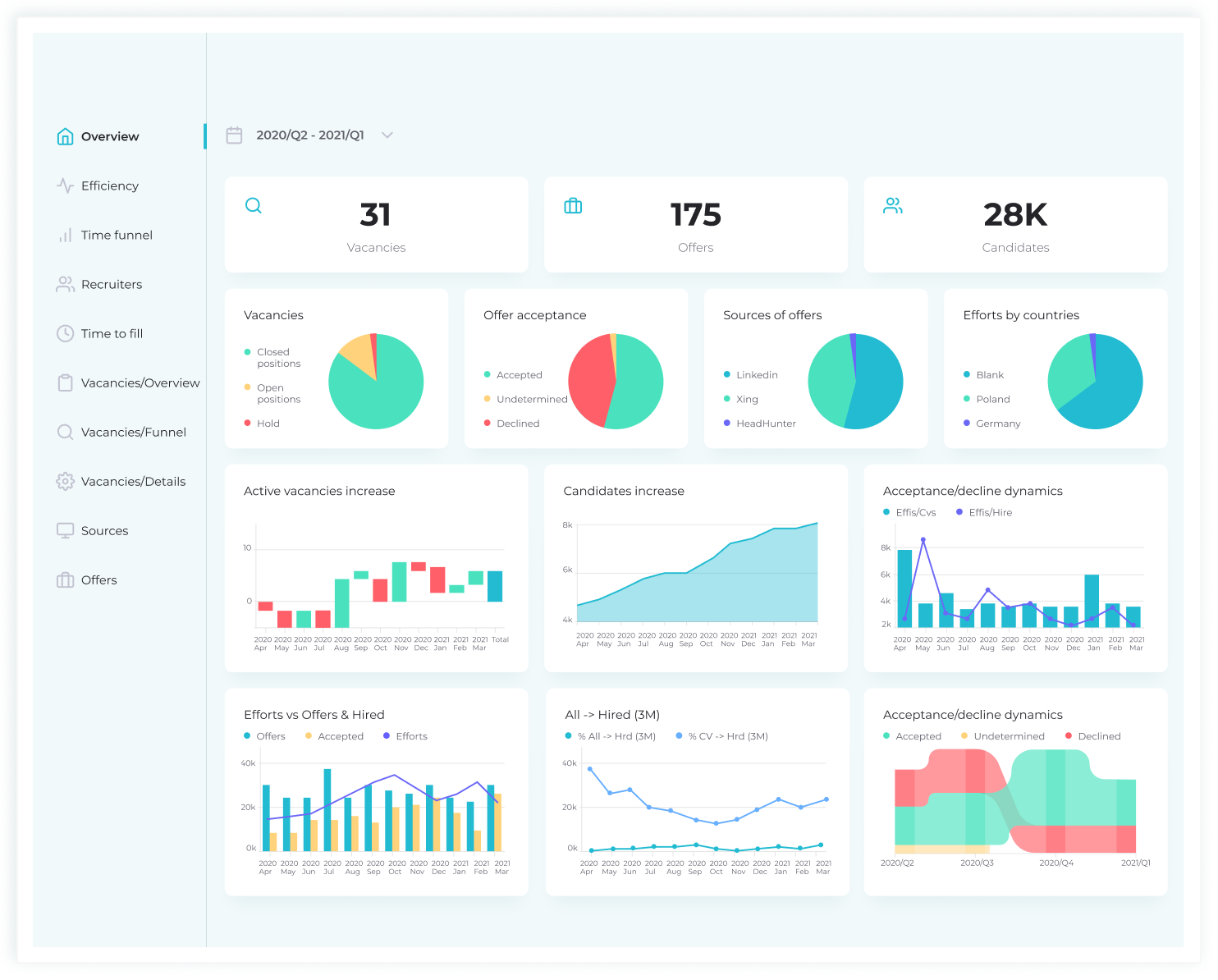
Overview provides a bird’s eye view of the company’s recruiting processes.

Efficiency measures recruiting efforts against the number of candidates that have accepted the offers. The statistics clearly show whether these numbers align with the goals recruitment has right now and whether their targets will be met in future at this capacity.

Vacancy overview is an operational report on all the currently open positions. The data represented on this dashboard keeps recruiters and heads of units in sync regarding vacancy states and hiring priorities.

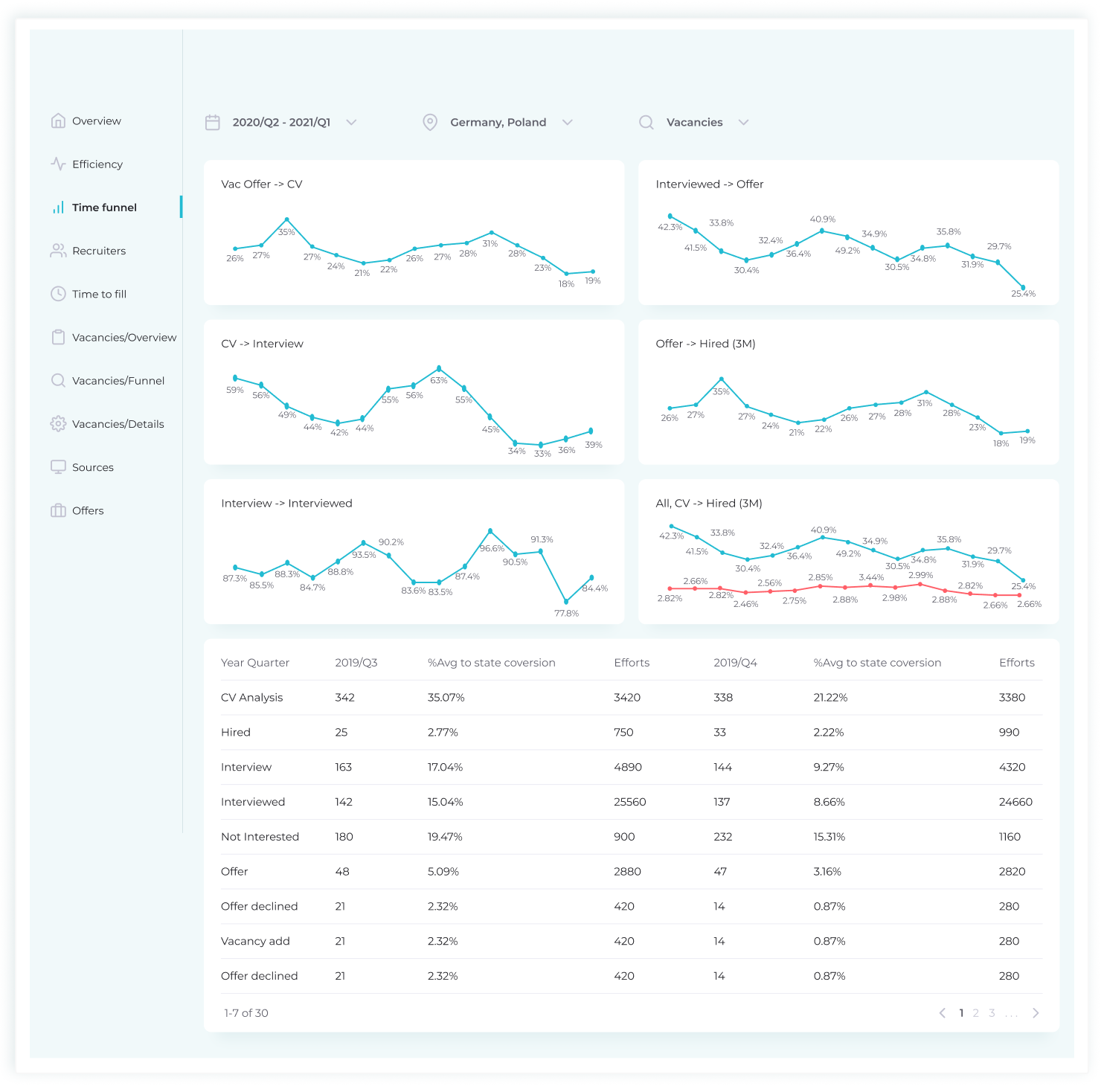
Vacancies/Details visualizes the speed at which the candidates move down the funnel. Apart from that, it’s possible to look through the information on each candidate.

Offers contains dynamic reports on sources and channels of hire, interviews, offer acceptance rate (OAR), and, last but not least, declines, which are the other side of the OAR coin. Understanding what keeps talent from saying “yes” to the offer has given an opportunity to improve the hiring process and other aspects within the company that influenced candidates’ decision.

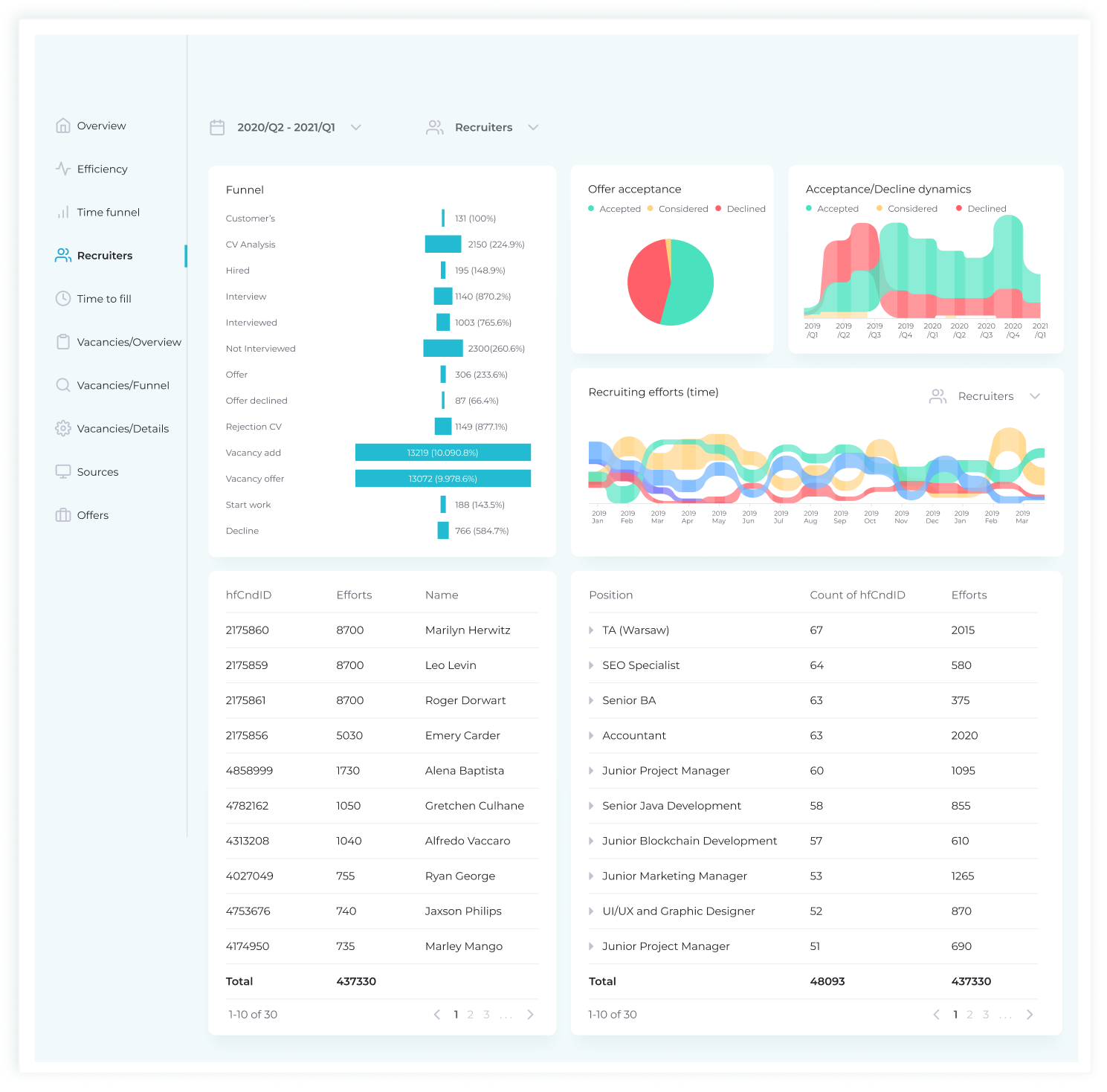
Recruiting conversion rate provides insights into the value and effectiveness of *instinctools’ recruiting process. This dashboard describes hiring efficiency in terms of efforts of a particular recruiter on each vacancy: offer acceptances/declines and acceptance/declines dynamics in the timeframe. Such an approach is essential to determine the room for improvement for each recruiter individually and hone their performance.

Sources reveals which sourcing platforms (job boards, the company’s career page, employee referrals, etc.) are the most effective. With this operational KPI, recruitment managers can better understand their recruiting expenditures, stop using futile channels and switch to the ones that bring in really interested and qualified candidates.

Time to fill measures the amount of time it would take to locate and hire a potential new employee. The process begins with a requisition being approved by a company and extends to the point when the offer is accepted by the candidate. Essentially, it gives managers the opportunity to understand how long it takes to fill a job position and, thus, helps them plan hiring better. These metrics also serve as a warning when the hiring process takes too long. Within the dashboard, there’s a possibility to filter out the data by areas of expertise, location and timeframe. Most importantly, reviewing time to fill analytics helps predict how long it will take a candidate to accept the offer and, as a result, increases the chances of them starting to work on a project on time.

Traditionally, talent acquisition teams focus on tactical or efficiency metrics such as time to hire or number of hires made over a given period. These recruiting metrics are useful insofar as they help to observe inefficiencies and opportunities to improve the hiring process; but they’re reactive rather than proactive or predictive—and they certainly don’t matter to executives as much as they matter to recruiters. The key figures for C-levels are strategic – the ones that are directly linked to business outcomes. The dashboards that the CEO usually looks through are Overview, Vacancy funnel, Offers, and Time to fill.

Value

Now that the recruiting department has the power of data at hand, they understand better how the organization is attracting talent and can improve on it. With flexible, expandable analytics sliced and diced according to their specific needs, recruiters got a clear picture of the talent pipeline, which shows the path of every candidate from every source through every stage of the hiring process.

The numbers speak for themselves – thanks to considerable insights into the recruitment, Instinctools started to fill the positions 21% faster than it used to. Moreover, the diligent analysis of salary expectations allowed the C-levels to make the necessary adjustments to the wage scale.

In general, the created metrics cover a lot of important KPIs, which bring greater transparency in hiring and, ergo, make it possible to plan the company’s capacity. Currently, not only can the executives adjust salaries to match the market, they can also track the trends in expertise, react to them in no time, and plan the start of customer projects more reliably since they know how much time it takes to fill a particular position.

Technologies

MS SQL
Azure
Power BI
Huntflow API
Google Docs
MySQL
PostgreSQL
Python
1C
SMART

Legacy Software Modernization For a Global Heat Exchanger Manufacturer

Legacy Software Modernization For a Global Heat Exchanger Manufacturer

How switching from legacy, head-office dependent software to a cutting-edge solution, featuring a modern toolset and intuitive UX, helped the leading heat exchanger manufacturer eliminate manual maintenance tasks and lower software upkeep cost by 27%.

Domain:
engineering, heat exchanger manufacturing,
heating & cooling systems

Budget:
>200.000$

Duration:
1 year

Challenge

The engineering toolset, which the customer had been using for more than two decades, had become complex and outdated. The problem was that the software was based on old technologies and was developed by people who were no longer with the company. Its maintenance required added manual effort which led to higher process costs.
“We need a state-of-the-art solution” – that’s what our customer emphasized on during the Clarification Call with us. The customer wanted to have a modern software that would provide calculation results in a quick and easy way, as it is one of the key factors in heat exchange industry which affects the client’s decision in choosing the supplier.

The customer’s pain points:

  • slow and poor performance
  • strong dependency (if the system stopped working in the head office, it stopped working everywhere)
  • outdated approaches to user identification and authorization
  • the necessity to maintain their own environment, which took a lot of effort and was risk-prone
  • the problem of data backup and storage (local installations are not the most optimal backup solutions)
  • old-fashioned design and unintuitive functionality

Tasks:

  • to improve the efficiency of Sales / Order management process including further development of the tools and applications used by the customer
  • to integrate the tools with the customer’s authentication system
  • to use SharePoint as a document management and storage system
  • to stabilize the current system, retaining all of the system’s components and business logic
  • to upgrade UI by making it more current while minimizing changes in UX, thereby lowering the barrier to entry

Solution

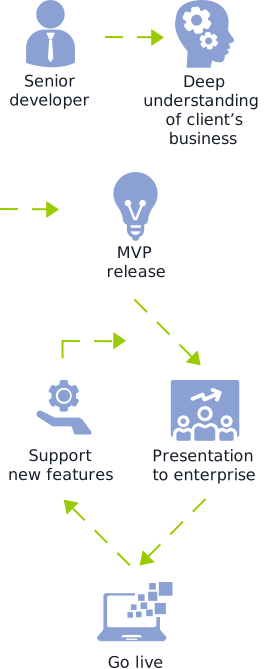
The volume of work was quite substantial. It required a thorough analysis phase. At the start, the stakeholders in the customer company couldn’t come to a common understanding of what the project goals were. To make sure that the project implementation result will reflect what the customer really needed, it was decided to start with the Pre-Discovery workshop: we clarified all the details, discussed the customer’s pain points and chose the direction for further analysis. It prevented the project from going in the wrong direction from the very beginning and created a proper base for the Discovery phase

In this phase, we defined the tasks, planned the resources and the stages for implementation, and made the estimation of the project. This approach helped avoid wrong strategic decision-making and contributed to a successful project implementation: migration of the legacy system to Azure Cloud (fulfilling all the customer’s requirements) and implementation of the new UI.

Deliverables of *instinctools team:

  • Architecture improvements and technical solutions compatible with Azure Cloud
  • Project Charter with settled release processes and communication plan
  • CI/CD
  • UX/UI strategy and the implementation of new designs

Benefits for the customer:

minimizing errors and efforts for testing

making the maintenance process easier

lowering maintenance process costs to a minimum

reducing the workload (less time spent on requirements engineering and easy reuse of working modules)

unifying the whole process of equipment configuration

getting their software up to modern standards which makes addition of new features and upgradation of the existing ones cost and time effective

Technologies

Cloud:

Business Intelligence Solution For a US Construction Company

Business Intelligence Solution For a US Construction Company

How switching from spreadsheets to Power BI with automated reports generation and easy-to-grasp custom dashboards allowed a US-based construction company to save up to 40 hours of work per report and get a real-time 360-degree overview of project management workflows.

Challenge


Our customer’s approach to managing projects was no longer keeping up with an accelerating pace of work. The data used to be captured in various spreadsheets, which were barely efficient enough to make use of. Struggling through a bazillion of rows stuffed with data is not so great of a plan to get a powerful insight. The more difficult deciphering the data was becoming the stronger our customer was striving for a new, unconventional strategy that would help to automate generating multiple reports and transmit them to user-friendly, intuitive dashboards.

Getting on track of innovations was decided to start with a Project Management Unit as it more than any other company’s units experienced problems due to obsolete solutions. Project managers had difficulties predicting how many new contracts they could expect and, as a result, their workforce levels were not always optimized. Answering simple questions on workforce numbers or seasonal trends turned into a big deal since it required handling a number of dense, indistinct spreadsheets.

“We can’t let our progress be limited by out-of-date solutions. Especially, when BI is almost on everybody’s A-list”

Tasks

  • to provide architecture design for software modernization roadmap
  • to set up cloud data storage
  • to configure data pipelines for the first stage of modernization and make it possible for managers to get high-level data reports
  • to create custom dashboards showing the most profitable projects by regions / seasons / contracts, which earn below-average revenue, etc.
  • to demonstrate project management workflows and cash flows way, trendlines, and predictions

Solution

*instinctools has developed a business intelligence system, allowing project managers within our customer’s company to painlessly analyze automatically generated and categorized information, and switch from a project’s quick overview to tracking all the necessary details.

To make data visualizations and custom metrics as helpful as they could possibly be, it was crucial to start data integration from different systems to single online storage. Power BI technology seemed to be a perfect fit in this case since it can integrate data from a variety of sources and deliver it straight to users in the form of reports and dashboards.

Our team has designed dashboards that, among other things, help:

see trends by area, timeframe, and job types;

clarify the reasons for contract breakdowns;

define average monthly workforce levels.

Key features

  • Single cloud storage
  • Automatic data aggregation and transformation
  • Dashboards
  • Data storytelling
  • Data exception report

Value

The implemented BI system enables project managers to make data-driven decisions about contracting and workforce levels and helps to keep projects on time and on budget.

Without the necessity to manually enter data into spreadsheets, the company saves up to 40 hours of work per report. The time gained thanks to the newly acquired system can now be spent on more challenging tasks. Having a clear view of the data in their projects at hand, project managers can easily spot new opportunities for optimization and increase the number of winning bids.

Well, that’s just a start. This project is the first step on the way to a deep modernization process in the company.

Technologies

Python
Power BI+DAX+Power BI Dataflows
Azure SQL Database

DITAworks Cloud – Efficiency in Technical Writing

DITAWORKS CLOUD – EFFICIENCY IN TECHNICAL WRITING

Publish Technical Documentation efficiently

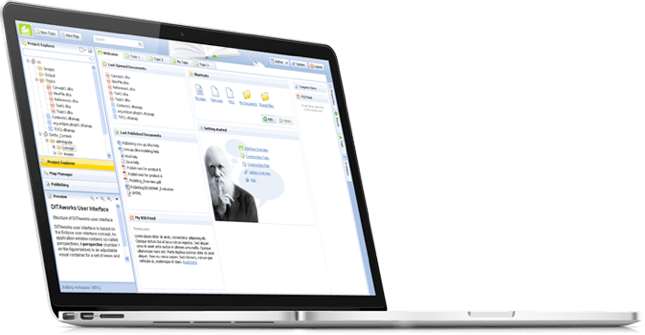
Ready-to-use DITA Component Content Management System

Hosted Solution in Europe and Asia

Domain:
Technology

Team:
4 BE Engineers, 3 FE Engineers, Project Manager, Business Analyst, QA Expert

DITAworks – The Product

Cloud-based DITAworks solution helps to save tremendous amounts of time and money which are needed to build the CMS infrastructure in-house or to buy an expensive DITA CMS. It counters the problem of procuring budget and personnel used to build a competent and comprehensive solution for structured, reusable technical documentation and to always keep it up to date.

Challenge

Darwin Information Typing Architecture (DITA) is a standard XML-based architecture for representing documents, supporting content modularity, content reuse, and interoperability of DITA documents. On the other hand, DITA brings new challenges of content organization by increased complexity, amount, and granularity. A DITA CMS is a niche application, involving very specific knowhow and relatively high cost for purchasing, implementation and maintenance.

Solution

DITAworks helps authors to master the challenge of managing a DITA based documentation array by providing features like fast creation, link management, managing versions and branches, workflows for review, translation, and publishing.

DITAworks Cloud is ready-to-use: no need to install anything, just access the comprehensive DITA CMS via browser and start writing professional documentation.

Deliverables of *instinctools team:

Consulting on:

  • adopting DITA XML
  • developing content strategies
  • building information models
  • preparing for migration
  • Architecture of DITAworks and DITA solutions including 3rd party tools
  • Full Cycle Development DITAworks and DITA solutions including 3rd party tools
  • Managed Operations DITAworks Cloud
  • Product Ownership of DITAworks
  • DevOps DITAworks Cloud

Customer Benefits:

  • Fast access to fully featured DITA CMS
  • No worries about purchasing and installing hardware and software
  • Frequent updates of DITAworks
  • Scalable
  • Operating resources and skills not required on customer’s side
  • No maintenance on customer’s side
  • No vendor lock: data can be exported and used with on premises CMS any time

Technologies

Cloud:

Healthcare Management System (HIPAA compliant)

Healthcare Management System (HIPAA compliant)

How transforming HMS’s MVP into a full-featured SaaS solution allowed a US company to automate 86% of manual processes, create monthly reports in a click, simplify HIPAA compliance checks, and streamline calculating NHSN reporting metrics while wiping out the possibility of a human error.

About the project

The customer is a U.S. based early-stage healthcare startup established at the beginning of 2016. Their main goal is to help healthcare organizations simplify and automate occupational healthcare management. The founders have years of experience working with large hospitals and healthcare systems.

They discovered a better way of getting rid of manual processes, streamlining data collection for immunizations, fitness tests, TB tests, and quickly rolling out reports for internal and external use.

Challenge

The main challenge for *instinctools was to transform the MVP into a full-featured product – a robust and easy-to-use tool that would efficiently reduce the administrative burden and workload.

Solution

In close communication with the customer, *instinctools team offered the following solutions to assist with achieving the company’s main goal:

  • Enterprise Hierarchical Adjustability
  • Full Configurability
  • All-round Monitoring
  • Cloud-based web + backend
  • Modern Technologies

Maximum Data Security:

  • Multi-tenancy
  • Isolated data
  • Encryption
  • Leakage protection
  • Role-based data access

The project is still in the development stage, but we’ve already successfully delivered many important features.

Result

The customer is pleased with the efficiency of communications and the quality of work delivered, and plans to take cooperation to the next level by entrusting more work to *instinctools in the coming months.

Key features

Full enterprise SaaS solution:

Monitors compliance at the enterprise level

Tracks and reports staff immunization requirements, tests, and health events

Standardizes immunization requirements by job code and title

Drills down immunization status from department to individual in one click

Flags compliance gaps and upcoming requirements

Automatically notifies staff when immunizations are about to expire

Complies with HIPAA

Integrates with existing HR systems to eliminate duplicate entries and automatically deactivate associates

Creates monthly reports instantaneously

Easily calculates NHSN reporting metrics that can be easily cut and pasted directly into reports

Technologies

ASP.NET
Web API, MVC
MS SQL
Entity Framework
Bootstrap
Angular JS
Azure
Anna Vasilevskaya
AI modified real photo
Anna Vasilevskaya
Account Executive

Get in touch

Drop us a line about your project at
[email protected] or via the contact
form below, and we will contact you soon.