AI-Powered Knowledge Platform For a Wind Turbine Manufacturer

AI-Powered Knowledge Platform For a Wind Turbine Manufacturer

How developing a conversational AI knowledge platform with offline access and peer-to-peer expertise sharing enabled a European wind turbine manufacturer to turn post-sale field support into a product differentiator and reduce support queries by 37%.

Business challenge

When a turbine stops or triggers an alarm miles from the nearest office, the repair depends on how fast the technician on site can find the right answer. For field workers servicing wind turbines offshore and over sprawling onshore locations, that process is riddled with friction.

  • No single source of truth. Maintenance manuals, monitoring guides, technical bulletins, and troubleshooting references exist, but are scattered across multiple portals and PDF libraries with no unified entry point. A technician looking for a specific calibration procedure might find it in three clicks or thirty, depending on which system they open first and whether they guess the right keywords.
  • Documentation built for desks, used on turbines. The materials are authored for screen-and-keyboard reading, but real-life wind turbine servicing conditions look nothing like that. Technicians access documents on phones or tablets, often one-handed, in rain or wind. Dense PDF layouts with no mobile optimization turn a two-minute lookup into a scrolling exercise.
  • Peer knowledge without a peer network. When documentation falls short, experienced technicians fill the gap. But that expertise is shared through phone calls, ad hoc messages, or chance conversations rather than through a structured channel. Two technicians in the North Sea and Andalusia might independently solve the same fault, weeks apart, with no way to learn from each other.

Our client, a major European wind turbine manufacturer, saw these hurdles as a product opportunity. As their relationship with every buyer extends into years of customer support, an application that would consolidate the company’s product maintenance knowledge into a single, searchable hub could not only ease post-sale support overhead but become a selling point in its own right.

They approached Instinctools with a vision for a companion app built around conversational AI: a tool, offered alongside the turbines themselves, giving field technicians a way to describe a problem in plain language and get an actionable, source-verified answer on the spot, with clear traceability back to the original material.

Solution

Some opportunities can’t wait for paperwork. While the project was still in the proposal stage, Instinctools built a working prototype that gave the client an early view of the product vision in action. It allowed their team to test assumptions, gather internal feedback, and validate the concept before committing to a vendor, budget, or full-scale delivery plan.

  1. Crafting a clickable prototype at the pre-sales stage

The client’s original brief centered on a searchable knowledge base with a conversational AI interface. Field technicians would type a question in their native language, and the system would return a plain-language answer drawn from the manufacturer’s documentation, with a citation trail pointing back to the source. Multilingualism was essential as the client’s install base spans dozens of countries.

Our AI developers and UX/UI designers translated the brief into a clickable prototype covering the core user journey:

Every screen was designed with field conditions in mind, as a technician may be using the app with one hand on the device and the other on a railing, tool, or flashlight. So the interface had to be simple, readable, and usable without desk-bound assumptions.

Still, documentation alone, however well-organized, can’t cover every edge case. Sometimes the answer can come from another technician who has already wrestled with the same fault on the same turbine model, somewhere else. So we went the extra mile to give this tribal knowledge a place inside the app by including something the client hadn’t asked for: a peer-to-peer knowledge sharing layer where technicians register which equipment they service, find colleagues working with the same wind turbines, and exchange solutions to tricky operation and maintenance issues through in-app messaging. 

What started as Instinctools’ suggestion, by the end of the prototype review landed in the MVP scope, transforming a knowledge base app into a broader AI-assisted field support platform grounded in source documentation and strengthened by a technician network.

  1. Laying the technical foundation for full-scale development

With the prototype approved and the scope expanded, Instinctools moved into architectural planning. Several technical decisions shaped the project from the start:

  • Single-vendor cloud and AI setup. We hosted the platform on AWS, picking the eu-central-1 region in Frankfurt to keep data physically inside the EU. AWS Bedrock handles the AI layer, providing access to Anthropic’s Claude within the same compliance boundary as the rest of the infrastructure.
  • Search architecture. The accuracy of a conversational AI assistant is rooted in the quality of the retrieval layer feeding it. Instinctools chose pgvector to combine semantic search with automatic profile-based hard filters in a single query, so when a technician asks about pitch system calibration, the results are already scoped to a particular turbine model. For a knowledge base sized at around 10,000 content chunks, this vector similarity search keeps the infrastructure lean without cutting corners on retrieval accuracy.
  • Zero-signal mode. Because technicians may work offshore or in low-connectivity environments, the app needed to stay useful even without a stable connection. We paired Workbox and IndexedDB to cache the app interface and store bookmarked documents locally within the app. Features that rely on live services, like AI search and community messaging, stay online-only.
  • Access control. For authentication, Instinctools went with Auth0, starting with invite-only registration during the MVP, so the client could control early access before opening to self-service registration. Password policies, account lockout, email verification, and recovery flows were handled through Auth0’s built-in identity-management capabilities.
  • Autotranslation layer. The client’s turbines operate across a multilingual EU market and beyond. The team chose DeepL’s API for on-demand translation, favoring it over alternatives for its stronger handling of technical content in European languages.
  1. Refining the prototype with field feedback

The prototype looked right on screen. To see if it’ll be of any help for end users, we shared it with a group of roughly 20 early testers the client gathered from its European customer base.

Several assumptions didn’t survive first contact with the field, but caught early, they became opportunities for improvement before full-scale development:

  • Fault-code workflow. The AI search handled natural language and fault codes equally well, but testers revealed that the vast majority of their queries start with a SCADA status code. This prompted us to update the home screen design by adding a dedicated fault-code entry field with auto-recognition, so the most common interaction pattern gets the shortest path.
  • Minimum taps to target. In the initial prototype, users had to open a document before saving it for offline access. Testers pointed out that before going offshore, they often need to save several guides at once. We redesigned the flow so documents could be saved directly from search results, without opening each one individually.
  • Expert knowledge sharing priorities. The prototype included a location-based map showing where other technicians were working, but users made it clear that proximity was not their top priority. They wanted to filter peers by turbine model and specialization first, and by location second. For a technician troubleshooting a specific gearbox issue, the right match was not the nearest colleague, but the one with relevant hands-on experience.
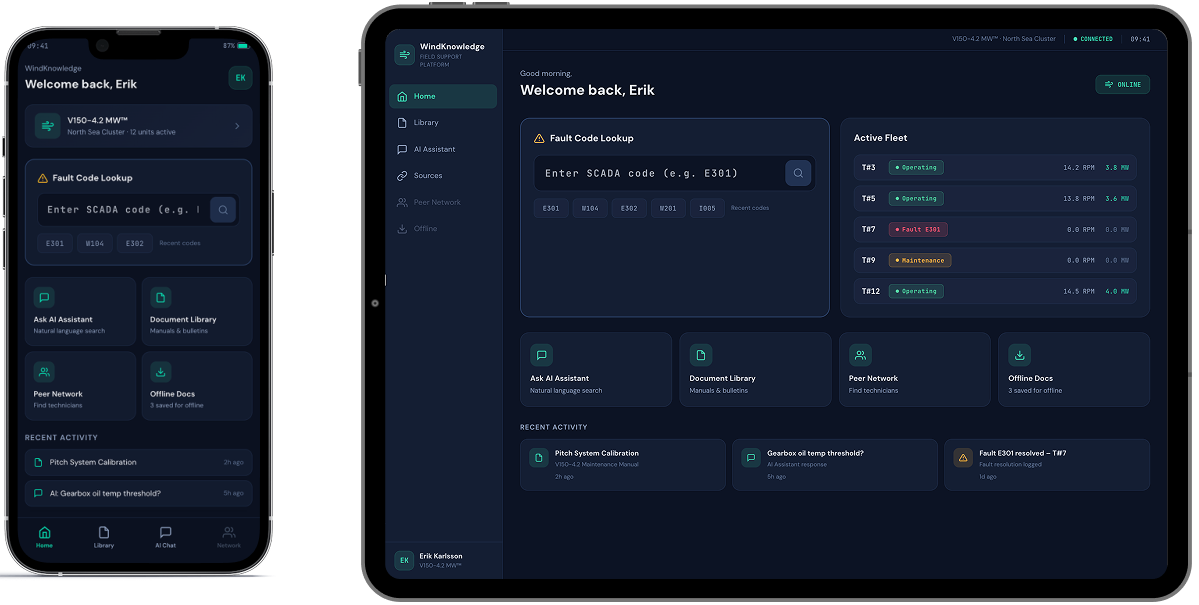
A smartphone and tablet display a dark-themed dashboard interface. Both screens show a welcome message, a fault code lookup bar, system status cards, and recent activity modules, with similar layout but resized for each device.

This feedback reshuffled the development backlog. We moved features like fault-code-driven search and single-tap document access from “could have” to “should have” status, ensuring the MVP reflected how technicians actually work, not just how the workflow looked in a prototype.

  1. Developing and rolling out an MVP

The MVP scope was deliberately focused: one turbine product line, one content library, and an upscale from 20 to 100 technicians. The goal was to prove the full end-to-end experience with a larger, controlled user group before replicating it across the client’s entire equipment catalog.

Here’s how the flow goes:

  1. During onboarding, the early adopters select the turbine models they service
  2. From that point on, the app personalizes search results, document recommendations, and community connections, so that a technician working with a specific model sees materials and peers’contacts relevant to that model, noise-free
  3. Every answer the AI assistant returns includes citations to the source document and section, so a technician can verify the guidance before acting on it.

This personalization engine sits on a knowledge base of hundreds of maintenance manuals, monitoring guides, technical bulletins, etc. Since it’s updated once a month at most, a real-time content synchronization would have added unnecessary complexity. A monthly content ingestion pipeline was enough to keep the knowledge base current without overengineering the backend.

Once rolled out to the full 100-technician group, the app saw steady organic adoption.

Before

  • Technical documentation scattered across multiple portals and PDF libraries
  • Only basic, document-level search capabilities
  • A multi-tap user journey to reach a single document, with no shortcut for the most common queries
  • Peer expertise shared informally through phone calls and personal contacts, if at all

After

  • A single AI-powered conversational app consolidating the wind turbines’ maintenance library
  • Advanced semantic search with optional hard filters across the whole knowledge base
  • One tap to target and fault-code auto-recognition field on the home screen
  • A structured peer network connecting technicians by turbine model, specialization, and relevant field experience

Business value

  • Post-sale support transformed into a product feature
  • – 37% requests escalated to the client’s customer support team
  • < 30 seconds from query to cited, source-verified answer
  • x2.5 faster troubleshooting of field incidents

Multiplier effect

The pattern behind this platform – consolidating scattered documentation into a conversational AI interface and pairing it with a peer network – is not limited to the energy sector. Any industry where field professionals work with dense technical libraries under time pressure faces similar friction: heavy machinery, medical devices, industrial automation, telecom infrastructure, and more. The infrastructure we built is modular to be useful for a different knowledge base and equipment catalog without being redesigned from scratch.

A person in a dark blue shirt holds a smartphone in one hand and types on a laptop with the other. Digital facial recognition icons and a checkmark appear, indicating successful facial authentication on the phone. The background is blurred.

Computer Vision Defect Detection

Computer Vision Defect Detection For an Electronics Manufacturer

How switching from a rule-based machine vision system to an advanced computer vision solution for early-stage defect detection on the production line helped an electronics manufacturer reach 97,4% accuracy in identifying flaws and save $2.4 million annually thanks to a drop in warranty claims.

Business challenge

Our client is a Saudi-based electronics manufacturer producing laptops for the MEA region in partnership with one of the global tech leaders. Years earlier, we had created digital twins of their factories, so when new challenges surfaced, the client turned to us again. 

The company had long moved from fully manual defect detection on the production line to an automated, non-contact product quality inspection. However, their automated optical inspection (AOI) in the conveyor video surveillance system was too demanding, rigid, and costly, posing numerous limitations. 

  • Overdependence on consistent imaging. The system cannot function efficiently if lighting and camera positioning aren’t stable.
  • Inflexibility. AOI operated on strict “if-else” rules, making the system unable to perform continuous trend analysis and adjust dynamically to enhance both speed and accuracy of defect detection. 
  • Slow adaptability. Every time the component configuration, size, or color changed, the system required recalibration. 
  • Low scalability. One AOI system couldn’t simply be replicated across multiple factories. Each production line will require extensive manual parameter tuning. 
  • Costly maintenance. Traditional machine vision systems like AOI require highly specialized experts to take over routine manual inspections, regular calibrations, software updates, and hardware repairs. 

The client needed a more flexible, scalable, and budget-wise form of computer vision at the core of their conveyor video surveillance system.

Solution

Our development team ensured the smooth shift from basic AOI to advanced computer vision.

  1. Shaping up the tech stack

We decided to rely on a pre-trained object detection and image classification model. Then, we had to choose between single- and two-stage detectors to perform object detection. The scale was tipped in favor of a single-stage algorithm due to its several advantages:

  • Faster inference
  • Lower computational demand
  • Easier maintenance

Having experience with various single-stage detectors, we settled on YOLO over CenterNet, SSD, RetinaNet, and FCOS, as it offers superior inference speed, ensuring truly real-time performance. Despite YOLOv10 being available, we used YOLOv8, as it was the most tested and stable version at the moment.

  1. Optimizing the training dataset

The client’s previous pre-computer vision system relied on a three-tier defect classification framework: “definitely defective,” “borderline,” and “definitely non-defective”. Rather than discarding the existing dataset, we capitalized on it by strengthening defect coverage and enforcing consistent, high-quality labeling.

Augmenting data to address the class imbalance issue

The original dataset was limited in size, with a maximum of 200 images per defect category. In addition, different defect types weren’t represented equally. For example, issues such as missing components and incorrect placement appeared far more frequently than subtler issues like misalignment, solder defects, open circuits, or lifted leads.

To address both the small dataset size and class imbalance, we applied data augmentation techniques:

  • Random photo cropping and flipping
  • Controlled blurring and noise injection
  • Tweaking lighting
  • Changing the background

That way, we multiplied the dataset tenfold while ensuring balanced representation across all defect categories.

Improving labeling consistency and reliability

Given the diversity of subtle defects, high-quality labeling was a must-have. Our AI engineers focused on refining the labeling process to: 

  • Reduce annotation noise
  • Improve consistency across classes
  • Enable more statistically reliable quality assessments

In addition, we ensured the dataset included images both with and without the target object, improving the model’s ability to distinguish true defects from background artifacts and, thus, reducing the false positive rate.

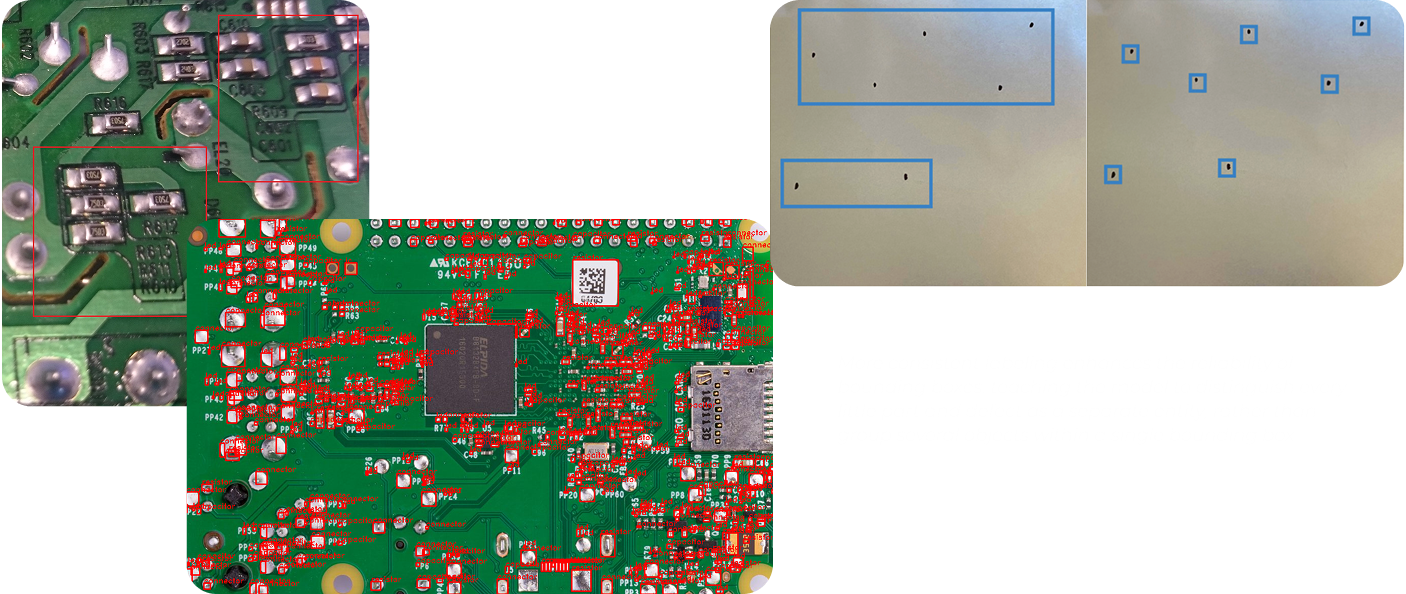
A collage showing two close-up images of green circuit boards with various electronic components and solder points, and one image of a metallic surface with blue rectangular and square outlines marking different areas. Text is faintly visible in the bottom right corner.
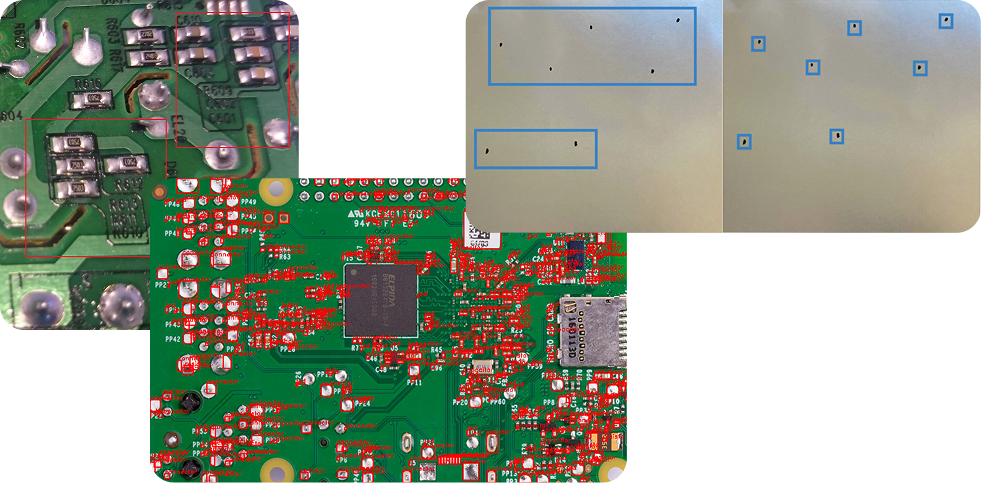
Three images: a close-up of a green circuit board showing silver solder joints; a larger green circuit board with many red and silver components and a central microchip; and a metallic panel with blue-outlined rectangular and square cutouts.

More consistent labeling enhances the reliability of bounding boxes, teaching the model to distinguish every little part and defect as a separate entity, rather than group several objects within a single bounding box.

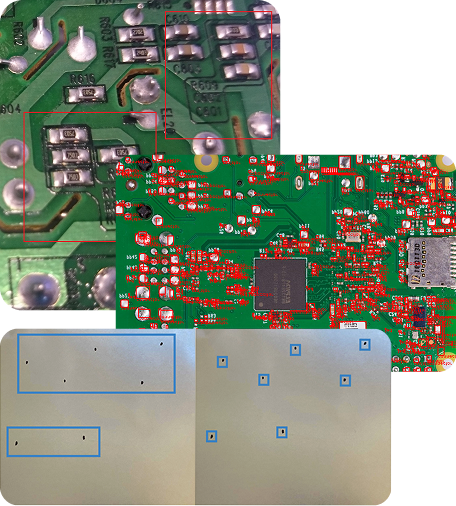
A collage of three images shows close-ups of green circuit boards with red components and microchips, overlaid with a photo of a metal plate featuring multiple cutouts and small square and rectangular holes highlighted in blue.

More consistent labeling enhances the reliability of bounding boxes, teaching the model to distinguish every little part and defect as a separate entity, rather than group several objects within a single bounding box.

  1. Running model transfer learning on the enhanced dataset

Models for object detection and classification like YOLO are already trained on hundreds of millions of general images. However, to accurately address the client’s specific needs, it had to undergo additional training on the updated dataset.

Instinctools’ AI engineers took an efficient approach to tackle this challenge. They resorted to transfer learning as an ML training technique to improve the model’s performance:

  1. Started with a pretrained YOLO model
  2. Used PyTorch to remove the default classifier head
  3. Replaced the model’s classifier head with the enhanced dataset

After that, YOLO was able to instantly detect and classify all the specific defects relevant to the client’s production line.

What is transfer learning in computer vision?
 
Transfer learning is a machine learning training technique, which capitalizes on the pre-trained model’s general knowledge (the ability to detect different defects on various surfaces) instead of training the model from scratch.
 
With transfer learning, you only retrain the model on your task-specific dataset (examples of external and internal defects of the client’s laptops), enabling the model to adapt its existing knowledge to your reality. This method significantly reduces training time and computational resource consumption.
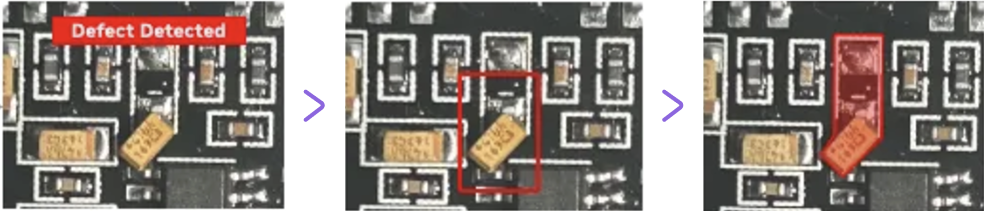
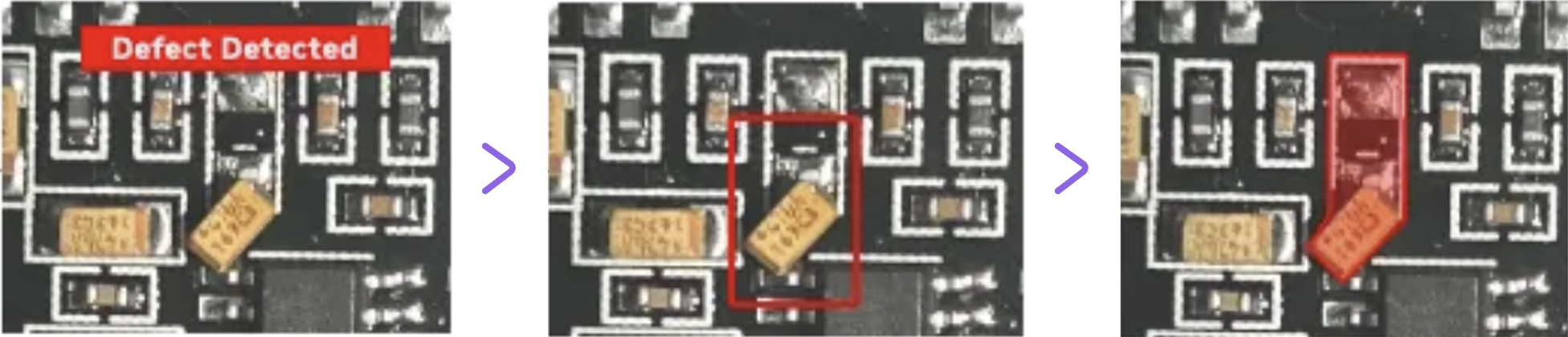
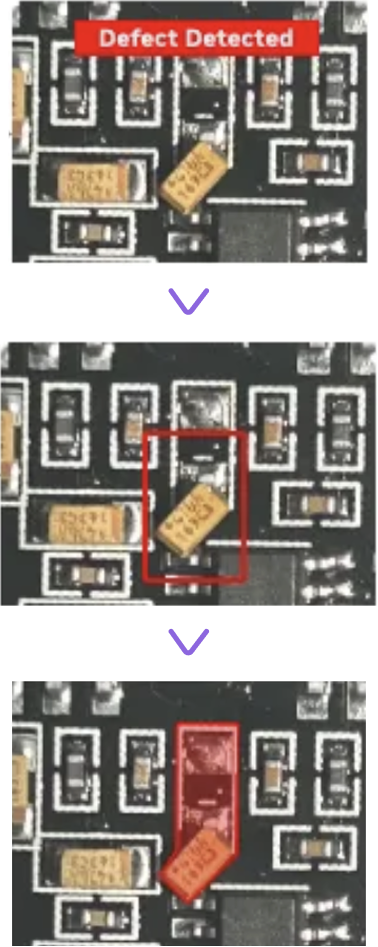
Three images show a circuit board section. The first has a red “Defect Detected” label, the second outlines a component in red, and the third highlights the component with a red overlay, indicating the defect’s location. Purple arrows separate each step.
Three stacked images of a circuit board: 1. Top image highlights a component with a red “Defect Detected” banner above. 2. Middle image shows the same area outlined with a red box. 3. Bottom image shades the component in red, marking it as defective.
  1. Calibrating defect inspection thresholds 

Defining a defect is only part of the process. Next, our dedicated team helped minimize the number of items wrongly discarded at the production stage through:

  • Raising a confidence threshold ratio from 0.5 to 0.85 to prevent the model from flagging low-certainty cases as sure defects 
  • Setting up detailed defect severity scoring to minimize false positives while not letting critical defects slip further
  • Adjusting NMS (Non-Maximum Suppression) parameters so that the model always chooses one clean, highest-confidence box per object instead of overlapping bounding boxes
  1. Going the extra mile for near-100% defect detection accuracy 

After transfer learning and threshold calibration, the model’s accuracy reached 86,5% which was already more than 15% higher than with the previous AOI system. Still, our team aimed for as close to 100% accuracy as possible.

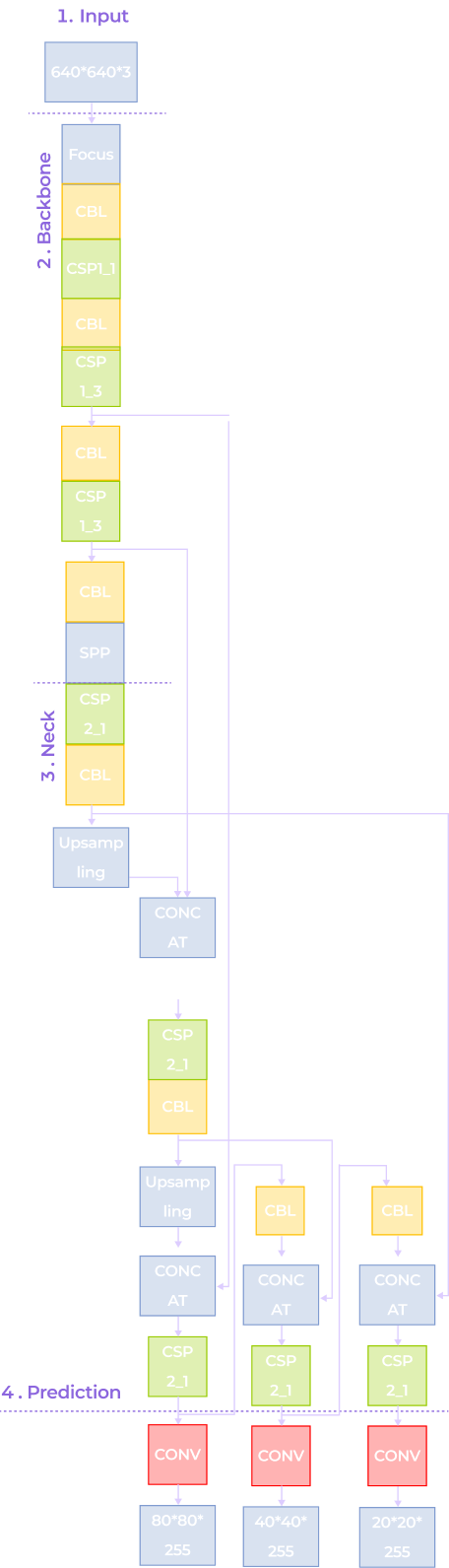
Instinctools’ AI experts enhanced YOLO-based defect detection capabilities by applying:

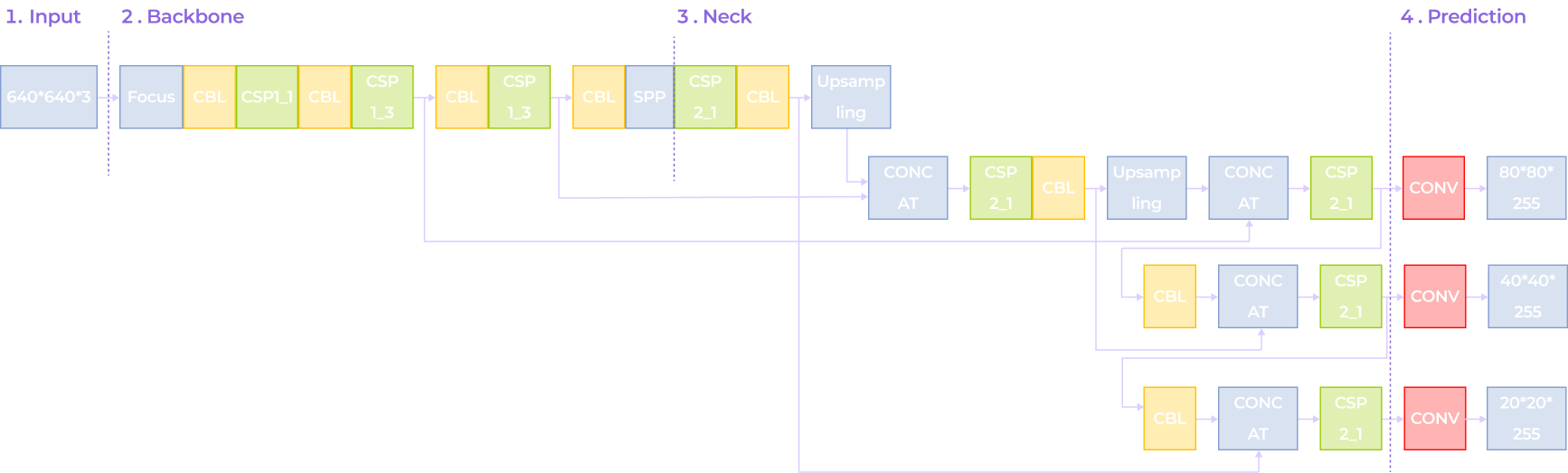
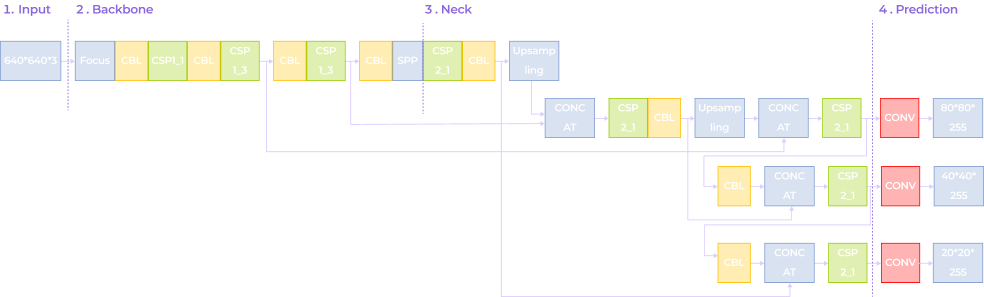
A flowchart showing a neural network architecture with four stages: Input (640x640x3), Backbone, Neck, and Prediction. Colored blocks represent layers like Focus, CBL, CSP, SPP, and CONV, with branching paths for multi-scale predictions.
A flowchart of a neural network architecture with four sections: Input (640x640/3), Backbone (Focus, CBL, CSP, SPP), Neck (CSP, Upsampling), and Prediction (Conv layers with outputs: 80*80/255, 40*40/255, 20*20/255).
A vertical neural network diagram with four labeled sections: Input (640×640×3), Backbone (Focus, Conv, CSP1, SPP), Neck (Upsampling, Concat, CSP2), and Prediction (Conv layers with outputs: 80×80×255, 40×40×255, 20×20×255).
  • Depthwise Separable Convolution (DSConv) to accelerate the model’s inference speed
  • The Cross-Stage Partial Network (C3 module) to combine low-level detailed information with high-level semantic data, enhancing the model’s adaptability to target scale variations and improving detection accuracy
  • The Bidirectional Feature Pyramid Network (BiFPN) to enable the model to identify fine features of small targets, improving its recognition capability
  • The DySample upsampling operator to minimize detail loss and boost accuracy for small targets

With these enhancements, the new CV defect detection system consistently hits the 97,4% accuracy benchmark.

  1. Integrating the CV mechanism into the client’s manufacturing execution systems (MES)

The computer vision solution was installed at one of the client’s facilities. There, it underwent further model training based on collected metadata and outputs generated by the system during operation. Those adjustments helped align the system with real-world production conditions and replaced AOI at each critical juncture:

  • Post-solder paste application. The system verifies if paste volumes are adequate and properly aligned.
  • Post-component placement. The solution validates whether each component is present, oriented correctly, and positioned within acceptable tolerances.
  • Post-reflow. Software runs a final check for defects such as tombstoning, bridging, and cold solder joints.
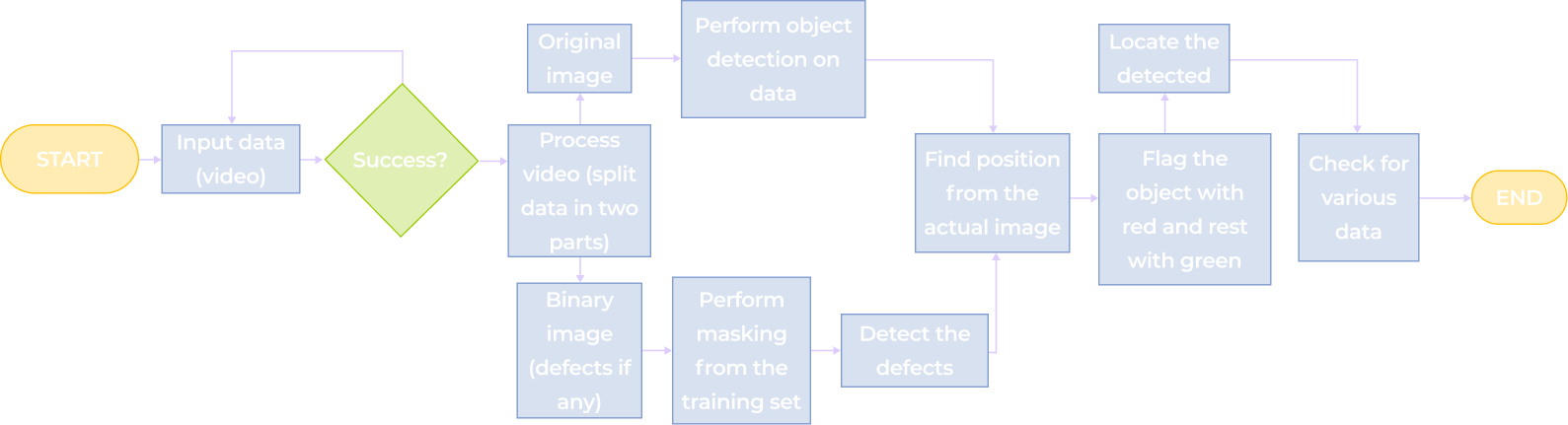
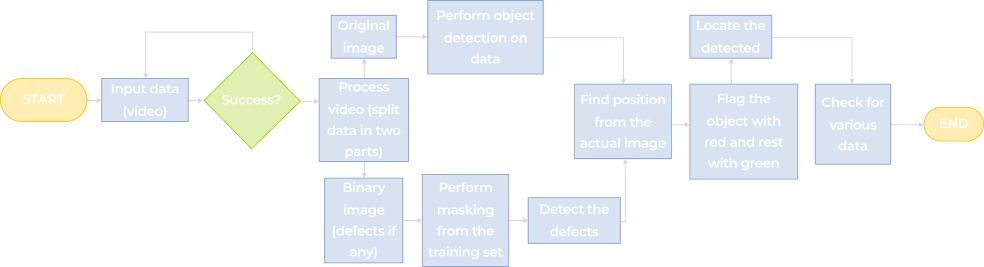
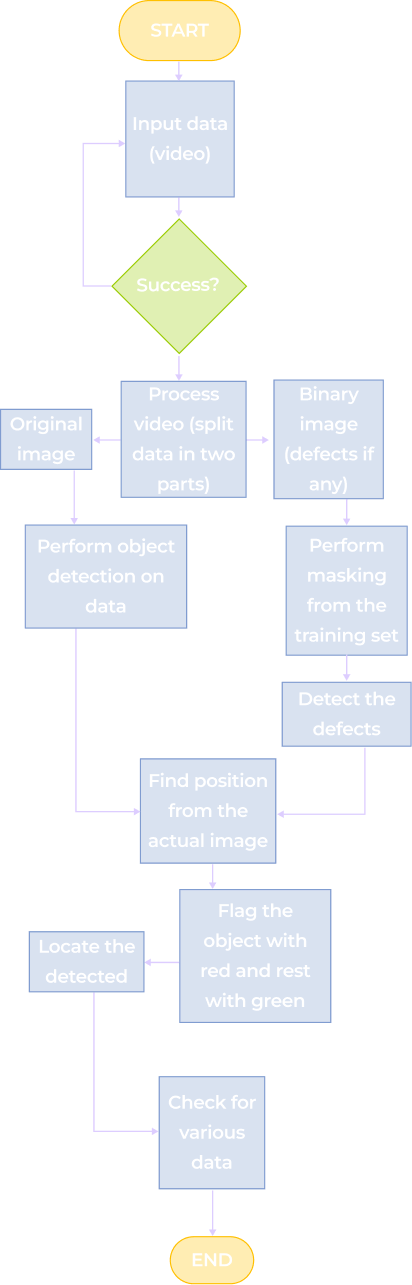
The result is an all-encompassing, multi-class defect classification, with all defects categorized by type and severity.
A flowchart for video object detection: Starts with Input data (video), checks Success?, then branches to process the image or video, detects defects, locates them, flags with red and green, checks for various actions, and ends the process.
A flowchart for object detection in video: start with video input, check for success; if yes, process original image and video; create binary image, mask defects, then perform object detection, locate defects, flag objects, and check results to end.
A vertical flowchart shows steps from inputting video data, processing and splitting the video, detecting objects and defects, flagging objects, checking data, and ending. Steps are in colored rectangles with directional arrows connecting them.

As the solution features cloud connectivity, our team can remotely perform model updates, configuration changes, and CV algorithm optimizations. 

Before

  • A rigid and costly machine vision system that has to be configured for each production line
  • Real-time defect detection is only possible under perfectly stable lighting 
  • 70% accuracy of defect detection
  • Items falsely discarded as defective

After

  • Flexible and highly scalable computer vision system that can be reused across production lines
  • Real-time defect detecting under any lighting conditions
  • 97,4% accuracy of defect detection
  • < 0,5% discarded items

Business value

Operational impact:
  • + 27,4% accuracy of production line inspections 
  • + 24% in production throughput due to immediate defect detection
  • < 2% false positive rate
  • < 0,5% discarded items 
  • – 67% defect-related warranty claims
Financial impact:
  • – $1.2 million in waste-related costs
  • + $2.4 million annually due to the drop in warranty claims 
  • – 26% in quality control labor costs

Client’s testimonial

Multiplier effect

Stronger quality-control systems on a production line lead to fewer defective products reaching customers and ruining their experience. With the stakes as high as one in three customers* leaving a brand after a single bad experience involving defective products, playing it safe becomes essential for business survival.

Computer vision can be the key to achieving higher-quality products and improved customer satisfaction. 

*According to PwC

A diverse group of six people sit around a table with papers, coffee, and devices, engaged in discussion. Overlaid text reads Customer Feedback: Connect with your friends. Notification icons and messages appear around the image.

Quoting System Modernization

Quoting System Modernization
For a Global Industrial Manufacturer

RENOLD logo
How rewriting the quoting functionality and embedding it into a customer-facing 3D visualizer enabled a German subsidiary of the Renold Group to accelerate overall order processing from 1-2 days to under 30 minutes and boost quote-to-order conversion by 17%.

Industry:
Manufacturing

Legacy Software Modernization

Enterprise Automation

Custom Software Development 

Business challenge

Having half of your tech ecosystem up-to-date and the other half reliant on legacy software created significant performance and scalability constraints for our client. Renold GmbH, a global manufacturer of industrial conveyor chains, gears, and couplings, faced operational inefficiencies due to outdated quoting practices. Although they already had a modern, customer-oriented 3D configurator, its functionality was limited to checking the compatibility of details produced by Renold and visualizing them. To place an order, customers had to manually compile a list and send it to the sales team, who then processed it using an Excel spreadsheet with quoting logic written in a legacy VBA language. 

The tech gap between the 3D configurator and the quoting system led to a range of operational problems:

  • Slow order processing, as quoting alone used to take 1-2 working days
  • Time-consuming manual steps that could be easily automated if both systems were written in the same programming language
  • The headache of aligning updates across the two separate systems
  • Scaling limitations of the legacy quoting system, which capacity is directly tied to the number of employees processing quotes

Renold wanted to simplify and fast-track the quoting process by integrating quoting functionality into the 3D configurator.

Solution

As the 3D configurator was written in JavaScript (JS), the main task of *instinctools’ legacy modernization team was to rewrite the quoting functionality in JS and embed it into the configurator.
  1. Deconstructing VBA Excel workflows

VBA is a specific language designed to work hand-in-hand with Excel, so its operational logic is tightly interlinked. Re-creating it in another programming language couldn’t be done by simply converting VBA code to JS.

Our team needed to thoroughly analyze and reverse-engineer the VBA workflows to fully understand their logic before translating them into JavaScript. Key tasks included:

  • Manually re-creating out-of-the-box VBA Excel capabilities, such as drag-to-fill and pattern-based formula propagation, in JavaScript
  • Designing custom logic for handling dynamic rows
  • Rewriting complex fill patterns into explicit index math

Instinctools’ engineers collaborated closely with Renold’s team to ensure the new system mirrored the component matchability logic from the legacy system down to the last detail.

  1. Integrating the newly written quoting feature into the 3D configurator

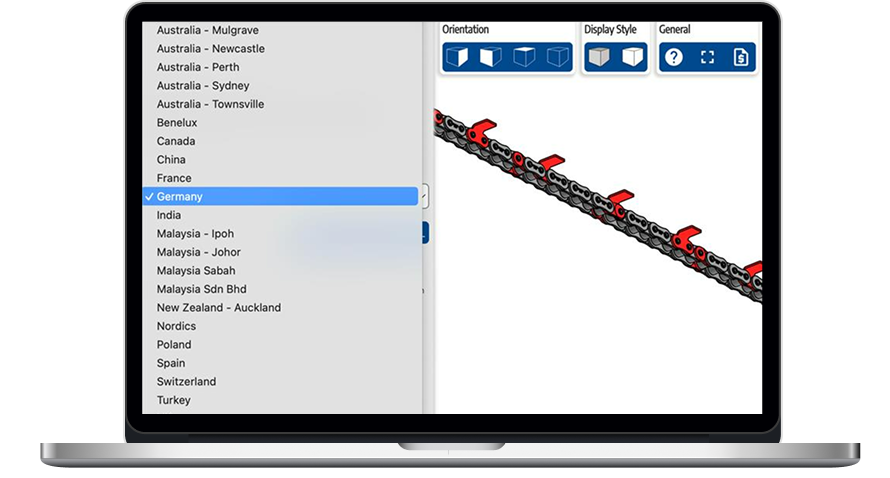
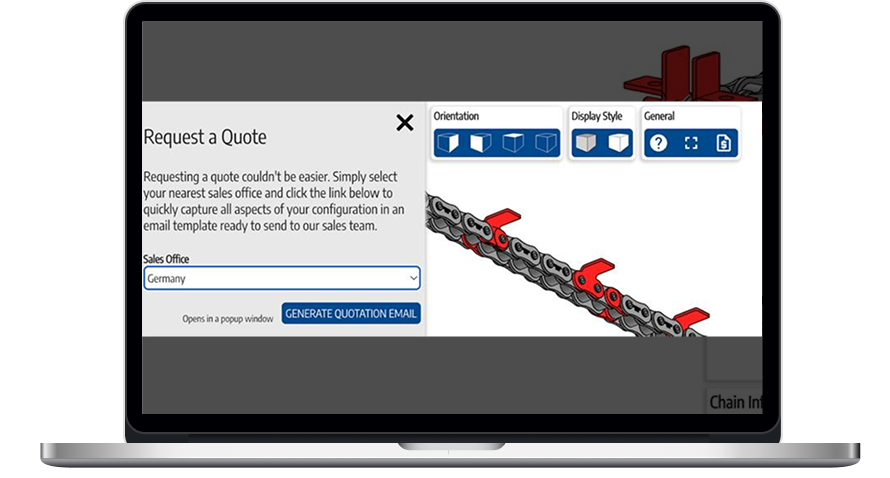
We incorporated the new quoting engine as a standalone module into the existing 3D visualizer. With design and pricing being merged into one fluid experience, users can now assemble complex mechanisms by themselves and request a quote from the relevant Renold sales office right away.

A laptop screen displays a Request a Quote form with a dropdown menu for selecting a sales office (Germany selected), a blue Generate Quotation Email button, and a technical diagram with orientation and style options above.
A laptop screen shows a dropdown menu with countries and cities selected over a 3D model of a conveyor system. Germany is highlighted in the menu. The right side displays blue buttons for orientation and style above the conveyor model.
  1. Simplifying price updates

Automating quote generation was a significant step forward that accelerated the workflow from 1-2 days to under 30 minutes. However, there was another order processing bottleneck the client wanted to address. In the previous setup, whenever the prices of the chains, gears, and couplings were changed, Renold employees had to manually adjust them in the VBA code.

Our dedicated team reorganized the workflow so that prices inside the quoting module update automatically. Here’s how it works now:

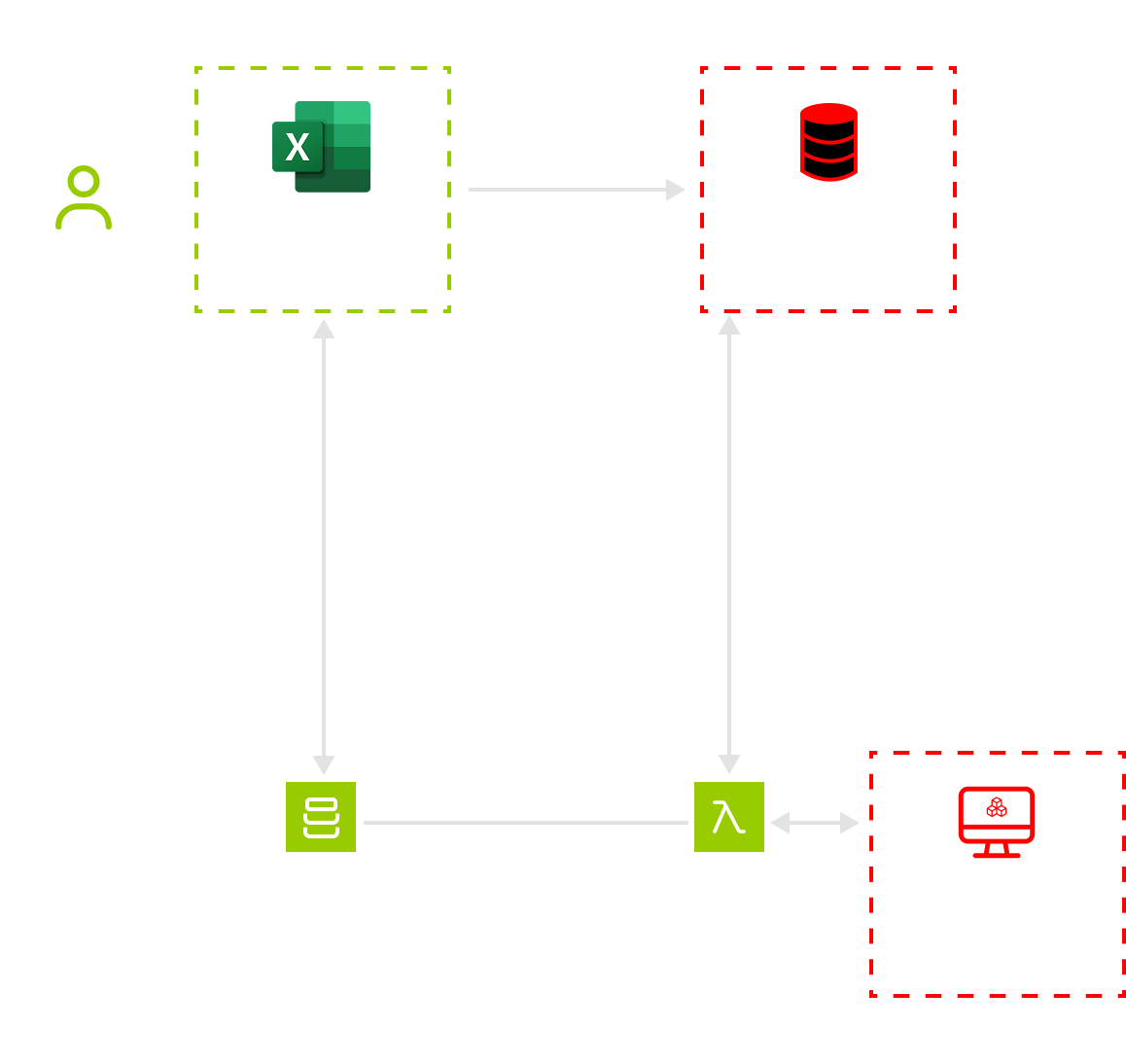
  1. The client’s staff updates prices in an Excel file and uploads it to AWS S3.
  2. AWS Lambda reads the file and transforms it into JSON data, storing it in the same folder.
  3. AWS Lambda keeps the parsed JSON in fast memory to serve repeated requests faster.
  4. The 3D configurator retrieves prices by sending requests to Lambda.
A flowchart segment shows “Client staff” sending data to an “Excel price list.” From there, arrows lead to “High-speed cache,” “AWS S3,” and “AWS Lambda.” A dashed box contains the “3D configurator,” connected to the rest by an arrow.

This approach also helped keep CPU load low and performance high, with price checking done in under 10 milliseconds.

Before

  • Mostly manual, Excel-based quoting
  • Mechanism visualization and quoting exist separately
  • Quoting takes hours or even days
  • Price updates require VBA code modification
  • Two separate codebases to maintain
  • Scaling required more staff

After

  • Fully automated quote generation
  • The quoting feature is embedded into a 3D visualizer
  • Quoting is completed in under 30 minutes
  • Price updates are handled automatically
  • One unified codebase
  • System scalability without increasing headcount

Business value

  • Automated quote generation and price updates
  • x32 faster order request processing
  • – 60% of man-hours spent on quoting
  • + 17% in quote-to-order conversion

Client’s testimonial

Web App For Robotics Manufacturer

Intuitive Web App For Robotics Manufacturer

How crafting a web app with an easy-to-grasp interface and flexible architecture empowered a manufacturer of warehouse driverless forklift systems to unlock new value-creation opportunities and reach SMB customers.

Industry:
Logistics, Manufacturing

Enterprise Automation

UX and Design

Web Development

MVP Development

Software Product Development

Business challenge

Under-automated or under-digitized intralogistics inevitably affects a company’s profits. However, sometimes the bottlenecks aren’t that obvious, and even organizations with warehouse-specific software and robotics in place struggle to achieve the much-coveted outcomes of intelligent automation.

The issue may lie in having overcomplicated software designed for tech-savvy users that holds down the company’s capabilities in efficient control and optimization of the goods flow within a manufacturing facility, warehouse, or distribution center.

For example, navigating the driverless forklift systems in small spaces is quite a challenge, as such robots are usually designed for large warehouses. The equipment can neither go near fire exits nor stop near them by default. However, following these settings is tricky in small spaces with little room for maneuvering. Hence, when the robot has no other way than to make a path near the fire exit, it stops before reaching it. Such cases require manual human input to restart the system with an updated route.

Our client, Bleichert, an automation machinery manufacturer, wanted to address two pain points of their customers seeking warehouse robotics:

‘By engineers, for engineers’ approach in designing the software

Lack of targeted solutions for small and midsize businesses (SMB) in the market overloaded with enterprise-grade products

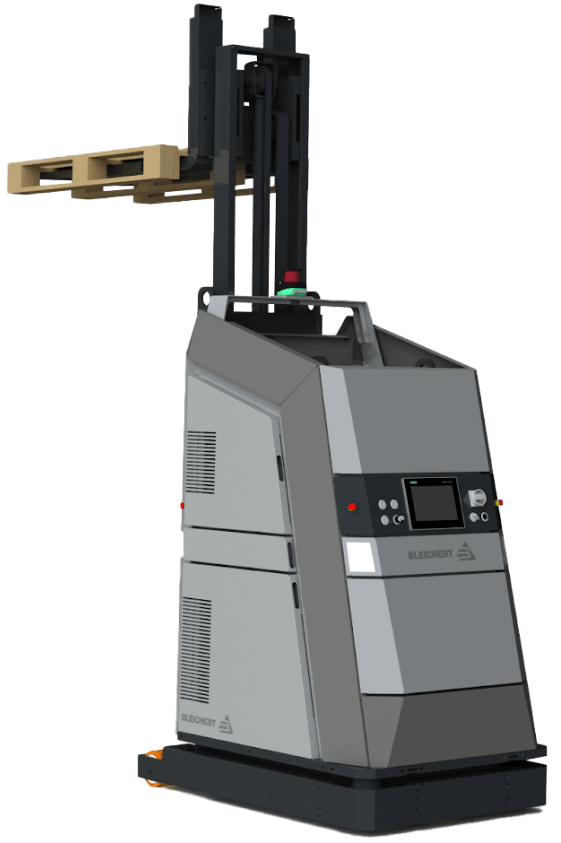
To reach SMB customers and provide them with user-friendly software for warehouse robotics, they decided to broaden their offering with an innovative model of their driverless forklift systems that move loads autonomously by following a pre-configured circuit. Bleichert partnered with NODE Robotics and integrated their software modules into the experimental forklift. However, they needed a reliable tech ally to create a web app with an easy-to-grasp interface for warehouse operators and managers.

Instinctools, with its comprehensive expertise shored up by a set of ISO certifications, filled the bill perfectly. Our dedicated team created an MVP with interactive features for the demo presentation at LogiMat – the International trade show for intralogistics solutions – in just seven weeks.

Solution

When reaching out to *instinctools, the client specified their requirements for the future application.

Architecturally significant requirements (ASRs) included:

  • Accessibility via common browsers, such as Google Chrome, Safari, Microsoft Edge, etc. with an identical look and feel
  • Flexible architecture to support and manage multiple robots in the future
  • Real-time updates of a robot mission

Non-functional requirements (NFRs) encompassed:

  • Quick and easy navigation with the rule of thumb “max three levels to reach the goal”
  • Less than 0.4 sec response to the user input
  • Color-coded interface to simplify operators’ work and avoid any possible costly mistakes

Detailed documentation empowered us to jump into development right away. Our software architects started with establishing a robust tech stack.

  1. Deciding on a tech stack

We zeroed in on the client’s requirements to shape an easy-to-maintain tech stack for the web app development.

  • Seamless compatibility with NODE OS. Bleichert already installed the autonomy OS for mobile robots on the experimental forklift system to handle map management and interact with the robot’s systems and sensors. Since the operational system with related plugins uses Python, we suggested sticking to this programming language and FastAPI framework for server development for the sake of tech stack consistency.
  • Fast user interface response times. Besides ensuring the mandatory ease of use for the warehouse operators, we had to take care of the app’s interface speed. Our frontend developers suggested going with a single-page application (SPA) using React JS for user interface development, as the framework’s component-based architecture and virtual DOM allow crafting UI with lightning-fast render times. By leveraging React JS development services, we ensured optimal performance and a seamless user experience.

Here’s the high-level scheme of the future web app.

  1. Taking into account long-term usage scenarios from the onset

The MVP was tailored to user interaction with one robot (Master Robot) within a pre-configured environment. However, outlining the long-term project vision at the early stages is a best practice our team follows to eliminate head-scratchers in the future and enable a hitch-free development process.

Therefore, in our conversations with the client, we discussed two strategies their customers can choose from in the future when the app will operate multiple robots (Master Robots and Servant Robots).

  • Seamless compatibility with NODE OS

Such an approach provides end users with a single point of control for all forklift systems within the warehouse. However, the main drawback of this method is its high dependence on the Master robot. In case of its malfunctions, Servant robots won’t be able to perform their tasks.

  • The app runs on each of the Servant robots with one Master robot for covering managing tasks

In this case, Servant robots are highly independent, eliminating the risk of a work stoppage due to the issues with the Master robot, but high-level management becomes trickier.

The bone of the architecture at the heart of the web app is its flexibility. It can be tailored to either of these two options, depending on the client’s customers’ feedback on the innovative forklift model.

  1. Engineering and designing a user-friendly web app

Moving forward according to our Delivery Framework, we proceeded with iterative development, covering user roles, robot management, and more.

User roles within the app

The system has authorization and authentication mechanisms, but they aren’t mandatory, and non-authorized users can access the web app. Thus, we provided two modes within the system:

  • Basic user, designed for the rank-and-file warehouse operators with no authorization required
  • Key user, accessible only by authorized employees, for high-level warehouse operators and managers

However, the capabilities of authorized and unauthorized users greatly vary. As you can see on a high-level app vision, Basic users can only view the list of existing robot missions and launch them, while Key users are allowed to create new routes and missions, add restrictions, view the history, check the robot’s status, etc.

Now, let’s dive deeper into the robot-related features.

Robot mission management

Each mission has the following attributes:

  • Name
  • Starting point of interest (POI)
  • Destination POI

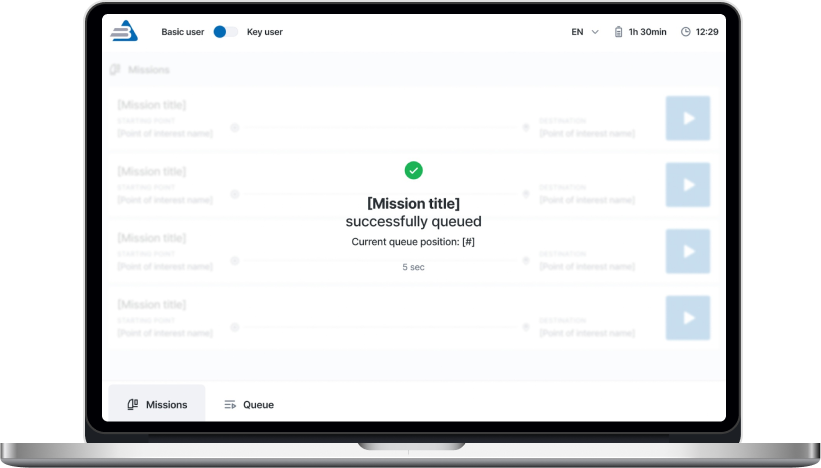
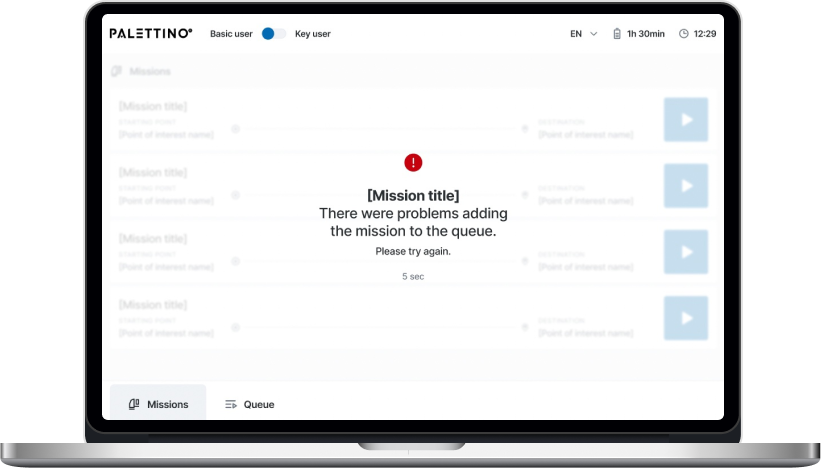
A Key user can add any mission from the list to the queue by clicking the “Play” button. The mission will appear at the last position after a five-second pause, during which the list of missions is locked. Then, the operator will be notified whether queuing the mission was successful or failed.

There are four mission statuses:

  • Active
  • Queued
  • Completed
  • Deleted

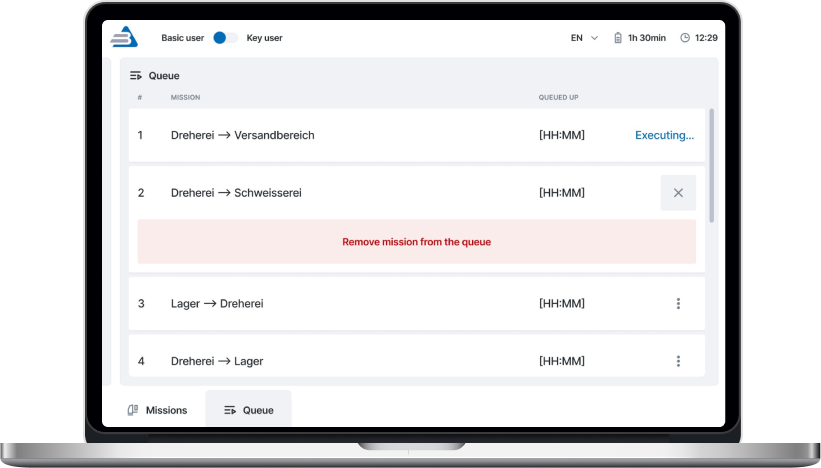
A Key user can remove any missions in the queue except the active ones.

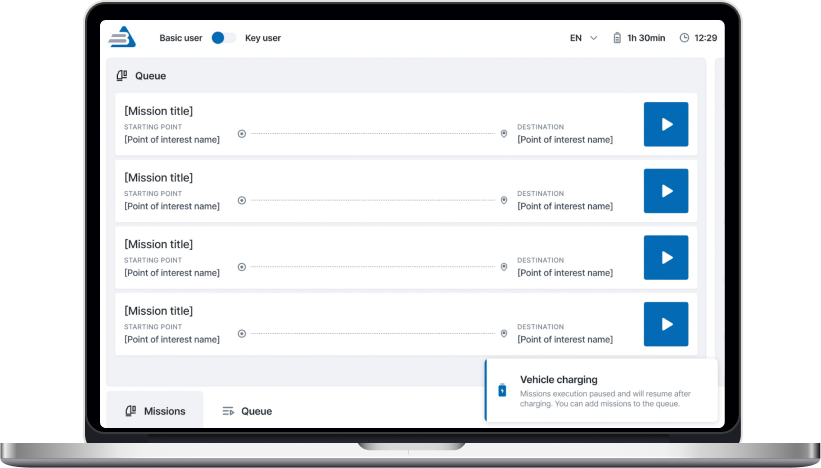
Both Basic and Key users get toast notifications about events related to the robot’s operation. The alert about the robot charging is shown until the process is completed.

The opportunity to pause the robot is available from any application page for both roles.

One of the client’s fundamental requirements was tracking a robot mission in real time, so we set the execution time to update every second.

A Key user can change the order of queued missions.

Mission removal is available for a Key user. They need to click the appropriate menu item and follow the additional action confirmation.

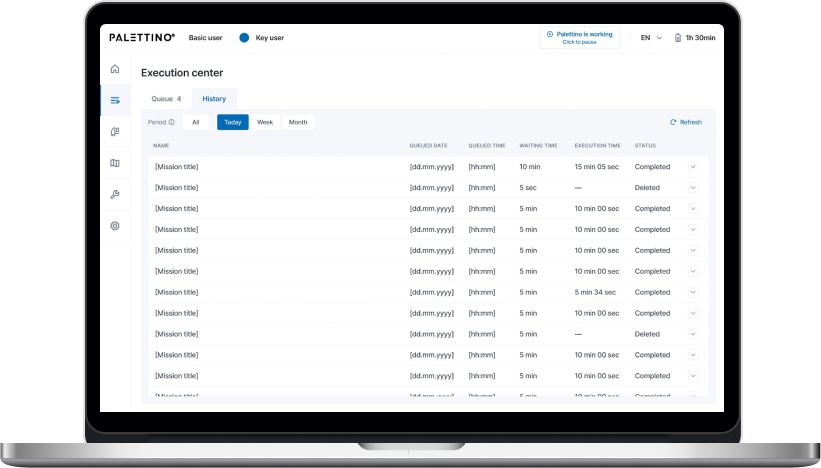
Only a Key user can access the History of missions and filter them by date:

  • Today
  • Week
  • Month

All missions are shown by default.

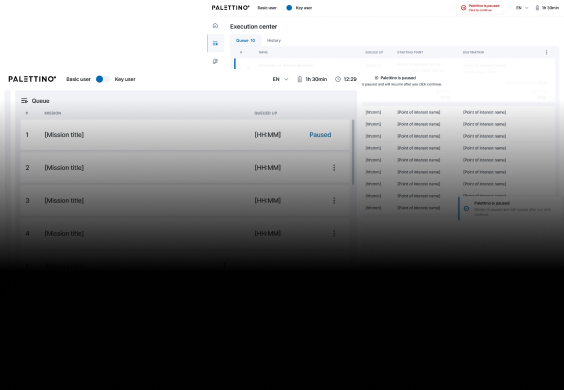
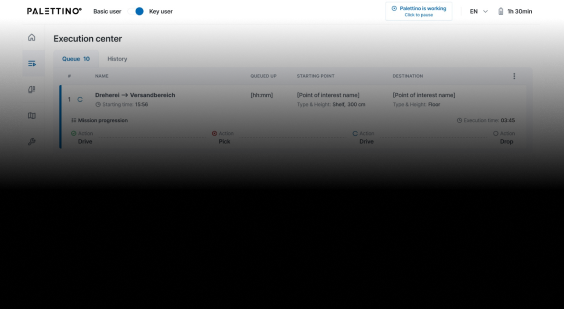
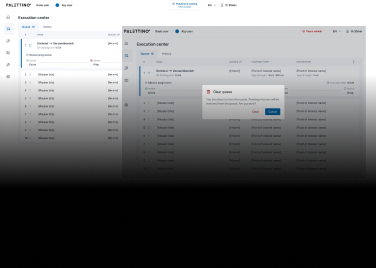
That’s what the clickable prototype looks like.

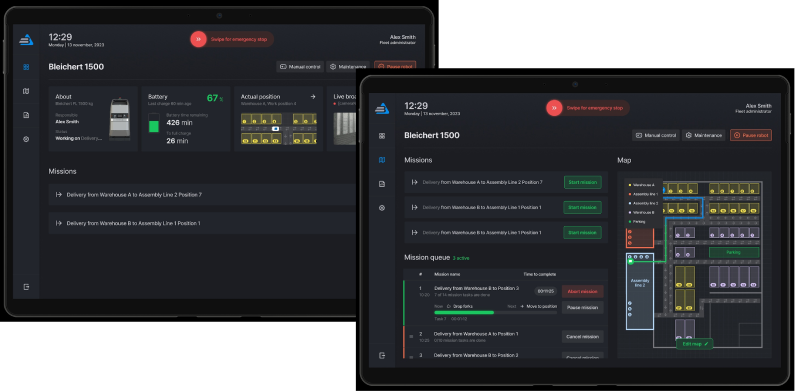
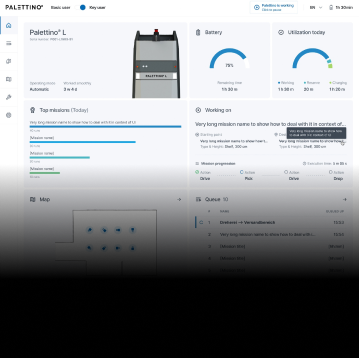
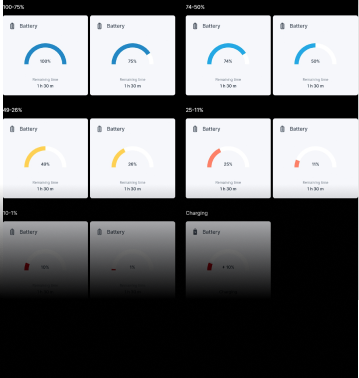
Dashboard for monitoring robot condition

The complex interface wasn’t the only reason the client’s customers considered previous forklift systems not user-friendly enough. They also strived to have simple visualizations of the robot’s status to detect and fix machine maintenance issues before they snowball.

A dashboard with widgets and actual information about the robot’s state empowered users to switch to the ‘danger foreseen is half avoided’ principle and, thus, decrease machinery maintenance costs.

  1. Writing a test emulator for the app

The client’s web app is an example of an embedded solution that strongly depends on the hardware. In such cases, software testing takes a special place in SDLC. There are two ways to perform it:

  • Running the app directly on the robot. However, this was a no-go option, as the client wanted to fine-tune the new model’s sensors before the trade show. Transporting the forklift back and forth between their headquarters in Osterburken and our development hub in Warsaw would totally mess up the project’s timeline.
  • Testing software on an emulator. The client didn’t have an emulated environment that imitates the robot’s behavior, so we offered our help and built it.

As we were working on the emulator ourselves, the increased project scope could have put the *instinctools team in a tight spot, given the strict deadline. However, we managed to deliver the robust version of the app on the dot. Moreover, our emulator served as a temporary substitute for the solution’s service for the robot coordination, making it possible for the client to showcase the trailblazing forklift model at the trade show.

  1. Shaping the post-MVP backlog

Satisfied with the MVP results, the client decided to proceed with our partnership at the post-MVP stage, during which our team will broaden the functionality related to these three areas:

  • User management
  • Mission improvements
  • Mission assignment

Before

  • Complicated app meant for employees with an engineering background
  • Lack of visualization
  • Partly manual control over a forklift robot on-site

After

  • Intuitive app sets new standards in user-friendliness of robotics management software
  • Easy-to-grasp dashboards
  • Fully remote control of the forklift robots

Business value

  • Trailblazing warehouse solution for the SMB segment
  • Highly user-friendly UI suitable for non-technical staff makes the software stand up from the crowd of solutions designed for tech-savvy employees
  • Simplified software support due to a homogeneous tech stack
  • Interface with no more than three clicks to reach any feature
  • Less than 0.4 sec response to the user input
  • Real-time updates of the robot missions
  • Easy-to-use dashboards for tracking a robot’s state
  • Decreased robot maintenance cost thanks to detecting malfunctions before they turn into serious issues

Client’s testimonial

Tech Documentation Management Product

Tech Documentation Management System For Manufacturing

How switching from an outdated DITA-based software to *instinctools’ feature-rich DITAworks helped a Danish enterprise fully digitize tech documentation management, speed up document-related operations by up to 14%, and reduce translation costs by 11%.

Industry:
Manufacturing, Energy

Software Product Development

Enterprise Software Development

Business challenge

Manufacturing organizations must ensure their products are accompanied by technical documentation and then keep an eye on its relevance and updates. At enterprise level, when the number of products and their variations grows to hundreds and even thousands, technical writing and its management become more challenging and the call for a specialized software solution becomes louder.

DITA is one of the well-known standards that can lighten this burden while speeding up the process at a wallet-friendly cost. However, finding ready-made software with suitable functionality among the diverse DITA-powered options out there is almost as unlikely as finding a needle in a haystack. That’s the struggle our client faced.

What is DITA?
DITA is an XML-based open standard to create, edit, manage, and publish large volumes of technical documentation in multiple formats and languages. Thanks to well-developed content reuse mechanisms, this standard facilitates all content-related tasks.
What is DITAworks Webtop?

DITAworks Webtop is a DITA-based multi-processor software product with a solid content reuse mechanism for authoring, managing, and publishing tech documentation. As an enterprise-oriented system with a modular architecture, it’s flexible and highly customizable to meet the needs of companies with mature content structures.

Learn more

A large Danish manufacturer of sophisticated control solutions for decentralized power production has already moved from non-specific software to a single DITA-powered environment for creating technical documentation. However, the client’s 50+ dedicated technical writers and translators quickly found the tool inadequate to cover their needs. What were the critical flaws of their current system?
  • Limited Content Map development functionality
  • Only basic metadata and conditional processing (CP) tags
  • Inflexible search options
  • Underdeveloped management of reusable content elements
  • Inability to work on a single piece of content in isolation without affecting its usage across the whole content system
  • No detailed history view
  • Absence of translation status analyzer

Driven by all these issues, the client started re-investigating the market for an advanced DITA-based software provider. To make sure their future partner could be on par with the highest quality and security standards, the client narrowed down their options to companies compliant with ISO 9001:2015 and ISO 27001:2022 standards. That’s how *instinctools and our DITAworks Webtop showed up on their radar.
Why did they see our product as a top option?
Provides
a safe space for tech writing as a standalone software with secure infrastructure
Remains
flexible and able to fit into the internal ecosystem of any enterprise
Offers
extensive functionality out-of-the-box
Brings
unlimited customization opportunities

What has our team done to turn DITA into a business asset worth investing in and obtain the full value this standard can bring?

Solution

As security is a top priority for enterprises, we provided the client with a standalone DITAworks Webtop application hosted on their own server in the Digital Ocean to ensure the Fort Knox safety of the company’s sensitive data.

The scheme of the app
  1. Advanced DITA content
    migration from the client’s
    former DITA CCMS

The first step our dedicated team took was writing migrators to move the client’s DITA content from their old solution to DITAworks. Simple data migration regardless of the specifics of content organization wasn’t a go-to option, as it requires manual re-sorting afterward.

  • Automated post-migrational content reorganization. We wrote migrators powerful enough to automate map formatting, grouping topics of different types into relevant folders, etc., to speed up the process and eliminate the possibility of human error.
  • Tailored DITAworks’ content hierarchy to the client’s current content structure. It helped smoothen transition to the new system for the staff.

This approach resulted in hurdle-free content migration between the systems.

  1. Out-of-the-box DITAworks’ features that bolstered tech documentation management right away

As DITAworks grants extensive functionality off the shelf, its adoption helped the client fine-tune their content-related processes right from the start even before tapping into bespoke advantages brought on by custom features.

Glitch-free topic editing

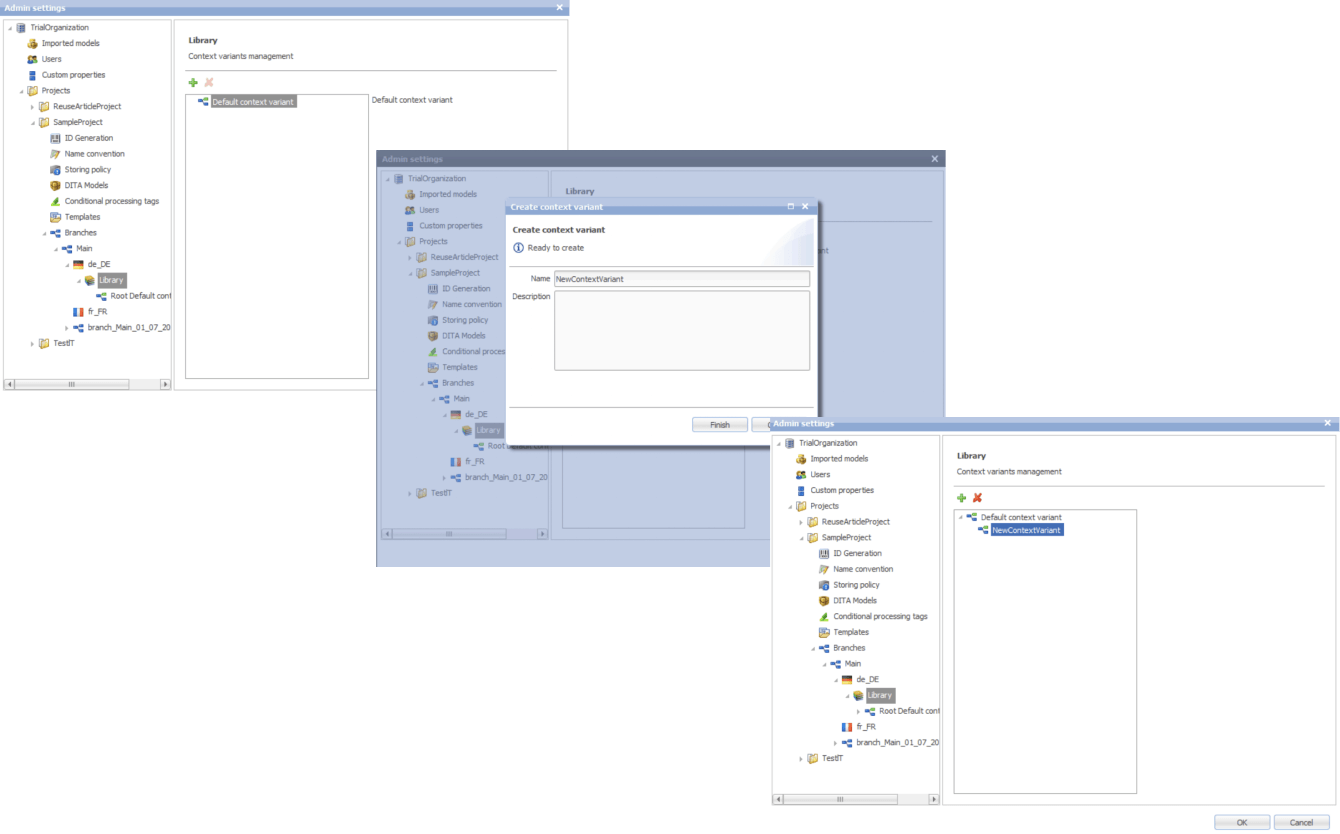
DITAworks uses an up-to-date oXygen™ XML editor whereas the client’s previous system ran on the obsolete and ill-performing oXygen™ Applet, leading to constant lags in topic editing. Switching to DITAworks solved this issue and unlocked flawless access to the editing functionality for authors and reviewers.

What is oXygen™ XML editor?

oXygen™ is a multi-platform collaborative tool for creating and editing XML files, validating their structure, etc. It supports single-source publishing and allows users to produce XML content in multiple formats (PDF, HTML, Web Help, XHTML, EPUB, etc.).

Rapid publishing speed

Unlike other single-processor DITA-based products, DITAworks supports various DITA processors for content publishing by default, empowering users to control the publishing speed. Our client leveraged two processors:

  • DITA Open Toolkit for 90% of their tech documentation, which didn’t require immediate publishing.
  • DITA XMLmind for the remaining 10% that had to be published in less than one second.

To set the processor for a particular piece of content, authors just need to choose one from the drop-down menu in the pre-publishing configuration.

Extensive range of reusable elements

Reusability is a linchpin of any DITA-based software, and the diversity of the reusable elements directly impacts the speed of creating, translating, and publishing tech documentation. In the client’s original system, there were only two basic types of reusable components – text block and text template.

After adopting DITAworks Webtop, authors and translators gained access to a plethora of reusable elements:

  • Keywords
  • Blocks of text
  • Text template
  • Topics
  • Map components
  • Context text block
  • Context variable

Moreover, we extended the range of actions users can take regarding the reusable entities. Besides adding new components, editing the existing ones, and deleting them, it became possible to redefine the meaning of the current context.

This feature comes in handy when the staff need to work on a specific piece of content without affecting its other use cases across the whole system.

Another detail about our reuse approach that made DITAworks a more user-friendly product than the client’s former system was using indirect links instead of relative ones to provide  a path not to an object, but to its key. This way, users don’t have to worry about the links’ integrity when moving objects.

Advanced search functionality and metadata customization

The full power of reusability can’t be achieved without comprehensive search features, and this was another weak point in the client’s old software – it didn’t allow a full-text search.

Conversely, DITAworks offered broad search capabilities out of the box:

  • By title
  • By full-text
  • By phrase
  • By CP tag
  • By metadata

The last point was a treasure trove for the client as it went beyond the basic topic title and type (concept, task, reference, etc.). DITAworks relies on the taxonomy framework and allows indexing any metadata and using it for search at any system level.

What is taxonomy?

In software product development, taxonomy is a hierarchical classification of the product elements that streamlines data organization in a logical order and, by doing that, levels up search capabilities within the system.

Our client applied this feature for tagging specific product-related topics, as the range of the solutions they produce varies from control devices for decentralized power production to the ones for marine and wind turbines. As the DITAworks’ search engine indexed all the custom meta tags, such an approach simplified finding data on thousands of products.

Unlimited customization of CP tags

Any DITA-based software has in-built conditional processing (CP) tags. However, not every solution makes them easy to use. For example, to operate on the client’s former system, users needed a basic knowledge of XML to create a custom CP tag. Moreover, as the process was manual and authors wrote tags by themselves, the likelihood of human error remained high, affecting the accuracy of tech documentation management.

DITAworks’ adoption helped the client: 

  • Create custom tags without XML knowledge
  • Automate tagging if a CP tag already exists in the system
  • Eliminate human-related errors
  1. Custom DITAworks’ features
    tailored to the client’s needs

Custom functionality is usually the point of the utmost importance, especially for enterprises. Therefore, DITAworks is designed around the idea of boundless adaptability of the product. The *instinctools team crafts various functionality sets to meet the needs of any enterprise client by connecting or disconnecting numerous plugins to the off-the-box DITAworks version. Let’s see how custom modifications have opened the door to a multitude of tailored benefits for the client’s tech documentation management.

Map development

Creating content maps and managing the content tree are tricky day-to-day tasks enterprises have to deal with. Therefore, extensive map development functionality is one of the vital criteria for companies choosing between different DITA-based products. That was the same for our client, who had a highly sophisticated content tree.

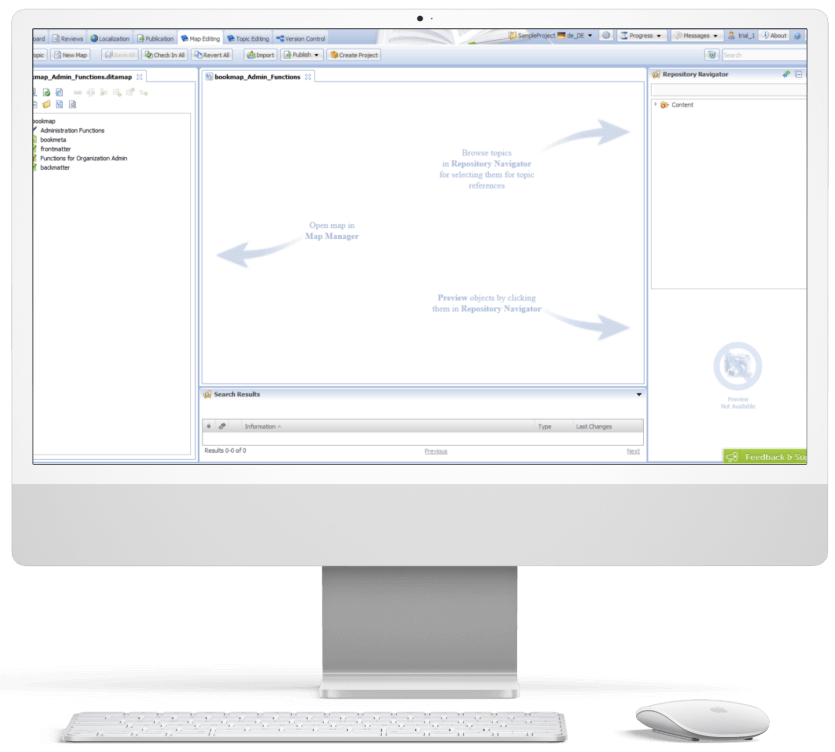
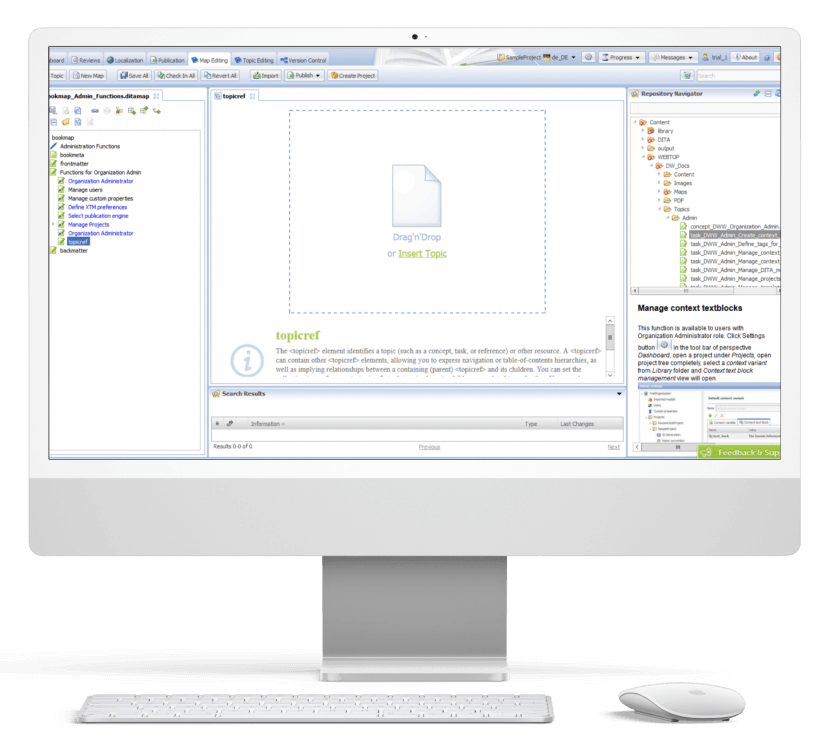
DITAworks Webtop enables multifunctional map creation and editing. Users can access different functions directly from the map editing menu instead of switching to a separate tab.

  • Map structure editing. Thanks to the interactive interface, the client’s employees can change the map structure quickly and easily in the left section with the content tree. They just need to drag any element and drop it wherever they want.
  • Topic editing is central. Here users can check the content in the preview and proceed to editing.
  • Search. On the right side, there is a repository navigator with a search bar to simplify browsing topics and linking them with the maps.
  • Conditional processing can be used on the level of the topic, map, or their units. For example, an author can assign a specific CP tag to a map unit and then leverage it for filtering.

Custom versioning

Transparency and the ability to dive deep into every piece of content were the client’s top requirements for the new system, so we honed DITAworks’ versioning functionality to match these needs.

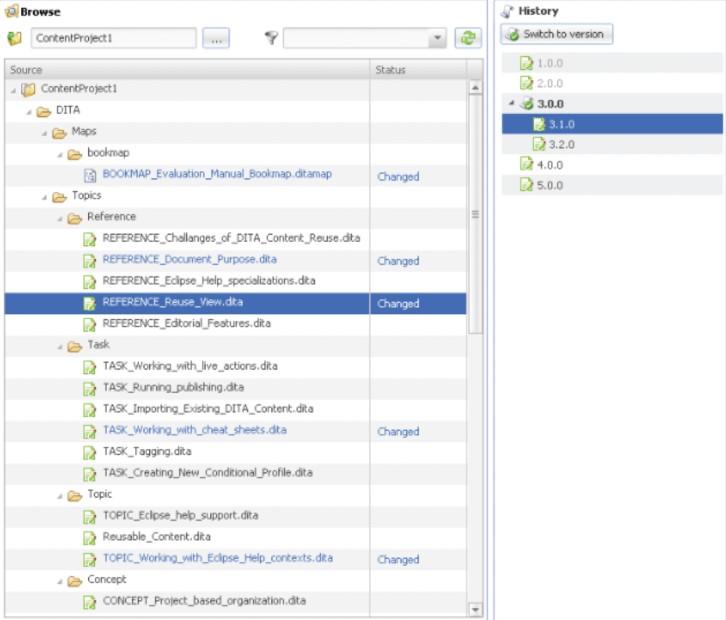
Advanced History View. In their former system, the client could see only the latest version of the documents, which failed to bring much-coveted visibility into the changes made to the files.

In DITAworks Webtop, every document check-in is tracked and leads to creating a new version (revision) of the file. Authors, translators, and administrators can:

  • See all the document versions
  • Compare the current version with any of the previous ones
  • Select any version of the document and restore it

Flexible current working context settings. One of our client’s specific requirements came from their mature content structure with its multi-level hierarchy. In addition, the company organized the work of authors, translators, and administrators in a way that aimed to collect topic-specific content in one place and reduce cross-linking between different levels, and DITAworks had to be tailored to this workflow.

Therefore, specifically for the client, we developed a ‘Dive into’ functionality that allowed users to set any folder as a root in the current working context, making folders outside this folder temporarily inaccessible through the search and repository navigator. This feature freed the staff from the constant hurdle of re-opening folder-in-a-folder-in-a-folder when operating in the same working context for a long period of time.

Ability to work on an isolated piece of content

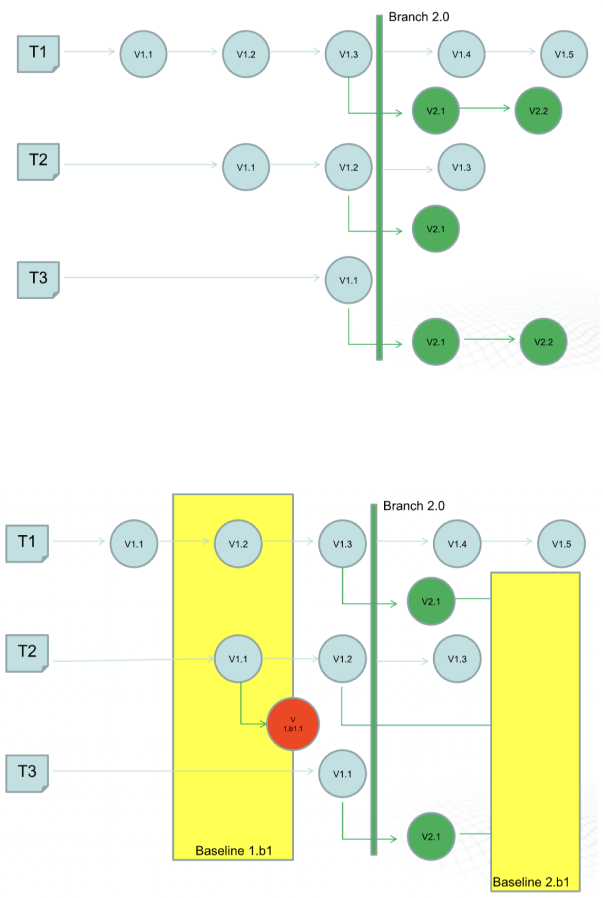
The next feature that was initially created for our Danish client and then became out-of-the-box was intelligent custom versioning with branch and baseline management. This functionality allowed users to work with an isolated piece of content without affecting the whole content structure.

  • Branching for parallel translation tasks. Our client supports tech documentation in multiple languages. The standard ones, aside from English, are French and the CKJ group (Chinese, Korean, Japanese). Working with a wide range of languages within one operating context would have been inconvenient for translators and could have caused unwanted changes in the root content.

    With branching, each user could work independently without affecting the root content. They could create a copy of a parent folder with all the documents in the master language with meta tags and after finishing the translation merge it with the initial folder.
  • Baseline for minor edits. As a lightweight version of a branch, the baseline offers users a copy of the content indexes. It is enough to make slight changes, such as correct misspellings.

Translation analyzer

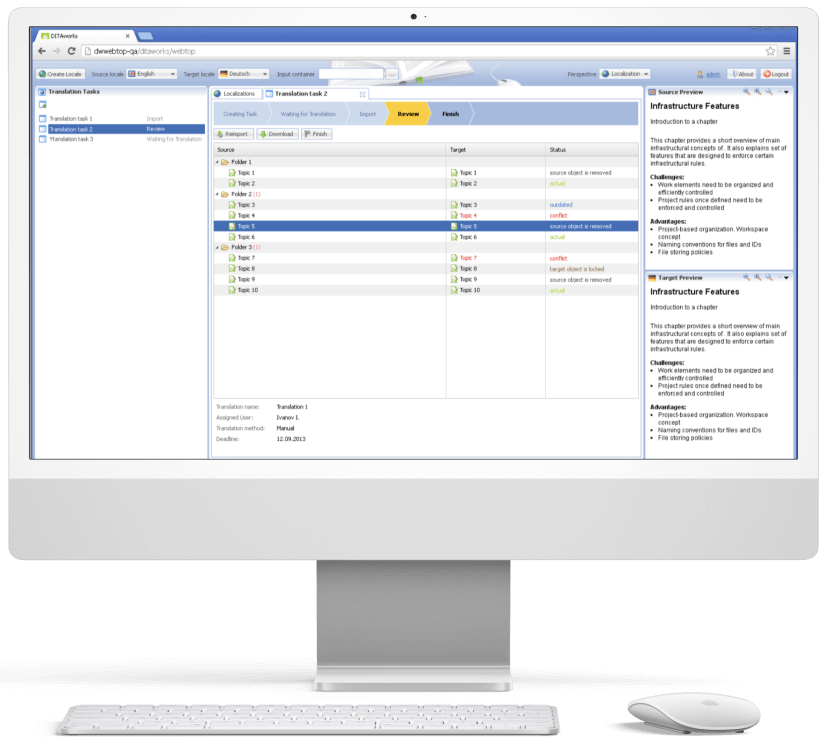
Tracking translations’ status is just as important as creating tech documentation, and the translation analyzer is the component of DITAworks that covers this task. It’s a table with checkboxes for selecting files for translation. For example, users can pick only one project and leave the rest untranslated.

When a user creates a translation, the system automatically links it with the document in the master language. It’s necessary for tracking content changes and getting translation status updates in near real-time.

  1. Release management

After enriching the out-of-the-box product with a range of custom features, the *instinctools team integrated DITAworks Webtop with the client’s website for direct content publishing. Such a connection allowed the client to provide their customers with the most relevant and accurate documentation.

  1. Conducting staff training

Before rolling out the DITAworks, our team ran training sessions for the client’s employees to ensure they could leverage the software’s capabilities to the fullest. All the sessions were recorded, laying the foundation for the client’s DITAworks knowledge base and nurturing in-house expertise.

The response to the new powerful product has been very positive, and many newly trained tech writers, translators, and managers have become advocates for the system.

Before

  • Underdigitized technical documentation creation and management process
  • Weak content reuse mechanisms
  • Lack of history view and in-depth version control
  • Poor search and conditional processing functionality
  • Impossibility to work on a piece of content without affecting the whole content ecosystem
  • Tight limitations of the working context
  • Human errors in CP tags due to manual input

After

  • Fully digitized technical documentation creation and management process
  • Advanced history view with transparent version control
  • Broad search capabilities
  • Limitless metadata and CP tags customization
  • Ability to work on an isolated piece of content
  • Flexible current working context settings
  • Automated management of CP tags

Client’s testimonial

Here’s how the company’s CTO evaluates the project outcomes:

Business value

  • Complete digitization of authoring, managing, and publishing tech documentation
  • Custom product tailored to the company’s specific document management workflow
  • Reduced document creation time by up to 14%
  • Cut back on translation costs by 11%
  • Minimized possibility of a human error

Multiplier effect

The adoption of DITA-based software attracts the companies thanks to well-honed, accelerated, and budget-friendly tech documentation management. However, according to our observations, many organizations still use non-specific software such as MS Word, and business owners tend to see switching to the dedicated tech documentation management system as a major head-scratcher. It’s truly one of the trickiest tasks.

Nevertheless, booming AI technologies play their part – converting Word content into a DITA-ready format no longer needs to be done manually. It can be covered by artificial intelligence. Instinctools is also leading the pack and constantly bolstering DITAworks’ functionality with forefront technologies to simplify and speed up the data migration process while perfecting its accuracy and security.

Product Design For Intelligent Lighting

Product Design For a World Class Leader In Intelligent Lighting

How replacing an outdated 924 touch panel with a brand-new digital lighting control in just three months helped a manufacturing company expand its market reach.

Business
challenge

Being among the industry leaders doesn’t mean resting on your laurels is an option. On the contrary, it goes hand in hand with the necessity to keep looking for new paths and rapidly providing innovations to secure the top position. That’s why we were approached by Helvar — a company that crafts smart and sustainable environments with AI-powered energy-saving lighting control solutions.

They already had physical controllers for intelligent lighting with pre-configured and adjustable lighting scenes and software for lighting management in a particular room. Even with this, Helvar wanted to raise the bar higher and create a product that had never been on the global market before.

The client had an idea of a digital solution for centralized and local lighting that could be controlled and configured from a tablet. Moreover, the application interface on the device had to allow for unlimited customization in functions and looks.

Such a product would enable enterprises with large-scale physical facilities to step away from the traditional smart lighting with cables and switches. The digital approach would help reduce lighting wiring and maintenance costs that can become a sizable chunk of the budget for facilities with 100+ rooms.

For Helvar, the new product would strengthen the company’s leading position in the market and will help attract businesses with sizable physical facilities, such as hotels, hospitals, etc. to more efficiently fulfill their lighting needs.

What products did Helvar use to leverage, and why were they insufficient?

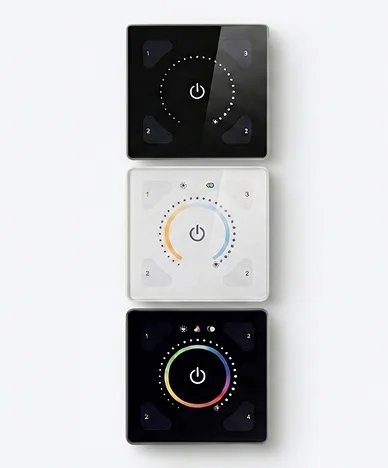
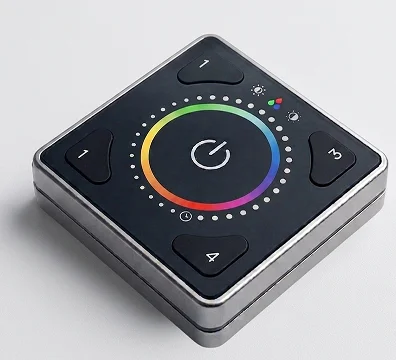
Illustris

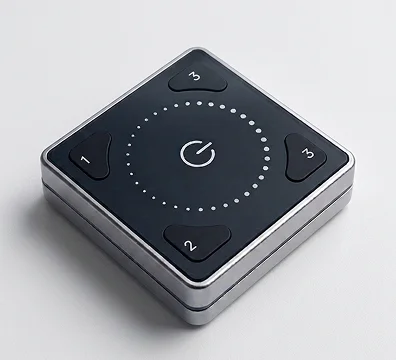
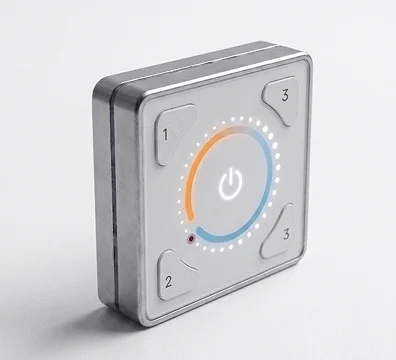
It’s a physical controller for individual room lighting control managed from a mobile application. However, its functionality was limited to changing light temperature, color, and intensity.

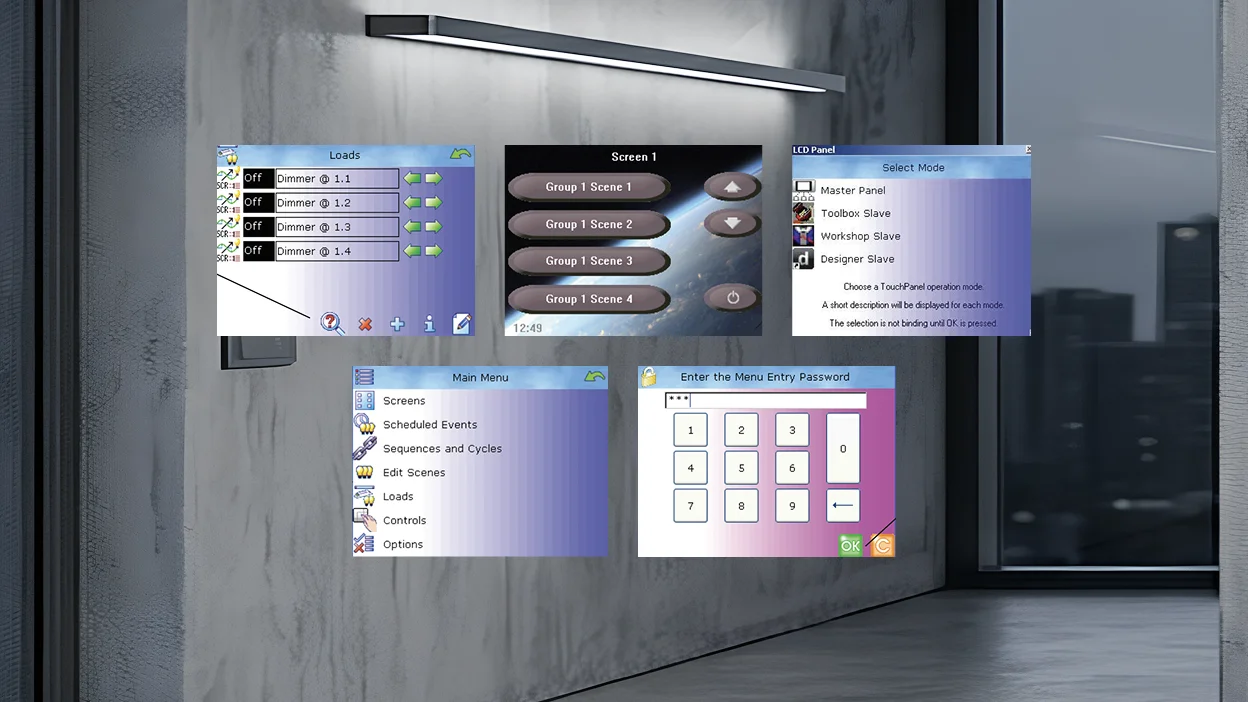
924 touch panel

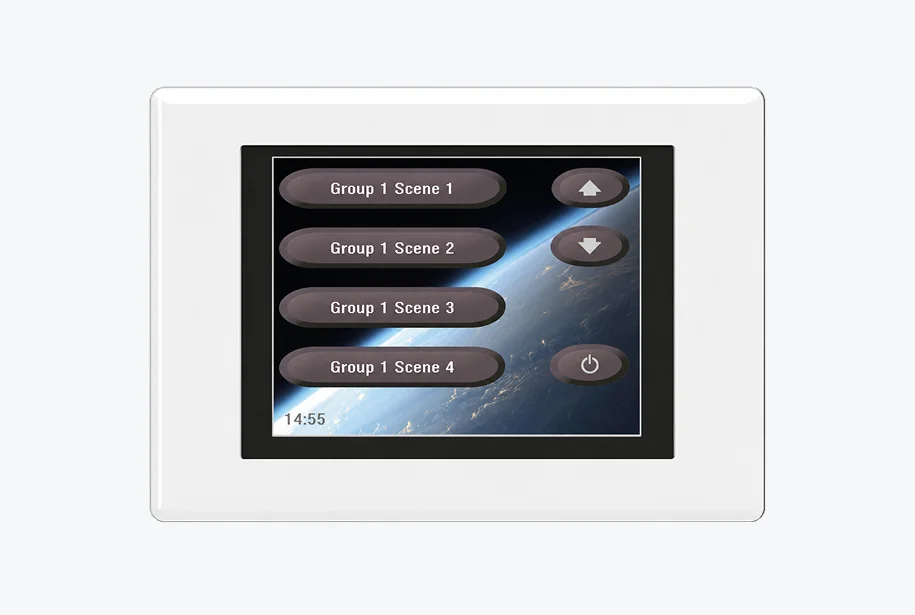
A solution for advanced lighting control with pre-configured and adjustable lighting scenes sounds great, but there was a nuance. It was released in 2013 and had outdated UX/UI and needed to be managed by remote control.

Even if the client married the Illustris design with the 924 touch panel’s functionality, they wouldn’t get the product they had on their mind. Helvar was after a brand-new solution and already had a vision of its parts:

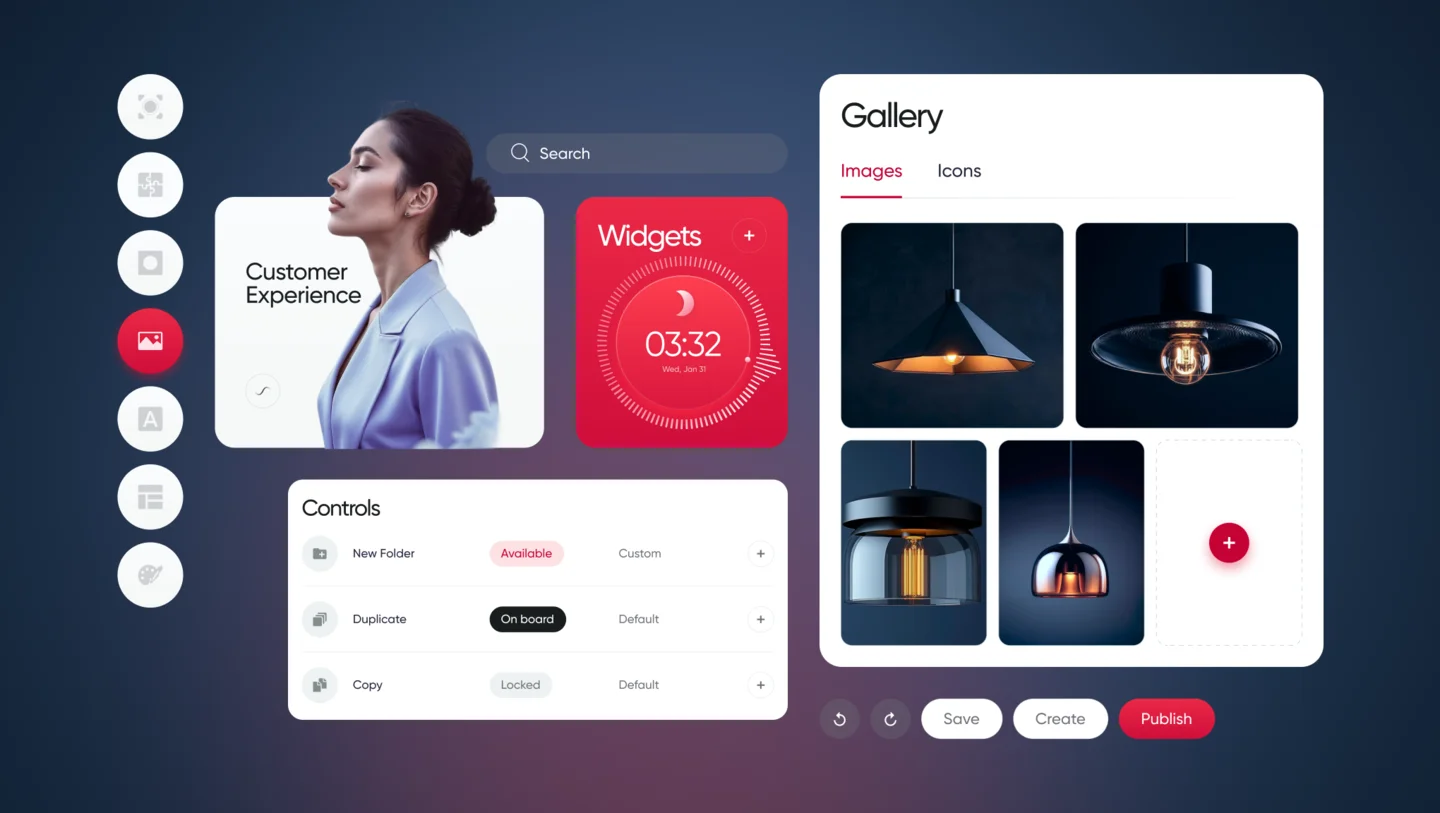
Web Application

A web application to generate a building plan and create a library of interfaces for lighting control in each room of a building (selecting button functions, widgets, etc.). This data becomes UI files, which are then used in an Android application.

Android App

The Android app for a tablet placed in each room to allow end users to fine-tune the lighting to their needs.

The client had only an idea of the lighting control applications, and they needed our comprehensive software product design services to build a truly resilient solution with an intuitive, yet feature-rich interface and unlimited customization options.

What head-
scratchers did
we face?

Designing
two separate applications for
different groups of end users

The client needed the web application for Helvar employees (“Engineers”) to create interfaces for high-level lighting control and switching between various lighting scenarios, and the Android app for Helvar’s clients (“End users”) to customize the lighting in a separate location. 

Creating
a well-thought-out UI manager and
UI editor to make lighting control a
breeze

The client needed the web application for Helvar employees (“Engineers”) to create interfaces for high-level lighting control and switching between various lighting scenarios, and the Android app for Helvar’s clients (“End users”) to customize the lighting in a separate location. 

Striking the balance
between user-friendliness and
cost efficiency when mapping a building plan in the apps

The client needed the web application for Helvar employees (“Engineers”) to create interfaces for high-level lighting control and switching between various lighting scenarios, and the Android app for Helvar’s clients (“End users”) to customize the lighting in a separate location. 

Delivering
an additional condition that
made the task more challenging
was moving at pace

The client needed the web application for Helvar employees (“Engineers”) to create interfaces for high-level lighting control and switching between various lighting scenarios, and the Android app for Helvar’s clients (“End users”) to customize the lighting in a separate location. 

Solution

As with any product design project, we moved according to our battle-tested software product design process to make Helvar’s solution a market success. Here is what we encountered at each stage.

01

Project setup

Instinctools is praised by its customers for a methodology-agnostic approach and the ability to adjust to any client’s requirements. In the case of Helvar, the product owner insisted on daily syncs to ensure all the stakeholders and the design team were kept in the loop. 

We readily met this condition and worked in small iterations providing the client with fully functional interactive prototypes to address any concerns straight away and ensure the final design would pass the validation seamlessly. Speaking about the amount of work we’ve carried out, our design team prepared 40+ layouts in InVision.

During the project setup, we discussed the initial design concept the client had beforehand and determined the app’s usage contexts: 

  • Boardrooms and a reception area in an office building
  • Patient rooms and a reception area in a hospital
  • Suites and a reception area in a hotel or cruise ship

As Helvar's engineers were supposed to create UI files in the web application and then send them to the Android app where end users could operate with them, we started with the web solution. 

02

Research
and concept

At this stage, we reviewed the groundwork the client has done before reaching out to *instinctools.
For instance, they’d already had early design concepts based on the design of their other product — Illustris.

ILLUSTRIS 191GB
ILLUSTRIS 192PW
ILLUSTRIS 193PB

The client wanted to reuse the logic of the existing solution when crafting a future-proof digital touch panel with top-notch UX.

Still, the new lighting control solution required a more up-to-date design and customizable functionality to serve in buildings with hundreds of various spaces.

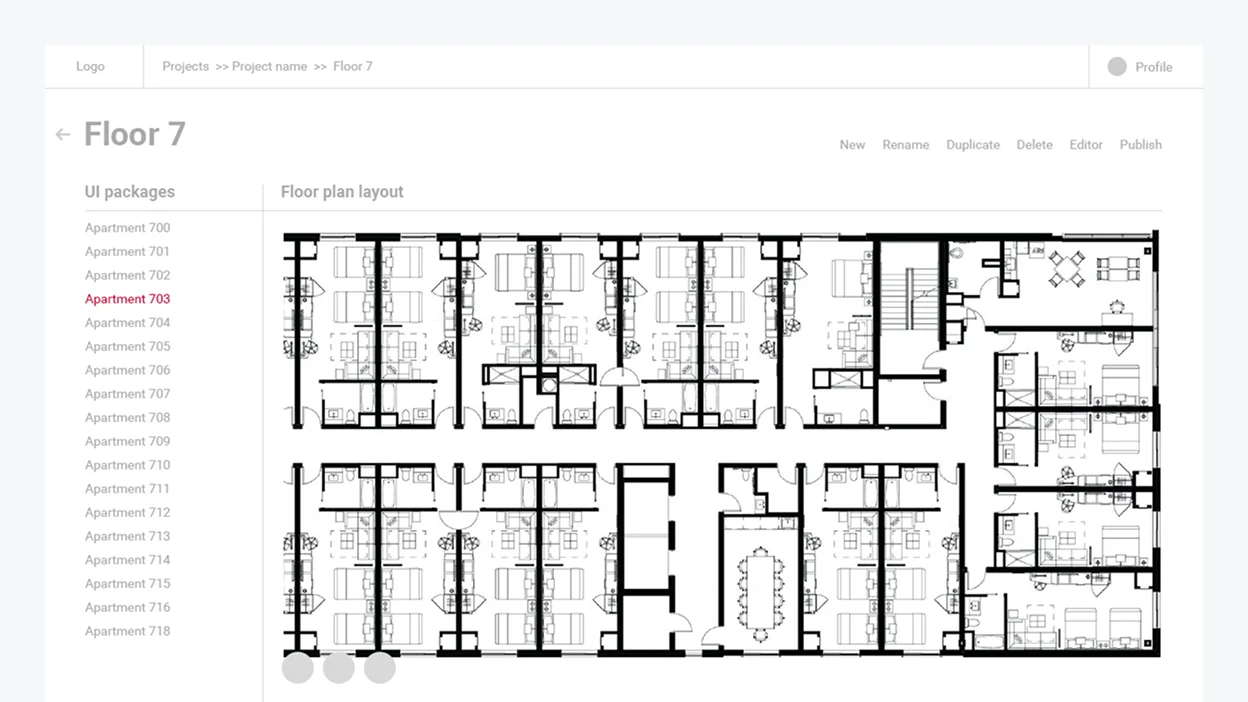
Implementing a building plan was a prerequisite for providing an easy-to-grasp lighting control. Because of this, we had to figure out the best way to put it in the application’s interface. At first, our team discussed making a detailed plan for the whole building. 

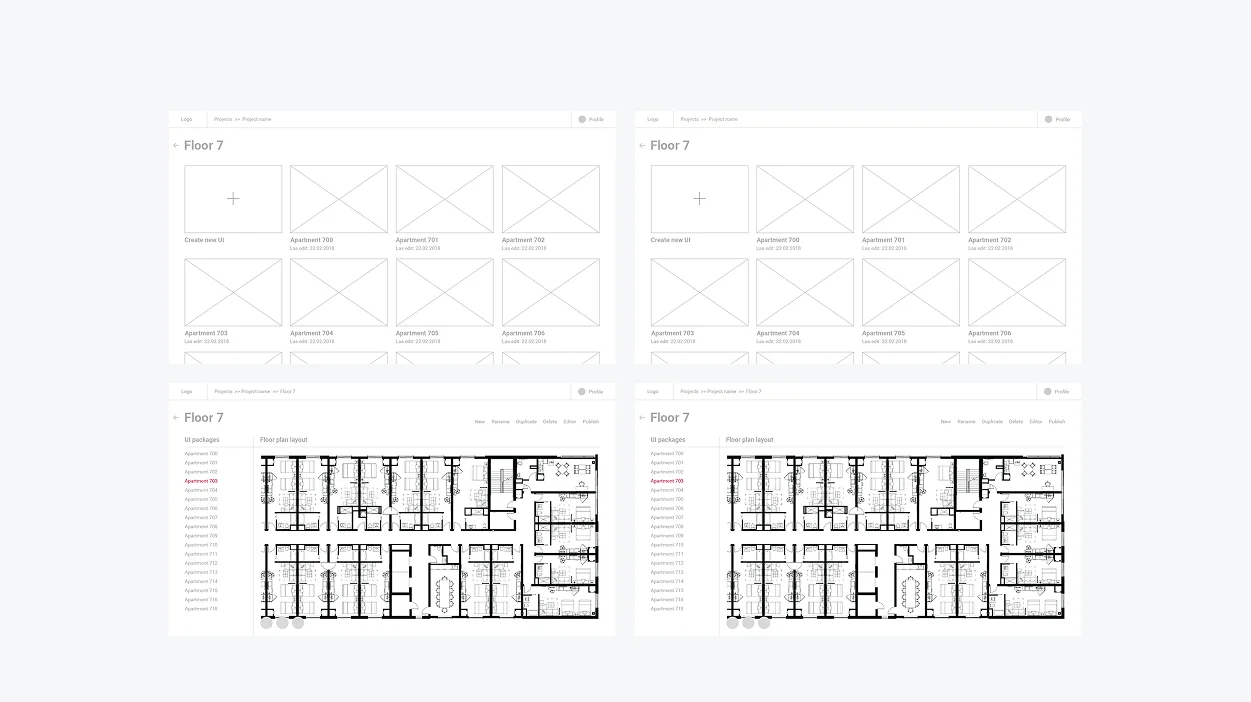
Nonetheless, such an over-elaborate scheme required more time, effort, and investment from the development standpoint. So we devised a more sleek solution and suggested organizing a building into folders by floor and individual room with UI files for each locale.

03

Wireframing

Here is an illustration of how the idea of folders was implemented at the wireframing stage.

Next, we moved to designing solution components – UI manager and UI editor.

04

Visual design
and development

We had to provide Helvar’s employees and end users of the lighting solution with clear and customizable digital tools. So our team came up with the idea of a UI Manager and UI Editor. But while we could leverage Helvar’s existing products, such as Illustris and the 924 touch panel for the Editor, the UI Manager had to be designed from scratch.
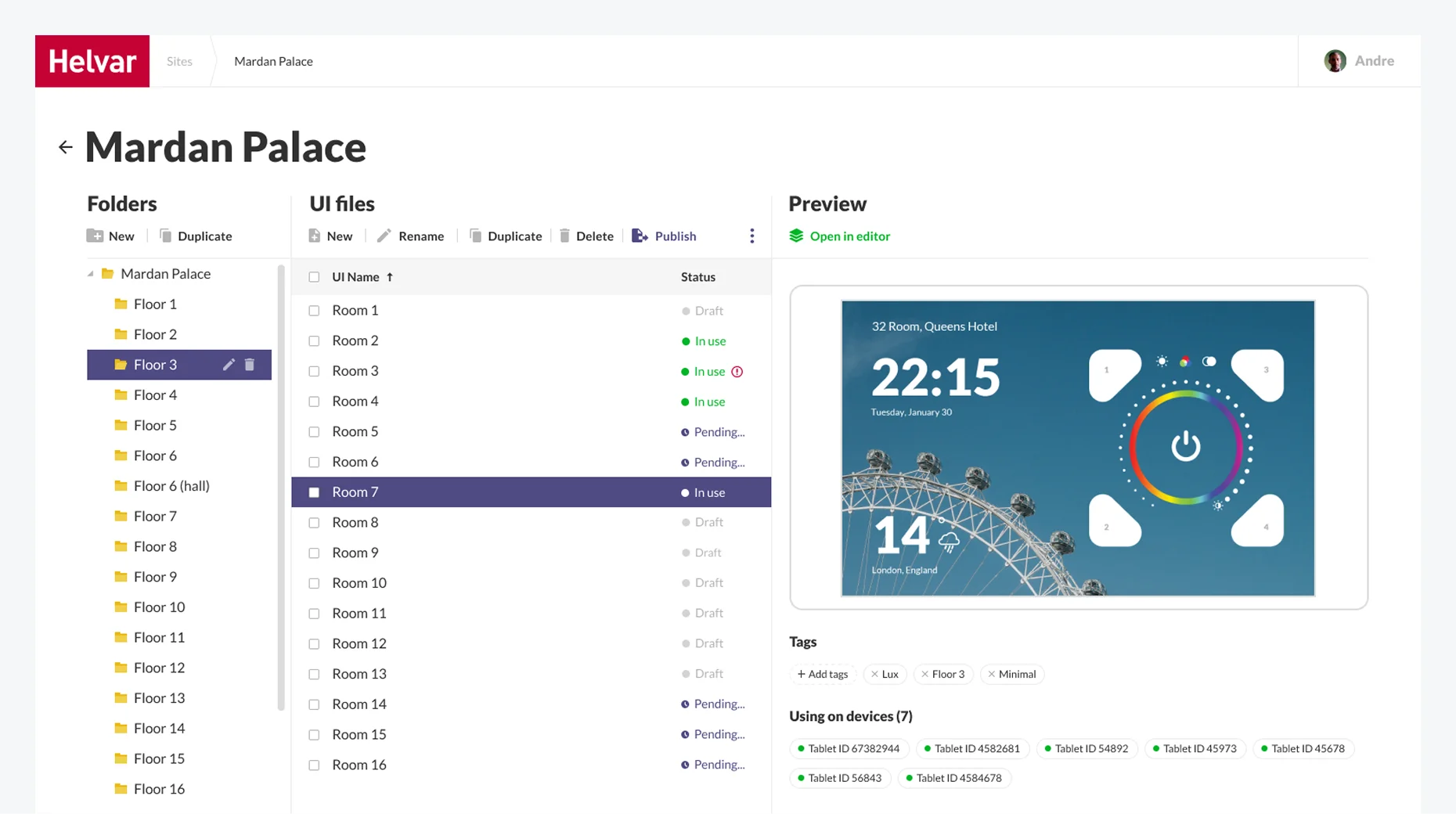
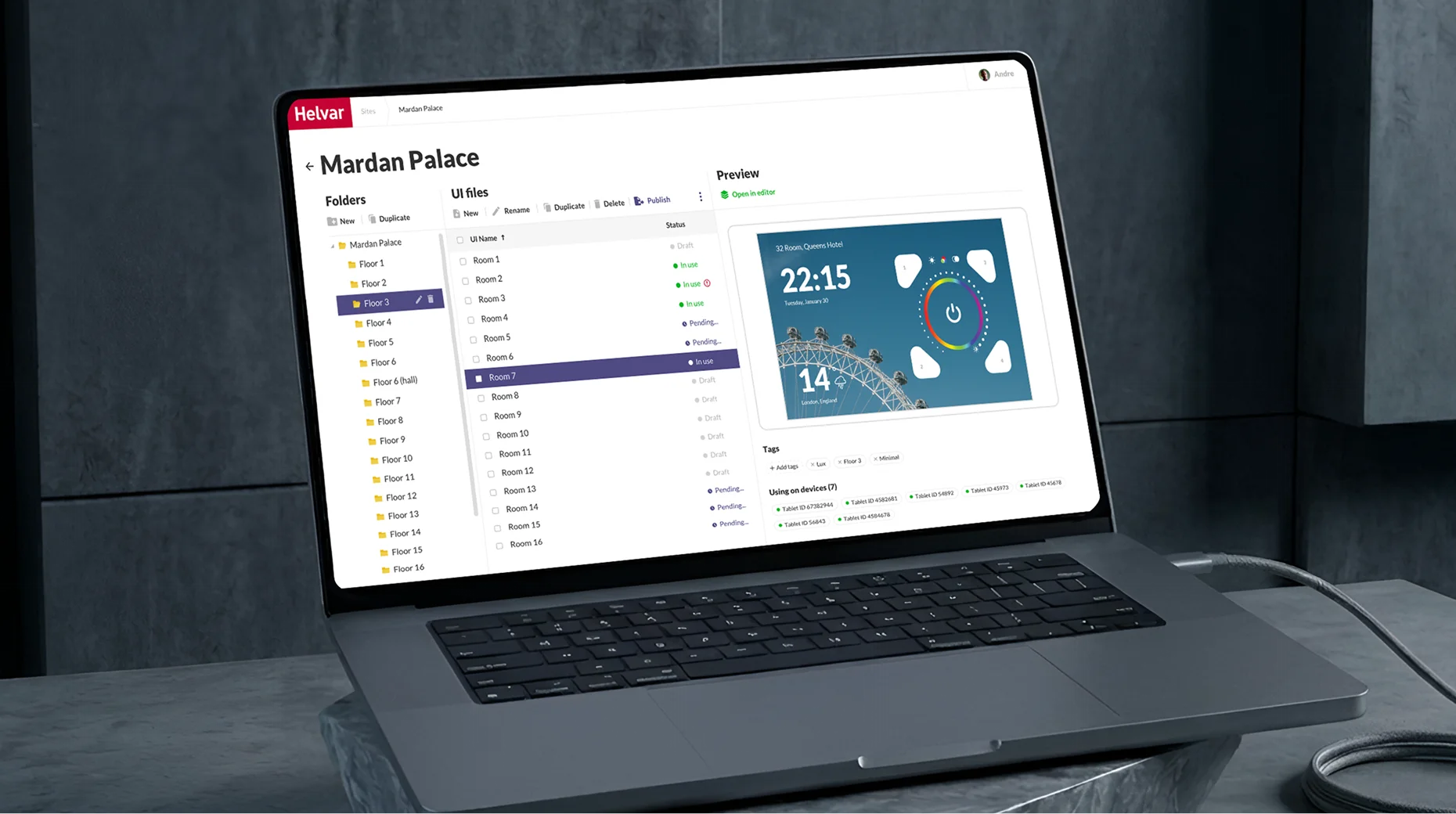
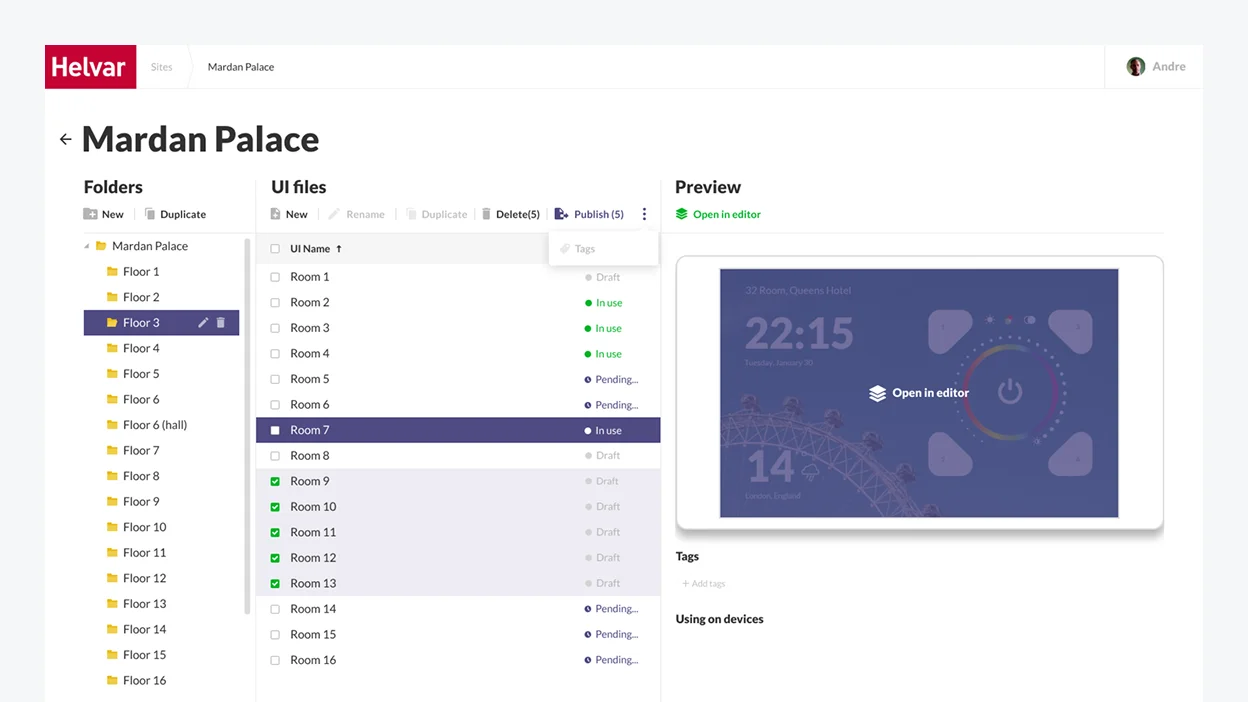
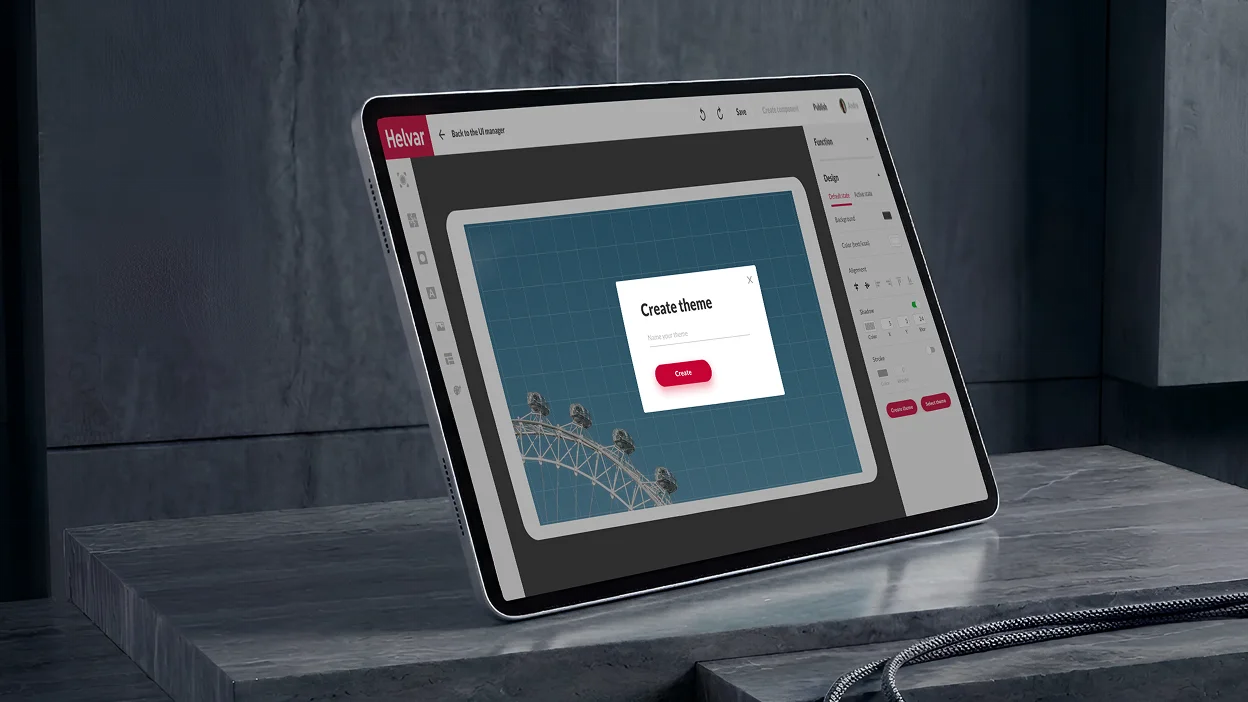
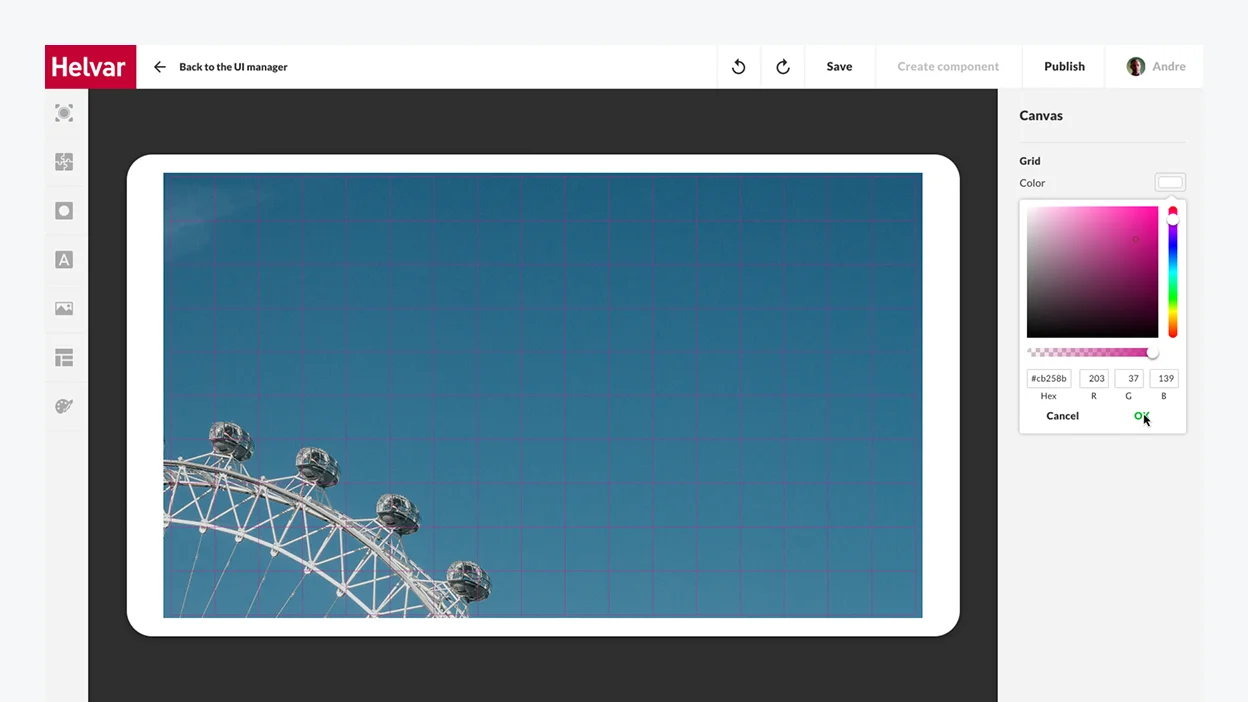
UI Manager

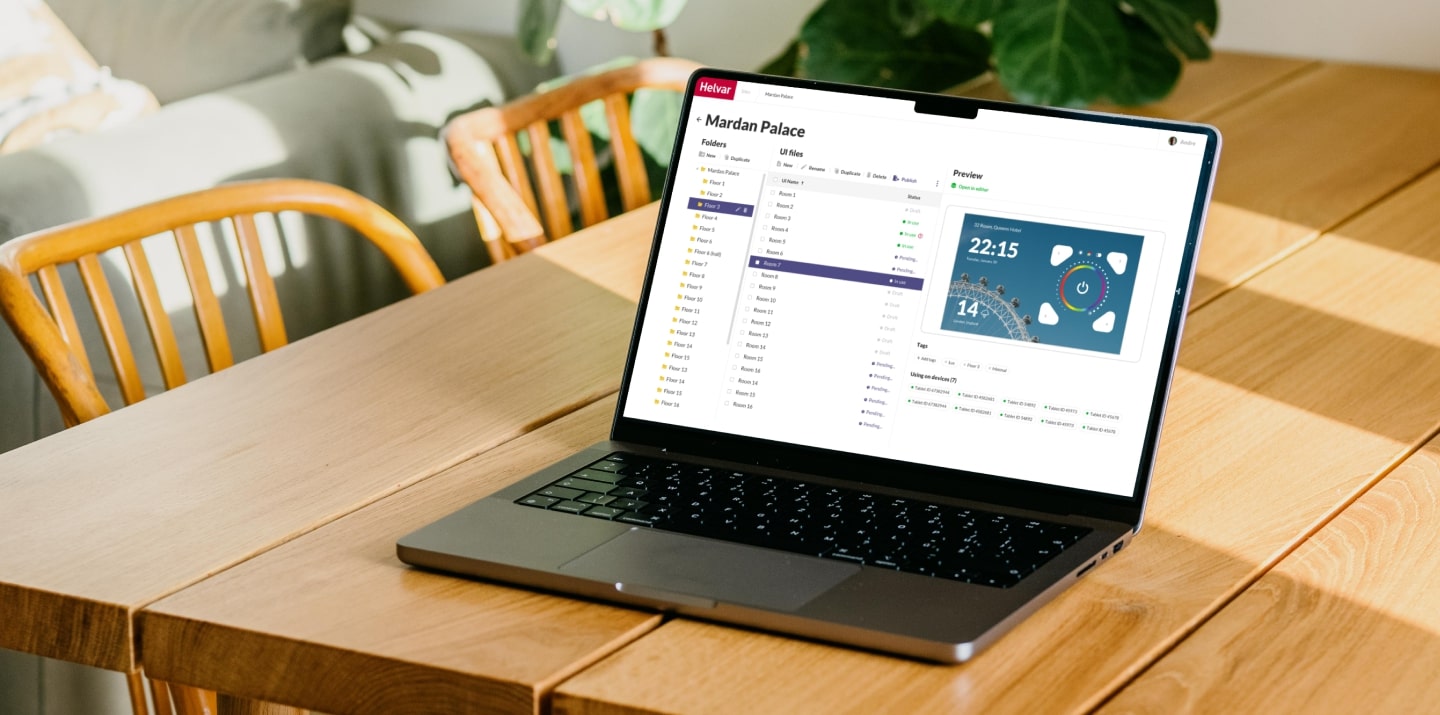
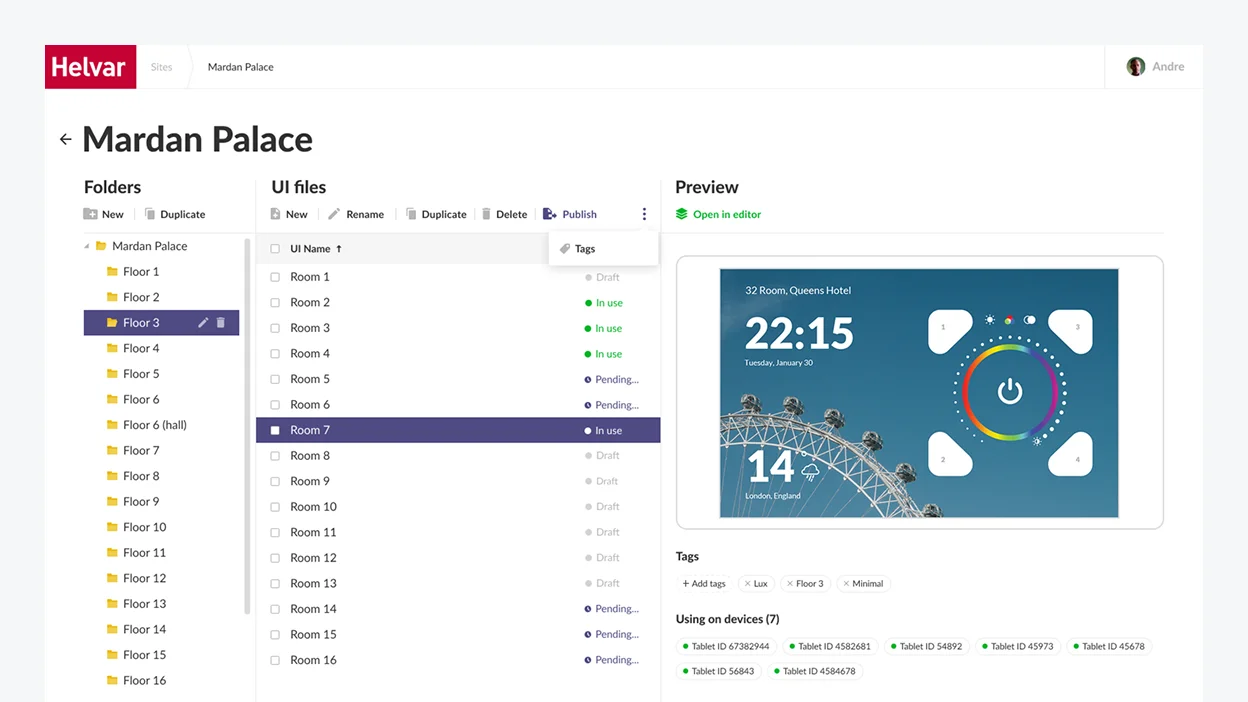
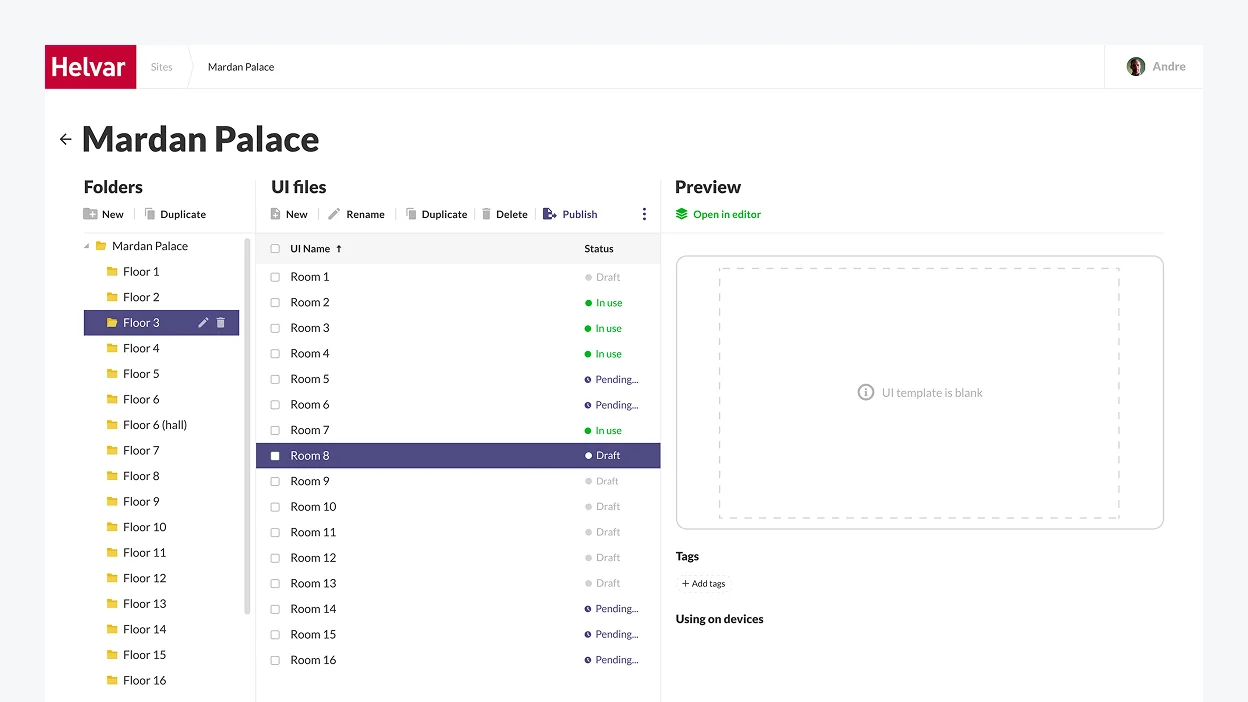
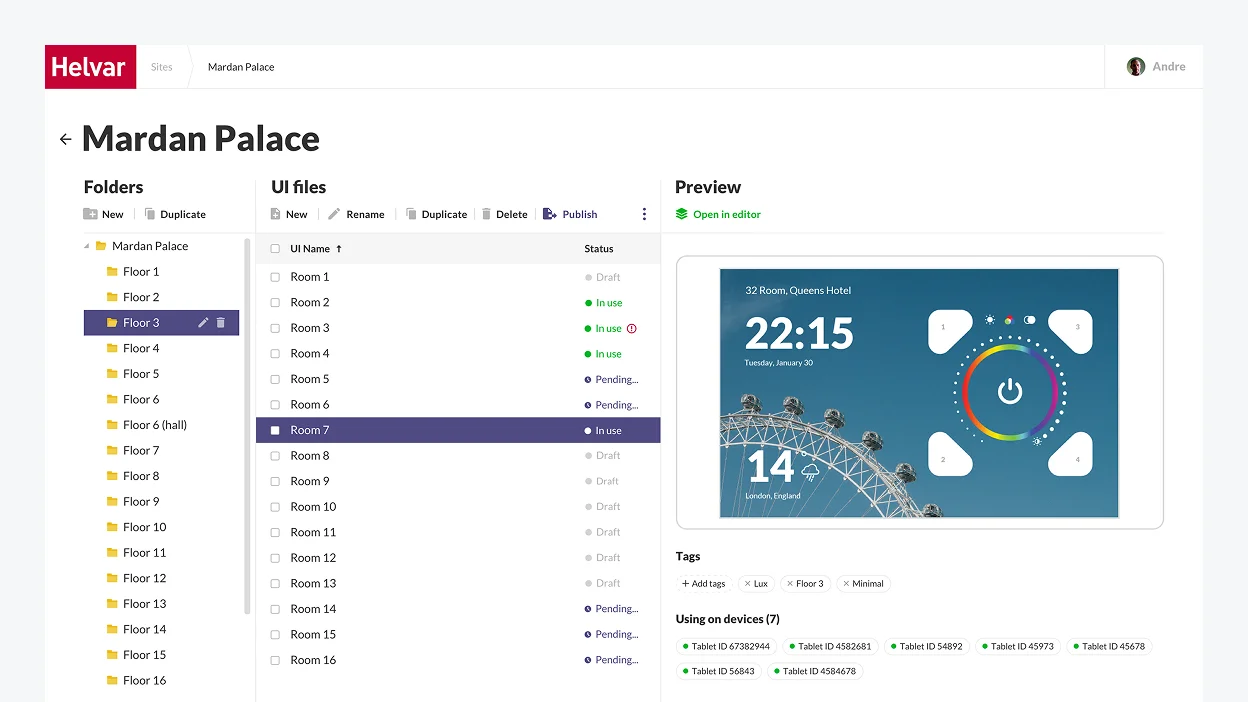
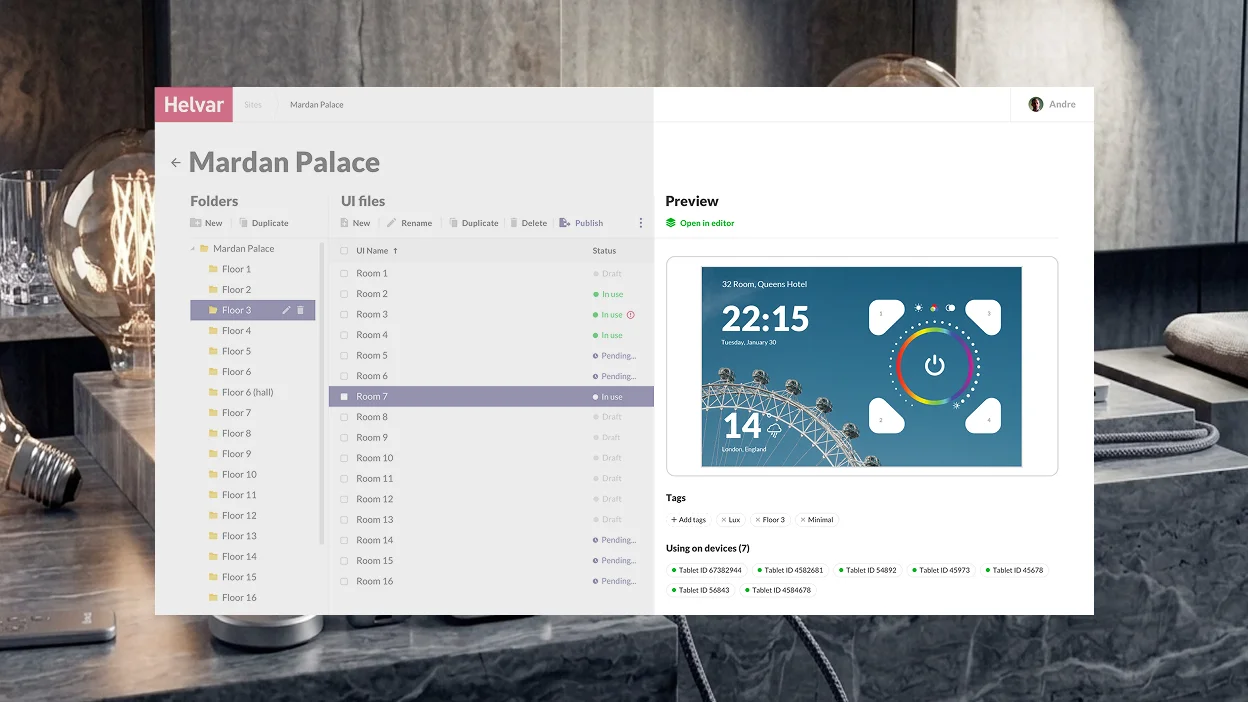
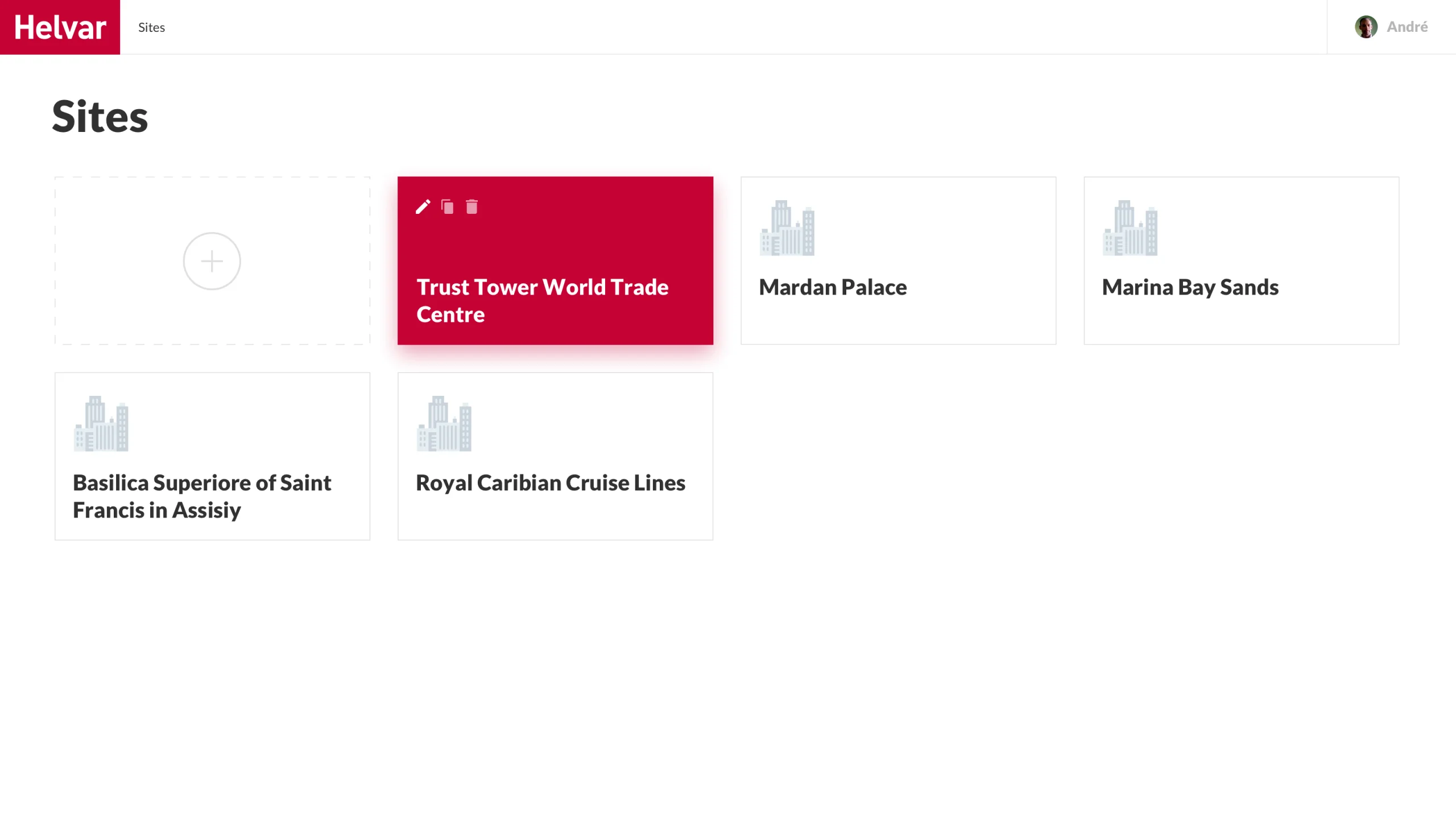
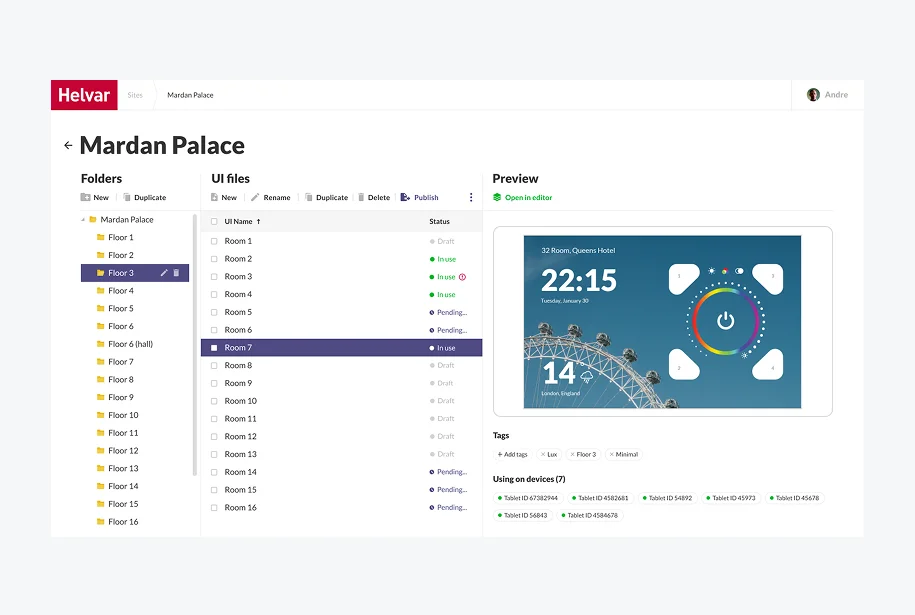
The UI Manager is a part of the web application for engineers where Helvar’s staff creates a folder structure corresponding to a real building.

We suggested adding a Preview area so that engineers could easily pick a theme that would fit in with the interior of a particular room.

UI Editor

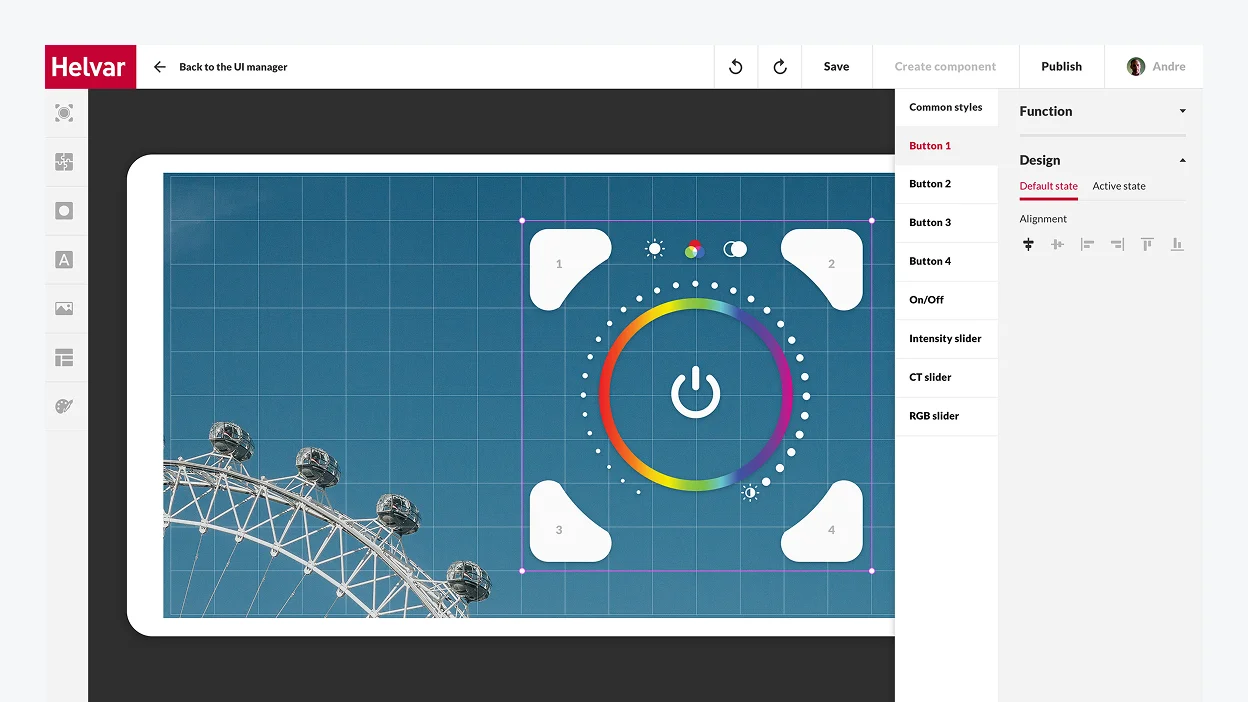
The UI Editor is a part of the Android application targeted at end users (office workers, hospital patients, tourists in hotel rooms, etc.). Its interface had to remain clear and concise despite the immense number of functions it provides users with. 

The trickiest part of working on the UI Editor’s design was that it had to be a fully customizable tool. We made it possible for users to edit, modify, and change everything, from the general style of the controller, the background, and font styles to fine-tuning each button’s function and look.

We stipulated different access levels for the Editor: 

Basic mode
for actual end users
It allows customers to switch between themes freely and add standard controllers and widgets from the library.
Advanced mode
for building managers
Receptionists in hotels and hospitals, office managers, etc., can modify Editor’s interface and change the buttons’ layout directly on the tablet. The mode is password-protected, and edits are accepted locally on a specific device.

We designed software with unlimited customization options to satisfy the desire of Helvar’s clients for stronger brand awareness. For instance, despite providing a plethora of in-built templates that cover various usage scenarios, we went the extra mile to bring boundless customization opportunities to users.

With a tablet in each room, users can not only create their unique theme (e.g., in the hotel colors and with its logo) but also put any buttons needed on the tablet screen and bind functions to them in the way they find the most convenient setup.

Here is a detailed video presentation of the final product

Our product design and development team kept firing on all cylinders to ensure on-the-dot delivery of both web and Android applications, and we made it.

The web application was ready in two months, and the Android app took one month to build.

The client was impressed by *instinctools’ businesslike expertise and keen awareness of the latest trends in software product design. Due to this early success, Helvar felt confident in working with our team for further three projects.

Business value

  • The very first solution on the market for large facilities to digitally control intelligent lighting in a room, on a floor space, or in a whole building
  • Reduced installation and maintenance costs thanks to wireless lighting management
  • User-friendly replacement of an outdated 924 touch panel
  • 90% of the UI can be configured for the specific application and end user
  • Unique branding capabilities to bolster brand awareness

Before / after

Key features

Scalability 

We helped create a frontier solution that enables easy digital control over lighting in huge facilities like hotels, hospitals, offices, etc.

Resilience

Crafting such a product allows Helvar to maintain its leadership in the industry. Despite the large scale of the solution, we managed to craft a clear and concise interface to ensure the product will stay robust and relevant down the road.

Customizability

The more end-users the product has, the more configuration options are needed. Helvar’s solution provides boundless customization capabilities and the possibility to adjust lighting to each user’s needs.

Client’s
testimonial

The quality has been good. It’s been on the expected level: things come on time, we have a good visibility on the things that *instinctools developers are doing and performing for us, communication is good. Wherever we see that we need some more exra resources, we have found *instinctools to be a good partner in helping us out on those areas.

Matti Vesterinen

Multiplier
effect

Putting a premium on a well-thought-out design is a prerequisite for a fruitful outcome in software product development. That’s how it works for product companies whose profit depends on customer satisfaction. Design quality directly impacts user experience and, as a result, product demand on the market.

Businesses in any industry, from manufacturing and ecommerce to healthcare, fintech, education and more, benefit from centering around a customer experience.

Intelligent Vending Software

BI SOFTWARE FOR A LARGE EUROPEAN VENDING MACHINE PROVIDER

How a company increased turnover by 9% by implementing BI and reducing the lost-sales rate.

Industry:
Retail, Manufacturing

Business Challenge

Our client is a famous European retail company providing vending machines under various cooperation models, including selling, leasing, and more. As their business grew, they needed to increase their technological capabilities to make decisions faster, based on qualified data, and work even more effectively.

Our client’s existing solution didn’t meet these scalability and business efficiency requirements. Having more than 1000 vending machines operating across 50+ cities, they didn’t have a single point of truth and qualitative data for analysis, forecasting, and decision-making.

They needed their core units to be “on the same page” and wanted:

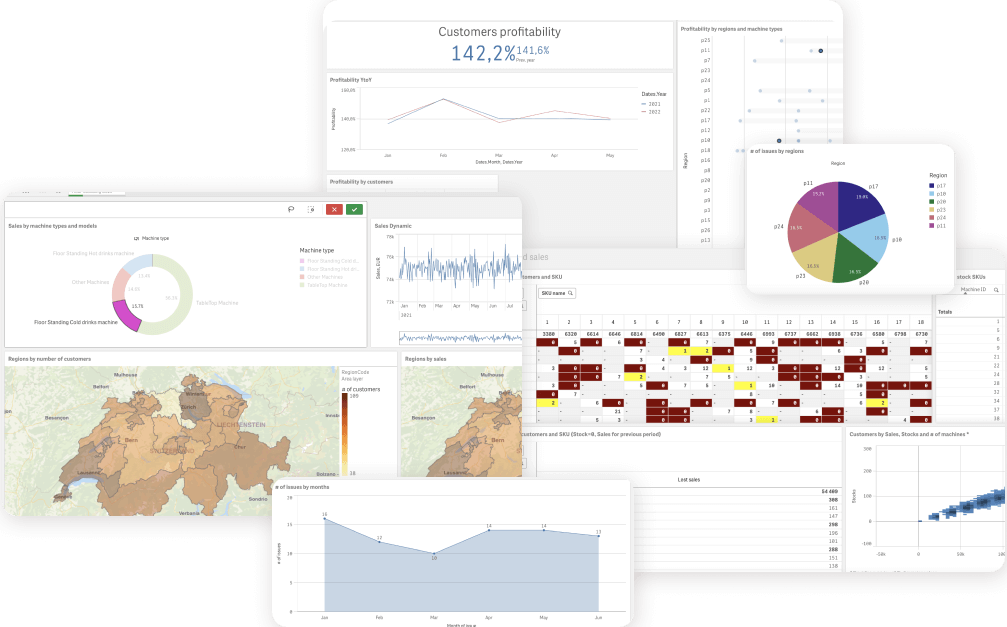
  1. Decision-makers in Top management and Sales to have all company data at hand anytime with visualized information about vending machines operation, maintenance, and sales by region/country, including margin rates and issues reports.
  2. Supply management and Machine Service employees to be aware of and timely respond to any technical issues, see relevant data to replenish stocks, and make purchases in a timely manner.

The current corporate solution needed significant functional improvements and technical gain as the client was committed to growing and scaling to new markets in Europe and United States. That’s why they addressed *instinctools for augmented technical expertise in business analysis, consulting, and business intelligence software development.

Solution

Step 1
Consulting and Discovery phase

No project starts without clearly defined terms of reference. To define them, we began by asking the right questions and answering the client’s questions.

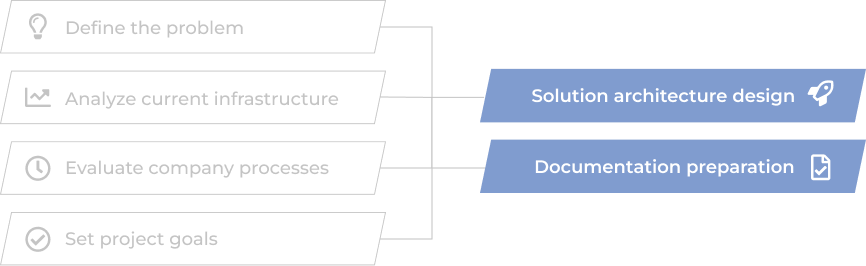
After reaching a mutual understanding of problem definition, current system infrastructure analysis, processes evaluation, and project goals, we started to design and build solution architecture and prepare necessary documents for successful project implementation within the discussed timeline.

Step 2
Data warehouse creation and first dashboards release

Our data engineers organized proper ETL processes to connect data from corporate data sources (CRM, ERP, Excel files, and others) to a newly built data warehouse.

Even before the warehouse storage was fully organized with all company data, we crafted the first reports and dashboards based on newly gained data. Our client got the opportunity to evaluate the benefits of data visualization two weeks after the project started.

Receiving the feedback from dashboards’ actual users, we made timely and high-quality changes at the development stage.

Faster delivery and better development

High-quality changes based on the usage feedback

Continuous improvement

Step 3
Project release and data analysis

The core of delivering a quality product is understanding its users and their needs. The final step of our project was the review and BI software access distribution across the company according to its designated users.

More importantly, the established relationships between our development team, product stakeholders, and decision-makers allowed us to promptly react to the feedback and upcoming issues, making high-end improvements to the system.

Before

  • Disparate analysis and no single data storage solution
  • Existing software doesn’t allow for tracking sales margin across regions
  • Sales reports creation takes up to four working hours
  • Hard to estimate data quality
  • Stock management needs to be organized to provide more structured data
  • Not enough technical capabilities to make forecasts and intelligent data analytics

After

  • Data stored in one place opens up opportunities for complex analysis
  • Visible sales margin
  • Reports are generated automatically or created per request
  • High-quality data and transparency in operations
  • Stock managers get full control over stock turnover and timely purchases
  • Top managers use smart analytics daily to make data-driven decisions and predict sales

Key features

Flexibility

A user-friendly BI system allows configuring the necessary filters for data groups, defining data ranges, and displaying them on dashboards.

Scalability

The dashboards and datasets analytics can be scaled to be used in other units, e.g., Marketing, Accounting, Administration, and Operations.

Accessibility

Business intelligence software is accessible via mobile, web, tablet, and desktop devices.

Business Value

  • The client renegotiated low-margin contracts with customers
  • The number of lost sales was reduced by 30%.
  • Total turnover increased by 9% in 6 months.
  • The downtime of broken vending machines was reduced to a very minimum.

Multiplier Effect​

The expertise employed in this project can be applied to similar projects in retail, hospitality, sharing economy fields, and others.

Legacy Software Modernization For a Global Heat Exchanger Manufacturer

Legacy Software Modernization For a Global Heat Exchanger Manufacturer

How switching from legacy, head-office dependent software to a cutting-edge solution, featuring a modern toolset and intuitive UX, helped the leading heat exchanger manufacturer eliminate manual maintenance tasks and lower software upkeep cost by 27%.

Domain:
engineering, heat exchanger manufacturing,
heating & cooling systems

Budget:
>200.000$

Duration:
1 year

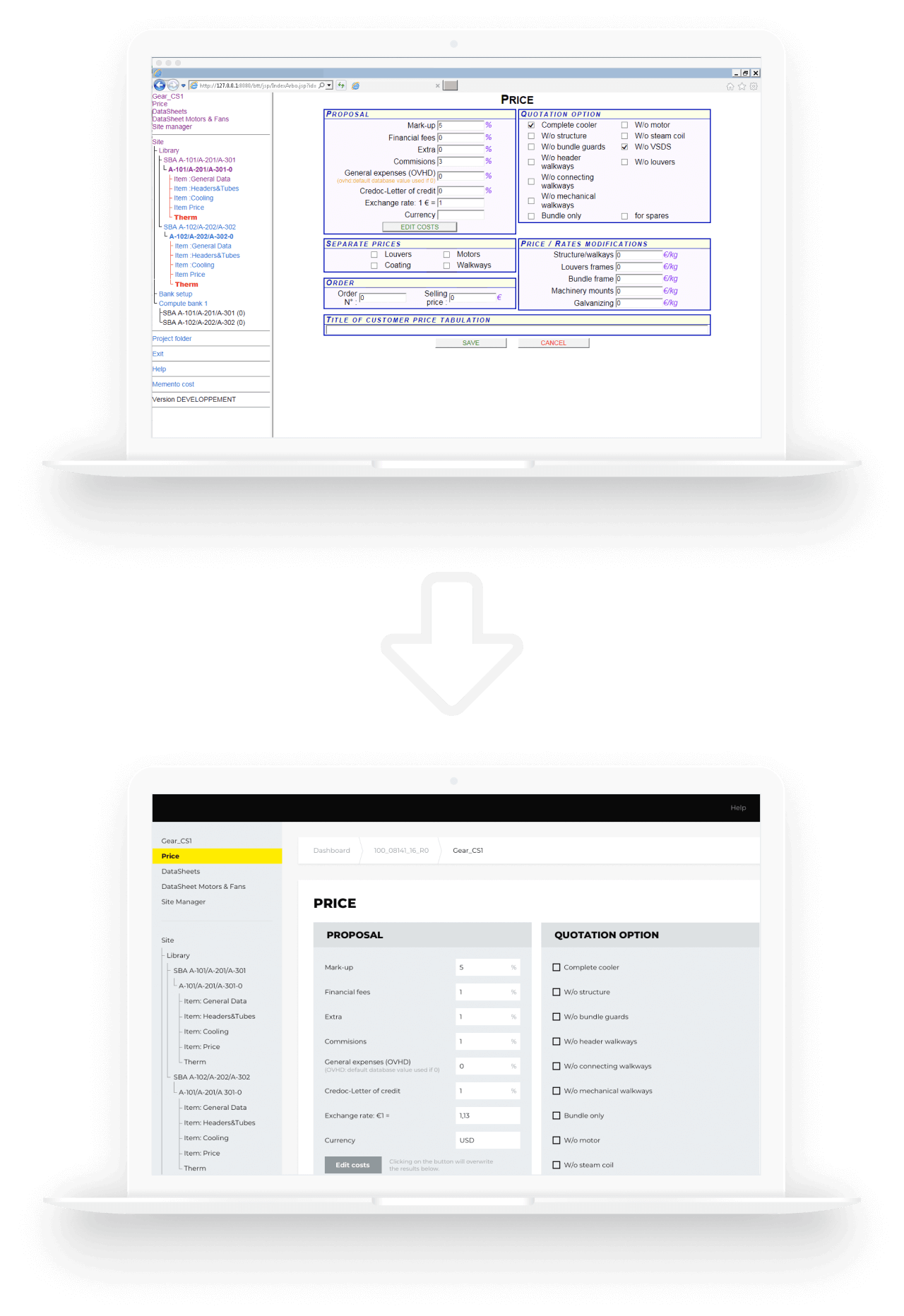
Challenge

The engineering toolset, which the customer had been using for more than two decades, had become complex and outdated. The problem was that the software was based on old technologies and was developed by people who were no longer with the company. Its maintenance required added manual effort which led to higher process costs.
“We need a state-of-the-art solution” – that’s what our customer emphasized on during the Clarification Call with us. The customer wanted to have a modern software that would provide calculation results in a quick and easy way, as it is one of the key factors in heat exchange industry which affects the client’s decision in choosing the supplier.

The customer’s pain points:

  • slow and poor performance
  • strong dependency (if the system stopped working in the head office, it stopped working everywhere)
  • outdated approaches to user identification and authorization
  • the necessity to maintain their own environment, which took a lot of effort and was risk-prone
  • the problem of data backup and storage (local installations are not the most optimal backup solutions)
  • old-fashioned design and unintuitive functionality

Tasks:

  • to improve the efficiency of Sales / Order management process including further development of the tools and applications used by the customer
  • to integrate the tools with the customer’s authentication system
  • to use SharePoint as a document management and storage system
  • to stabilize the current system, retaining all of the system’s components and business logic
  • to upgrade UI by making it more current while minimizing changes in UX, thereby lowering the barrier to entry

Solution

The volume of work was quite substantial. It required a thorough analysis phase. At the start, the stakeholders in the customer company couldn’t come to a common understanding of what the project goals were. To make sure that the project implementation result will reflect what the customer really needed, it was decided to start with the Pre-Discovery workshop: we clarified all the details, discussed the customer’s pain points and chose the direction for further analysis. It prevented the project from going in the wrong direction from the very beginning and created a proper base for the Discovery phase

In this phase, we defined the tasks, planned the resources and the stages for implementation, and made the estimation of the project. This approach helped avoid wrong strategic decision-making and contributed to a successful project implementation: migration of the legacy system to Azure Cloud (fulfilling all the customer’s requirements) and implementation of the new UI.

Deliverables of *instinctools team:

  • Architecture improvements and technical solutions compatible with Azure Cloud
  • Project Charter with settled release processes and communication plan
  • CI/CD
  • UX/UI strategy and the implementation of new designs

Benefits for the customer:

minimizing errors and efforts for testing

making the maintenance process easier

lowering maintenance process costs to a minimum

reducing the workload (less time spent on requirements engineering and easy reuse of working modules)

unifying the whole process of equipment configuration

getting their software up to modern standards which makes addition of new features and upgradation of the existing ones cost and time effective

Technologies

Cloud:

Custom BI Dashboards For The Sales Department Of a EU Corporation

Custom BI Dashboards For The Sales Department Of a EU Corporation

How the adoption of Tableau with six custom dashboards for sales analytics, planning, and forecasting empowered a manufacturing corporation to back up sales strategies with real-time data and increase the number of won deals by 54% and upselling deals by 16%.

Challenge

Our customer’s business has been expanding rapidly for the past decade: new brands have been launched, new chains have been opened, new offices have popped up. In these circumstances, without proper up-to-date instruments, following the company’s processes turned out to be a real problem. It was all the more obvious when came to the sales department. The existing methods of navigating through sales performance – with reports prepared on a monthly or quarterly basis – appeared to be ineffective and time-consuming.

Our customer wanted to improve the overall visibility of analysis and reporting activities across different business units and get a centralized view of the massive volumes of data.

Tasks

  • to bring all the business units together to have a single source of information in an integrated set of tools
  • the ability to “slice and dice” the information according to the user’s needs
  • to provide data security
  • the possibility to scale up the solution as the business grows

Solution

We’ve developed a sales performance management solution, which not only contains all the necessary data but also combines analytics, planning, and forecasting capabilities.

The complexity of the whole sales optimization process has been wrapped into 6 dashboards, integrated with different sources of information. Each dashboard fulfills its own functions.

  • A customer overview
    Contributes to building up a complete, explicit view of the customer by collecting data from contract billing, the CRM and ERP systems, so that the sales representatives can easily identify the information, which is useful for their daily sales processes and customer relationship management.
  • Sales Pipeline
    Brings visibility to all the stages of a sales process within different channels or lines of business and makes overseeing and directing future sales much more data-based than they used to be.
  • Sales process optimization
    Takes the data out of the CRM system, measures these data against the targets, showing what activities need to be done to achieve the assigned goals.
  • Salesperson focus
    Clusters the information on customer sales activity and converts it into a user-friendly format. It shows sales representatives their month-to-date and year-to-date results and how these results correlate with their objectives.
  • Account coverage
    Helps to stick to customer retention strategy through the analysis of certain KPIs.
  • Sales forecasting
    Estimates the accuracy of sales forecasts, comparing them against actual results for both individual sales representatives and the whole teams.

Key features

an integrated set of tools

self-service analysis and reporting

scalability

data security

cloud solution

Value

The BI solution allows our customer to explore the data without a hitch. Fragmented and disintegrated reports are replaced by one set of tools where all the necessary information is gathered. Thus, user groups get quick and easy access to real-time data and the analysis tailored to their needs, which increases the chances of the right decision making. The visibility that has been brought to each stage of the sales cycle along with end-to-end analytics helps managers identify blind spots and, therefore, improve the performance.
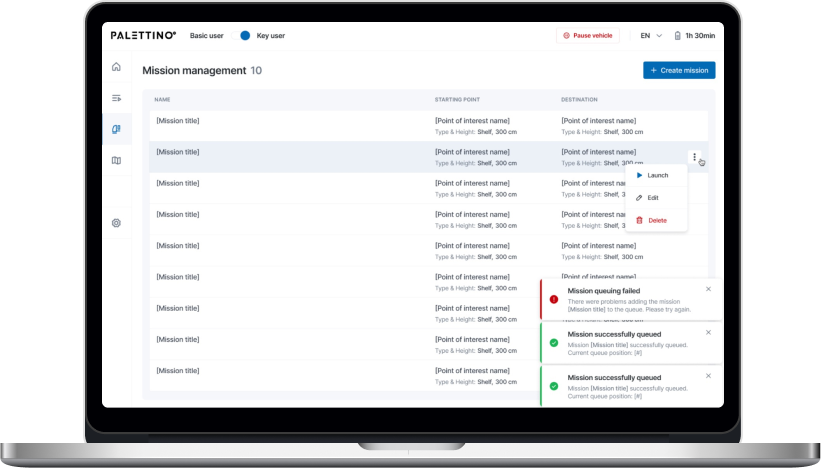
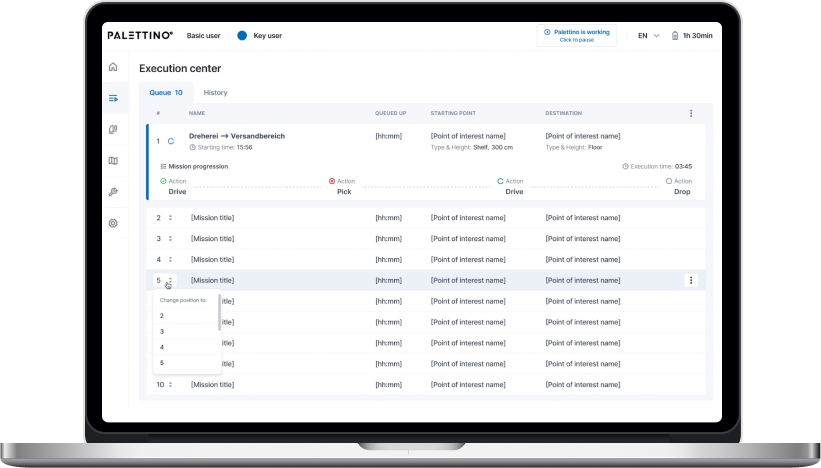
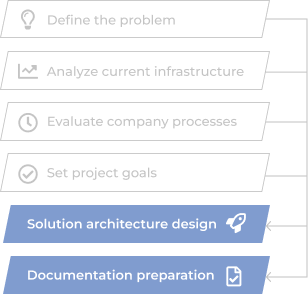
“With *instinctools solution, it’s become possible to get a complete and honest answer to the question: “How are things?” either on a unit level or on the level of the whole company. We’re happy to have accurate, up-to-date information on our sales processes and keep all our units in sync”.

Judging by enthusiastic reviews of our customer, data harmonization within the sales department was a giant step (but just the first one) on the way to digital transformation. Apparently, there’s more to come.

Technologies

React
NodeJS
Python
Tableau
AWS

Web Solution For Real-time Optimization of Thermal Energy Consumption

Web Solution For Real-time Optimization of Thermal Energy Consumption

How developing a remote data acquisition system for physical heating control devices empowered one of Norwegian municipalities to monitor and optimize thermal energy consumption across the city in real time and save up to 30% of energy for heating public spaces.

Challenge

We needed to develop a remote data acquisition system with heat metering and regulation devices. Based on the data acquired and energy consumption analysis of its consumption indicators in certain houses, was to be adjusted the work of the regulation equipment.

Solution

  • We built a data acquisition system using interface Ethernet converters. Metering and regulation devices are connected to the converters. We made this decision because heat metering and regulation devices are located in the same houses where, in most success-stories, data communication networks are installed.
  • We developed a software package that consists of a data acquisition and long storage system, with a user interface accessible via web.

Features

Constant control of heat metering and regulation equipment

Access to user interface via the web

Possibility to adjust the work of equipment

Possibility to acquire data remotely and provide long-term storage

Technologies

Danfoss ECL
Landis+Gyr Ultraheat @WR
Advantech 4000
Web-based SCADA
Anna Vasilevskaya
AI modified real photo
Anna Vasilevskaya
Account Executive

Get in touch

Drop us a line about your project at
[email protected] or via the contact
form below, and we will contact you soon.