
Product Design For Intelligent Lighting

Product Design For a World Class Leader In Intelligent Lighting

How replacing an outdated 924 touch panel with a brand-new digital lighting control in just three months helped a manufacturing company expand its market reach.

Business
challenge

Being among the industry leaders doesn’t mean resting on your laurels is an option. On the contrary, it goes hand in hand with the necessity to keep looking for new paths and rapidly providing innovations to secure the top position. That’s why we were approached by Helvar — a company that crafts smart and sustainable environments with AI-powered energy-saving lighting control solutions.

They already had physical controllers for intelligent lighting with pre-configured and adjustable lighting scenes and software for lighting management in a particular room. Even with this, Helvar wanted to raise the bar higher and create a product that had never been on the global market before.

The client had an idea of a digital solution for centralized and local lighting that could be controlled and configured from a tablet. Moreover, the application interface on the device had to allow for unlimited customization in functions and looks.

Such a product would enable enterprises with large-scale physical facilities to step away from the traditional smart lighting with cables and switches. The digital approach would help reduce lighting wiring and maintenance costs that can become a sizable chunk of the budget for facilities with 100+ rooms.

For Helvar, the new product would strengthen the company’s leading position in the market and will help attract businesses with sizable physical facilities, such as hotels, hospitals, etc. to more efficiently fulfill their lighting needs.

What products did Helvar use to leverage, and why were they insufficient?

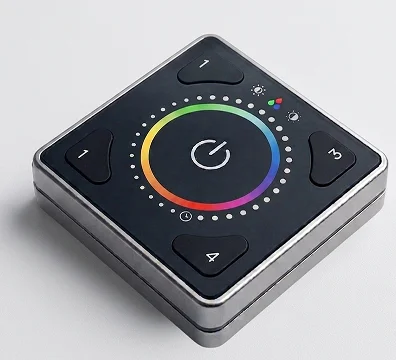
Illustris

It’s a physical controller for individual room lighting control managed from a mobile application. However, its functionality was limited to changing light temperature, color, and intensity.

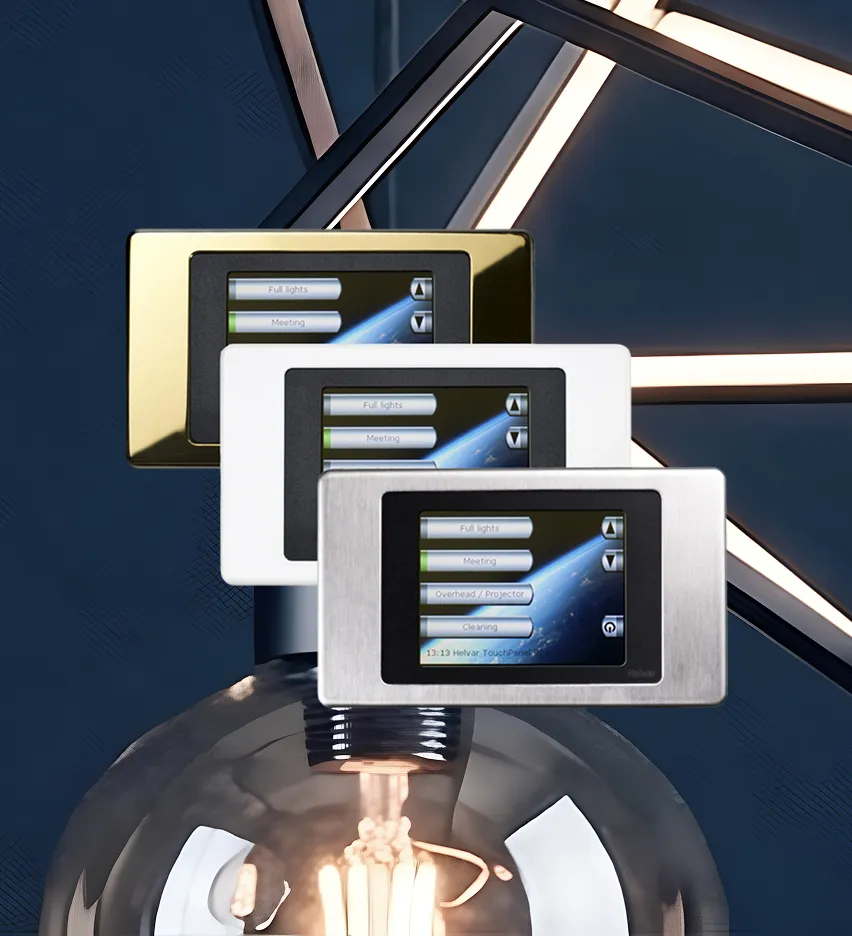
924 touch panel

A solution for advanced lighting control with pre-configured and adjustable lighting scenes sounds great, but there was a nuance. It was released in 2013 and had outdated UX/UI and needed to be managed by remote control.

Even if the client married the Illustris design with the 924 touch panel’s functionality, they wouldn’t get the product they had on their mind. Helvar was after a brand-new solution and already had a vision of its parts:

  1. A web application to generate a building plan and create a library of interfaces for lighting control in each room of a building (selecting button functions, widgets, etc.). This data becomes UI files, which are then used in an Android application.
  2. The Android app for a tablet placed in each room to allow end users to fine-tune the lighting to their needs.

The client had only an idea of the lighting control applications, and they needed our comprehensive software product design services to build a truly resilient solution with an intuitive, yet feature-rich interface and unlimited customization options.

What head-
scratchers did
we face?

Designing
two separate applications for
different groups of end users

The client needed the web application for Helvar employees (“Engineers”) to create interfaces for high-level lighting control and switching between various lighting scenarios, and the Android app for Helvar’s clients (“End users”) to customize the lighting in a separate location.

Creating
a well-thought-out UI manager and
UI editor to make lighting control a
breeze

Providing customers with what they are hungry for is a cornerstone of any app’s success. The product owner wanted to hone the user-friendly design, so we had to craft first-rate tools with enhanced UX to efficiently manage smart lighting at the level of the whole building and spaces within it.

Striking the balance
between user-friendliness and
cost efficiency when mapping a building plan in the apps

The client had only an upper-level idea of the solution’s design. Our task was pinpointing the most efficient way to implement it without breaking the bank.

Working
at speed added another layer
of complexity

The client has pointed out that the solution has to be ready in 3–4 months. Therefore, our team of UX/UI designers, a product designer, business analyst, web and Android application developers jumped in right away.

Solution

As with any product design project, we moved according to our battle-tested software product design process to make Helvar’s solution a market success. Here is what we encountered at each stage.

01
Project setup

Instinctools is praised by its customers for a methodology-agnostic approach and the ability to adjust to any client’s requirements. In the case of Helvar, the product owner insisted on daily syncs to ensure all the stakeholders and the design team were kept in the loop. 

We readily met this condition and worked in small iterations providing the client with fully functional interactive prototypes to address any concerns straight away and ensure the final design would pass the validation seamlessly. Speaking about the amount of work we’ve carried out, our design team prepared 40+ layouts in InVision.

During the project setup, we discussed the initial design concept the client had beforehand and determined the app’s usage contexts: 

  • Boardrooms and a reception area in an office building
  • Patient rooms and a reception area in a hospital
  • Suites and a reception area in a hotel or cruise ship

As Helvar's engineers were supposed to create UI files in the web application and then send them to the Android app where end users could operate with them, we started with the web solution. 

02
Research
and concept

At this stage, we reviewed the groundwork the client has done before reaching out to *instinctools.
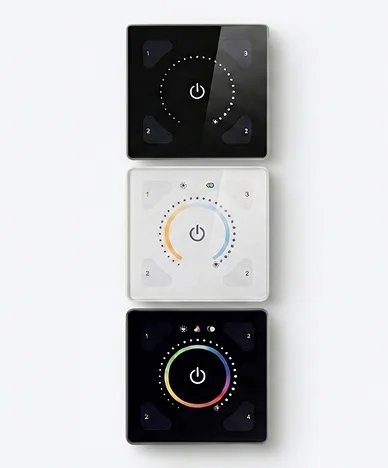
For instance, they’d already had early design concepts based on the design of their other product — Illustris.
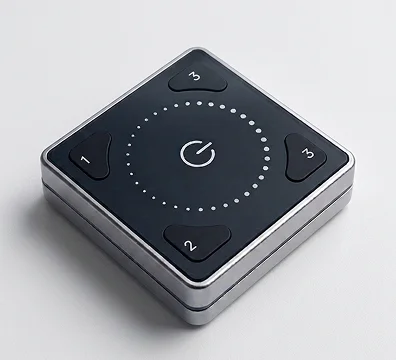
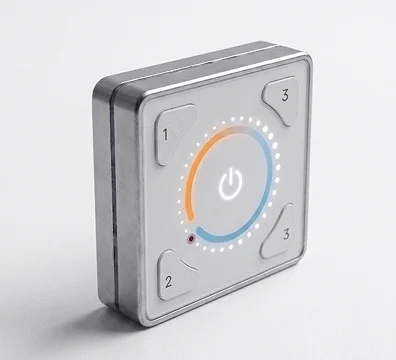
ILLUSTRIS 191GB
ILLUSTRIS 192PW
ILLUSTRIS 193PB

The client wanted to reuse the logic of the existing solution when crafting a future-proof digital touch panel with top-notch UX.
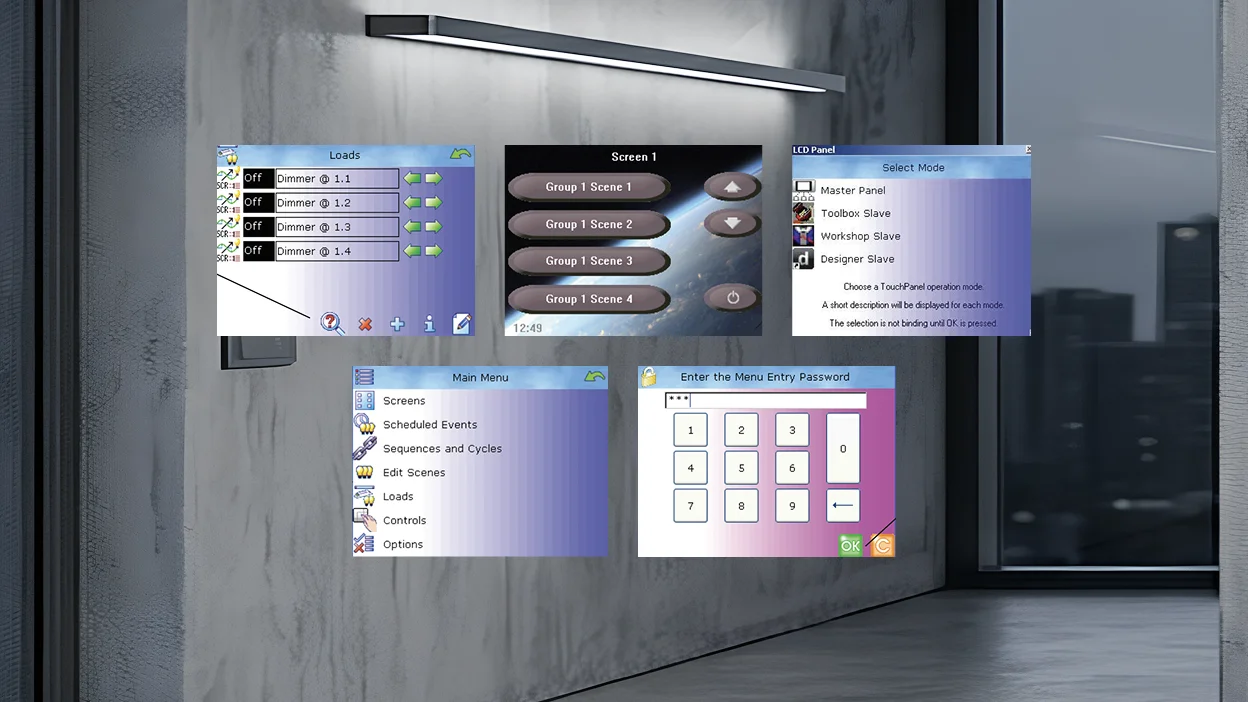
Still, the new lighting control solution required a more up-to-date design and customizable functionality to serve in buildings with hundreds of various spaces.

Implementing a building plan was a prerequisite for providing an easy-to-grasp lighting control. Because of this, we had to figure out the best way to put it in the application’s interface. At first, our team discussed making a detailed plan for the whole building. 
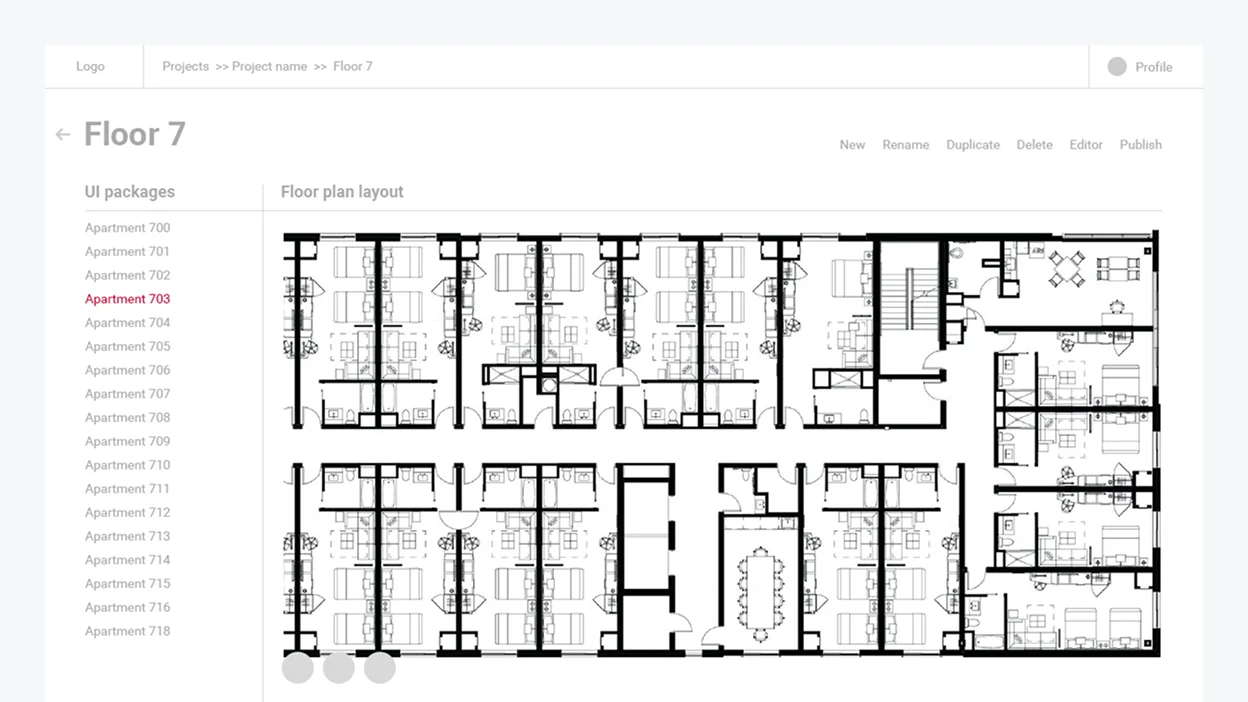
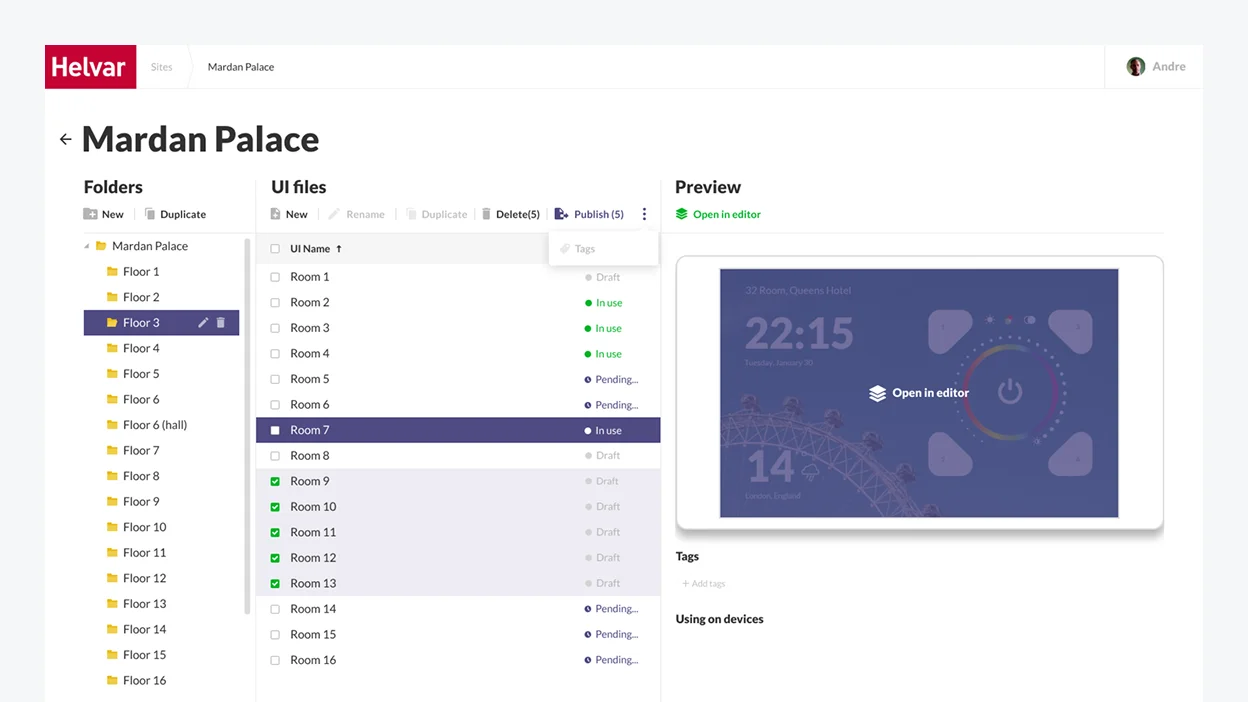
Nonetheless, such an over-elaborate scheme required more time, effort, and investment from the development standpoint. So we devised a more sleek solution and suggested organizing a building into folders by floor and individual room with UI files for each locale.
03
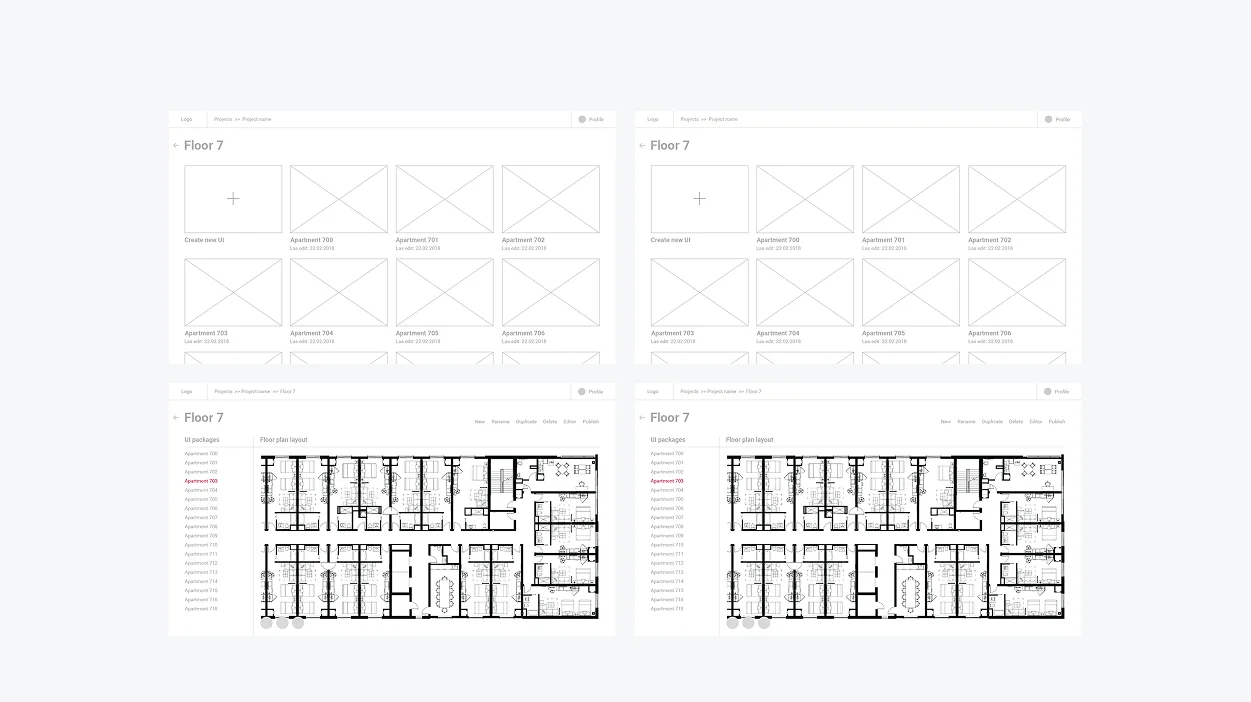
Wireframing

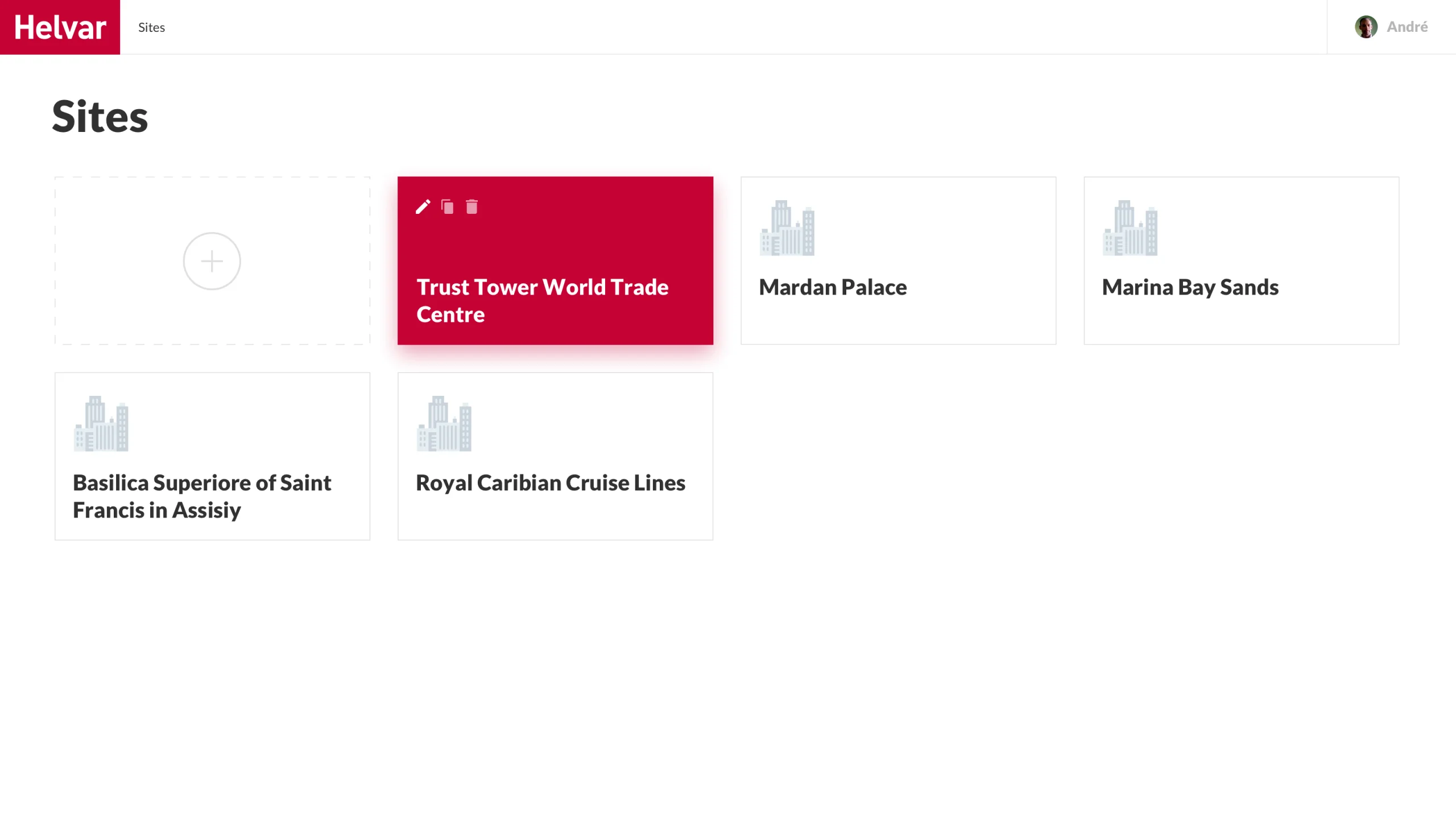
Here is an illustration of how the idea of folders was implemented at the wireframing stage.

Next, we moved to designing solution components – UI manager and UI editor.
04
Visual design
and development

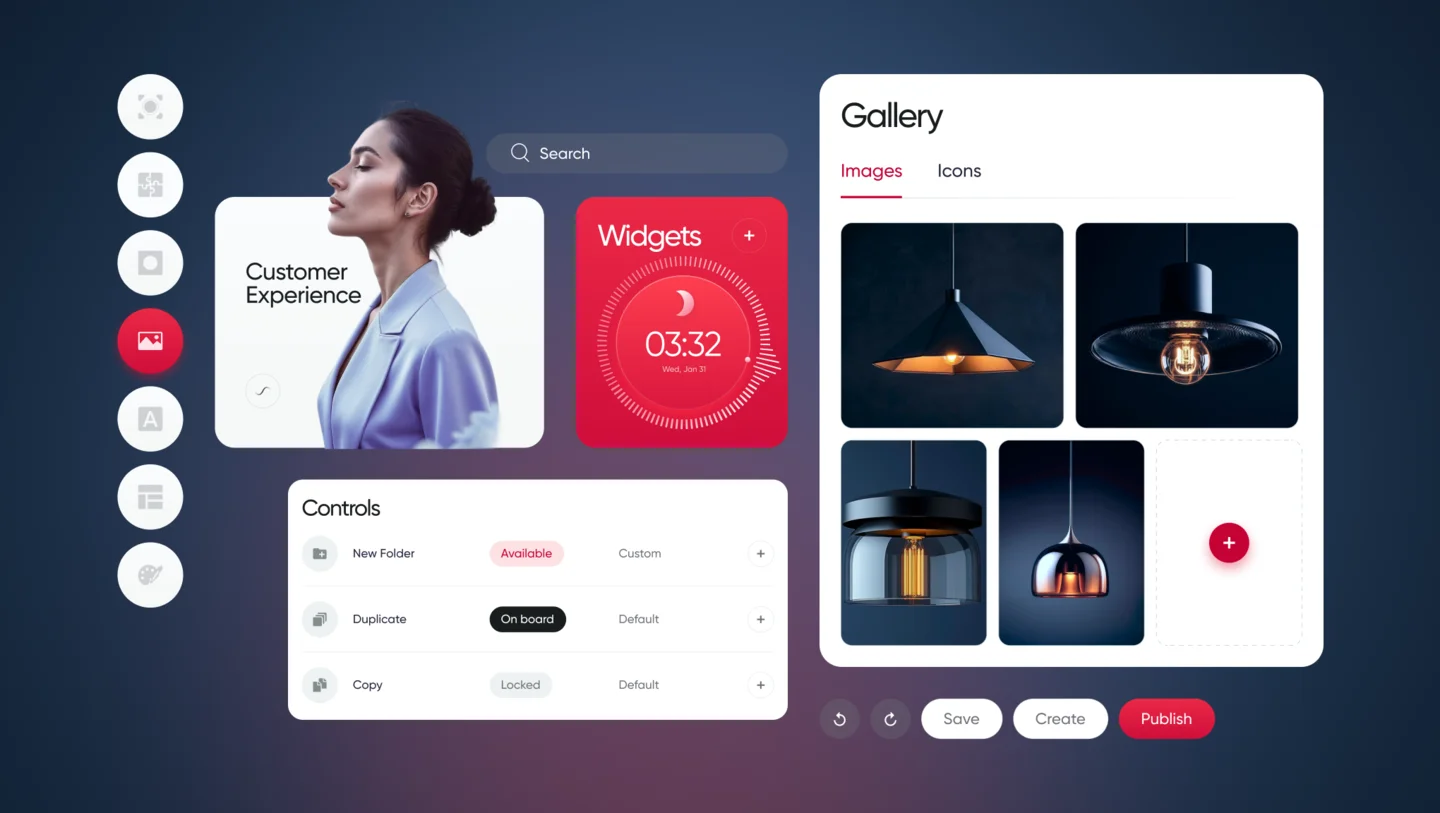
We had to provide Helvar’s employees and end users of the lighting solution with clear and customizable digital tools. So our team came up with the idea of a UI Manager and UI Editor. But while we could leverage Helvar’s existing products, such as Illustris and the 924 touch panel for the Editor, the UI Manager had to be designed from scratch.

UI Manager

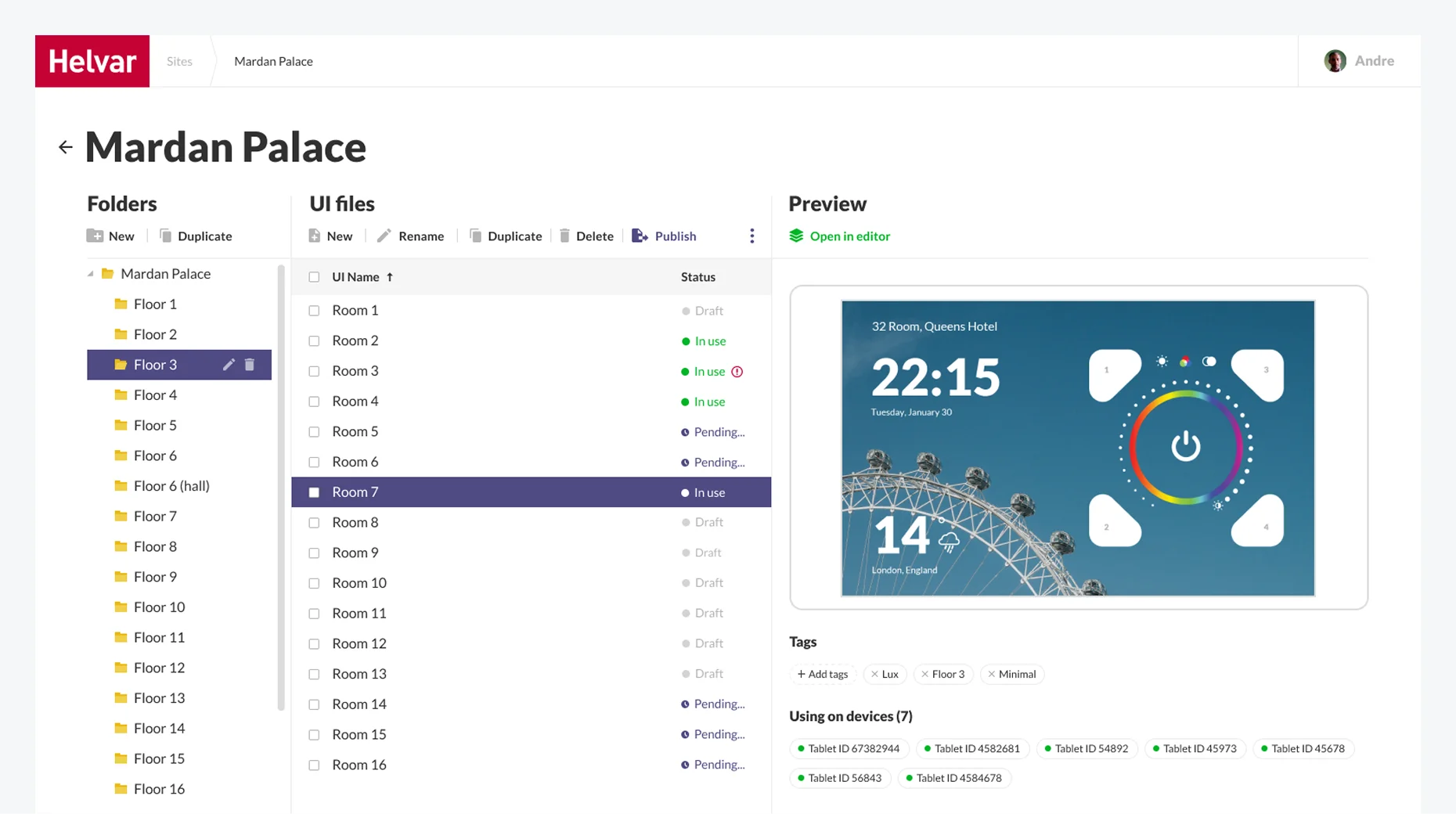
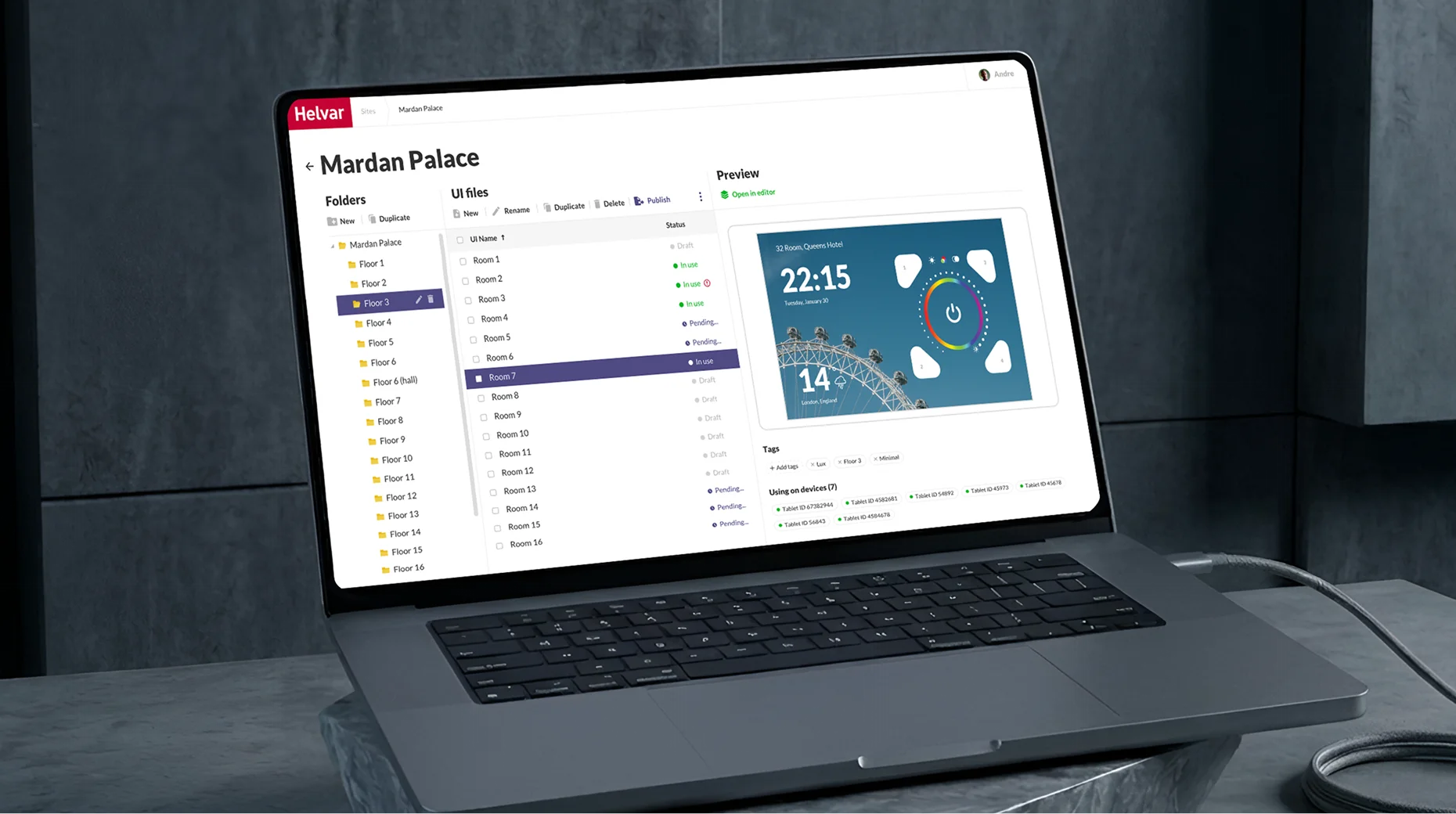
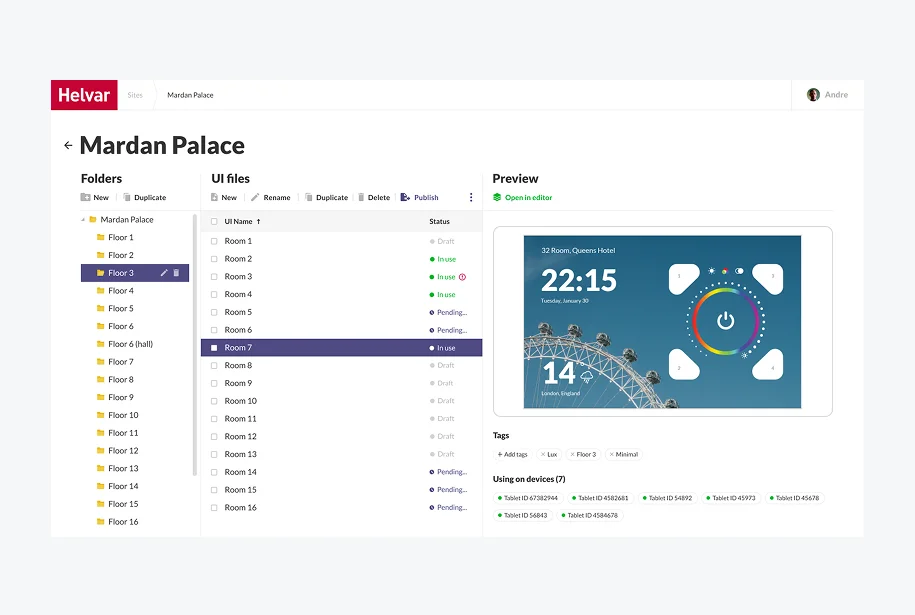
The UI Manager is a part of the web application for engineers where Helvar’s staff creates a folder structure corresponding to a real building.
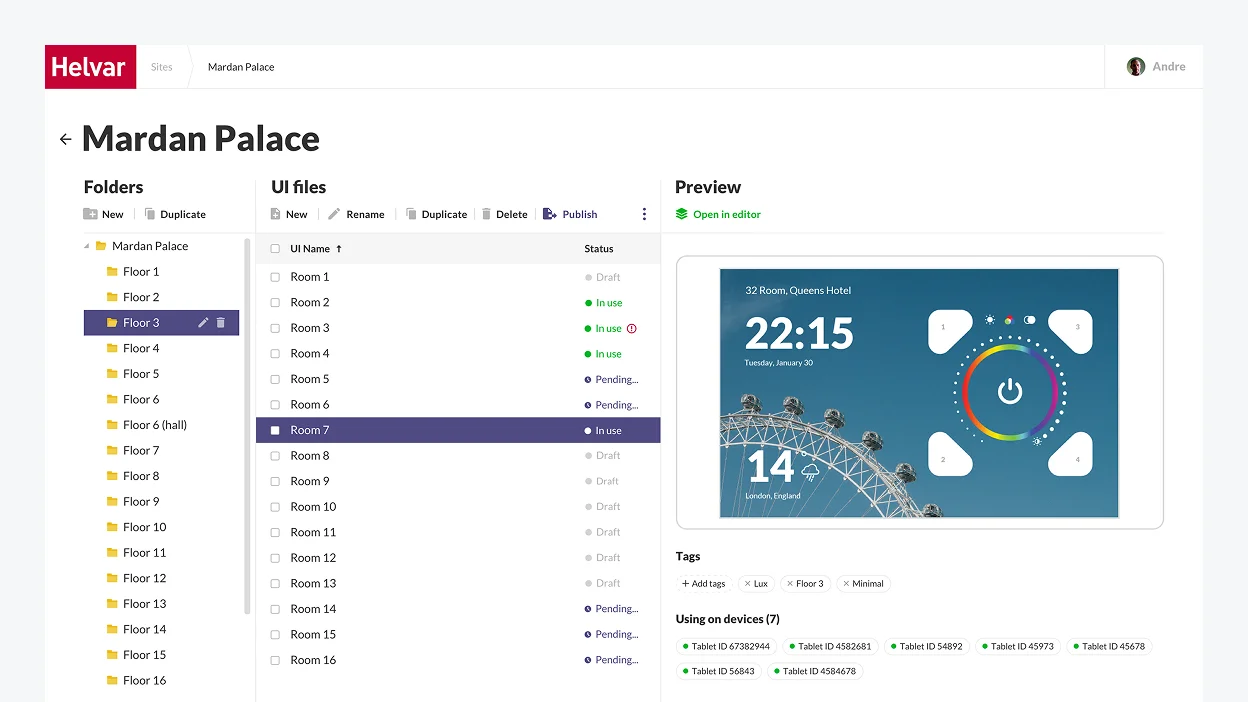
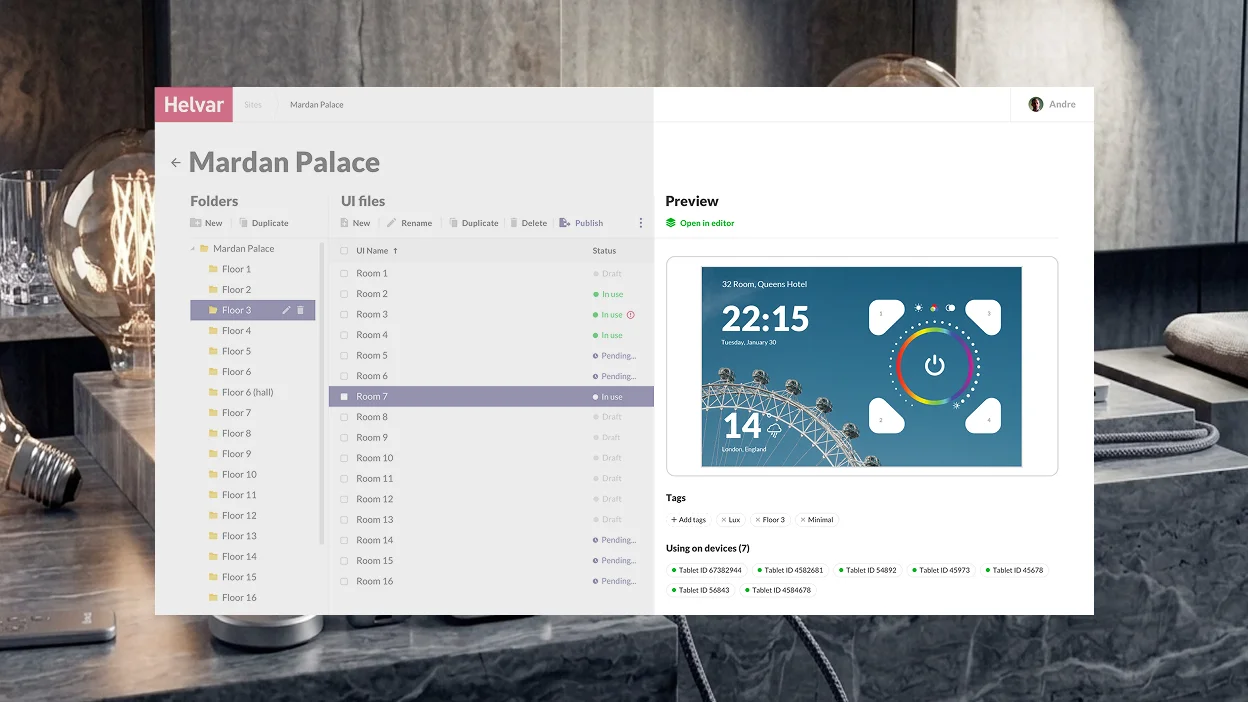
We suggested adding a Preview area so that engineers could easily pick a theme that would fit in with the interior of a particular room.
UI Editor

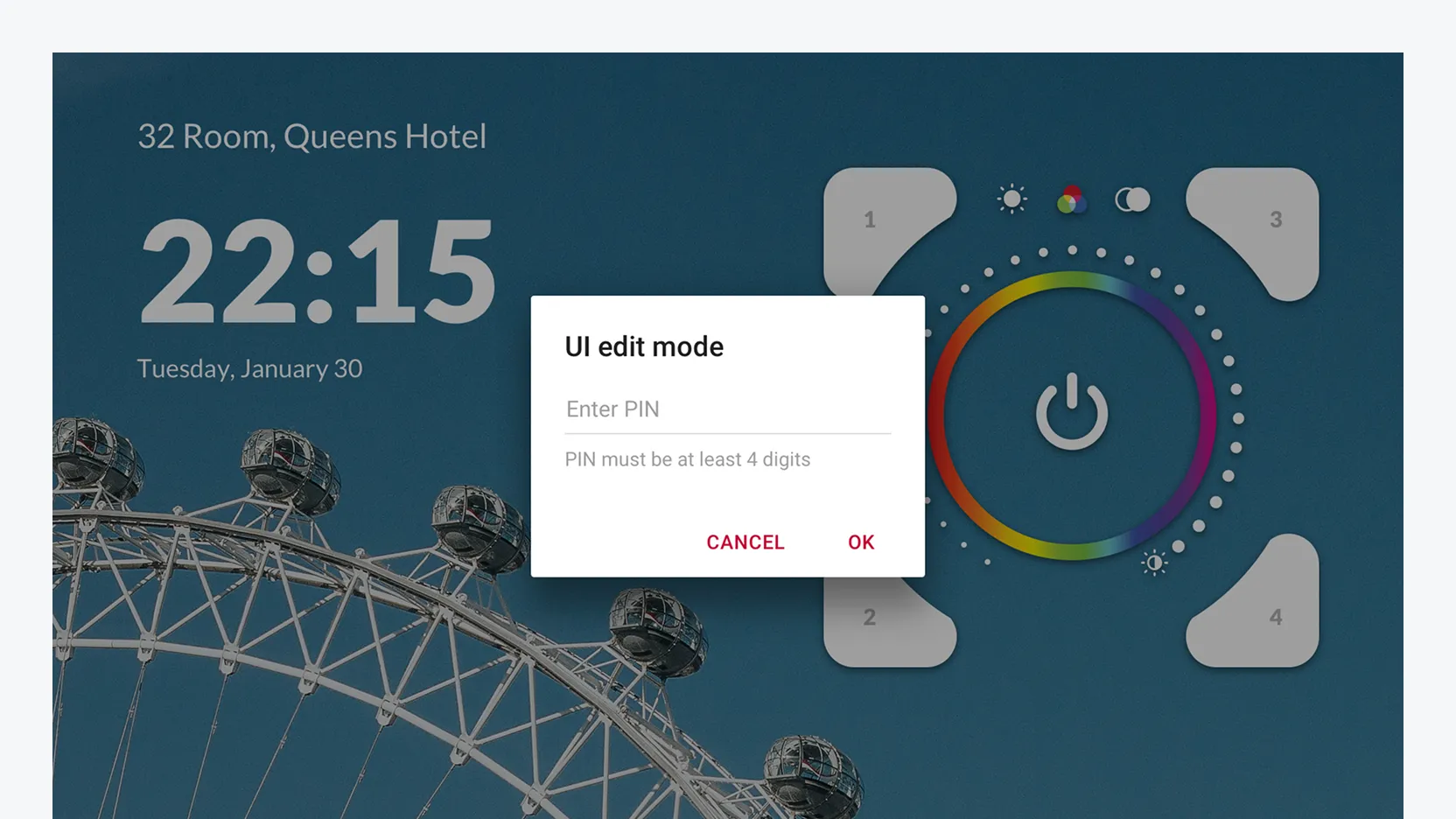
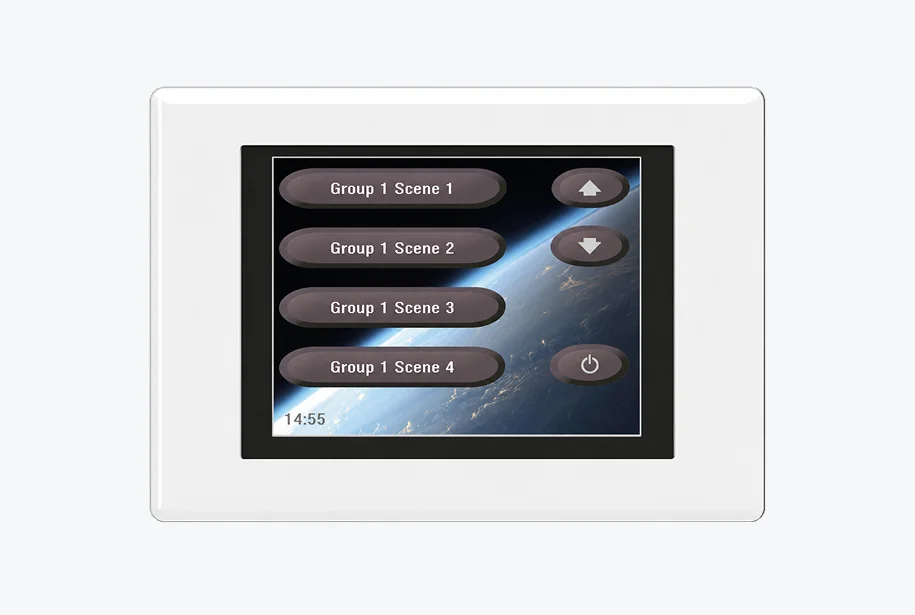
The UI Editor is a part of the Android application targeted at end users (office workers, hospital patients, tourists in hotel rooms, etc.). Its interface had to remain clear and concise despite the immense number of functions it provides users with. 
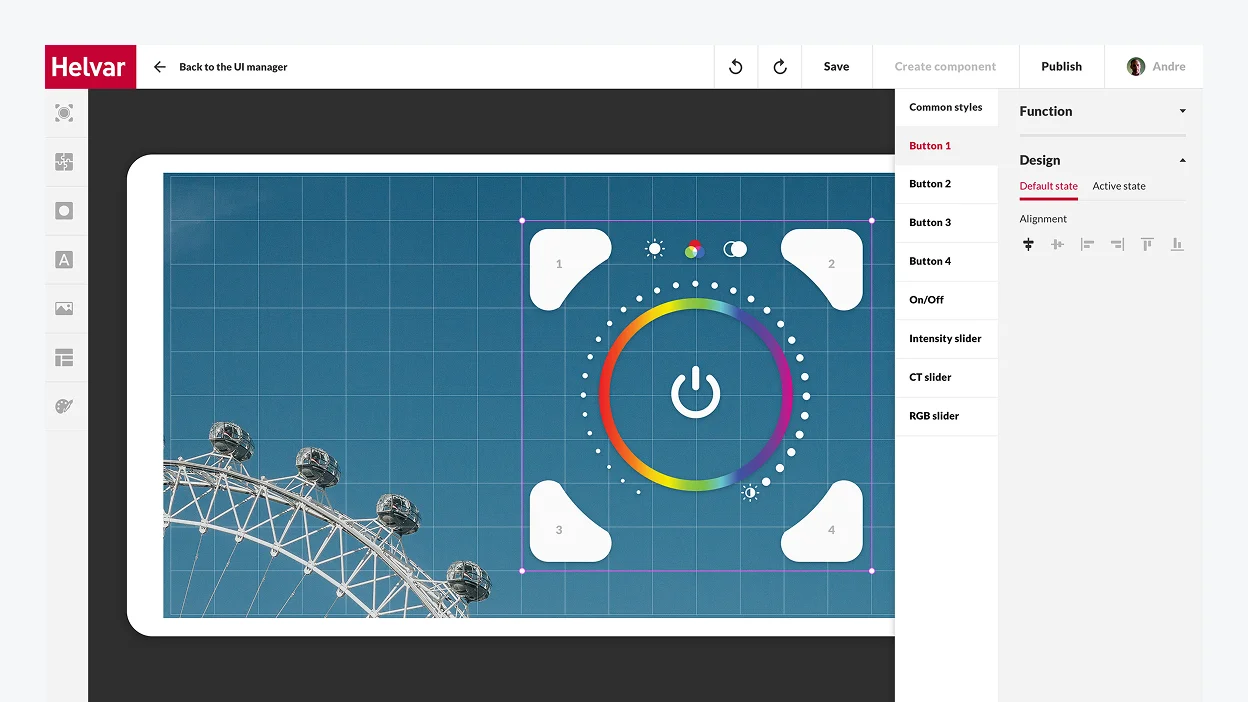
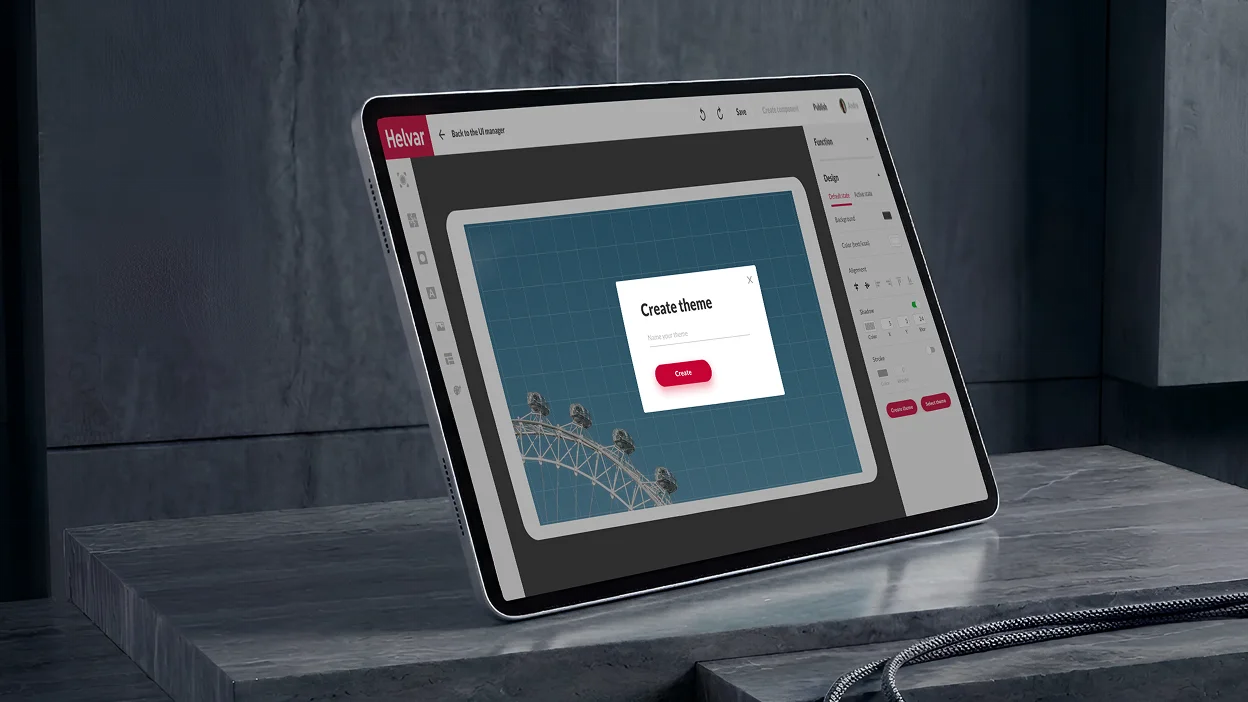
The trickiest part of working on the UI Editor’s design was that it had to be a fully customizable tool. We made it possible for users to edit, modify, and change everything, from the general style of the controller, the background, and font styles to fine-tuning each button’s function and look.
We stipulated different access levels for the Editor: 

Basic mode
for actual end users
It allows customers to switch between themes freely and add standard controllers and widgets from the library.
Advanced mode
for building managers
Receptionists in hotels and hospitals, office managers, etc., can modify Editor’s interface and change the buttons’ layout directly on the tablet. The mode is password-protected, and edits are accepted locally on a specific device.

We designed software with unlimited customization options to satisfy the desire of Helvar’s clients for stronger brand awareness. For instance, despite providing a plethora of in-built templates that cover various usage scenarios, we went the extra mile to bring boundless customization opportunities to users.

With a tablet in each room, users can not only create their unique theme (e.g., in the hotel colors and with its logo) but also put any buttons needed on the tablet screen and bind functions to them in the way they find the most convenient setup.

Here is a detailed video presentation of the final product
Our product design and development team kept firing on all cylinders to ensure on-the-dot delivery of both web and Android applications, and we made it.

The web application was ready in two months, and the Android app took one month to build.

The client was impressed by *instinctools’ businesslike expertise and keen awareness of the latest trends in software product design. Due to this early success, Helvar felt confident in working with our team for further three projects.
Business value

  • The very first solution on the market for large facilities to digitally control intelligent lighting in a room, on a floor space, or in a whole building
  • Reduced installation and maintenance costs thanks to wireless lighting management
  • User-friendly replacement of an outdated 924 touch panel
  • 90% of the UI can be configured for the specific application and end user
  • Unique branding capabilities to bolster brand awareness

Before / after

Key features

Scalability 

We helped create a frontier solution that enables easy digital control over lighting in huge facilities like hotels, hospitals, offices, etc.

Resilience

Crafting such a product allows Helvar to maintain its leadership in the industry. Despite the large scale of the solution, we managed to craft a clear and concise interface to ensure the product will stay robust and relevant down the road.

Customizability

The more end-users the product has, the more configuration options are needed. Helvar’s solution provides boundless customization capabilities and the possibility to adjust lighting to each user’s needs.

Client’s
testimonial

The quality has been good. It’s been on the expected level: things come on time, we have a good visibility on the things that *instinctools developers are doing and performing for us, communication is good. Wherever we see that we need some more extra resources, we have found *instinctools to be a good partner in helping us out on those areas.
Matti Vesterinen

Multiplier
effect

Putting a premium on a well-thought-out design is a prerequisite for a fruitful outcome in software product development. That’s how it works for product companies whose profit depends on customer satisfaction. Design quality directly impacts user experience and, as a result, product demand on the market.

Businesses in any industry, from manufacturing and ecommerce to healthcare, fintech, education and more, benefit from centering around a customer experience. Putting your end users first empowers you to solve complex design strategic tasks and confidently withstand market disruptions driven by user behavior changes.

Intelligent Vending Software

BI SOFTWARE FOR A LARGE EUROPEAN VENDING MACHINE PROVIDER

How a company increased turnover by 9% by implementing BI and reducing the lost-sales rate.

Industry:
Retail, Manufacturing

Business Challenge

Our client is a famous European retail company providing vending machines under various cooperation models, including selling, leasing, and more. As their business grew, they needed to increase their technological capabilities to make decisions faster, based on qualified data, and work even more effectively.

Our client’s existing solution didn’t meet these scalability and business efficiency requirements. Having more than 1000 vending machines operating across 50+ cities, they didn’t have a single point of truth and qualitative data for analysis, forecasting, and decision-making.

They needed their core units to be “on the same page” and wanted:

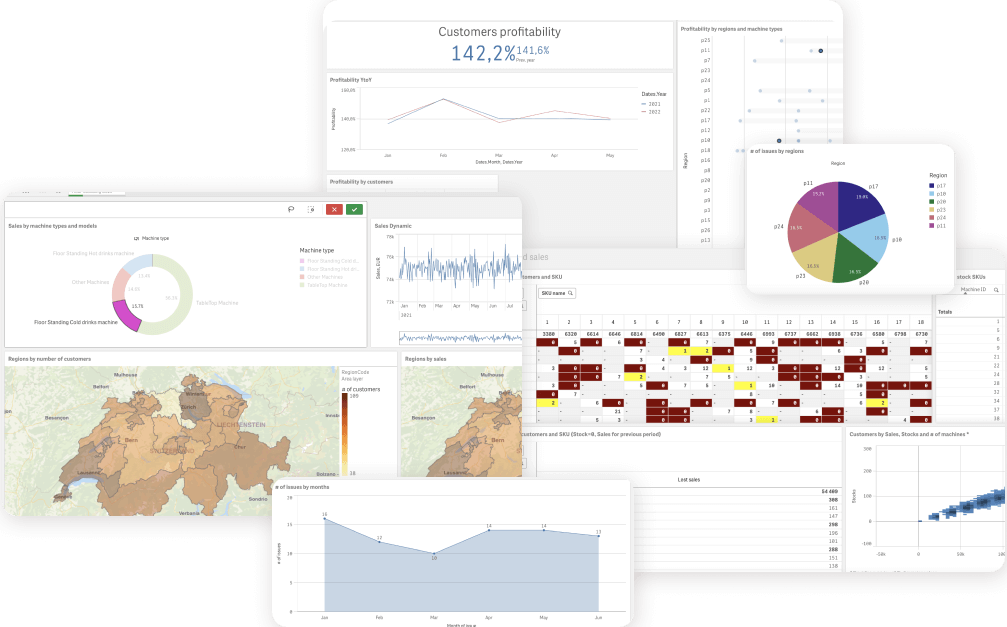
  1. Decision-makers in Top management and Sales to have all company data at hand anytime with visualized information about vending machines operation, maintenance, and sales by region/country, including margin rates and issues reports.
  2. Supply management and Machine Service employees to be aware of and timely respond to any technical issues, see relevant data to replenish stocks, and make purchases in a timely manner.

The current corporate solution needed significant functional improvements and technical gain as the client was committed to growing and scaling to new markets in Europe and United States. That’s why they addressed *instinctools for augmented technical expertise in business analysis, consulting, and business intelligence software development.

Solution

Step 1
Consulting and Discovery phase

No project starts without clearly defined terms of reference. To define them, we began by asking the right questions and answering the client’s questions.

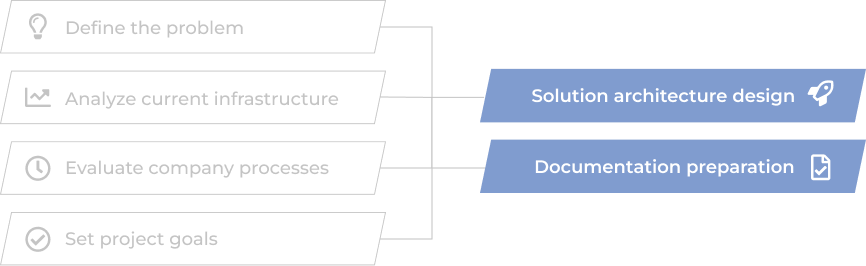
After reaching a mutual understanding of problem definition, current system infrastructure analysis, processes evaluation, and project goals, we started to design and build solution architecture and prepare necessary documents for successful project implementation within the discussed timeline.

Step 2
Data warehouse creation and first dashboards release

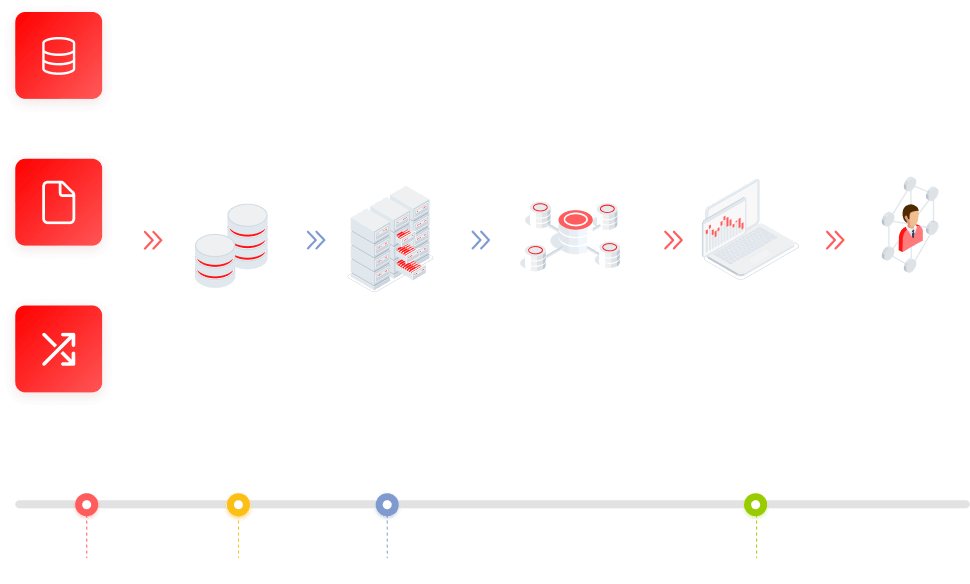
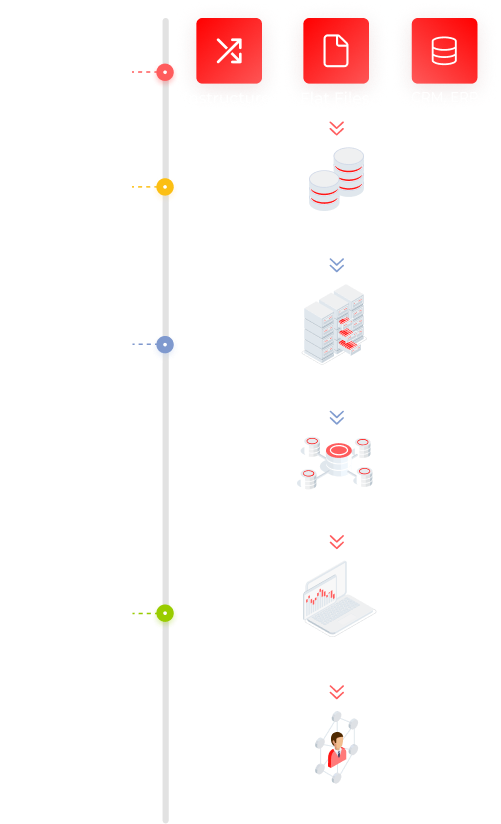
Our data engineers organized proper ETL processes to connect data from corporate data sources (CRM, ERP, Excel files, and others) to a newly built data warehouse.

Even before the warehouse storage was fully organized with all company data, we crafted the first reports and dashboards based on newly gained data. Our client got the opportunity to evaluate the benefits of data visualization two weeks after the project started.

Receiving the feedback from dashboards’ actual users, we made timely and high-quality changes at the development stage.

Faster delivery and better development

High-quality changes based on the usage feedback

Continuous improvement

Step 3
Project release and data analysis

The core of delivering a quality product is understanding its users and their needs. The final step of our project was the review and BI software access distribution across the company according to its designated users.

More importantly, the established relationships between our development team, product stakeholders, and decision-makers allowed us to promptly react to the feedback and upcoming issues, making high-end improvements to the system.

Before

  • Disparate analysis and no single data storage solution
  • Existing software doesn’t allow for tracking sales margin across regions
  • Sales reports creation takes up to four working hours
  • Hard to estimate data quality
  • Stock management needs to be organized to provide more structured data
  • Not enough technical capabilities to make forecasts and intelligent data analytics

After

  • Data stored in one place opens up opportunities for complex analysis
  • Visible sales margin
  • Reports are generated automatically or created per request
  • High-quality data and transparency in operations
  • Stock managers get full control over stock turnover and timely purchases
  • Top managers use smart analytics daily to make data-driven decisions and predict sales

Key features

Flexibility

A user-friendly BI system allows configuring the necessary filters for data groups, defining data ranges, and displaying them on dashboards.

Scalability

The dashboards and datasets analytics can be scaled to be used in other units, e.g., Marketing, Accounting, Administration, and Operations.

Accessibility

Business intelligence software is accessible via mobile, web, tablet, and desktop devices.

Business Value

  • The client renegotiated low-margin contracts with customers
  • The number of lost sales was reduced by 30%.
  • Total turnover increased by 9% in 6 months.
  • The downtime of broken vending machines was reduced to a very minimum.

Multiplier Effect​

The expertise employed in this project can be applied to similar projects in retail, hospitality, sharing economy fields, and others.

Facility Access Control To Hone Security For a Software Services Provider

Facility Access Control To Hone Security For a Software Services Provider

How crafting a mobile app for seamless access control allowed a software company to remove hassle from the process of building a secure physical perimeter for software development and increase employee satisfaction rate by 27%.

Challenge

We needed to provide an access control system with automated user identification without requiring the user to take an action.

The automated access control system was supposed to work via a mobile app using Bluetooth LE and centralized server to allow remote manipulation of locks.

Solution

To solve this problem, we developed a mobile app for iOS & Android. This app determines the distance to the door. When a certain threshold is reached, it signals the server to open the door. The server, in turn, communicates with the release mechanism through internal channels..

Key Features

Automatic opening of doors when approaching it. You don’t need to place a chip on the door. You only need to have a cell phone with the installed app

Seamless access control system: it prevents unauthorized access attempts, but at the same time doesn’t require any further action. That is, the door opens on its own by the time you approach it.

Technologies

Modbus
openHAB
iBEACON
Raspberry Pi
Arduino

Baby Monitor App For a Polish Wellness Company

Baby Monitor App For a Polish Wellness Company

How honing the logic of baby monitoring software and enriching it with new features allowed a wellness company to get a 16% increase in application downloads.

About the Project

Baby Monitor app can be used as a real baby monitor with live video streaming within the same Wi-Fi network. In all other networks, the user can take snapshots or photos of their child.

The user has to install the app in two iOS devices (iPhone, iPod, iPad, starting from iOS6.0). The first device acts as a sender in the baby’s room. The user then takes the other device with them as a receiver.

If the user’s child cries, they will first hear a warning beep. Directly afterwards, the app transmits all sounds made in the child’s room. Thanks to the two-way communication, the user is able to talk to the child, and to take a picture to check if everything is ok.

The app works on all data networks (Edge, 3G, 4G, and Wi-Fi). It is useable worldwide – not just in the Wi-Fi area.

Challenge

We participated in the development of this application in 2012. Five years later, in 2017, the company contacted us with a request to improve the product.

Tasks

The customer gave us the following tasks:

  • to add a new feature – multiple users. This feature enables several users with the role of Parent to connect to another device with the role Child and observe audio and video streaming;
  • to improve UI and to make it more up-to-date;
  • to improve the application’s stability and speed;
  • to speed up the rerouting of the devices when changing the role;
  • to reduce the time of Parent device receiving and reaction to the alert from the Child device;
  • to monitor the controller logic of devices and management between them, by means of the MQTT messaging (before the MumbleKit was used);
  • to make numerous changes in the codebase with the result that the previous functioning performs the same way as before, without changes.

Solution

iOS developers, a designer and a tester participated in the project on behalf of *instinctools. We have implemented the following solutions in the course of the development:

  • We have implemented a new protocol MQTT (Message Queue Telemetry Transport). We first implemented PoC (proof of concept) to prove the reasonableness of its implementation. As a result, we realized that the solution works.
  • We then implemented the protocol for the application itself. This protocol is often used for operation with IoT (Internet of Things). It enables us to implement the feature multiple users: when several Parent devices can connect to the Child device (the previous application enabled the connection only for one Child and one Parent).
  • The device state and the operations between devices are also synchronized by means of the protocol. The implementation of the MQTT server and the ping configuration for device tracing, enabled the more rapid notification of connected devices about the loss of connection with one of them.
  • Our team have refactored the connection framework and organized the coordination between servers. Only one server (Mumble Kit) was used previously, two servers – Mumble Kit and MQTT are used now.
  • We have supplied QR for the more convenient connection of devices with each other (the code of the devices was primarily typed by hand).
  • We have also modified the design and made it more up-to date.

Key features

For the user

Modern and convenient application UI

The ability of multiple connections of Parent devices to a Child device

Faster reaction to the notifications from the Child device

Faster and more stable switching between the roles

Notification when the Internet access has been lost PE (provider edge), if the device has not lost the connection

Auto Reconnect when the Internet access is being restored PE

For the system

Due to the implementation of the new protocol MQTT, the application stability has been improved

Several code parts have been refactored

The controller logic and the event processing are rewritten

The synchronization logic of the device state has been supplied

Technologies

Mobile App For a Cookware Manufacturer

Mobile App For a Cookware Manufacturer

How crafting an IoT-driven mobile application with multiple timers’ remote setup and other smart features empowered a pressure cooker manufacturer to usher in the era of intelligent cooking and double the sales of the device.

Our customer is an authoritative cookware producing company. They produce pans, knives, pots, pressure cookers

You have to fix a small controller at pressure valve of the pressure cooker. This sensor:

  • measures the pressure inside the cooker
  • has built-in cooking timer
  • counts how many times cooking took place
  • warns about coming service activities
  • alarms in case of too low or too high pressure

A new generation controllers has a possibility to connect with a mobile phone through BLE (Bluetooth low energy). Now user can follow the cooking process right from their couch watching TV

Key features

Get data about pressure inside the cooker online

Set several cooking timers

Big recipe book with ready cooking parameters

Configure the pot for certain range (gas, glass, induction, iron)

Technologies

UIKit
Xamarin
Xamarin.Forms
Android
BLE
SQLite
Anna Vasilevskaya
AI modified real photo
Anna Vasilevskaya
Account Executive

Get in touch

Drop us a line about your project at
[email protected] or via the contact
form below, and we will contact you soon.