3D Room Scanning and AR Visualization

3D Room Scanning and AR Visualization Solution

How a luxury furniture retailer enhanced both the online and offline shopping experience by letting customers preview furniture in their own rooms, capture precise measurements automatically, and explore products in immersive 3D showrooms, ultimately raising the customer satisfaction score by 25%.

Business challenge

When it comes to luxury shopping, customers expect more than polished web pages and more than white-glove service in-store. That is the entry ticket. When every serious competitor delivers excellence by default, the real challenge is differentiation.

One lever not every luxury brand has mastered is innovation through technology. Applied correctly, they can strengthen both digital and physical customer touchpoints.

A high-end furniture retailer for whom we’ve already built a tailored ecommerce ecosystem, chose to lean into that opportunity.

The goals were to:

  1. Help customers visualize furniture in their own homes, so they can understand how pieces will fit and look in real spaces.
  2. Recommend optimal furniture dimensions for each room using an intelligent matching algorithm, reducing uncertainty about scale and fit.
  3. Handle cases where no catalog item fits perfectly by suggesting safe and feasible size customizations of existing models.
  4. Enable 3D exploration in showrooms for visitors to experience items that cannot be physically displayed due to space constraints.

To meet those objectives, Instinctools’ dedicated team was brought in to design a suite of innovative solutions that could remove friction from both online and in-store shopping experiences.

Solution

Our team designed and implemented the scanning app, matching algorithm, and holographic web application. Each solution was built to integrate seamlessly with the client’s existing workflows and data structures, ensuring a smooth end-to-end customer journey from scanning a room to selecting the right configuration and completing a purchase.

  1. Building a mobile app for room scanning 

We built a mobile app that reconstructs a room as a dimensionally accurate 3D model from LiDAR depth data. Computer vision algorithms detect structural elements such as walls, doors, and windows, while AR technology is used to visualize the reconstructed space in real time.

Once a user scans the room, the app analyzes the available space and generates optimal furniture recommendations from a catalog. Users can further customize items to match their personal preferences. The matching algorithm ensures that every suggested piece is compatible with the room’s exact dimensions, avoiding guesswork or manual measurements.

To keep the experience truly frictionless, our team integrated the app with the client’s Odoo-based ecommerce ecosystem so scan results and calculated dimensions flow directly into it. 

We’ve enabled real-time product selection and faster purchasing through creating a continuous path:
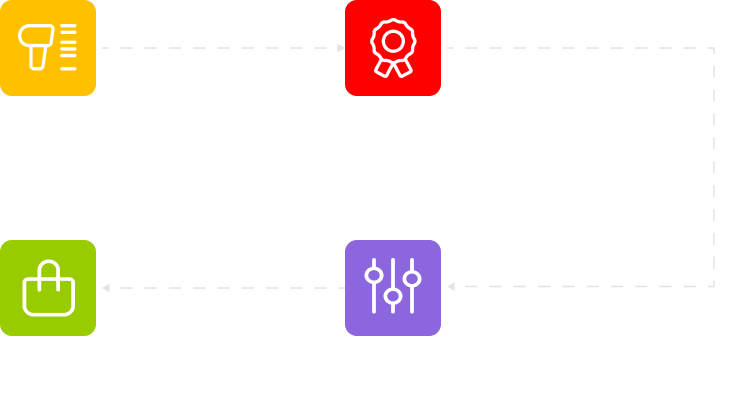
A flowchart with four colored boxes: yellow Scan with a barcode icon, red Recommendation with a ribbon icon, green Checkout with a shopping bag icon, and purple Configuration with a sliders icon. Text and icons are on a light gray background.

By combining AR visualization, precise spatial analysis, and automated product matching, the app delivers a frictionless experience for users and a data-driven tool for the retailer, enhancing both engagement and conversion.

A person holds a smartphone, using an app to preview a yellow sofa in a living room. The real room has brown leather furniture, shelves, plants, and large windows. The phone screen shows the yellow sofa on a rug in the same space.

Calculating optimal furniture dimensions from scanned spatial data to suggest in-stock items or custom-sized/MTO options

At the core of the room scanning app is a purpose-built matching engine designed to bridge the gap between a customer’s space and their desired furniture. The system starts with processing the room’s dimensions, captured through a 3D scanning feature.

The algorithm’s logic is built around dimensional compatibility. For each furniture category, such as sofas, tables, or armchairs, the system calculates an optimal size range based on the  room’s proportions and available space. It then filters the catalogue accordingly, showing only the items that fall within those parameters, so customers see options that actually fit rather than a generic product grid.

Where it gets especially valuable is in situations when no standard catalog item matches the room. In these cases, the algorithm identifies the customer’s preferred model and proposes a feasible, custom-sized option, suggesting adjusted dimensions to achieve a perfect fit and preserve design integrity.

From concept to client-ready solution

This feature started as a client’s Proof of Concept for how a size-aware recommendation engine should work. Using it as a blueprint, our backend developer delivered the first working version. After the demo, the client requested several modifications and provided additional requirements to align the logic more closely with their specific workflow. Following the update, the client’s subsequent testing confirmed that the final implementation matched their expectations perfectly, validating both the concept and its execution.

  1. Enabling immersive in-store product showcase through a holographic application

To make the showroom visit as premium and memorable as the products themselves, we developed an integrated solution that pairs a custom web application with Holobox holographic displays. The client acquired two Holobox units from Holoconnects – specialized hardware that uses a strategically positioned high-definition screen to create the illusion of a floating, three-dimensional image from 2D content, delivering a striking ‘hologram-like’ effect.

Technology foundation

Holobox runs on a proprietary operating system that boots directly into a full-screen Chromium instance. This setup effectively turns the entire holographic display into a web-rendering engine: any content loaded in the browser is instantly broadcast as a hologram.

We built a dedicated web application that serves as the brain of this experience. The app is designed to respond to user interactions in real-time, creating a seamless bridge between a handheld device and the large-format display.

Interactive workflow

In-store, customers can explore pieces that aren’t physically on the floor due to space constraints. For example, they can rotate a sofa, switch colors/finishes, and evaluate the look and presence of the product before committing.

The user journey is simple but powerful:

  1. A customer approaches the Holobox in the store and picks up a paired tablet.
  2. The web application loads on the tablet, presenting a browsable product catalog.
  3. As the user scrolls or selects an item on the tablet, the app transmits a signal to Holobox.
  4. The Chromium browser on the Holobox  updates instantly, displaying a high-resolution, holographic visualization of the selected product.

From a technical standpoint, this required implementing a robust, low-latency communication channel (using WebSockets) to ensure the holographic display feels like a direct extension of the tablet. The result is an immersive, interactive experience which also helps customers make more informed decisions.

Before

  • Inability to picture furniture at home
  • Manual guesswork about furniture fit
  • Physical showroom space limitations

After

  • Realistic AR visualizations for confident decisions
  • Intelligent matching algorithm calculating optimal size ranges per room and proposing safe customization when no SKU fits perfectly
  • Immersive holographic product display via Holobox hardware, powered by a dedicated web app

Business value

  • Premier buying experience offline and online
  • +20% online sales growth
  • +25% CSAT increase

Odoo-based Ecommerce Ecosystem

Odoo-based Ecommerce Ecosystem for a Luxury Furniture Retailer

How a high-end furniture retailer grew online sales by 20% and improved CSAT by 25% by launching an Odoo-based ecommerce ecosystem.

Business challenge

Hardly a surprise, purchasing habits are drifting online. By most metrics, luxury retail is already there. Online sales of premium furniture, for instance, have been climbing by roughly 30%* year over year.

At the same time, many high-end buyers remain charmingly old-school, insisting on touching fabrics and performing a slow lap around the showroom before committing to a five-figure sofa. But even when the final transaction happens offline, the decision rarely does. Nearly 80%** of luxury sales today are digitally influenced: shoppers engage with one or more digital touchpoints before they buy.

*McKinsey

**Grand Research Store

This leaves established luxury brands in a constant balancing act: preserving their heritage and boutique experience while adapting to modern ecommerce expectations.

That omnichannel tension was at the core of our client’s concerns, a high-end furniture and housewares retailer. They sought a robust ecommerce solution that could complement their boutique sales and digitize operations across multiple premium manufacturers, including those offering made-to-order furniture.

Impressed by the portfolio of completed ecommerce implementations by Instinctools, the retailer secured a dedicated team for the end-to-end development of their own ecosystem.

Solution

We proposed an ecommerce solution built on ready-made, specialized components, while fully tailored to the client’s business specifics. As a foundation, we picked up the Odoo platform, which best met the client’s requirements in terms of cost and functionality. To accelerate delivery and keep costs under control, we assembled the system from proven, ready-made building blocks: ERP, CRM, CMS, etc, allowing us to move fast without compromising reliability.

  • An online storefront with an exquisite, minimalist interface that highlights high-resolution, artistic product imagery, paired with a purchasing journey that feels exclusive, polished, and perfectly on-brand.
  • A centralized ERP system uniting a CRM module, order management, quality control panel, and logistics module under its hood for synchronized, hitch-free back-office processes orchestration.
  • A dedicated manufacturing portal for seamless communication and collaboration with external production partners.
  • A mobile room scanning app powered with an intelligent size-matching algorithm for calculating optimal furniture dimensions and suggesting either in-stock or Made-to-Order options.
  • A custom web-based holographic app for immersive in-store product showcase.
  1. Core system components in detail

Below is a closer look at the key components of the solution and how they work together across commerce, operations, and fulfillment.

Equipping internal users with feature-rich functionality to deliver a premier shopping experience

Our team developed a Next.js-based ecommerce frontend that supports customer optional sign-up, appointment booking, and end-to-end purchasing in one consistent customer journey across both online and in-store touchpoints.

Operational capabilities covered in the storefront:

  • Catalog management
    • Creating and structuring product categories
    • Configuring main-menu navigation
    • Creating, updating, and assigning products to categories
    • Building and publishing collections, including product videos
    • Managing product attributes (e.g., size, color) to support complex configurations
  • Pricing, regions, and promotions
    • Creating and managing price lists
    • Setting region-specific pricing and mapping it to country groups
    • Configuring and maintaining discount and loyalty programs
  • Order management
    • Searching and reviewing online orders with full visibility into key sales-order data (customer, order lines, pricing, taxes, totals, statuses, delivery and invoicing details, payment terms, and shipping method)
    • Updating order details when business rules allow
    • Linking historical orders made by guest users to a newly created customer account
    • Creating orders manually (for assisted sales), generating payment links, and triggering transactional emails when an order is posted

By bringing online and in-store shopping into a single system and keeping catalog, pricing, and customer data connected, the storefront simplifies day-to-day operations, improves the buying experience, and gives the business tighter control over regional pricing and promotions while remaining flexible for future growth.

Orchestrating back-office operations within a centralized ERP system

Before embarking on a full-scale retail digital transformation, the client’s online presence was limited to a basic Shopify storefront. Behind the scenes, almost everything that happened after checkout was handled manually, making fulfillment slow, error-prone, and largely opaque, with no real-time visibility into production. Within the Odoo-based ERP portal we designed, teams can now manage the full back-office cycle from customer data and order orchestration to production control, quality gates, and delivery coordination.

  1. Customer relationship management

    A CRM module consolidates all customer data in a centralized repository. Here, the team can view detailed customer profiles, including purchase history and preferences, create new customer entries, update contact information and account status in real time, and add private internal notes to track specific client requirements or conversations.

  1. Orders processing and production handoff

    Once the quotation is confirmed either by a customer completing payment online, or by a sales representative confirming it on behalf of a customer in-store, it becomes a Sales Order (SO). SO contains a series of attributes that provide comprehensive details about the order, including the item name, its manufacturer, optional product details, quantity, unit price, taxes, delivery option, etc.

Sales order workflow

Quotation

The initial draft is created, sent for approval, or shared with the customer.

  • generated automatically (when a customer places an order online)
  • Created manually by the Admin for specific customer requests
Confirmation

Once confirmed, the order moves to Sales order status.

Invoicing

Invoices are generated and payments are recorded.

Delivery

The furniture item is prepared, shipped, and marked as delivered.

Once the Sales Order is confirmed and payment is received, the workflow automatically shifts into production. If the item is out of stock or requires customization, the system generates a corresponding Purchase Order (PO). Before it’s sent to the manufacturer linked to the product, a sales manager validates that the PO meets production standards by:

  • Checking that the Purchase Order contains all the necessary details about the piece of furniture to be manufactured, including product specifications, sizes.
  • Checking that the purchase order contains all the necessary production files (e.g. CAD, renderings, assembly instructions, etc.)

If a sales manager thinks that files or notes for the manufacturer are needed, they can add a message to the purchase order.

After all the checks and PO confirmation, the status of the purchase order changes to “Awaiting Manufacturer” and becomes available to the manufacturer in a Manufacturer portal.

The order processing module gives sales and production managers a dedicated workspace to:

  • View all pending orders in a prioritized queue
  • Break down orders into manufacturing requirements (materials, dimensions, finishes).
  • Assign jobs to specific manufacturers
  • Track the progress of each order through the production lifecycle
  1. The quality control
    of the manufactured products

    Since quality is central to the client’s brand, we embedded quality control (QC) directly into the production workflow. For each manufactured item, designated quality controllers can:

  • Log inspection results against predefined quality checklists
  • Capture and attach photos of finished items for visual verification and auditability
  • Flag defects or non-conformities and automatically trigger rework, where needed
  • Approve products for delivery only after they meet the required standards

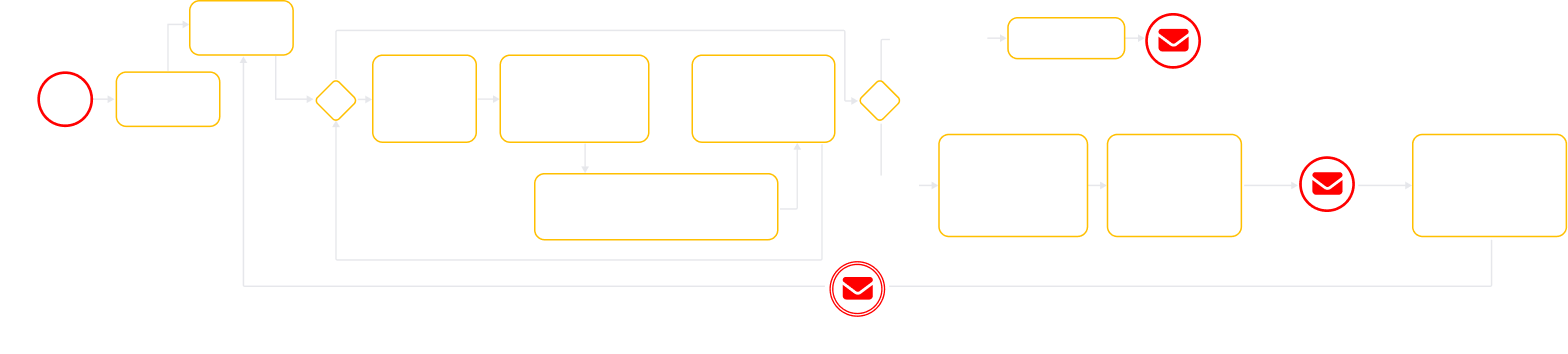
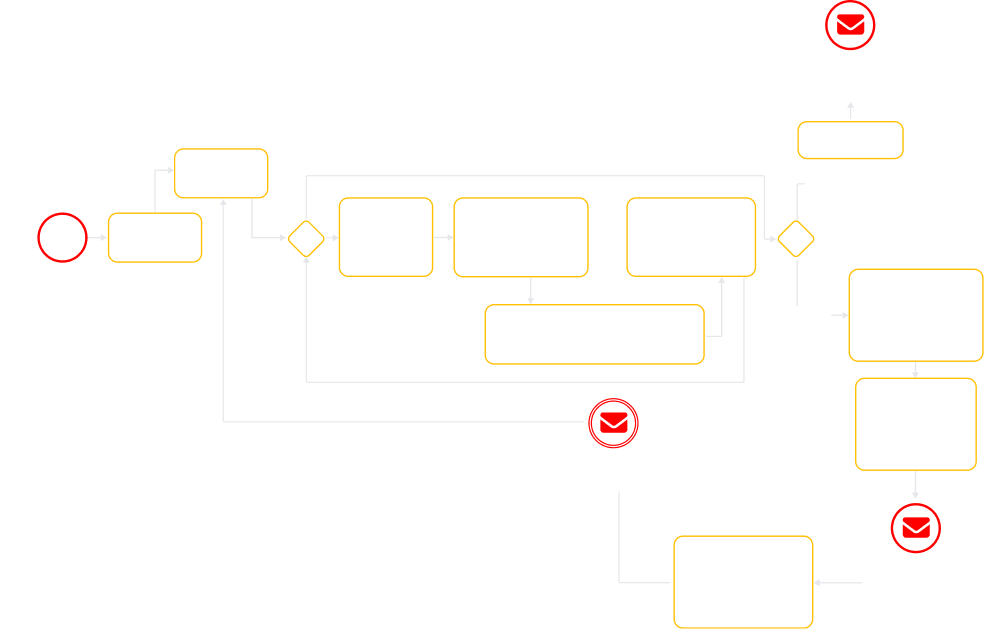
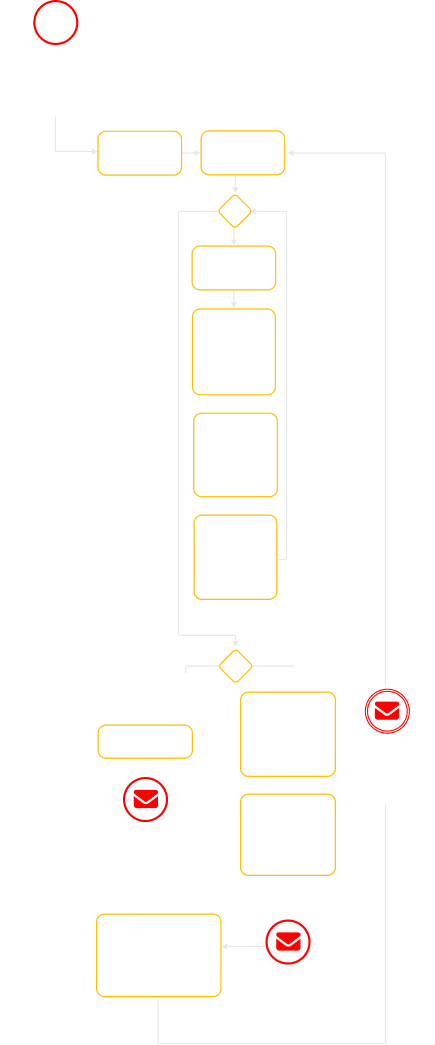
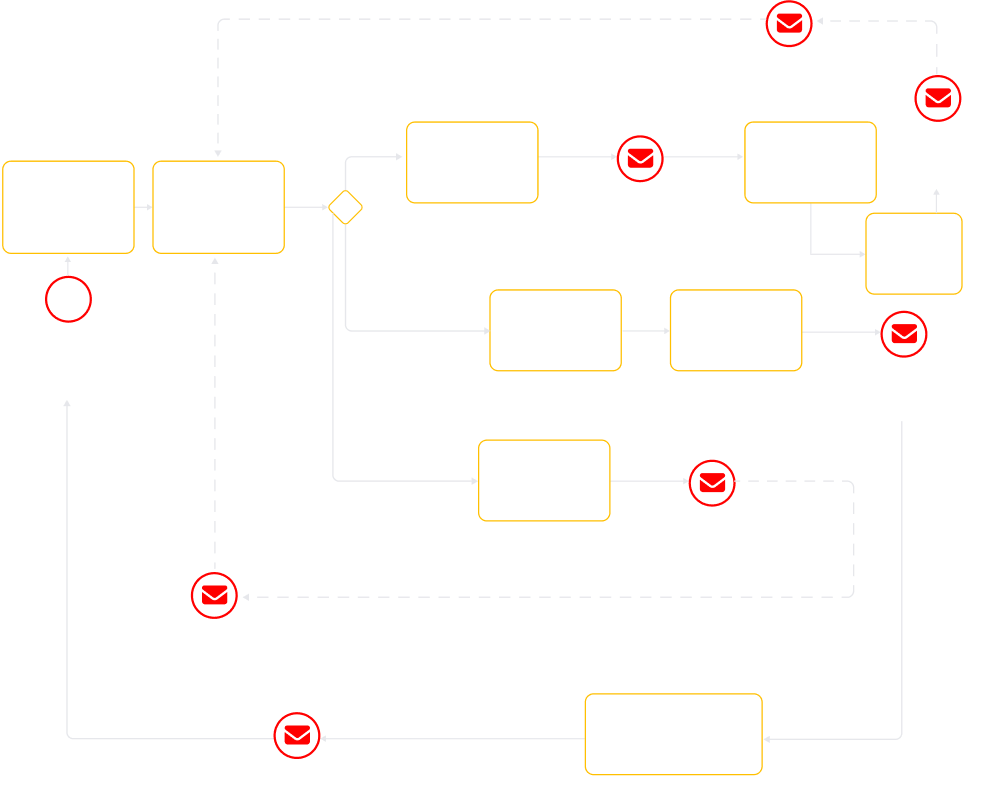
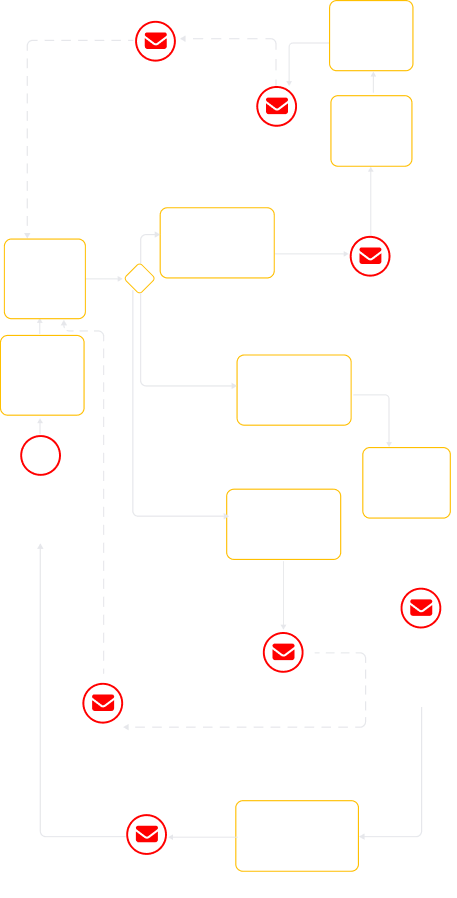
Quality control workflow

A flowchart outlines an order process. Key actions include logging in, viewing orders, selecting items, conducting checks, attaching images, submitting for QA, adding rejection reasons, and communicating issues. Red envelope icons mark communication steps.
Faded flowchart with yellow and white boxes connected by arrows. Red icons with envelopes highlight three steps: Click on the Link in Email Notification, Review notification that order is assembled, and System sends instructions to Manufacturer.
A vertical flowchart with yellow boxes and diamond shapes outlines a process that includes steps like Log in, View the order, and other subsequent tasks. Several red envelope icons are overlaid at decision points. The flowchart fades towards the bottom.
  1. Product delivery management

    The delivery module ensures that approved products leave the manufacturing facility and arrive at the customer’s doorstep on-time. Logistics coordinators begin by confirming the shipping address and verifying key order details, such as order lines, delivery dates, or pricing, making manual adjustments if needed. This blend of automation and manual flexibility ensures timely, accurate deliveries while handling real-world logistics exceptions.

Empowering production partners through an easy-to-use and secure manufacturer portal

To close the loop between sales and production, we built a dedicated web interface for the client’s manufacturing partners. Just as registered customers have their own personal account with the history of purchases, each manufacturer is invited to the system via a secure login, gaining access to a tailored portal that connects them directly to the orders they need to fulfill.

Secure, role-based access

When a manufacturer is onboarded, they receive an invitation to create their account. Upon login, they see only the data relevant to them, namely, the purchase orders assigned to their workshop. This role-based access ensures that sensitive customer or business information remains protected while giving manufacturing partners exactly what they need to do their jobs.

Order management at their fingertips

Once inside, the manufacturer is presented with a clear, intuitive interface for managing their workload. Key capabilities include:

  • Viewing purchase order lists. A comprehensive list of all assigned orders, providing a snapshot of current and upcoming work.
  • Viewing purchase order details. Deep visibility into each order, including product specifications, materials, dimensions, and customer notes.
  • Searching for purchase orders. A robust search function to quickly locate specific orders by ID, customer name, or date.
  • Sorting purchase order lists. Flexible sorting options to prioritize orders by deadline, status, or value.
  • Processing purchase orders. The ability to accept new orders and move them through production stages, updating the status in real time, from “Accepted” to “In Production” to “Completed.”
  • Downloading furniture unique code. Access to unique identifiers for each piece of furniture, which can be printed or scanned to track items through production and delivery.
Profile management

Manufacturers can also manage their own profile settings within the portal, keeping their contact information, business details, and preferences up to date.

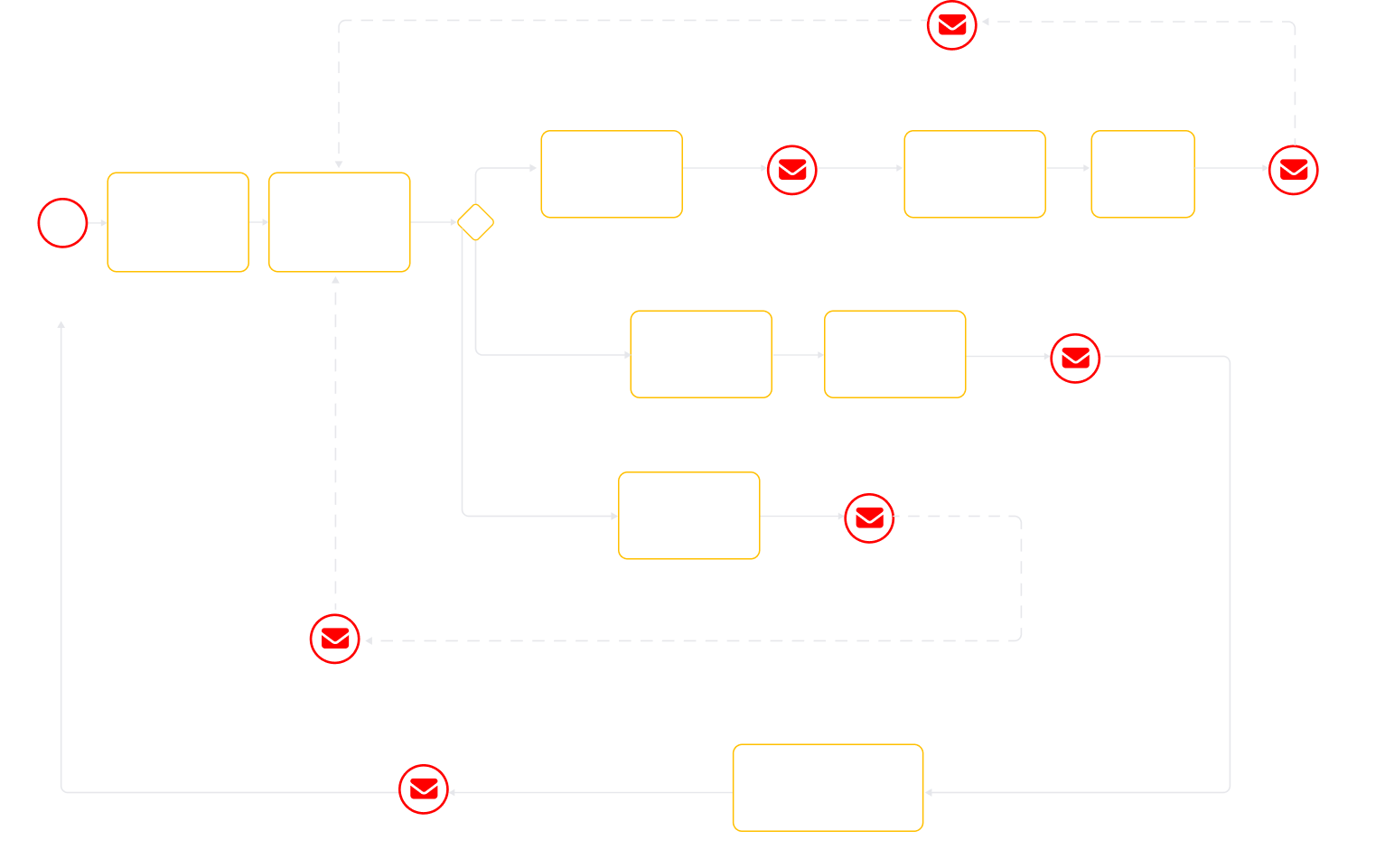
User story within the Manufacturer portal

A flowchart with yellow boxes and arrows on a light background, showing steps like “Authorize at Manufacturer Portal,” “View the Order,” “Accept the Order,” and “Download outlook for every item,” with red email icons marking communication steps.
A flowchart showing order processing steps with rectangles outlined in yellow. Red mail icons appear at steps like View the Order, Authorize at the Manufacturing Portal, Accept the Order, and Reject the Order. Some paths and text are faded gray.
A vertical flowchart with yellow-outlined boxes and diamond shapes, red mail icons marking steps. Boxes describe steps like Accept the Order, View the Order, Reject the Order, and Offline communication with Admin.” Lines connect steps.

Enriching the client’s ecommerce ecosystem with room scanning and holographic apps

Alongside ecommerce development, our engineers built a suite of complementary digital solutions to support the client’s non-standard ecommerce workflows:

  • A mobile app that analyzes a room’s dimensions, recommends catalog items that fit perfectly, and suggests size customizations.
  • A web app for Holobox displays, letting customers view products in 3D, rotate them, and change colors via a paired tablet.
  1. The technical choices behind speed, savings, and long-term resilience

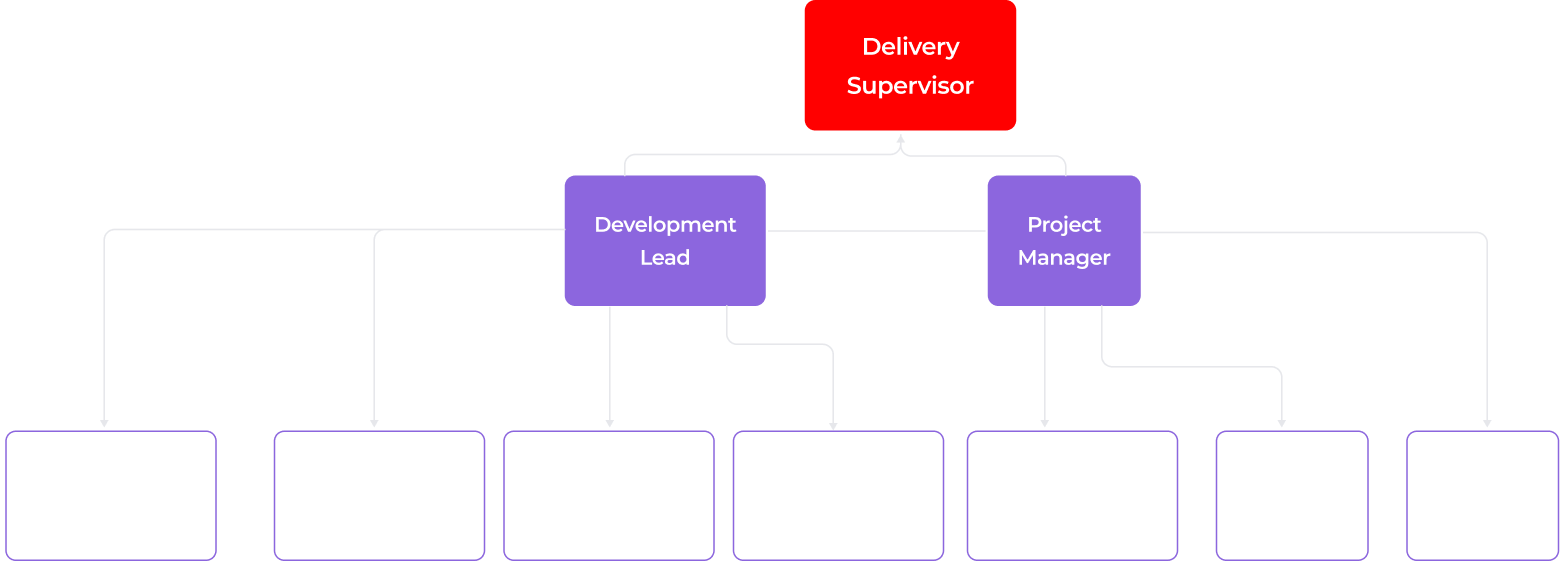
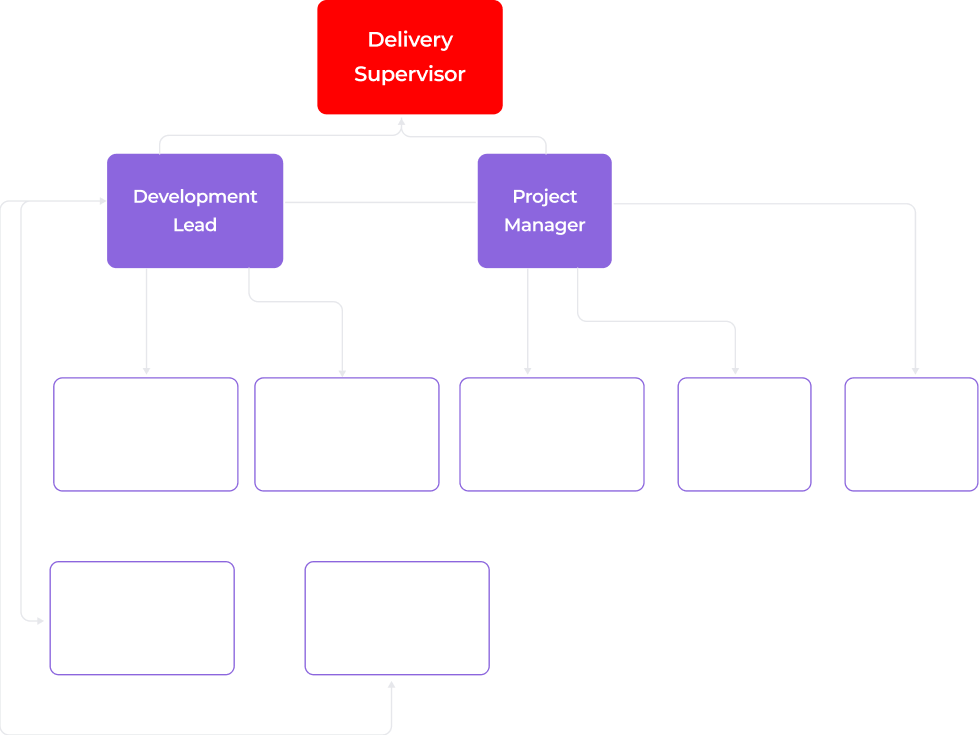
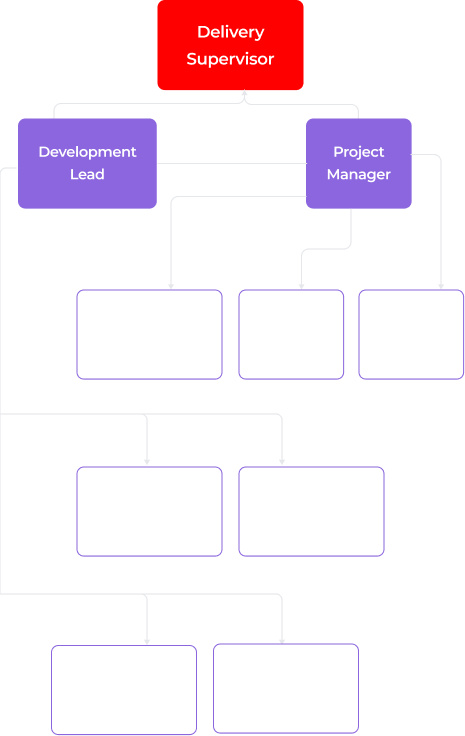
During a thorough discovery phase, led by our Business Analyst and supported by key team members, we investigated requirements, constraints, design, and technical architecture to shape the budget and development roadmap. With this foundation, we then assembled a cross-functional team of 8 specialists.

An organizational chart shows a red box labeled Delivery Supervisor at the top, connected to two purple boxes: Development Lead and Project Manager. Below, six faded boxes list various developer and analyst roles, connected under the purple boxes.
An organizational chart with a red box labeled “Delivery Supervisor” at the top. Below it, two purple boxes read “Development Lead” and “Project Manager.” Under them are faint, linked roles such as Developer, Engineer, Analyst, and Designer in lighter purple boxes.
An organizational chart with Delivery Supervisor in a red box at the top. Below are Development Lead and Project Manager in purple boxes, each branching to faded boxes for roles: Business Analyst, QA Engineer, UX/UI Designer, DevOps, React Native, Frontend, Backend.

Deciding on the software linchpin

To define a scalable, delivery-ready architecture, we aligned on several core technology decisions early in the project:

  1. Choosing platforms capable of supporting both ecommerce and manufacturing workflows as a unified foundation. The solution needed to go beyond standard ecommerce flows and involve manufacturers, QA, and production logic, so we extended the architecture to include ERP- and CRM-like capabilities, rather than treating manufacturing as a bolt-on.

Non-standard ecommerce flows to support high-end customer experience:

A white icon of two overlapping rectangles, one above the other, is centered on a red square background with rounded corners. The design is simple and geometric, suggesting layers or stacking.
Selective access
to collections

The platform must dynamically manage access to some collections or limited-edition pieces available only to specific clients, without creating friction for other users.

A white dollar sign is centered inside a scalloped circular badge on a bright yellow background. The badge and icon are simple, with clean lines, conveying a money or price symbol.
Payment before
final customizations

The system should secure payments for made-to-order products in advance, allowing for post-purchase adjustments without overcommitting manufacturing or violating accounting rules.

A white gear icon with six teeth is centered on a bright green square background with rounded corners, symbolizing settings or configuration options.
Post-purchase configuration adjustments

The ability to adjust selections, such as fabric or finish after purchase, while staying within production constraints and maintaining accurate invoicing and inventory management.

  1. Prioritizing existing platforms, services, and infrastructure to accelerate delivery. With strict deadlines, reusing proven components reduced engineering effort and compressed the time to market without sacrificing reliability.
  1. Building the solution on open-source software with a custom service layer to ensure long-term scalability. This approach keeps the system flexible for post-MVP scaling, letting us expand workflows and functionality without being constrained by rigid platform limits.

To meet the client’s ambitious quality objectives and accommodate the unique demands of non-standard ecommerce flows, we selected Odoo as the foundation for the solution.

Odoo is a Python-based open-source platform that supports multiple business domains, including ecommerce, ERP, CRM, accounting, and more. This makes it the perfect choice for a hybrid commerce-manufacturing system.

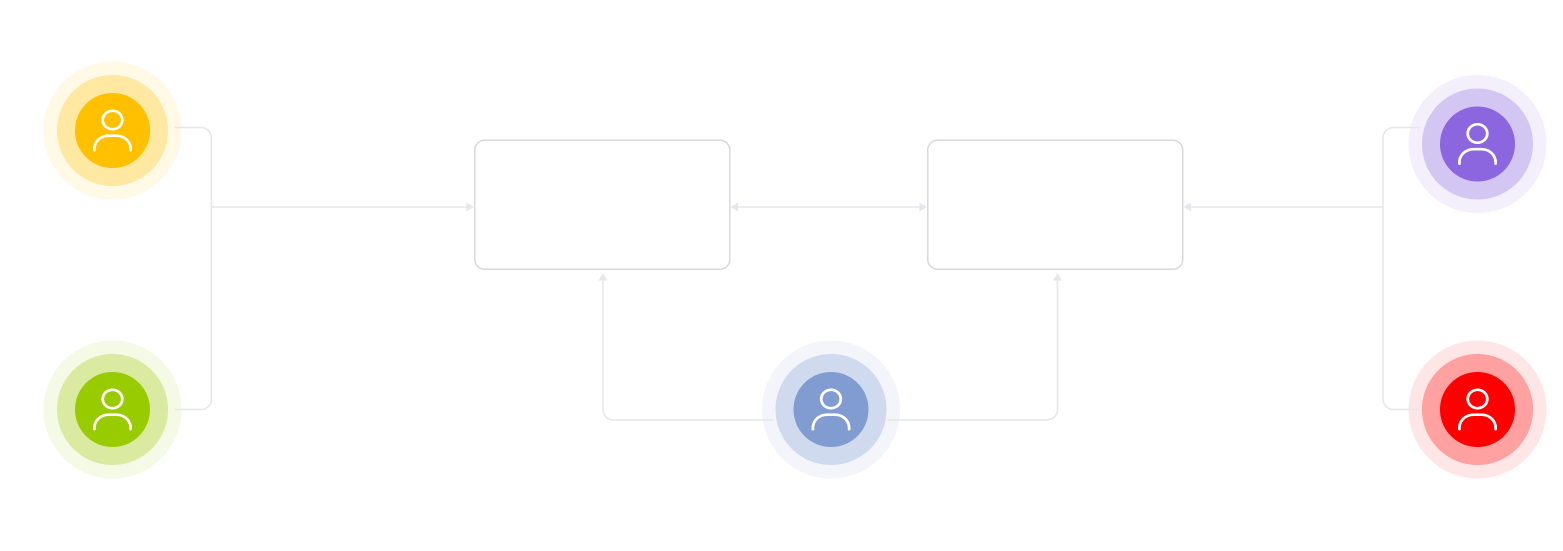
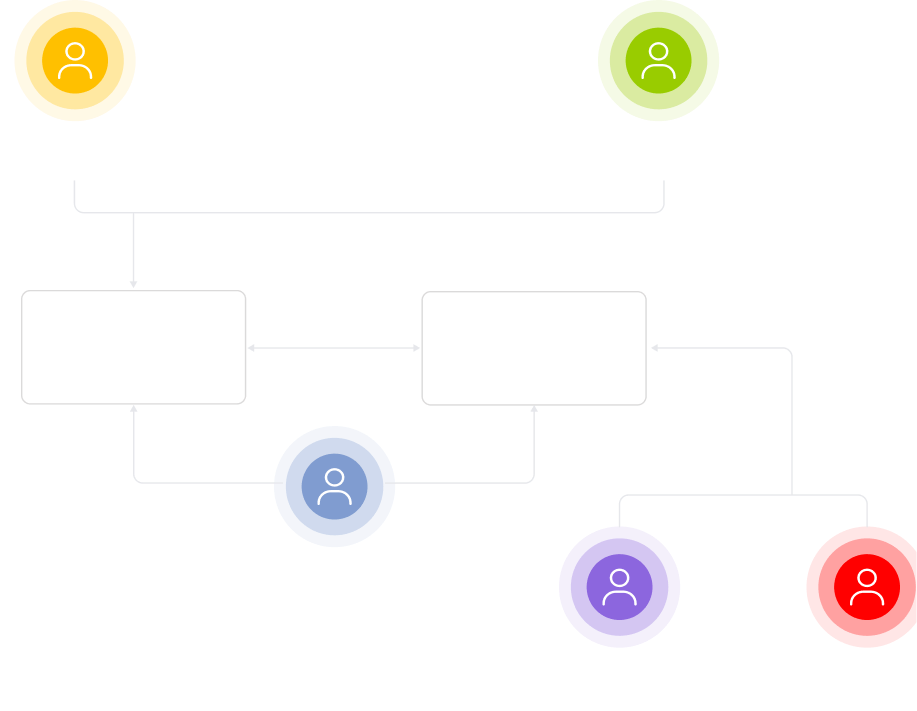
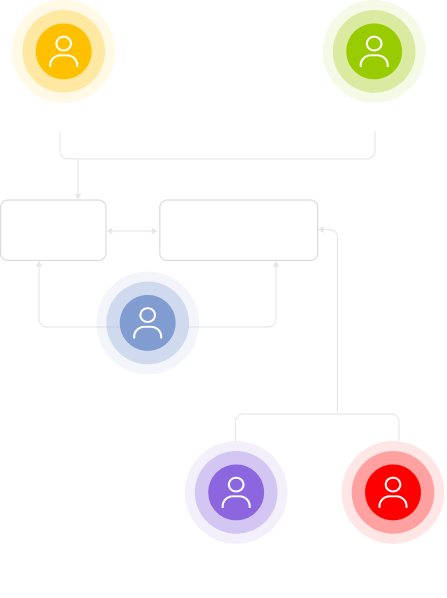
High-level solution architecture
A flowchart with six colored circles labeled: Customer (yellow), Sales assistant (green), Admin (blue), Manufacturer (purple), Quality controller (red). Central boxes “E-store” and “Manufacturer portal” connect these roles, illustrating an interaction process.
A flowchart with six colored circles labeled: Customer (yellow), Sales assistant (green), Admin (blue), Manufacturer (purple), and Quality controller (red). E-store and Manufacturer portal boxes connect these roles with arrows, showing workflow steps.
A flowchart with six colored circles labeled: Customer (yellow), Sales assistant (green), Admin (blue), Manufacturer (purple), Quality controller (red). Faded boxes labeled E-store and Manufacturer portal connect some roles.

Migrating the commerce stack from Shopify to Odoo

At first, we considered retaining the client’s existing Shopify setup for ecommerce and integrating Odoo as a manufacturing portal. Shopify’s SaaS model offered straightforward, out-of-the-box ecommerce features and its POS offline capabilities seemed ideal too, minimizing the need for a custom POS layer.

However, it soon became clear that the project’s non-standard ecommerce flows would have required heavy customization around Shopify:

  • Customer access control: Shopify POS lacks granular control over customer visibility, meaning sales assistants could view all customer profiles, which is an unacceptable limitation for privacy and security.
  • Appointment booking: The existing Shopify plugins did not cover the required appointment booking logic, making custom development unavoidable.
  • User limits: The client’s Shopify plan supported only 15 users, which would quickly become a bottleneck as new boutiques were onboarded.
  • Payment and measurement flow: Shopify’s order model didn’t support the required process of ‘pay first, finalize measurements later’, preventing updates to paid orders with actual measurements.

With all those constraints, we determined that the benefits of maintaining Shopify for a limited set of functions, such as catalog, orders, and customer management, didn’t outweigh the potential complexity and risks of extensive customizations. Instead, together with the client, we made the strategic decision to migrate fully to Odoo, leveraging its flexibility to build a tailored, scalable solution that better aligned with the company’s long-term needs.

Handling integration quirks

Since the client was on Odoo Community (vs. Enterprise), we were working with a pretty limited feature set out of the box. To deliver a seamless experience, we had to extend, modify, and sometimes completely rebuild standard connectors.

Twilio: predictable messaging without platform constraints

Odoo’s native integration with Twilio required purchasing additional tokens just to send SMS messages, which added recurring costs and limited flexibility.

We eliminated this dependency by building a custom integration that communicates directly with Twilio’s API. This gave the client full control over messaging costs and functionality, from order confirmations to delivery alerts.

DHL Express: making shipping rates and validation resilient

The DHL integration presented the most challenges, requiring numerous adjustments to make it reliable.

  • Rate calculation on holidays. DHL could return no live rates during non-business days. We adjusted the logic to automatically check the next available business day, so shipping costs are always available at checkout and in back-office flows.
  • Address validation discrepancies. DHL’s location data sometimes differed from common sources like Google Maps or Wikipedia, causing validation failures. We implemented more tolerant matching to prevent unnecessary customer friction.
  • Verification and compliance. We went through an extensive verification process because DHL requires strict data accuracy for international shipments. Even minor errors in customs declarations can result in fines, holds, or delivery delays. To address this, we implemented an API-driven declaration flow: customs declarations are generated via DHL’s API only after our system pre-validates all line items and required shipment data, ensuring everything passes DHL’s checks before submission.
Stripe: modern checkout with multiple payment methods

Odoo’s default Stripe component was outdated, exposing too few payment options in the UI. The business needed credit cards, digital wallets, and local payment methods to maximize conversion.

We developed a custom express checkout component from scratch, creating a modern, flexible interface that met the client’s requirements and improved the user experience.

Decoupling the storefront UI for enhanced performance and flexibility

Although Odoo offers an out-of-the-box storefront builder for easy customization, relying on it introduces potential performance risks. Since Odoo renders pages on the server, page load speed directly depends on its current resource utilization and processing capacity.

To avoid future performance constraints, we suggested implementing the ecommerce application as a standalone Next.js (React) application integrated with Odoo via REST API. While Next.js uses server-side rendering, hosting it as a separate storefront keeps site speed independent of Odoo’s workload and lets use prerendering and caching to deliver pages faster.

Besides, the client was not satisfied with the built-in builder’s limited customization options for style, fonts, colors, and layout. To ensure every page matched the client’s vision, our UX/UI designer reworked each of them, and, once approved, our frontend engineer turned the static mockups into functional, performant, and accessible user interfaces. Some elements, such as the booking calendar and the customer address section in the user account were built completely from scratch because they were not supported natively in Odoo.

Mitigating long-term architectural and delivery risks

A monolithic approach (combining ecommerce and manufacturing portal into a single service) accelerates development speed but increases long-term risks, such as architectural complexity, codebase entropy, and scalability constraints. To tackle these risks, the team followed best engineering and architectural practices:

  • Source control (Git). All source code was hosted in a Git-based repository. While Instinctools could run a dedicated GitLab environment for the project, we recommended the client maintain its own repository on GitHub, GitLab, or another Git platform to retain long-term ownership and access control.
  • Code review. All merges into the main branch were reviewed by at least one of our engineers. By keeping merge requests small and focused, we minimized review complexity and reduced the risk of overlooking important issues.
  • Automated testing. Although there was no mandatory test coverage requirement, we recommended that automated testing be considered for critical features, provided the timeline and scope allowed, to ensure the highest level of functionality and stability.
  • Coding standards. The solution was built on Odoo (Python) and React (JavaScript). Our team followed internal coding standards for both Python and JavaScript.

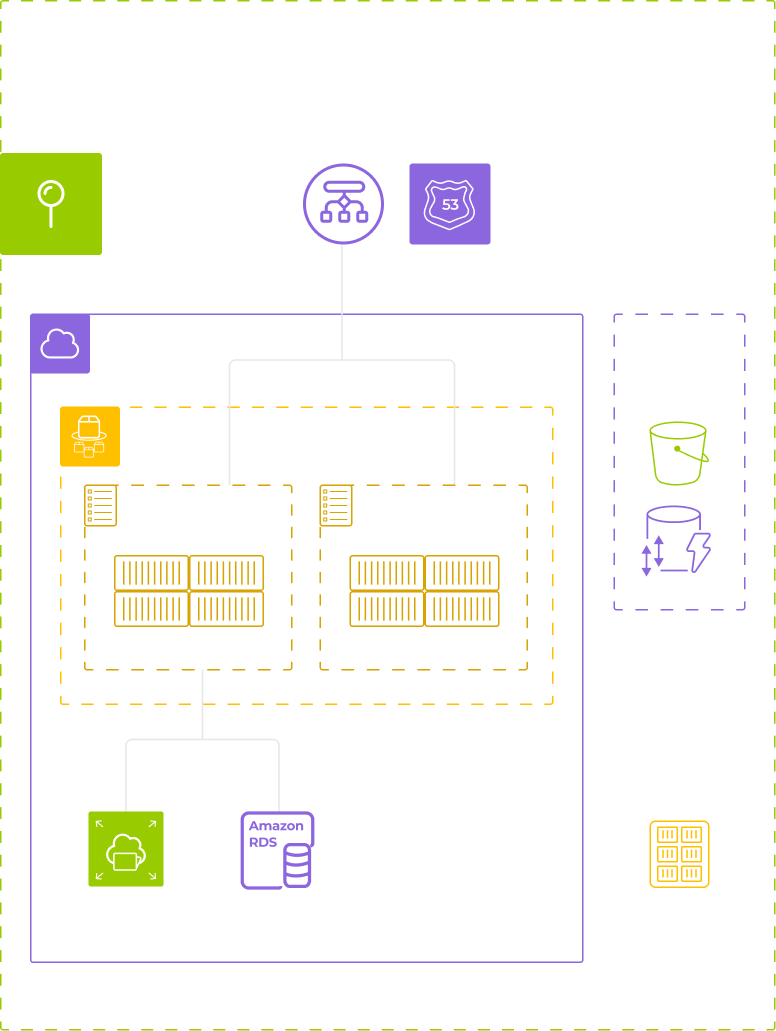
Deploying infrastructure on AWS

Leaning on native AWS services allowed us to obtain core infrastructure features, such as autoscaling, backups and recovery, observability, and security controls, out of the box, reducing operational complexity and long-term maintenance overhead.

  • ECS Fargate runs application containers and enables seamless horizontal scaling without the burden of managing servers.
  • Amazon Aurora PostgreSQL is used as a fully managed relational database, providing high availability and scaling capabilities.
  • The solution is deployed within a Virtual Private Cloud (VPC) with isolated public and private subnets to enforce security boundaries and controlled exposure.
  • Amazon EFS provides shared, multi-AZ file storage to ensure durable and scalable application workloads.
  • Amazon ECR stores and distributes private container images securely and efficiently.
  • Sensitive credentials are protected by AWS Secrets Manager. Administrative access is controlled via a bastion host deployed in a private subnet.
  • All infrastructure is provisioned and managed using Terraform to ensure reproducibility and controlled change management.
Diagram of AWS-based infrastructure deployment view: shows components like VPC, ECS Fargate (running Odoo and a frontend SPA), Amazon RDS, EFS, S3, ECR, and Terraform state, organized in colored outlined boxes with icons representing each service.

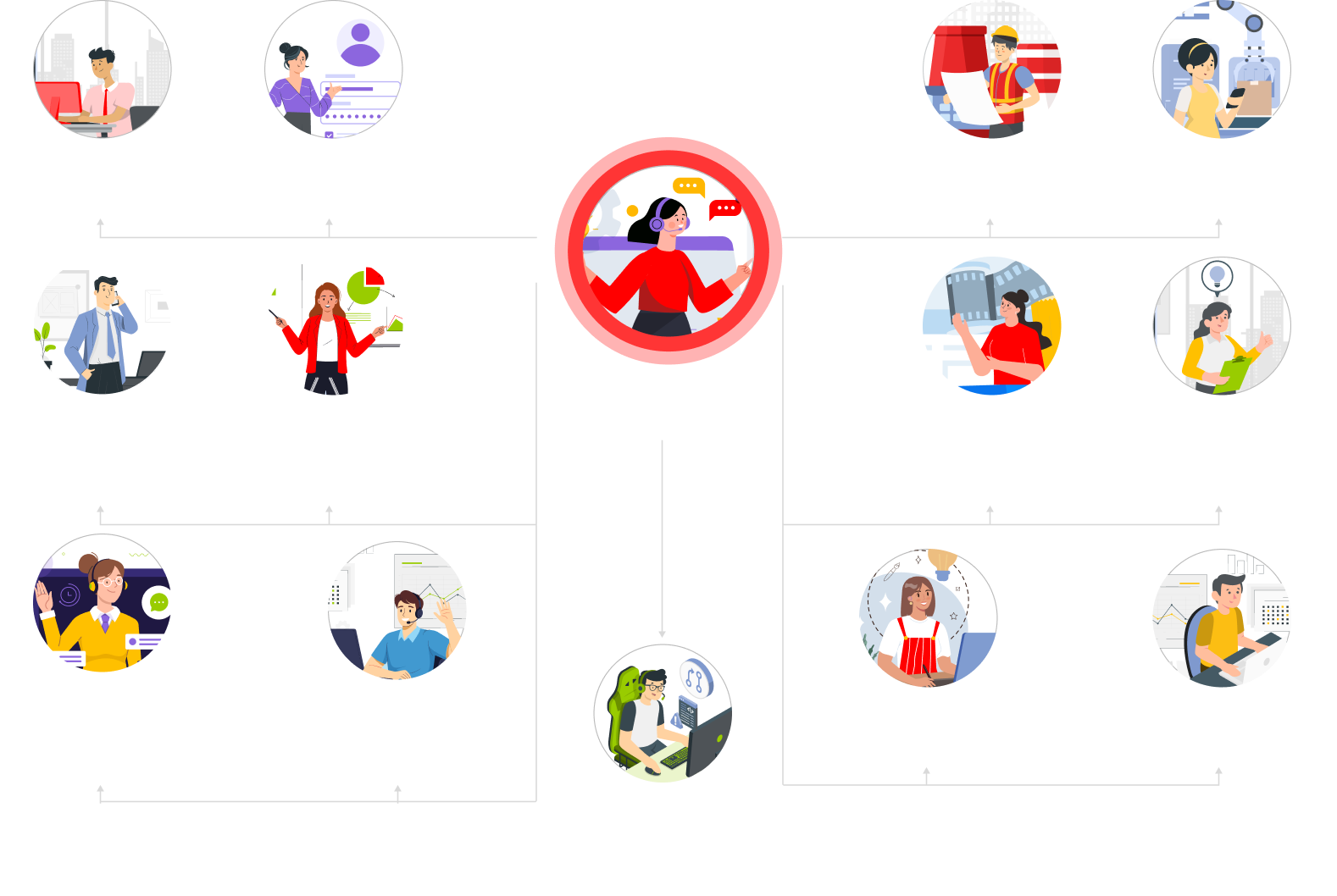
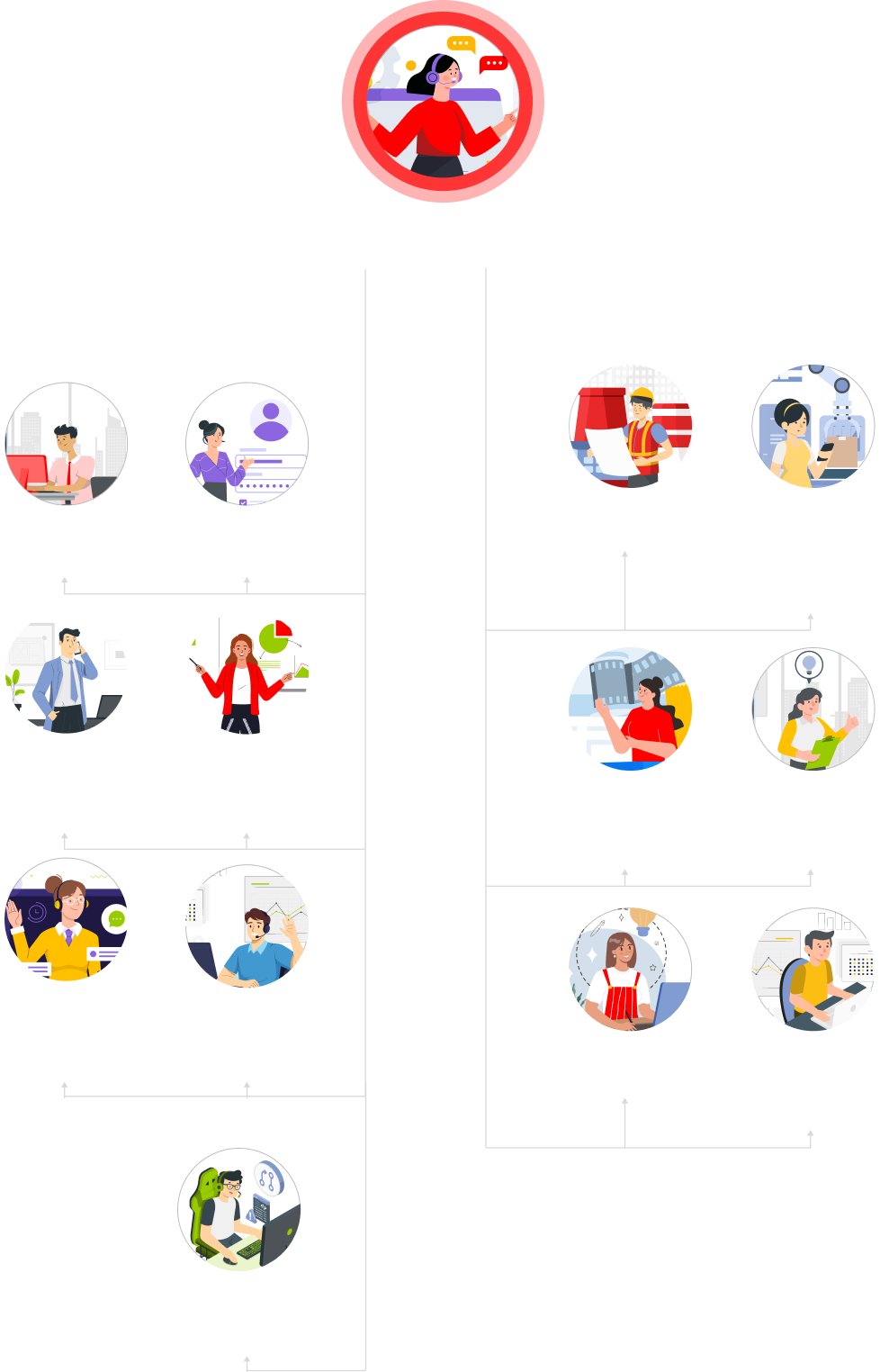
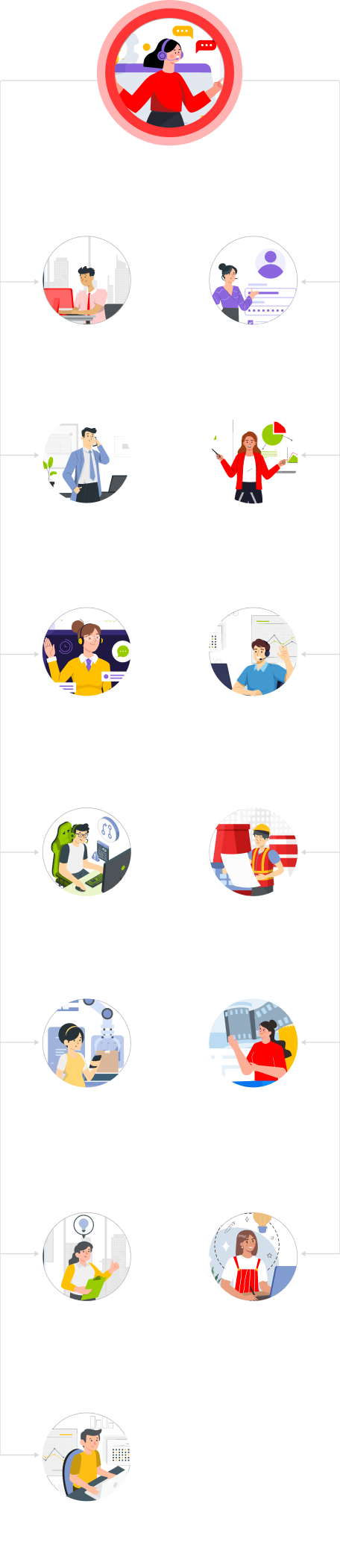
Roles overview

Every function and workflow of the client’s business finds its place in the ecommerce ecosystem. Here’s the full picture:

A hierarchical chart showing roles in a system. At the center is a Super admin with full access, highlighted in red. Surrounding roles include Guest, Registered user, Manufacturer, Manager, Sales, Ecommerce, Quality controller, Customer service, Store manager, Designer, and Accountant.
Organizational chart with illustrated icons for roles: super admin (center top), branching to guest, registered user, admin, sales, store, customer service managers, sales rep, sales director, manufacturer, production manager, e-commerce manager, designer, accounting, and quality controller.
A top red circle with a crossed line overlays a woman holding many items, symbolizing multitasking. Below are icons of individual roles: project manager, recruiter, researcher, marketer, client manager, and accountant, each illustrated by a separate person at work.

Before

  • A basic Shopify storefront handling standard catalog and checkout flows
  • Disconnected ecommerce and production processes
  • No structured quality control before shipment
  • Manufacturers operating outside the client’s visibility, with fragmented and reactive communication

After

  • A fully integrated Odoo ecommerce ecosystem, built to reflect the prestige of the brand online
  • Automated purchasing flow linking sales orders to purchase orders, manufacturers, QA, and logistics in a single system
  • Embedded quality control workflow with digital checklists, defect-triggered rework
  • A dedicated manufacturer portal with secure role-based access and real-time production status updates

Business value

  • +20% online sales growth
  • +25% CSAT increase
  • Operational unification across ecommerce, production, and logistics

Product Design for Fileverse

Product Design for Fileverse: A Decentralized Collaboration Platform

Fileverse

How a robust product design strategy and its flawless execution helped Fileverse impress users and investors with a feature-rich, decentralized collaboration platform, enabling it to confidently compete with market leaders like Google and Microsoft and secure $1.5 million for further product evolution.

Business challenge

Centralized collaboration platforms are widely adopted for their ease of use. Still, alongside the perks, there’re some inherent drawbacks tied to their architecture, including:

  • Centralized server control

    A vendor controls storage, access, and governance. Users do not truly own their data; instead, they are granted conditional access under the provider’s policies, which can change unilaterally.

  • Data lock-in

    When a vendor updates their data usage or privacy policy, users’ only practical opt-out is to leave the platform entirely, often at the cost of complex, incomplete, or disruptive data migration.

  • Default-enabled AI integrations

    User data may be processed for secondary purposes such as LLM training, pattern extraction, or automated analysis without explicit, informed opt-in. Even when raw data is deleted, derived data or model artifacts may persist.

These and other features create privacy trade-offs around data ownership and user autonomy.

Fileverse, a UK startup operating in the Web3 space, spotted this gap in a market dominated by a few established platforms, such as Google Workspace, Notion, and Microsoft 365, and set out to fill it with a privacy-first alternative. Their aim was to deliver a comparable user experience while fundamentally rethinking the underlying architecture by replacing centralized servers with local and decentralized storage.

That’s how they came up with the idea of the Fileverse Portal – a blockchain-backed space for peer-to-peer file sharing and storage, featuring tools like dDocs for collaborative document editing and dSheets for spreadsheets.

However, the blockchain technology alone wasn’t enough to win customer trust and encourage users to switch from the tools they’d been using for decades. Fileverse had to put a premium on product design to ensure the platform was easy to understand and more comfortable to use from the very first click. To achieve this, the client brought in our product design squad to lead the UX/UI strategy within their development team.

Solution

Designing the Web3 solution meant working in an environment where no user data could be stored due to the product’s decentralized, end-to-end encrypted model. As the platform wasn’t integrated with conventional analytics tools like Google Analytics or Hotjar, we relied solely on user feedback to refine the platform’s interface and functionality.

  1. Laying the foundation: 
a scalable design system

We began by establishing a robust design system, comprising a set of guidelines, reusable design elements, and tools that enable a consistent, scalable, and user-friendly experience. While time-intensive upfront, this investment significantly sped up all design-related tasks later in the process.

  • Design principles that defined the product’s overarching design philosophy and goals, such as “Design with simplicity and clarity”.
  • Style guide detailing the dDocs’s visual identity, including typography, color palette, and spacing rules
  • Component library of reusable UI elements built to maintain consistent styles and behaviors
  • Interaction patterns to ensure a predictable and intuitive user experience
  • Iconography to enhance visual communication
  • Motion and animation guidelines to elevate UX where it matters without overwhelming the interface
  • Accessibility guidelines to make dDocs available to the widest possible range of users
  1. Designing for
blockchain-native workflows

By embracing Web3-native patterns, we introduced several blockchain-specific features that tackled user experience constraints and directly improved usability.

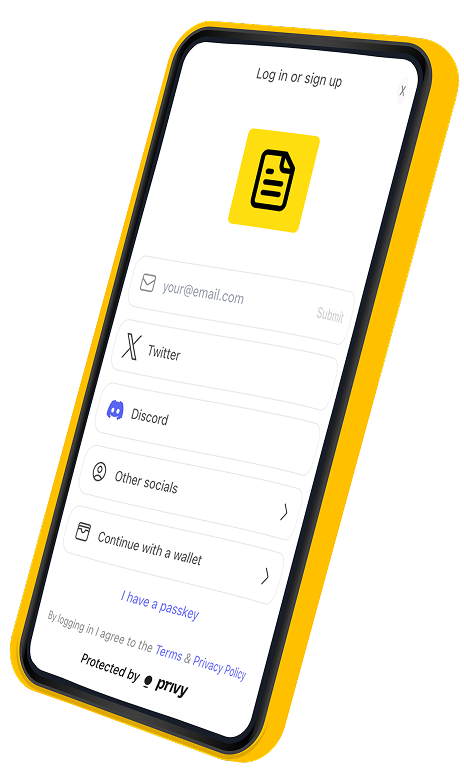
  • ENS-based login option for Web3 users

    Along with the standard log/sign-in options like email and socials, we allowed users to enter the system under their ENS (Ethereum Name Service) names linked to their blockchain wallet addresses. This lets users verify their identity without relying on centralized accounts.

  • Refined publishing logic

    We added a dedicated “Draft” state for files not yet published on-chain, giving users the flexibility to edit content before committing it to the blockchain network.

  • Real-time collaboration on top
    of blockchain infrastructure

    Despite relying on the decentralized backend, the platform supports real-time editing. Up to 15 users can collaborate on a single document simultaneously, with suggestions and comments processed without delay.

A smartphone screen displays a login or sign-up page with options for email, Twitter, Discord, other socials, and wallet login. A yellow icon with a document is at the top. Protected by privy is shown at the bottom. The phone has a yellow border.
  1. Offering near-unlimited customizability and workspace control

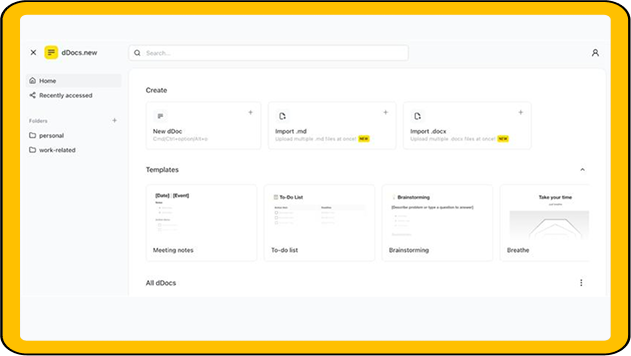
Earning early user trust required more than strong privacy guarantees. We made customizability a core pillar of the product, giving users complete control over collaboration structure and access.

A screenshot of a document creation web interface. The sidebar has options for Home, Recently accessed, and two folders: personal and work-related. The main section shows options to create new documents or import .md/.docx files, and templates for meetings, to-do lists, and brainstorming.
  • Supporting multiple workspaces
    per user

    The platform’s architecture allows a single user to manage multiple workspaces. Within each workspace, users can create teams with custom access rights, while also maintaining a private space for individual work.

  • Introducing internal and public spaces within workspaces

    Users can control the visibility and access of files and folders. When sharing materials publicly, they can customize the public space’s banners and descriptions, reorder sections, adjust card sizes, and more.

  1. Banking on the features that other collaboration platforms don’t have

So we analyzed user reviews of competing collaboration tools to identify small but persistent friction points and addressed them directly in the dDocs and dSheets product experience.

The devil is in the details
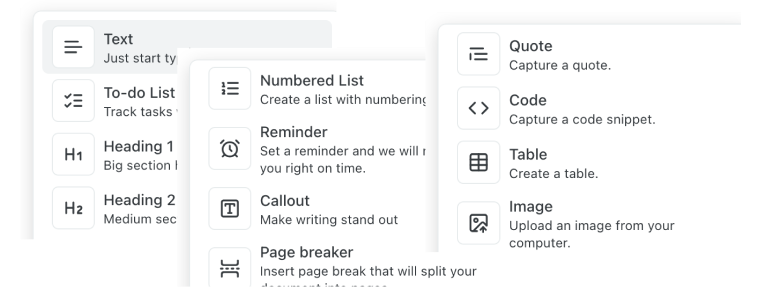
  • Slash menu

    To improve workflow efficiency, our team introduced a slash menu that enables users to quickly format the document or add new elements.

A cropped menu displays options like Text, To-do List, Heading 1, Heading 2, Numbered List, Reminder, Callout, Page breaker, Quote, Code, Table, and Image, each with a brief description and an icon on a white background.
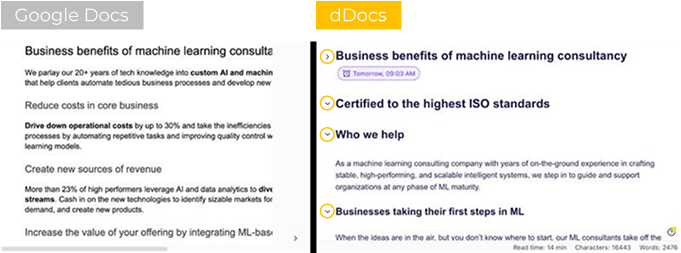
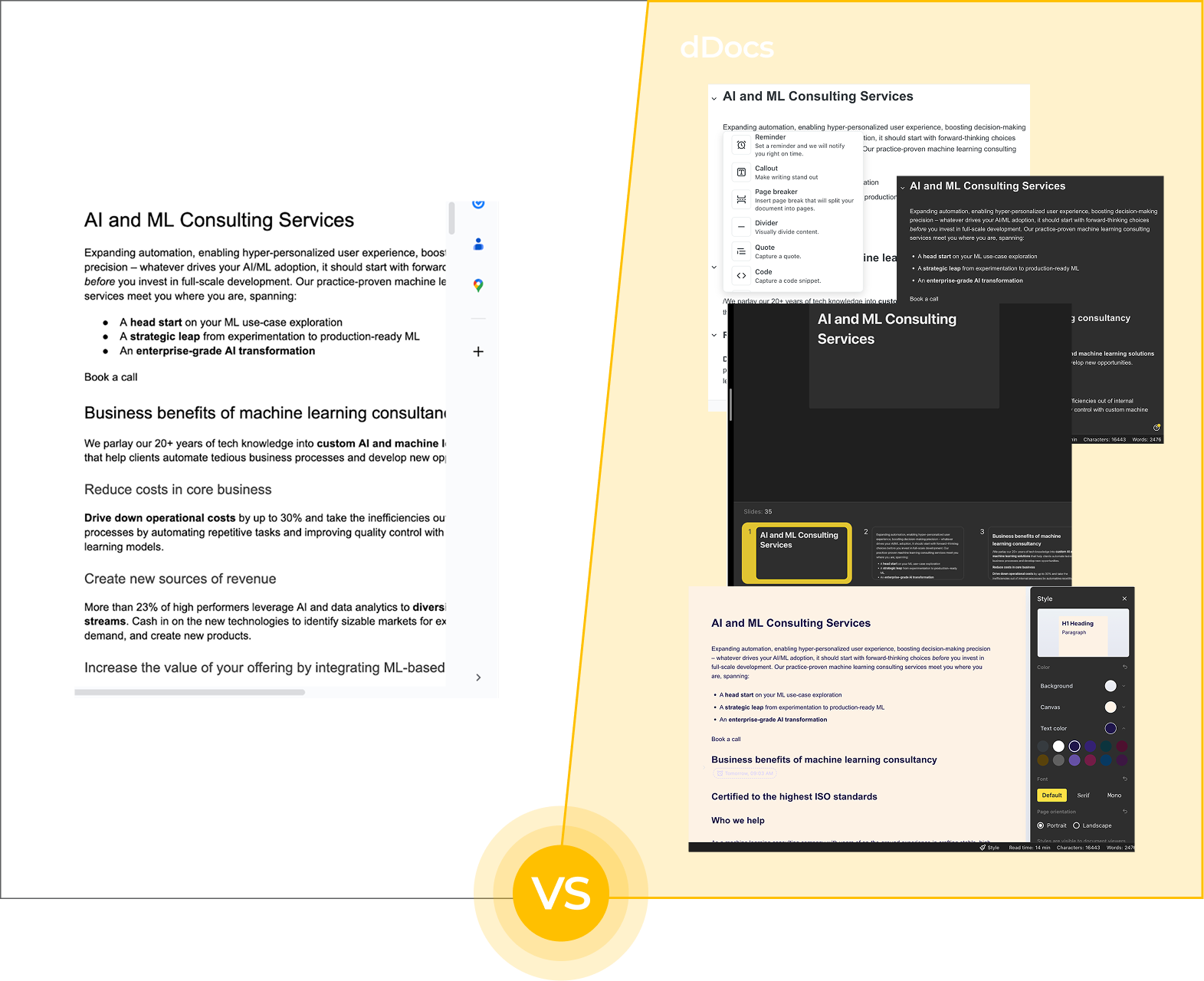
A side-by-side comparison of two machine learning consultancy web pages. The left page, labeled Google Docs, uses plain formatting with black text on white. The right page, labeled dDocs, uses bold headings, bullet points, and colored icons for a more structured, visually engaging layout.
  • Flexible document structure

    We also added foldable headings, allowing users to collapse all content under a heading, simplifying the navigation of large documents.

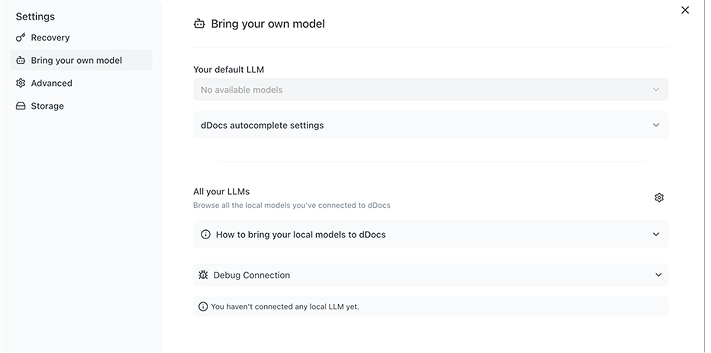
  • Support for local LLM integrations

    Thanks to a ‘bring your own model’ feature, users can connect local LLM providers like Ollama and delegate document writing and editing tasks to the LLMs they have installed on their hardware. That way, users reap the productivity benefits of GenAI keeping their data off external servers and avoiding the costs of third-party subscriptions.

Screenshot of a settings page titled Bring your own model. The menu on the left lists options like Recovery, Bring your own model, Advanced, and Storage. The main section shows dropdowns for LLM settings and messages about no available models.
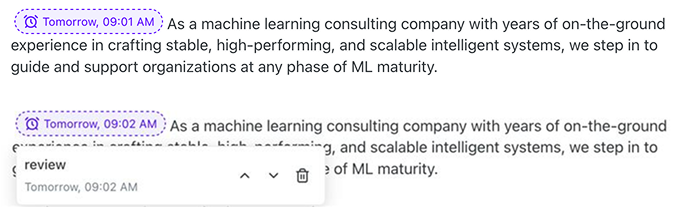
Screenshot showing a text box with a message about a machine learning consulting company. Below, a comment labeled review appears, showing the time Tomorrow, 09:02 AM, with a dotted outline connecting it to highlighted text in the message above.
  • In-document reminders

    Users can set timers directly within the document canvas to manage focus and stay on task without leaving the workspace or relying on external tools.

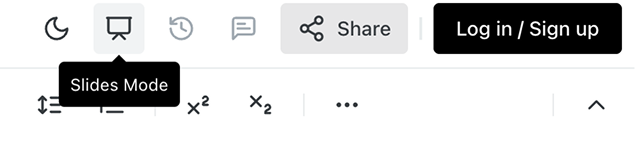
  • One-click presentation generation

    We empowered users to instantly convert a document into a presentation based on common formatting rules (e.g., H1 becomes an intro slide), making it easy to create event-ready materials from simple notes. These presentations can be viewed in full-screen mode, commented on, or exported as PDF or Markdown files.

Screenshot of a toolbar with icons including a monitor labeled Slides Mode, a share button, and a black Log in / Sign up button. Below are formatting icons for text alignment and exponentiation.
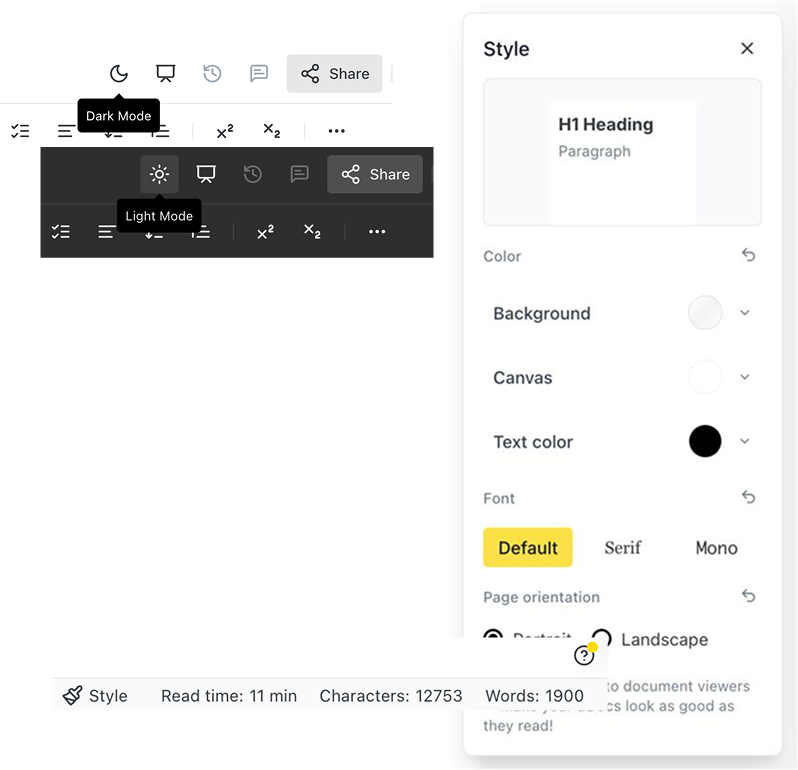
Screenshot showing a text editor interface with style options. Dark Mode and Light Mode toggles are visible. The Style panel on the right shows font, color, and page orientation settings. A toolbar and a status bar with word and character counts are also shown.
  • Interface visual customization

    Our designers added dark mode alongside document-level customization options, such as adjustable colors, fonts, and backgrounds. We also surfaced word count, character count, and estimated reading time directly in the UI to provide immediate utility instead of navigating through sub-menus.

For a seed-stage startup like Fileverse, rolling out such a feature-rich MVP was crucial for securing the interest of both users and investors. With our support, they delivered on both fronts.

See for yourself how diverse dDocs’ functionality is compared to widely adopted Google Docs.

Split image comparing Google Docs (left, white interface with AI consulting text) and multiple dDocs screens (right, dark and light interfaces showing the same content). Bottom center shows a yellow “VS” circle, dividing the two sides.

Business value

  • Feature-rich collaboration platform built to rival market leaders
  • $1.5 million raised after successful MVP rollout
  • Proactive user community contributing feedback for further product evolution

Multiplier effect

When aiming for a place in a market dominated by several big players, matching the competition is rarely enough. A killer feature can spark interest, but it won’t carry the product on its own. User-centered design is the second card that convinces people to stay. If both are played well, the adoption rate stops being a gamble. This is the kind of impact strong product design delivers.

Client’s testimonial

Multi-Component Web App For a Construction Company

Custom Multi-Component Web App For a British Construction Company

Logo Core Sash Windows

How smarter software accelerated order processing and transformed customer service for a British window and door installation company.

Industry:
Construction, Ecommerce

Web Development

UX and Design

Business challenge

Constantly rising consumer expectations are a perpetual driver of delivering digital products that are fast, transparent, and easy to use. Core Sash Windows — a British window and door construction company — identified gaps in its customer experience, from first interactions to post-purchase service, and sought to address them with a strategic software overhaul.

The company’s challenges spanned multiple stages of the sales and fulfillment process.

A measurement system that lacked essential features

Core Sash Windows’ internal application for taking measurements had been developed when the company operated on a much smaller scale. Over time, its limitations became increasingly apparent.

The system didn’t provide drawing functionality, relying entirely on text-based descriptions, which managers could interpret, but customers found difficult to visualize. Rather than seeing a technical sketch, they were presented with descriptions such as “a single casement window with maximum glass and one fixed fanlight.”

To compensate, managers used third-party design tools like Paint, Krita, and Canva to create rudimentary sketches. As a result, customers received two separate PDFs — one with measurements and another with a sketch — leading to confusion and delays.

Slow and manual price estimates

Mostly manual and, therefore, drawn-out price calculation was another major bottleneck affecting customer experience. Prospective buyers often faced delays while managers referenced product catalogs to provide even a rough estimate.

Limited visibility into order processing

Opaque order processing affected both internal teams and customers:

  • After the quote was submitted and transferred to the accounting software, managers couldn’t track its status. Meanwhile, accountants struggled to sift through a slew of both accepted and rejected orders.
  • Customers received the order details via email and had no way to check the progress of their purchases. Without an online portal, they were left to rely on direct communication with company representatives for updates.

With no in-house team to act on these issues, the company partnered with *instinctools to build integrated software that could improve both internal workflows and customer interactions. We assembled a dedicated team of a business analyst, web developers, QA and DevOps engineers, and a UX/UI designer, and set to work.

Solution

To ensure that the new solution aligned with the needs of multiple stakeholders, *instinctools’ business analyst conducted interviews with measurement specialists before structuring the project backlog.

  1. Deciding on the software linchpin

We translated the client’s need for speed, transparency, and scalability into a custom web app with three interrelated components:

  1. An internal portal with seamless drawing functionality and instant price calculation.
  2. A customer-facing portal for transparent order tracking.
  3. An admin panel for managing both portals.

The team recommended building the new system with an open-source React.js library for several reasons:

  • Ease of creating an interactive interface
  • Reusable UI components
  • Fast UI rendering
  • Smooth integration with libraries needed for the project (e.g. Konva.js, Firebase, etc.)

Upon setting up the development environment and infrastructure, our team adhered to biweekly sprints and demos to keep the client in the loop.

  1. Refining the client’s order processing and tracking

A laptop screen displays a “Quote List” in a business software. The list shows customer names, dates, quote statuses, addresses, and phone numbers. Four entries with colored status tags are visible, along with a red “New Quote” button at the top right.

To reduce inefficiencies, the system was modified so 
that only accepted quotes were sent to the accounting software. That way, accountants could focus only on active transactions without getting sidetracked by irrelevant orders.

Our team also made it possible to track the order status within the internal portal to keep the managers updated on the order progress.

  1. Crafting an internal portal with built-in drawing functionality

Replacing the company’s outdated measurements app required a solution that was both intuitive and functional offline. Our team implemented:

  • Integrated drawing capabilities

    Powered by the Konva.js library, the drawing tool allowed managers to create detailed window and door sketches directly within the system.
  • Offline accessibility
    With support from Firebase, managers could use the tool even in areas with limited internet connectivity.
  • A more efficient product catalog
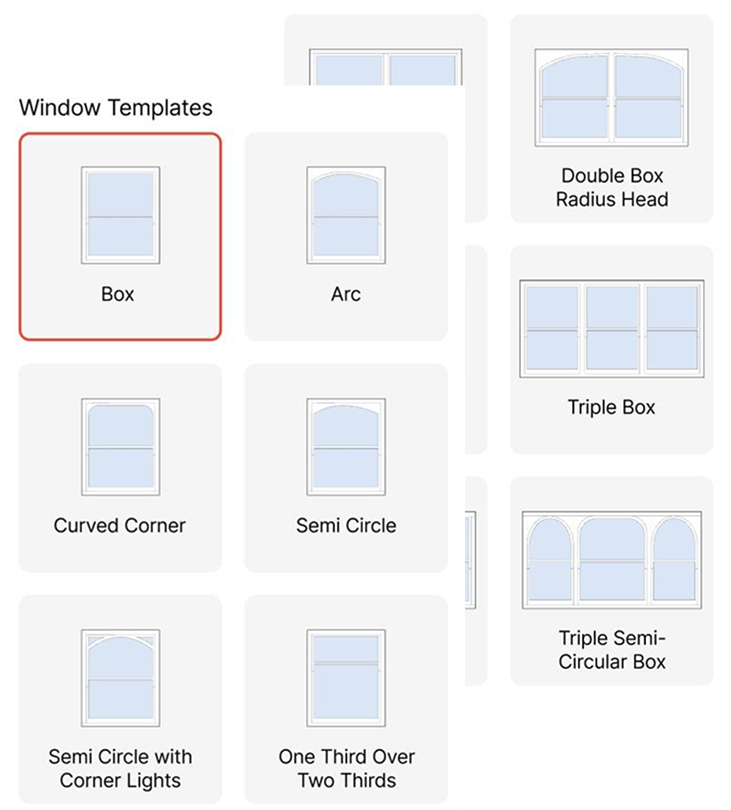
    The previous method, which required navigating thousands of catalog items, was replaced with modular templates for different product types.
A laptop screen displays a software interface for creating a new product. A popup window shows options: Sash Windows, Casement Windows, Doors, French Doors, Misc. The Casement Windows option is highlighted. Behind, tabs and a Create Product button are visible.
Diagram showing four window frame types: single casement (one window), double casement (two windows), triple casement (three windows), and quadruple casement (four windows). Each style is illustrated with simple blue rectangles.

Casement windows were consolidated into four base templates.

Sash windows required 12 templates due to variations in glazing patterns.

A digital interface displays various window templates in a grid. Options include Box, Arc, Curved Corner, Semi Circle, Semi Circle with Corner Lights, One Third Over Two Thirds, Double Box Radius Head, Triple Box, and Triple Semi-Circular Box.
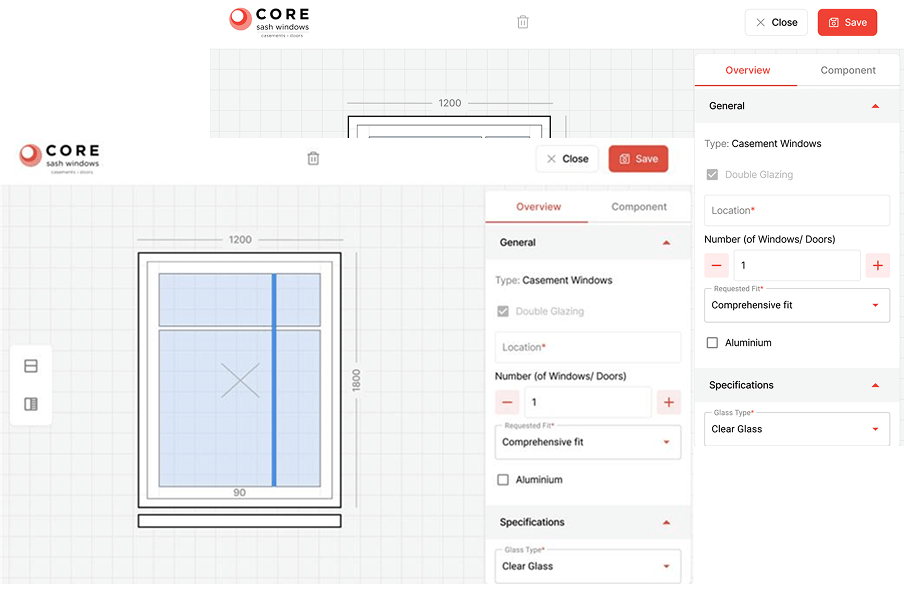
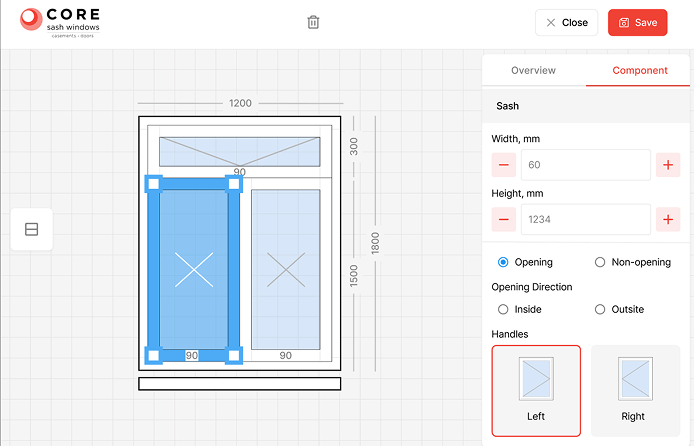
Screenshot of a window design app interface showing a diagram of a casement window with dimensions. A side panel displays options: window type, double glazing, quantity, frame (aluminum), and glass type, with buttons to close or save at the top.

Any details can be added or changed at a later stage.

Doors shared attributes with casement windows, so they required only minor modifications, such as adding styles for the door leaf.

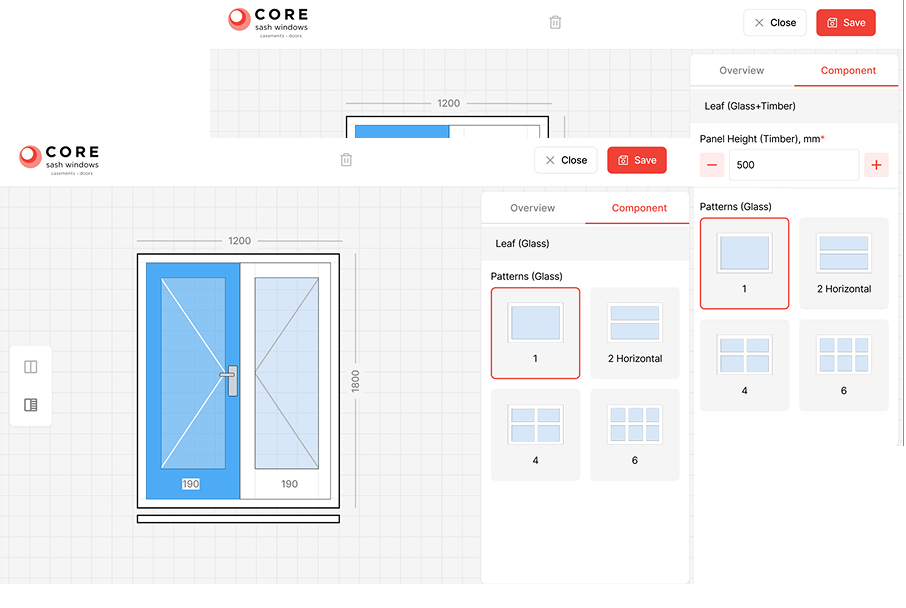
Screenshot of a window design app showing a vertical sash window with measurements, glass pattern options, and controls for saving or editing components. The interface includes tabs for overview and component, with pattern selection highlighted.
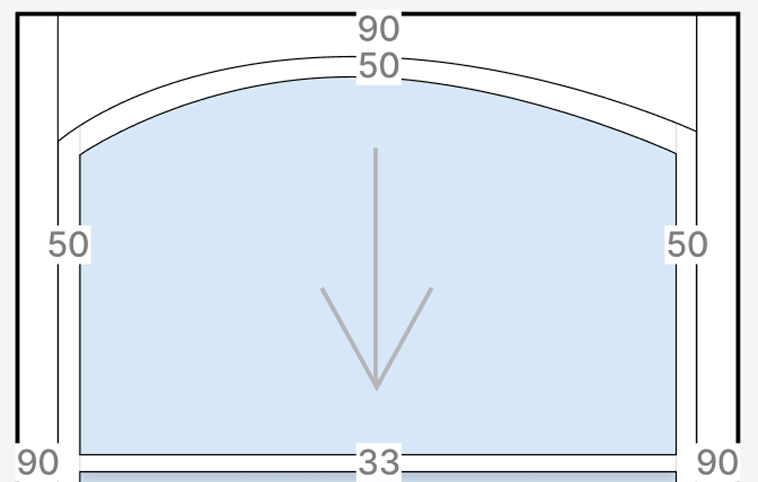
A diagram shows a blue shaded area beneath a curved arch. The arch is bordered by black lines, with numbers: 90 at the top, 50 at the sides, and 33 at the bottom center. A gray downward arrow points from the top to the bottom.

Our UX/UI designers perfected the templates down to the last detail. For instance, thanks to varying line transparency, customers can see the difference between the joints of the window parts.

We also provided the option to apply specific parameters, like openability, to individual window components rather than the entire unit.

Screenshot of a window design interface showing a diagram of a double-pane window with measurements. The left pane is selected, with the option for the sash to open left. Controls on the right adjust width, height, opening, and handle direction.

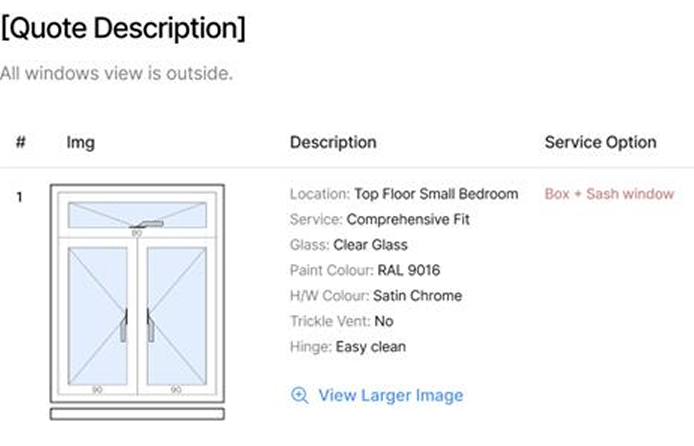
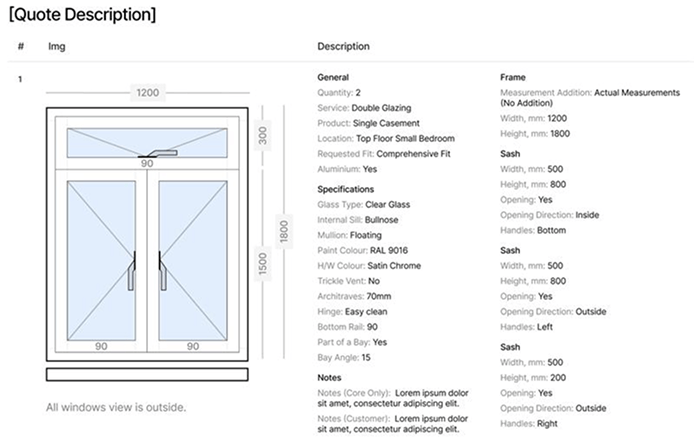
When the measurements are done, customers receive a concise, easy-to-read PDF, while manufacturers get a version containing detailed technical specifications.

Illustration of a sash window with two panes, each featuring a diagonal line indicating openings. Quote details list location as top floor small bedroom, clear glass, RAL 9016 paint, satin chrome hardware, easy clean hinge, and trickle vent as “No.”.
A technical diagram of a double-glazed window with measurements. The window is 1200mm wide and 1500mm high, opens outward, and features two sashes with triangular symbols indicating handle positions. Next to the diagram is a detailed specification list.
  1. Automating price calculation

By integrating the internal portal with the company’s accounting system, pricing became automated. This change allowed managers to provide customers with an immediate cost estimate during measurement appointments, eliminating unnecessary wait times.

  1. Building a personalized customer portal

To enhance post-purchase communication and provide customers with a simple way to check their orders, we developed a customer-facing web app.

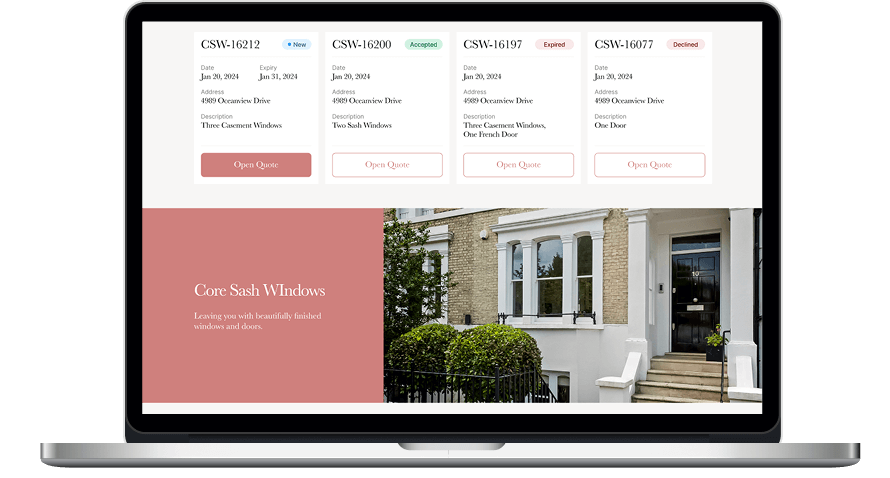
A laptop displays a website with four quote cards at the top, each showing a quote number, date, address, description, status, and Open Quote button. Below is a section with Core Sash Windows text beside a photo of a white house with black door and sash windows.

How it works:

  • After a measurement appointment, customers receive a personalized link to their portal.
  • The portal includes a “My Quotes” section where customers can review their past and current orders.
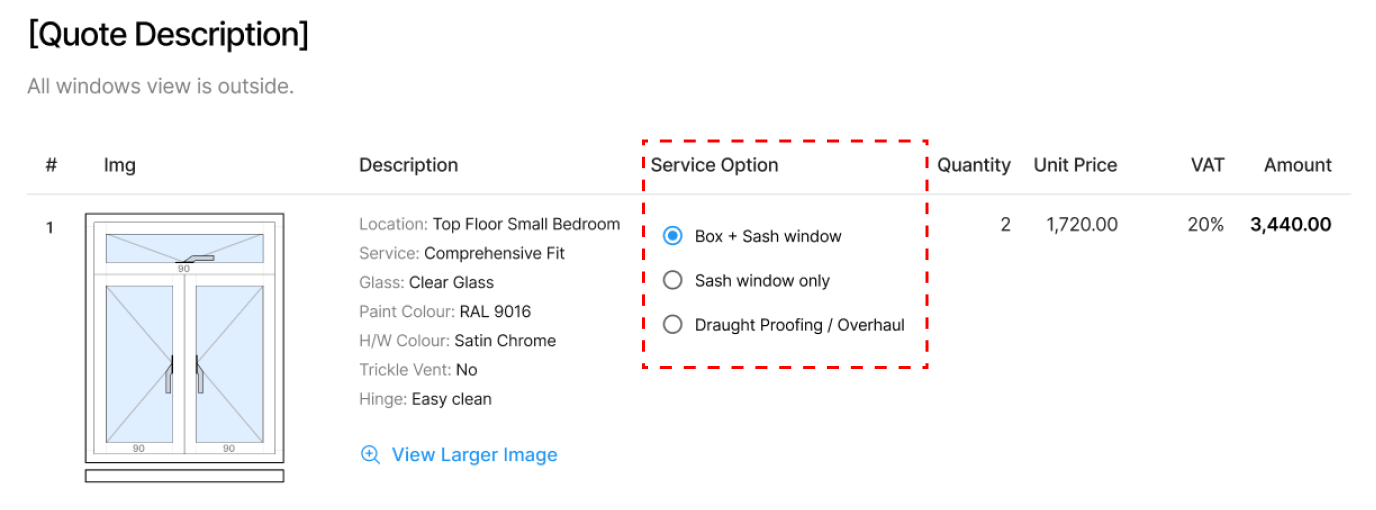
  • A dynamic pricing module allows users to explore in real time how different service options affect the total cost.
A window quote with an illustration of a double casement window on the left and a table on the right. The selected service option is Box + Sash window, with two windows, each priced at 1,720.00 for a total of 3,440.00.
  1. Developing a centralized 
admin panel

To manage both the internal and customer portals, the development team built a React-based admin panel using an open-source AdminJS, which consolidated all data and system settings into a single interface.

Before

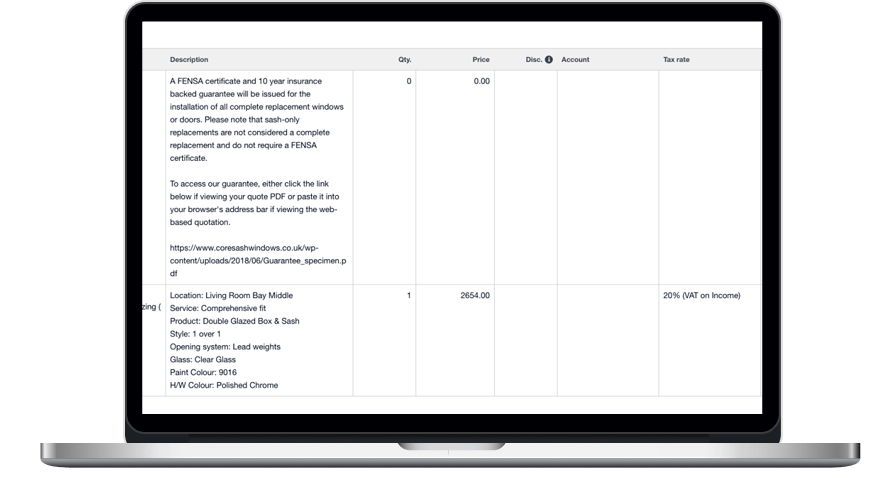
A laptop displaying a table with columns for Description, Qty, Price, Disc, Account, and Tax rate. Rows include product details like Locator: Living Room Bay Middle and a price of 2654.00, with links and guarantee information in the descriptions.
  • Sketches stored separately from the order’s text description
  • Manual pricing
  • Clumsy product selection among thousands of catalog items
  • Customer PDFs overloaded with excessive technical details
  • Declined orders have to be filtered out in the accounting software
  • Limited order tracking capabilities

After

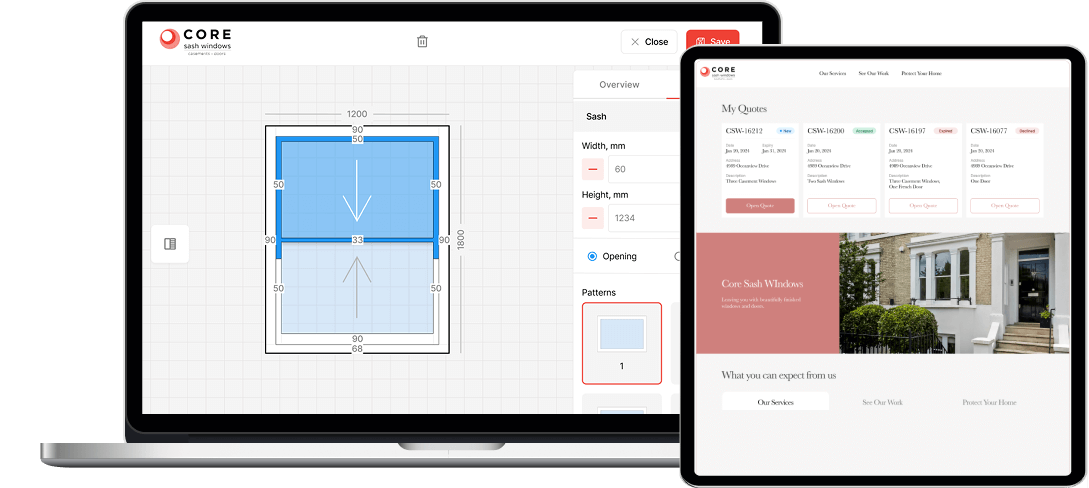
A laptop shows a window design tool with adjustable measurements, patterns, and an “Opening” toggle. Beside it, a tablet displays a website with window quotes, order statuses, and a house image. Both screens show branding for CORE Sash Windows.
  • Integrated web app with built-in drawing functionality
  • Automated price calculation
  • Flexible product templates for easier customization
  • Two separate PDFs: simplified quotes for customers and detailed specs for manufacturers
  • Only accepted orders are transferred to the accounting software
  • Convenient order tracking for both customers and managers

Business value

  • An up-to-date and cohesive web application with interconnected 
components designed to support internal teams and customers
  • A step up in customer service at consideration and post-purchase 
stages, including more intuitive product selection and faster response times
  • Full transparency of order tracking for both customers and the client’s employees
  • Improved order management efficiency thanks to reduced manual 
processes, faster pricing, and clear, organized workflows for accountants, managers, and customers

Multiplier effect

Perfecting customer experience at all touchpoints is vital for any business, especially in B2C. As tech evolves so do your customers’ expectations — and most businesses aren’t keeping up. In fact, ⅔ of customers* feel brands are too slow to adapt. The good news is that there’s always a way to automate operations, increase process transparency, and simplify workflows to turn frustrating service into service excellence.
* According to the Harvard Business Review

A person in a suit points to a virtual hexagonal button labeled “SERVICE” on a digital screen. Surrounding hexagons display icons for communication, global network, tools, chat, and analytics, suggesting digital business services and technology concepts.

Custom LMS development and design

Custom LMS development for an energy corporation

How implementing a custom LMS helped an oil and gas enterprise automate 84% of training management tasks while increasing employee engagement by 45% and saving 41% of the education budget by moving online.

Industry:
Education, Oil and Gas

UX and Design

Web Development

Enterprise Software Development

Software Product Development

Business challenge

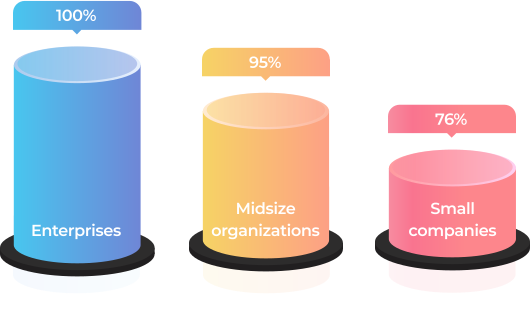
An efficient learning culture within an organization is one of the key ingredients that drive business forward. Statistics unveil that in 2022, 100% of enterprises, 95% of midsize organizations, and 76% of small companies used LMS software to deliver training.

It’s also worth saying that for some industries, continuous staff training is not a nice-to-have option but a requirement that has to be met unequivocally. Just as it was for our client — a UK-headquartered oil and gas company with a production and operations center in the Middle East, which needed an LMS for internal usage.

Before reaching out to us as an LMS development company, the client used to have only offline training programs.

What percentage of companies bank on LMS?

Source: Training magazine, Training Industry Report 2022

What problems did such an approach bring?

No single point
for gathering and storing learning materials
As courses were scattered across HRs’ devices, notes, etc., it was impossible to efficiently organize and reuse them to save time on curriculum preparation. The absence of well-established and consistent management of learning materials was also deteriorating learner engagement and led to employee resistance to education. 
Hardships
with controlling timely staff certification
The client’s HR team was having a bumpy ride with managing employee certification, which is vital in the oil and gas industry. Therefore, HRs had to manually track each worker certificates’ due dates to set required training so it was on the dot.
Manual performance
of mundane, repetitive tasks
As the client’s production center was based in the Middle East, they had to regularly submit a report on the staff certification to the local Ministry of Oil and Gas. The data for it was also gathered manually, which ate a sizable chunk of the HRs’ working hours. 
Inflexible
educational process
The training was available only at the corporate training centers and, therefore, required time commuting for the staff who worked on oil and gas production sites or from home.
Lack of transparency
in training
Teachers and learners didn’t have tools to track real learning progress, and, thus, measure it.

As the company kept growing, the problems were snowballing. At some point, it became clear that the situation had to be fixed urgently. The Head of the HR department proposed switching from in-face education to e-learning. This idea implied LMS development to go from training management turmoil to a single point for storing and organizing educational materials as well as tracking the learning process.

LMS can empower the client's business with a list of benefits

Automation
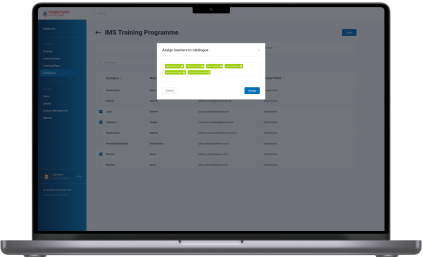
By automating repetitive tasks, such as grouping, adding, and deactivating users, handling group enrollments, etc., the client can lighten the burden for HRs. Moreover, LMS software allows for creating PDF certificates for employees when they finish a course.
Time optimization
Thanks to storing all the learning programs and materials in one place, teachers can efficiently reuse them. For instance, before creating a new course from scratch, they can check the LMS’s repository for data on the same topic, combine old courses, or just finetune them.
Regulation compliance
A powerful learning management system provides an opportunity to make keeping all staff aligned with the industry regulations a breeze. You have a centralized way to deliver the same information to all of your employees.
Security
With an LMS limited to internal usage, the client can assure the inaccessibility of the company’s sensitive data from the outside.
Cost reduction
Putting a premium on automation and a time-saving approach decreases the cost of training in the long run. 
Flexibility
After switching to digital learning, employees can attend courses anywhere, anytime.
Transparency
Both teachers and learners can track training progress. In a nutshell, LMS offers a competency matrix for each employee in the corporation.
Higher employee retention
3 out of 4 employees are more likely to stay with a company that offers continuous training and a rich learning experience.

Source: Society for Human Resources Management, The State of L&D in 2022

Also, the client considered that they would need a software solution adjustable to the specifics of the oil and gas industry and their enterprise-scale multinational company, including:

Opportunity
to create, gather, and store learning materials and courses on a plethora of topics
The flexibility of the LMS solution regarding the diversity of topics to cover — from technically specific courses to programs on finance management.
High resilience
of the system
The LMS software was supposed to accommodate a simultaneous workload of 1,000+ users during standard working hours.
Ability
to generate custom reports
As mentioned, the client had to provide a specific report to the Ministry of Oil and Gas. This task also had to be automated.
Localization
options
For the multinational corporation, the possibility to provide training in many languages (including  Arabic) was an essential feature. Where the top management could study in English, but rank-and-file employees needed materials and the LMS’s interface in localized languages.

The off-the-shelf LMS platforms won’t cover these requirements. Therefore, it was decided to develop a custom LMS software. This option also suited the client better from the business perspective as they had an in-house IT department, and maintaining their own system was more cost-effective than constantly investing in a ready-made software license.

Our business analysts clarified what devices should be used for the learning process. As the customer planned to provide access to the learning system only on the desktop, we ended up with the idea of a web application hosted in the client’s cloud.

Solution

At the product ideation stage it became clear that the client didn’t have a clear understanding of custom learning management system capabilities and what LMS features they needed. The only well-defined requirement was related to the LMS’s visual design — the platform had to match the company’s corporate colors.

However, our extensive expertise in bespoke software product development allowed us to sprint ahead without getting stuck at the starting line. Instinctools’ business analysts took the initiative during the collection and elaboration of requirements.

After finishing this stage in three weeks, we outlined the vision of the roles within the LMS, its architecture, components, functionality, and management.

  1. LMS functionality

As a custom LMS development company, we aimed to provide the client with a feature-reach and user-friendly software product. Therefore, our dedicated team devoted special attention to crafting an easy-to-use materials repository, clear course structure, simple course management, detailed progress tracking, diverse testing programs, and in-depth reporting.

Roles

After analyzing the structure of the client’s training process, we suggested the following roles within the learning management system:

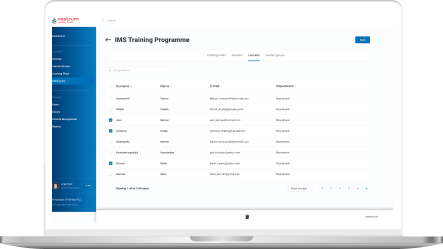
  • Admin for their in-house IT department
  • Teacher for HRs
  • Learner for employees

Content Library

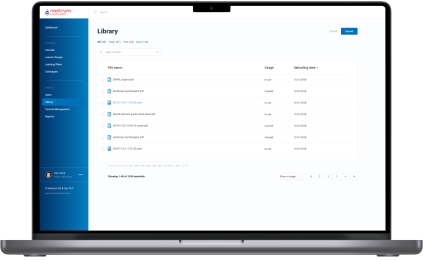
Storage for courses and educational materials is a basic component of any LMS. Speaking of the client’s Content Library, they planned to use it to collect both their in-house courses and learning programs they acquire from other training centers.

Considering the requirements of the oil and gas industry, all the data can be sorted out in various ways. For instance, general or industry-specific, by topics, available language, etc.

Content formats also vary. In the era of offline training, the client offered employees only text and illustrations. Our BAs proposed adding videos to increase learner engagement and enhance educational outcomes by diversifying learning activities.

Course structure and management

Learners can’t choose a course by themselves; training is always assigned by the Teacher or Admin to an employee or a group of employees. Also, educational materials are categorized according to the staff’s specialization and their level within the corporation. For instance, materials for rank-and-file workers and top managers will be in different categories, as well as courses on specific topics, such as risk management in finance and safety in oil production.

Progress tracking and analytics 

The success of training programs is measured by their influence on the staff. To estimate this impact, we visualized students’ progress with data analytics tools.

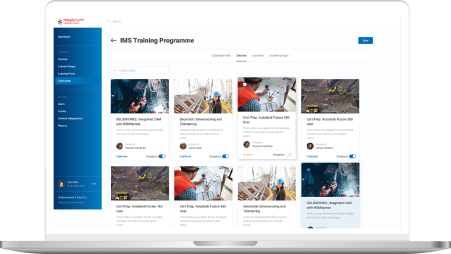
Custom LMS development implied offering dashboards on both sides:

  • Admin/Teacher’s
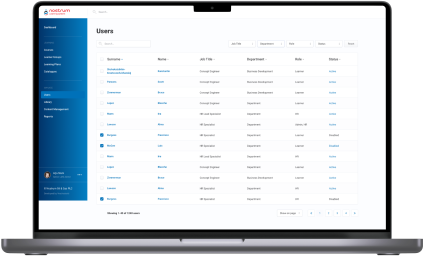
functionality includes tracking percentage of Learners completed a group course. Furthermore, as they can set a deadline for a course or test, there is a statistic on how many employees managed to meet the deadline. Teachers and Admins can also look for detailed analytics for each employee – what percentage of assigned courses and tests they have already passed, the number of failed tests, if there are any, etc.
  • Learner’s

functionality is not that extensive, but each employee can check their training performance and monitor deadlines to make it on time. All reports can be downloaded as Excel, CSV, or PDF files.

Communication within the LMS 

Having a single point of communication is also significant in ensuring personalized learning experience and high-quality training. Learners can leave comments on the courses, tag their Teachers or other participants if there is a group training, and Admins if they can’t sort out some technical issues. 

The same goes for Teachers. For example, they can tag Learners in the courses where the deadline is around the corner.

Notifications

Communication goes hand in hand with automated notifications to simplify time management for both Teachers and Learners. Within the custom LMS development, we recommended and implemented email notifications with ready-made templates for five cases:
  • A Teacher assigned a course to the employee
  • The Learner was tagged by a Teacher, Admin, or other Learner from a group
  • A course has a deadline, and the Learner receives auto reminders ten, five, and two days before
  • The Learner missed the deadline for a mandatory course
  • Admin also receives a message about the readiness of auto-generated reports for the Ministry of Oil and Gas

Tests

This feature became a new helpful add-on in the certification process to ensure a high level of expertise across the company. Now, employees can only be certified after passing tests following the course.

Here are some features of the testing process we suggested and implemented during the custom LMS development:

  • Tests can include open, single-answer, and multiple-answer questions
  • There may be text, illustrations, and videos in the tests
  • New hires have to complete an initial test to assess what skills they may lack for their specialty or position. Based on the results, Teachers can create fully personalized learning for these employees
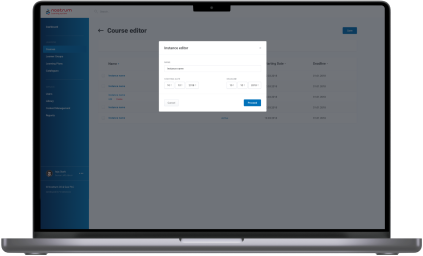
  • Teachers and Admins can set a deadline for the course.
  • Teachers and Admins can set a course’s completion as a prerequisite for access to the next one

Reporting

As we’ve mentioned, the automated report preparation for the Ministry of Oil and Gas was one of the reasons that tipped the scales in favor of the custom LMS development services. We relieved people from a manual collection of data on employees’ courses completion, putting that data together in a list, and entering it into the report template.

All these operations were automated. The LMS generated an Excel file with all the necessary information according to the Ministry of Oil and Gas template. HRs had only to download it and send the document to the ministry.

Since the project scope was quite substantial, we divided the work into two parts — MVP (Minimum Viable Product) and post MVP. The MVP incorporated the Admin’s and Teacher’s functionality – Authorization/Login, Course Catalog Management, Course Management, Content Management, and Content Library. It took our LMS developers three months to finish this part. 

  1. Integrations and security

The client used Microsoft Azure as their corporate cloud platform, which influenced the LMS integration they needed and the way we took care of security:

  • Integration with Azure Active Directory

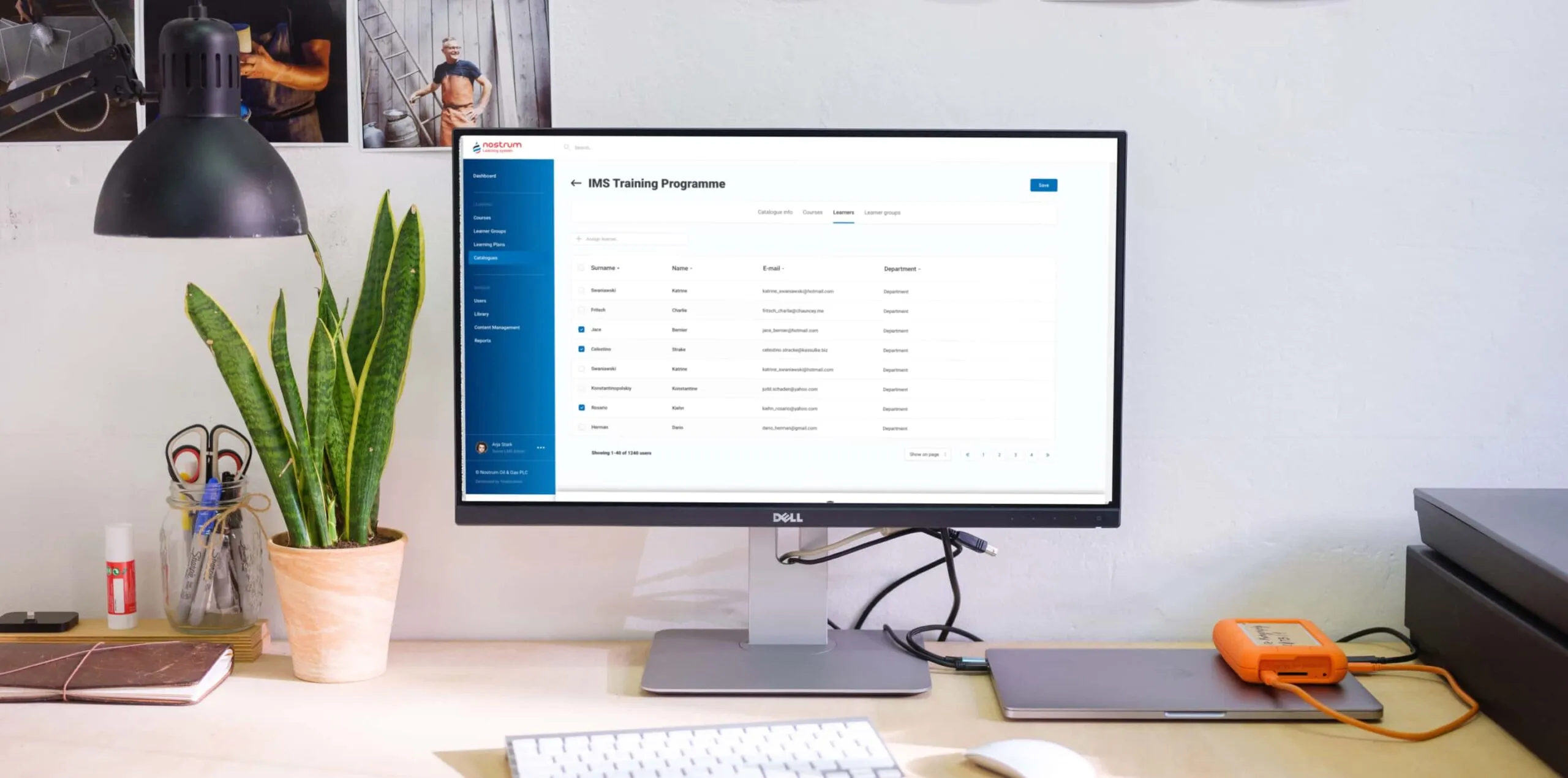
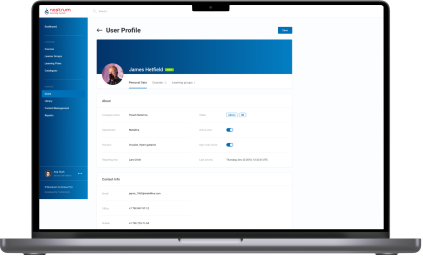
All employees already had profiles in the Active Directory. We took advantage of this to avoid creating the staff profiles in the learning management system from scratch.

All employees already had profiles in the Active Directory. We took advantage of this to avoid creating the staff profiles in the learning management system from scratch.

  • LMS authentication through Azure OAuth 2
We suggested using this up-to-date standard authentication protocol to allow users to sign in to the LMS through their profile in the Active Directory. 

Besides saving personnel’s time, such an approach is beneficial from a security standpoint. As you can guess, employees rarely come up with new passwords and use the same one for multiple systems, which increases software vulnerability drastically. A single point of authentication (SSO) means fewer scattered logins into various corporate apps and minimizes the possibility of external attacks and data theft. 

Within the project, our LMS developers worked only with the API addresses of specific servers provided by the clients for the web app. The software’s maintenance and support were supposed to be provided by their in-house IT department. 

However, we went the extra mile to optimize the task for the client. Our DevOps has automated the web app’s installation and deployment on the server side. Thus, all the LMS services located in Docker containers were automatically brought up on the server via Docker Compose.

  1. Visual design

Good design emphasizes the product’s functionality. Our product designer had to translate custom LMS software’s versatile capabilities into a dynamic and feature-filled interface. As we were strapped for time, there was no wireframing. We went straight to visual design. Our UX/UI designer took the risk and prepared a lot of screens for a future web app at once and reached the client for approval. Thanks to our product-first mindset and battle-tested expertise of the LMS development company, it worked out.

Here are a few examples of our initiatives regarding learning management system design and usability:
  • Nesting levels
As we were in charge of the solution’s architecture, we also proposed the components hierarchy. For example, we suggested creating All, Video, Text, and Cover sections within the Content Library and All, For review, Declined, and Published tabs in the Courses Catalog. 
  • Quick access tab
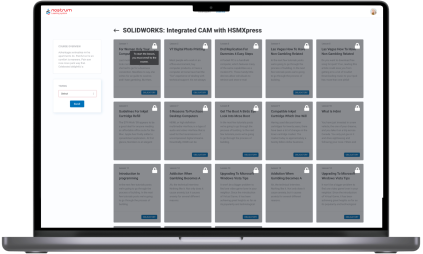
Learners can be overwhelmed with the number of courses they need to complete. Therefore, we offered to add a “Quick access” menu, where each employee can check assigned materials, which are obligatory, which are in progress, etc.
  • Intuitive and handy file uploading
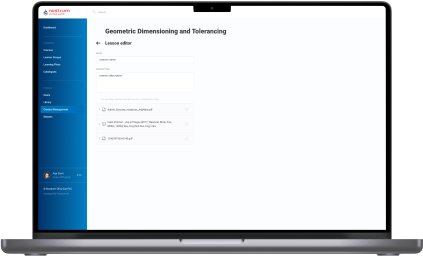
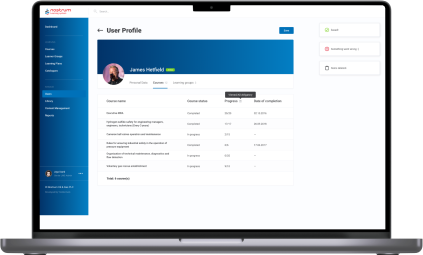
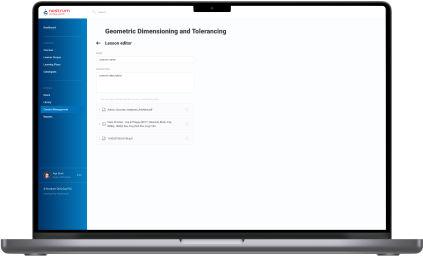
With the drag-and-drop interface, Admins and Teachers can easily download materials of any type to the Content Library and change their order in the Course Editor.
  1. Post-implementation stage

After the LMS rollout, our business analysts trained HRs to familiarize them with the system and show them how to take advantage of it to the fullest.

Next, we moved to working on the post-MVP features and added them in four iterations:

Iteration 1 User Accounts management, Learning groups management.
Iteration 2 Courses, Catalog, Admin/Learner modules architecture.
Iteration 3 Lessons (Learner module), Course listing (User management).
Iteration 4 Enhancements (improve UX), Report (Course completion), Course management (selection material from Library, material sequence).

This part of the custom LMS development took another four months of the full-fledged team work.

Before

  • Training materials and courses are scattered across teachers’ devices and hand-written notes
  • Manual performance of management tasks that could be easily automated
  • Lack of personalized learning
  • Inability to measure the effectiveness of corporate training materials
  • Absence of educational analytics
  • Slow delivery of the educational programs
  • Difficulties with tracking learners’ progress
  • Manual preparation of obligatory reports

After

  • Transparent measurement of corporate educational programs’ success and learner’s progress
  • Simplified and mostly automated preparation of industry-specific reports
  • Speeded up courses delivery
  • Automation and facilitation of all the learning management operations
  • Centralized learning data storage
  • Unlimited ability to personalize the learning experience
  • Detailed visualization of each employee’s training progress and a bird’s eye view of the staff certificates across all company

Key features

Inclusiveness
The biggest gain of custom LMS software is its adaptability to the various staff’s specialties and flexibility in providing access to the courses regardless of the employees’ time and location.
Resilience
Besides the ability to withstand the simultaneous workload of 1,000+ employees, custom LMS development has become a harbinger of opportunities for the client to ensure stability and consistency of training programs.
Customizability
With a custom LMS solution, the client can uncover the areas of improvement and tailor a curriculum to the company’s needs and employees’ ambitions.

Business value

  • Provide a single point of control over the training programs to ensure ongoing improvement of employees’ knowledge and expertise
  • Automate 84% of teachers’ tasks related to managing the educational process
  • Save up to 4 hours of teachers’ working time weekly and relocate their efforts to developing personalized curriculums
  • Save 41% of the education budget thanks to moving online
  • Speed up new staff onboarding from 1–3 days to 4–10 hours, depending on the employee’s position
  • 45% increase in employee engagement

  • Securing the company’s education materials with single sign-on (SSO) authentication

Multiplier effect

Any way you slice it, even small companies can no longer afford to put off the question of consistent and centralized employee training until later, not to mention medium-scale companies and enterprises.

The absence of a robust learning management system can slow the roll of a company in any industry, from education and healthcare to manufacturing, automotive, and fintech. Creating a powerful LMS can help you rise from a dizzying array of unsorted educational materials and courses and make your employees’ progress traceable.

Furthermore, experts in any field are a hot commodity nowadays, given the world-scale talent crunch, and hunting them can cost you a pretty cent. Therefore, you should bank on the LMS software for internal usage and cultivate experienced professionals within your company.

Effective training helps companies to fill skill gaps by leveraging staff they already know and trust and foster long-tenured relationships with their employees. Moreover, by putting talent management first, companies of all sizes can improve organizational performance and potentially gain a competitive advantage over their peers.

MVP Development For an EV Charging Startup

MVP Development For an EV Charging Startup

How crafting an MVP of a mobile app for 16 EV car models and 65,000 charging points across Europe empowered the UK-based startup to conquer the European EV charging market on the first try, connect 17+ charging networks, and raise funds for further development from prominent and influential investors – Lightspeed Venture Partners, Tier Mobility, and Wise.

Industry:
Technology

Expertise:
Mobile App Development

Context

Bonnet founder and CEO, Patrick Reich, entrusted us with the implementation of his start-up idea in 2020. His vision and belief, empowered by *instinctools product development expertise, served as the basis for the creation of a unique tech solution for millions of EV drivers all around Europe.

The application for iOS and Android devices aimed at aggregating all the local EV charging points and allowing its users to smoothly find and drive to the nearest spot and instantly pay for the charge.

Challenge

Despite a few core features and the app itself, that we needed to build together with our client, there were some technical challenges and decisions to be made to ensure the solution was properly implemented and to make sure further performance was stable.

01. The synchronization of the app’s front end, back end and charging points servers.

The communication between “applications” is no less important than communication between people. Our first major task was to enable the proper connection between the main parts of the application and the charging points servers to get a real-time status of the charging process, even in background mode. Together with our client’s development team, we analyzed the algorithms and work logic of each charging spot provider and enabled its unhindered synchronization with the Bonnet application.

02. Payment service integration.

The integration of the Stripe payment service required efficient communication with the back end of the application. Together with our client, we thought over the development of technical algorithms for various scenarios related to the user’s bank account, withdrawals, including repeated transactions, etc. Our senior backend developer dived into Stripe’s operation system to bring more value and help create secure connectivity between the systems.

Solution

We developed an Android application which became the basis for the development of an iOS app. It provides EV drivers with smooth access to the public charging infrastructure.

The Bonnet app has an extended functionality for customer service, instant payments, bonuses, and useful analytics about recent charges.

The implemented subscription model, in addition to a pay-as-you-go service, is defined by the charge type (all points or the cheapest only) or user type (individual or corporate client).

Key features

  • In-app analytics and history of all the charges.
  • Online chat Intercom with FAQ and real-time support functionality.
  • QR-code on charging points for quick access and charge start.
  • Map with available charging points and search functionality.
  • Authorization via Google or Apple accounts for different applications.
  • Payment account with an integrated coupon system
  • Push-notifications

Client’s testimonial

“The expectations for the quality of the initial product were very high. I think *instinctools did a great job ensuring those expectations are met. We met the developers we were going to be working with and it quickly became apparent that they are very qualified and were able to deliver the vision that we had from our side for the product. They clearly told us what they were going to do, and if there were questions or problems along the way, they clarified them really quickly thanks to transparent communication.”

– Patrick Reich, CEO and Founder at Bonnet

Business Value

Software product development mindset — this is what start-up founders look for when selecting the right technology partner for their business. This is the approach that allows the tech team to be on the same page as the customer and deliver the MVP in a short time. *instinctools work helped Bonnet enter the market promptly and form the basis of a successful fast-growing tech business.

Technologies

RX Java
Kotlin
Google Maps API
Firebase Cloud Messaging
Pusher
Socket.io
Stripe

Multi-Module School Transportation Solution

Multi-Module School Transportation Solution

How developing a multifunctional app for students’ safety with real-time location tracking, notification system, in-app messages and voice calls, and other top-tier capabilities improved security and efficiency of school transportation management.

Domain:
Education, Automotive

Expertise:
Web/Mobile development

Team:
30 specialists

Duration:
approx. 2 years

Project description

A multifunctional application (Web/iOS/Android) for school enabling communication between several stakeholders: staff members, students, parents and external transportation service providers (bus drivers and transportation managers).

Challenge

Understanding customer’s pains and goals we defined the following objectives that the final product should solve:

Optimize and simplify the process of students’ transportation

Provide information sharing and communication between stakeholders in a more fast and convenient way

Thus the main requirements to the multi-module application were set:

Mobile notifications of multiple school events via location

Possibility of planning and tracking the transportation of students

Communication between the staff members and other stakeholders like students, parents and contracted external service providers

Dedicated Apps for mobile phones (Android and iOS), the corresponding web interfaces and the needed backend service logic

Task

The main task set for the *instinctools team was to design and develop multipurpose management system with applications integrated with iSAMS, DAKS systems. 30 specialists in the software development, the architecture and the project management were employed in a turnkey project development.

Solution

The final result was delivered as cloud solution including a web part for staff members and mobile apps for students, parents and drivers with the set of features based on logged in user role. It also includes third-party systems integration and has a range of functional features:

Key features

iOS/Android applications for students, parents, school staff and drivers

In-app messages and voice calls with several parties involved

Transportation Web-dashboard (routes, drivers and buses management and communication)

Events/actions history accessible anytime

One-click check-in/out for users

Map localization of students

Data storage & synchronization (The app can be used in an offline mode and the data will be saved and synched after connection is back)

Alarm system sending fire/lockdown alarm signals to recipients

Assistance request option in case of emergency

Notification system (personal and mass-notifications of bus delays, accidents, student absence, and other events/actions)

Value

The final solution brings special value to every participant and system as a whole.

  • Drivers now can manage their routes and notify Transportation Managers about breakdowns or incidents through delay announcements, alarms and voice calls.
  • Any user in case of emergency situations can quickly communicate via voice calls to get some help.
  • Since the security of children is one of the most important points, the parents now have the ability to track their children location and receive notifications of any emergencies.
  • All school updates, changes in the schedule, delays in transportations, emergency signals and other options available in these apps facilitate communication and information exchange between parties.

Technologies

Front-End:

IOS:

Integrations with external systems:

Android:

Front-End:

Crypto Platform For an Investment Fund

Crypto Platform For an Investment Fund

How broadening their offering with a crypto platform bolstered by smart contracts allowed a fintech company to expand its customer base by 14% in a couple of months.

About the project

Being in need for a special Platform for Tokenized Investment Fund the representatives of Blackmoon Financial Group addressed *instinctools with the request of help in creating a special Crypto Platform, which allows to create, develop, and manage investment funds on providing management tools to users.

Challenge

Having collected the needed data from the customer about the project and all the requirements to the platform our specialists provided a detailed consultation to the customer about the smart contracts that were to be implemented.

It was decided that for the successful implementation of the platform the following ATx smart-contracts were to be created:

  • ATx Token / Proxy
  • Profiterole Contract
  • EmissionProvider Contract
  • BurningMan_FixedPrice Contract
  • Treasury Contract

Solution

*instinctools team created smart contracts for the project which help to fill in the following features:

  • implement ERC20 interface, linking to Service contracts and additional holders management;
  • collect and distribute for creation and redemption fees;
  • provide participation registration and token volume issuance called Emission Event;
  • provide ATx buyback – its organization and execution;
  • accept BMC deposits from Continuous Contributors via oracle and calculates bmc-days metric for each CC’s role.

Every smart contract was properly tested by our specialists to be aware that the smart contracts are delivered correctly.

Profit

Investors received powerful and sharp instrument for their funds to be managed and connected with digital cryptocurrency economy which has the following Key Features:

  • asset token issuance that are backed by fiat investments;
  • platform for asset distribution among investors;
  • users earn bonuses according to held assets;
  • asset exchanges for ether.

Technologies

Private Ethereum blockchain network
Solidity
Truffle framework
JavaScript

Eclipse-Based Development For a British Startup

Eclipse-Based Development For a British Startup

How using Eclipse IDE with automated syntax validation, solid debugger, and ready-made code templates allowed a conversational AI services provider to speed up their development process by 7% while wiping out the possibility of a human error.

Challenge

VoxGen has broad experience in designing, developing and deploying novel off-the-shelf, speech-enabled interfaces. Their systems are based on a tried and tested application development framework which is built on their experience base.

The challenges for VoxGen lay in getting development services where the provider can familiarize themselves quickly with Voxgen’s framework, has expertise in Eclipse technology, can deliver high quality project results on time and can work in a self-contained manner as much as possible.

Solution

Instinctools assigned an expert project team within a week. The team included Eclipse and Java developers from our near-shore lab in Poland, a Germany-based project manager, and subject matter experts for application analysis and quality assurance.

The project was delivered over four iterations. After each one, VoxGen had the chance to test the results and adjust their requirements. Instinctools shared weekly status reports covering key achievements, open questions, and risk assessments. Any issues that came up were addressed collaboratively, with the *instinctools team offering clear solution proposals. As a result, VoxGen received a high-quality solution on time and within budget.

Technology

The technical base for the VoxGen project was Eclipse/RCP, Java and VoxGen’s own development framework.

*instinctools used their deep knowledge and vast experience of all major Eclipse components and Java development for this project.

Key features

VoxGen could handle the peak in their development activities by utilizing *instinctools’ resources. They were able to make use of our:

  • Premium software engineering skills on a short notice
  • Quick analysis of their existing code base
  • Creative solution approaches
  • Professional project management
  • Reliable delivery

Iterative and agile project methods helped to increase the quality of the developed applications and minimize risk.

Blended project teams including near shore resources and onsite project management offered an optimal balance in cost, responsiveness and liability to VoxGen.

Video Platform Modernization For an Entertainment & Media Company

Video Platform Modernization For an Entertainment & Media Company

How migrating their existing video platform to React JS framework and enriching the solution’s functionality helped a UK entertainment and media company up their user base by 11%.
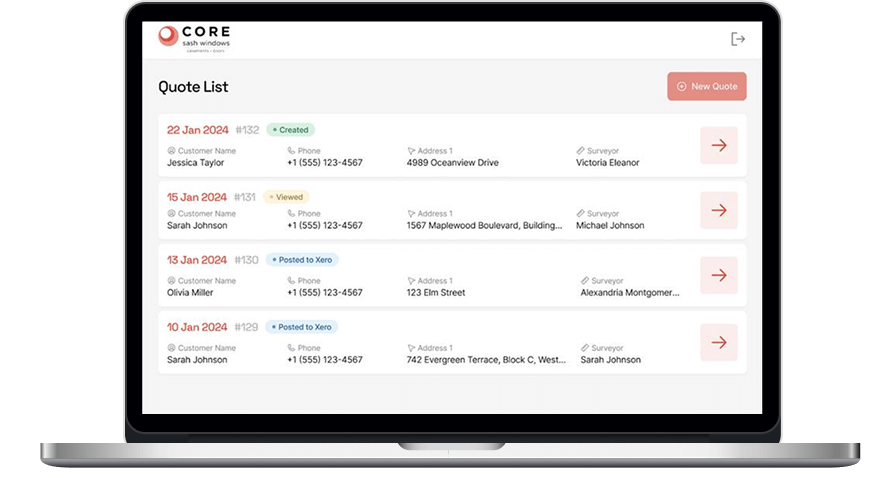
Challenge

The customer turned to us with a ready-made product that had to be transferred to a new modern technology that would be able to maintain the current functionality of the product and expand it.

Also, it was necessary to support MPV boxes to display the video on the basis of the new technology.

Solution

For this project, it was decided to develop a frontend based on a modern technology – React JS, which is currently the most suitable for this kind of task. The introduction of this technology has allowed us to significantly expand the functionality of the Video Platform.

Key features

Viewing of a video library

Video search within the library

Video filtering

Use of virtual keyboard
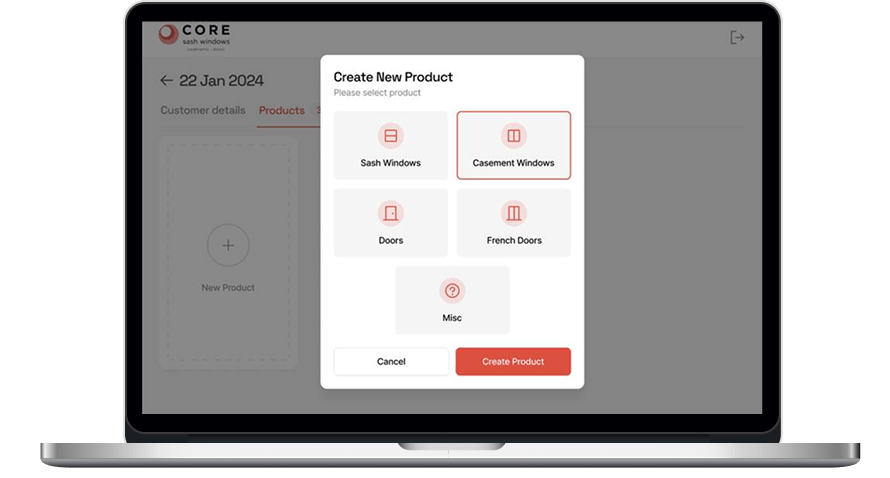
Program guide
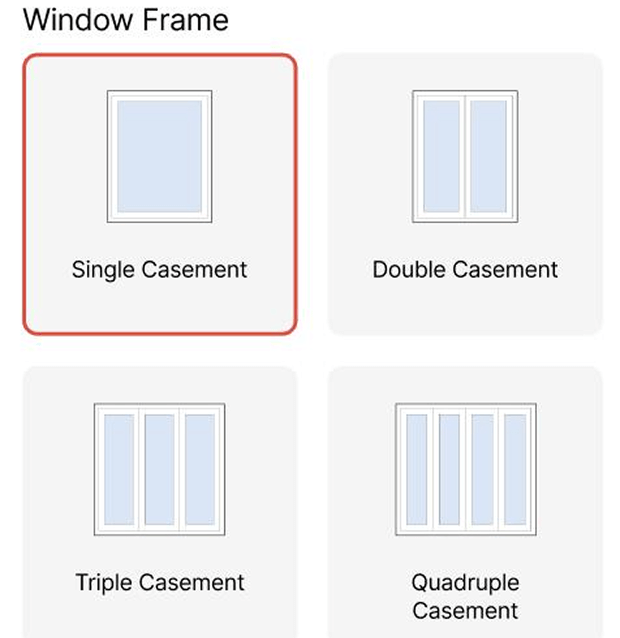
The ability to set the filter parameters using the TV remote control

Support of input using the TV remote control

Technologies

JavaScript
Javascript
React JS
Redux.js
Anna Vasilevskaya
AI modified real photo
Anna Vasilevskaya
Account Executive

Get in touch

Drop us a line about your project at
[email protected] or via the contact
form below, and we will contact you soon.