How widening their games pool with a Google Daydream-based quiz about American football helped a gaming company to hit a three-minute plato of an average session length (ASL) and achieve a five-minute duration of a single session.
integration of the controller for interaction with the user interface
user interface implementation, suitable for the VK app usage
provision of 360-degree video upload and display
score calculation and speed of user answers
Solution
Before the implementation, a Google VR SDK (GVR SDK) study was conducted to determine its functionality. The customer wanted to use the native SDK for Android, but this had to be rejected, mainly because of the user interface, which, in such a case, would have to be created from scratch. That is why we decided to use the Unity Game Engine, together with the special version of the GVR SDK for Unity. This option offered ready-made solutions for the development of the user interface, structure of the scene, etc., and ultimately allowed reduction of the time for development.
Key features
The app plays a series of short 360-degree video clips
Each video is followed by questions on the video
By using the controller, the user chooses the correct answers as quickly as they can
When the game is completed, the user can see their scores and compare them with the results of other users
Live Event Platform For a Canadian Video Streaming Provider
How honing the live event platform by optimizing bandwidth usage and adding streaming of 360-degree virtual reality (VR) videos helped an entertainment company elevate the market position of their flagship product with a 17% spike in new signups.
The company contacted *instinctools while looking for a contractor to help them to implement several new features for their platform. The main challenge for our team was to implement:
new UI/UX
caching feature to increase the Quality over Public Internet
Solution
Our team met all the requirements of the customer and successfully delivered all the important features. The customer is pleased with the efficiency of communications and the quality of work delivered.
Key features
Give your Internet audience the best viewing experience,
regardless of their geographic
location, network conditions or
preferred device
Send your video streams to a transcoder in the cloud to take care of adaptive bitrate (ABR) distribution when your Internet connection isn’t very reliable
Optimize bandwidth usage
without sacrificing a high-quality viewing experience
Provide the highest quality streaming events and stream
360-degree virtual reality videos
How introducing an app for recording and processing spatial audio within interactive video conferences allowed a Swedish video streaming provider to take the lead in the local market of VR audio solutions.
The main idea is that participants could be placed randomly in front of the video camera. This would significantly improve the usability of the entire solution. Thus, there is no need to build complex schemes of multiple cameras and additional equipment to place all the participants.
In addition to the particular 360-degree camera, our customer needed to implement a component that allows the user to detect the position of the speaker in live-mode and to transmit this data to the other side for which the playback is being performed. This is necessary so the participants on the other side can see the person who is currently speaking.
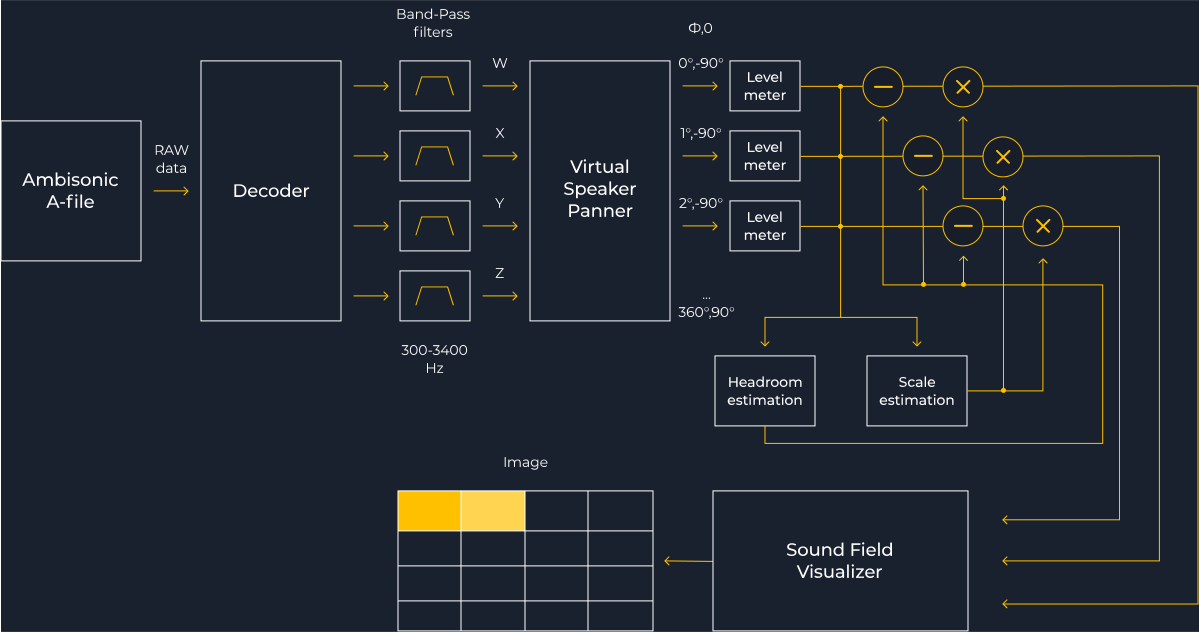
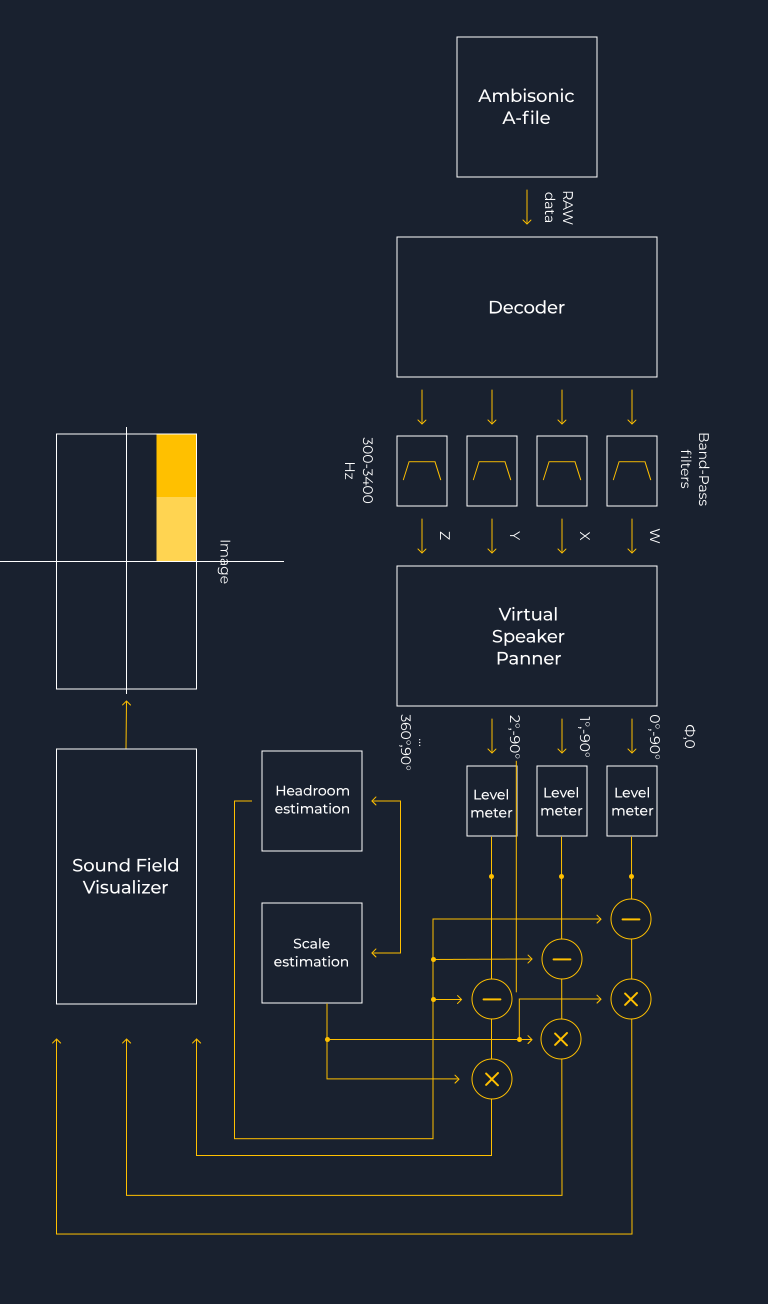
Detector operation scheme
Solution
To implement the component for detecting the speaker, together with a 360-degree video camera, we decided to use a special microphone that allows the recording of spatial audio in Ambisonics A-format.
Then we needed to investigate and build a software solution (algorithm) for processing Ambisonics A-audio, which allows us to detect and calculate the direction vector to the loudest audio source. For that, we used the algorithms FFT, Convolution, AGC, HRTF, as well as a number of algorithms for signal processing of the OpenCV library. The main idea of this approach was to build a sound field map in polar coordinates. Further, using algorithms for digital image processing (Threshold, Erode, Dilate, contour detection), the coordinates (the direction vector) of the loudest sound source are analyzed and calculated.
Key features
The app allows the user to:
analyze Ambisonics A-audio
from various sources (sound
card, audio file, HLS stream)
implement metadata containing direction data into H.264 video stream using Wowza WMS
perform vector detection
and calculation in live-mode
generate various debugging
information, and visualize the
360-degree map of sound field levels
Technologies
Digital Signal Processing
PortAudio
ZeroMQ
FFMPEG
OpenCV
Wowza WMS
AI modified real photo
Anna Vasilevskaya
Account Executive
Get in touch
Drop us a line about your project at [email protected] or via the contact form below, and we will contact you soon.
By continuing to use the site, you agree to the use of cookies